
Introduction
This manual provides essential information for the proper installation, operation, and maintenance of your Athearn HO Genesis DC-21 LED Motherboard. This product is designed to facilitate LED functionality in HO scale model train applications. Please read these instructions carefully before proceeding with installation to ensure optimal performance and longevity of your product.
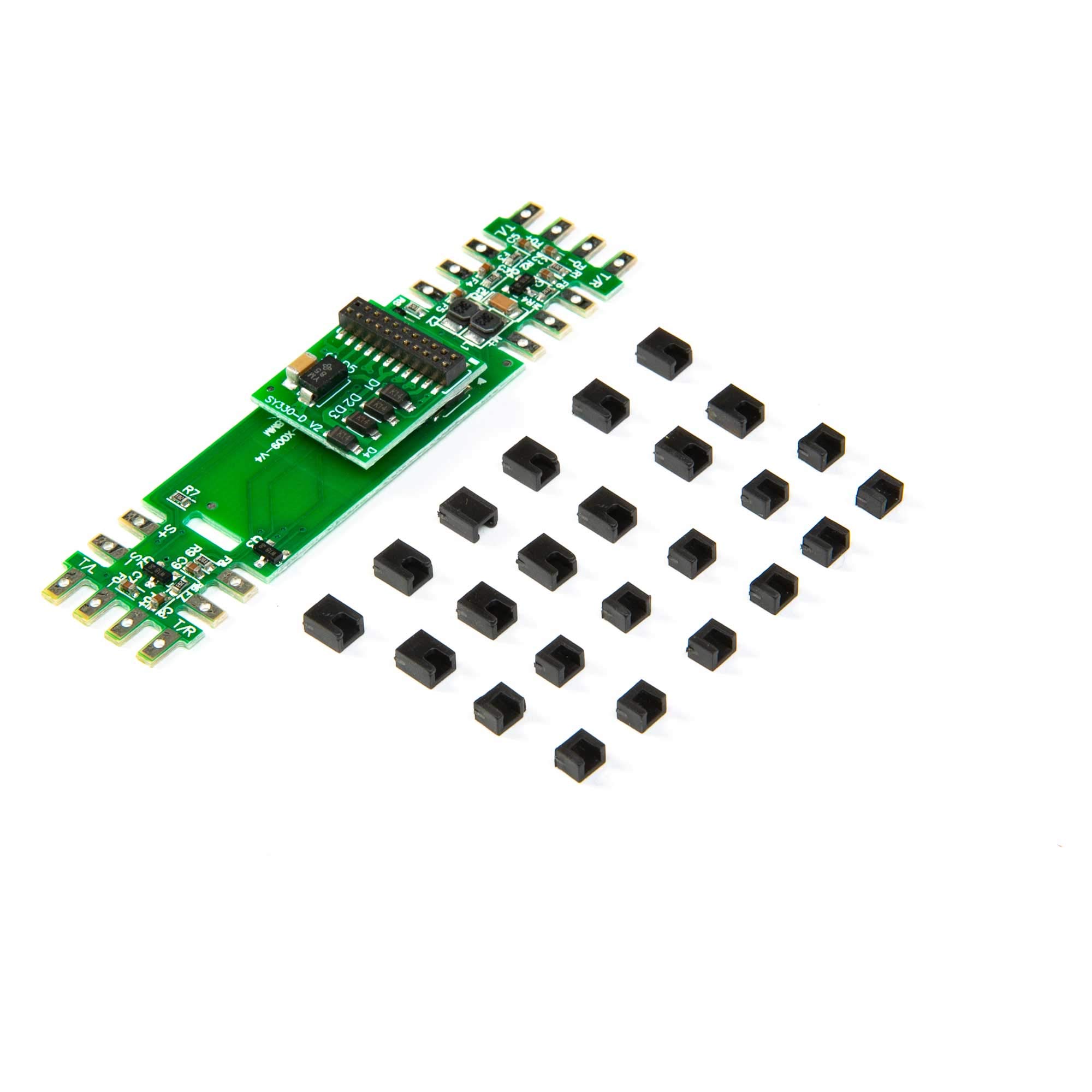
Image: The Athearn HO Genesis DC-21 LED Motherboard, a compact circuit board designed for integrating LED lighting into HO scale model locomotives.
Setup and Installation
The Athearn HO Genesis DC-21 LED Motherboard is designed for use with HO scale model train sets and is specifically configured for LED applications. Proper installation is crucial for its functionality.
Safety Precautions
- Always disconnect power from your model locomotive before beginning any installation or modification.
- Handle the motherboard by its edges to avoid touching electronic components, which can be sensitive to static electricity.
- Ensure all connections are secure and correctly polarized to prevent damage to the motherboard or LEDs.
Installation Steps
- Prepare the Locomotive: Carefully open your HO scale locomotive shell to access the internal wiring and existing motherboard, if any. Refer to your locomotive's specific manual for shell removal instructions.
- Identify Connection Points: Locate the 21-pin connector socket within your locomotive. The DC-21 motherboard is designed to plug directly into this standard interface.
- Connect LEDs: Attach your desired LEDs to the appropriate pads or connectors on the DC-21 motherboard. Ensure correct polarity (positive to positive, negative to negative) for each LED. Incorrect polarity can prevent LEDs from lighting or cause damage.
- Mount the Motherboard: Gently align the 21-pin connector on the DC-21 motherboard with the socket in the locomotive. Press firmly but carefully until the motherboard is securely seated. Avoid forcing the connection.
- Test Functionality: Before reassembling the locomotive, temporarily connect it to your power source (DC or DCC, depending on your setup) and test the LED functions. Verify that all connected LEDs illuminate correctly.
- Reassemble: Once functionality is confirmed, carefully reattach the locomotive shell, ensuring no wires are pinched and the motherboard is not dislodged.
Operating Instructions
Once the Athearn HO Genesis DC-21 LED Motherboard is correctly installed, its operation is integrated with your locomotive's control system. The motherboard acts as an interface for your LEDs, allowing them to function as intended within your model train setup.
- DC Operation: In a DC (Direct Current) environment, the LEDs connected to the motherboard will typically illuminate based on the direction and voltage supplied to the track, mimicking standard locomotive lighting.
- DCC Operation: If your locomotive is equipped with a DCC (Digital Command Control) decoder, the DC-21 motherboard will allow the decoder to control the connected LEDs. This enables advanced lighting effects, such as directional lighting, ditch lights, or cab lights, depending on the decoder's capabilities and programming. Refer to your DCC decoder's manual for specific programming instructions for lighting functions.
The motherboard itself does not require separate operational controls; it facilitates the electrical connection and signal transmission for the LEDs.
Maintenance
The Athearn HO Genesis DC-21 LED Motherboard is designed for durability and requires minimal maintenance. Following these guidelines will help ensure its long-term performance:
- Cleaning: If necessary, gently clean the motherboard with a soft, dry brush or compressed air to remove dust. Avoid using liquids or abrasive cleaners.
- Handling: Always handle the motherboard by its edges. Avoid touching the electronic components directly.
- Storage: When not installed, store the motherboard in an anti-static bag in a cool, dry place, away from direct sunlight and extreme temperatures.
- Inspections: Periodically inspect the connections to ensure they remain secure and free from corrosion.
Troubleshooting
If you encounter issues with your Athearn HO Genesis DC-21 LED Motherboard, consider the following troubleshooting steps:
- LEDs Not Lighting Up:
- Check Power: Ensure the locomotive is receiving power from the track or power supply.
- Verify Connections: Double-check that the motherboard is securely seated in the 21-pin socket and that all LED wires are correctly connected to the motherboard with proper polarity.
- Test LEDs: Individually test the LEDs to ensure they are functional.
- DCC Decoder Settings: If using DCC, verify that the decoder's lighting functions are correctly programmed and enabled.
- Intermittent Lighting:
- Inspect for Loose Connections: Check all wiring and the motherboard's seating for any loose connections.
- Clean Track/Wheels: Ensure the locomotive's wheels and the track are clean to maintain good electrical contact.
- Smoke or Burning Smell:
- Immediately Disconnect Power: If you observe smoke or a burning smell, immediately disconnect all power. This indicates a serious electrical issue, likely due to incorrect wiring or a short circuit. Do not reapply power until the issue is identified and resolved.
If these steps do not resolve the issue, contact Athearn customer support for further assistance.
Specifications
| Feature | Detail |
|---|---|
| Brand | Athearn |
| Model Name | ATHG67140 |
| Compatible Devices | Train Set (HO Scale) |
| Main Power Connector Type | 21-Pin |
| UPC | 797534671409 |
| Item Weight | 27.22 g |
| Manufacturer Part Number | ATHG67140 |