
Introduction
This document provides comprehensive instructions for the Easytry123 replacement remote control. This remote is designed to operate specific Sony Mini HI-FI Component Systems, offering a convenient alternative to your original remote. Please read this manual carefully to ensure proper setup and operation.
Important Note: As a replacement unit, this remote control may not support all functions present on the original remote. Refer to the 'Operating Instructions' section for details on available functions.
Setup
Battery Installation
The remote control requires two (2) AAA batteries for operation. Batteries are not included with the remote control.
- Locate the battery compartment cover on the back of the remote control.
- Slide the cover downwards or press the latch (if present) to open the compartment.
- Insert two new AAA batteries, ensuring that the positive (+) and negative (-) terminals align correctly with the markings inside the compartment. Incorrect insertion can prevent the remote from functioning.
- Slide the battery compartment cover back into place until it clicks securely.

Image: Rear view of the remote control, showing the battery compartment cover.
Operating Instructions
This replacement remote control is designed for ease of use. Point the remote directly at your Sony Mini HI-FI Component System and press the desired function button. Ensure there are no obstructions between the remote and the system's infrared receiver.
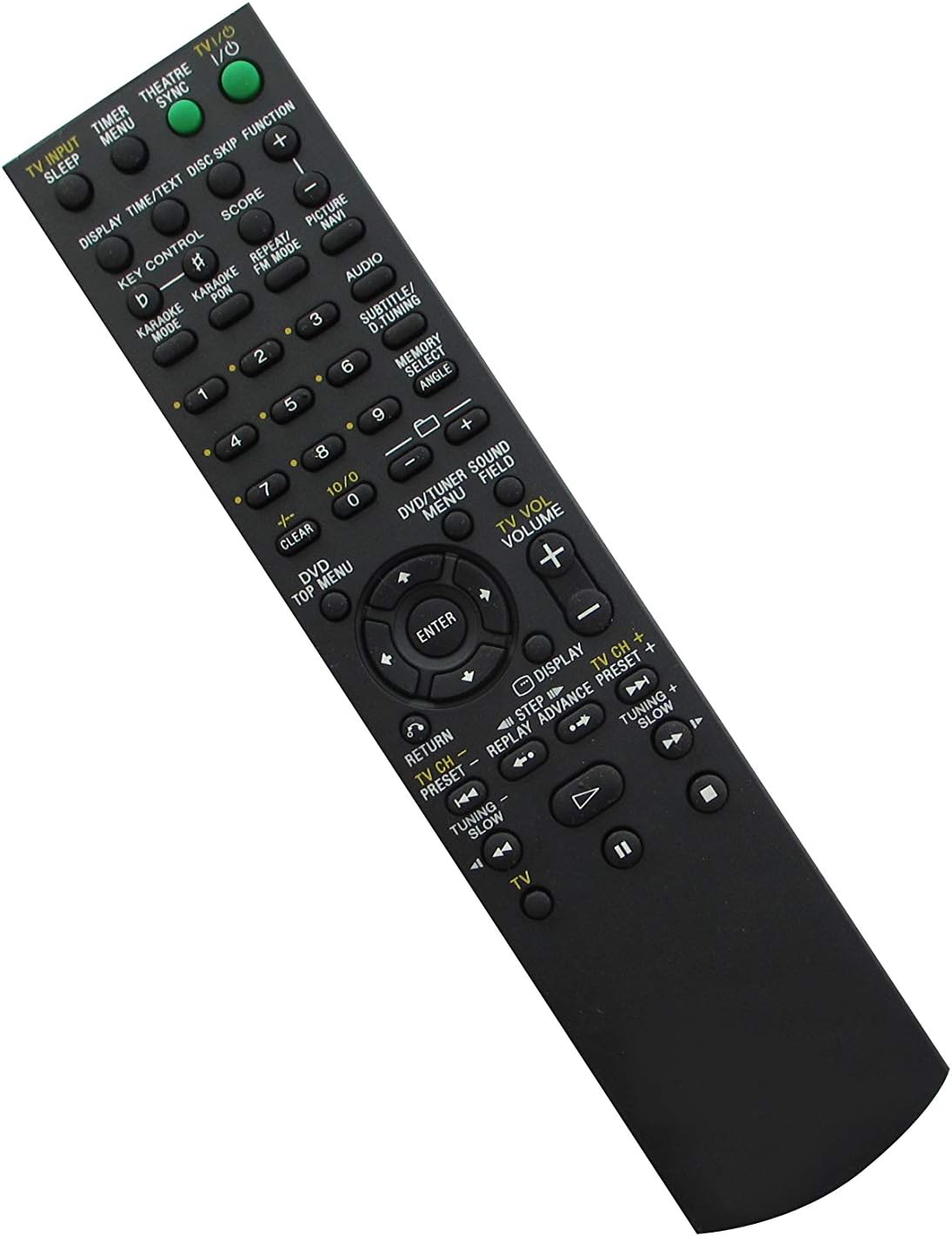
Image: Front view of the remote control, displaying the layout of all function buttons.
Key Functions Overview
- Power Button: Turns the system on or off.
- Numeric Keypad (0-9): For direct track selection or inputting numbers.
- Volume Up/Down: Adjusts the audio output level.
- Channel/Track Navigation: Buttons for changing tracks, radio stations, or navigating menus.
- Playback Controls: Play, Pause, Stop, Fast Forward, Rewind.
- Input/Source Selection: Switches between different audio/video inputs (e.g., CD, DVD, Tuner, USB).
- Menu/Navigation Buttons: For navigating on-screen menus (if supported by your system).
Due to the nature of replacement remotes, some advanced or specific functions of your original system might not be directly accessible or may require different button combinations. Refer to your Sony system's original manual for detailed function descriptions.
Maintenance
Cleaning
To clean the remote control, use a soft, dry cloth. Do not use abrasive cleaners, solvents, or chemical wipes, as these can damage the remote's surface or internal components.
Battery Replacement
Replace batteries when the remote control's response becomes sluggish or stops working. Always replace both batteries at the same time with new AAA batteries. Dispose of used batteries according to local regulations.
Troubleshooting
- Remote is not responding:
- Check if the batteries are inserted correctly with the correct polarity (+/-).
- Replace old batteries with new ones.
- Ensure there is a clear line of sight between the remote's infrared emitter and the system's receiver.
- Verify that the remote is compatible with your specific Sony Mini HI-FI Component System model (see 'Specifications' section).
- Some functions do not work:
- As a replacement remote, not all functions of the original unit may be supported. This is normal for universal or replacement remotes.
- Consult your Sony system's original manual to confirm if the function requires a specific button or sequence not present on this replacement remote.
Specifications
| Brand: | Easytry123 |
| Manufacturer: | Easytry123 |
| Item Model Number: | MHC-GZR999 |
| Compatible Devices: | Sony MHC-GZR999D, MHC-GZR888D, MHC-GZR777D, MHC-GZR777DA, MHC-GZR99D, MHC-GZR88D Mini HI-FI Component Systems |
| Connectivity Technology: | Infrared |
| Batteries Required: | 2 x AAA (not included) |
| Color: | Black |
| Special Feature: | Ergonomic design |
| ASIN: | B07WDCRCQ8 |
Warranty and Support
This Easytry123 remote control is a replacement product. For specific warranty information, please refer to the documentation provided at the time of purchase or contact the seller directly. For technical support or inquiries regarding this product, please reach out to the Easytry123 customer service.