1. Introduction
The Agrarzone Automatic Chicken Coop Door, Model 23366-002, is designed to provide secure and convenient access for your poultry. This system automates the opening and closing of your chicken coop door using a timer, a light sensor, or manual control, ensuring the safety and well-being of your flock. This manual provides detailed instructions for the installation, operation, and maintenance of your automatic chicken coop door.
2. Safety Instructions
Please read these safety instructions carefully before installation and operation to prevent injury or damage to the device.
- Always disconnect power before performing any installation, maintenance, or cleaning.
- Ensure all components are securely fastened to prevent accidental detachment.
- Keep children and unauthorized persons away from the device during operation.
- Do not attempt to modify the device. Use only original Agrarzone parts and accessories.
- The integrated emergency stop function is designed to prevent injury to animals. Regularly check its functionality.
- Ensure the power adapter and cables are protected from moisture and damage.
3. Package Contents
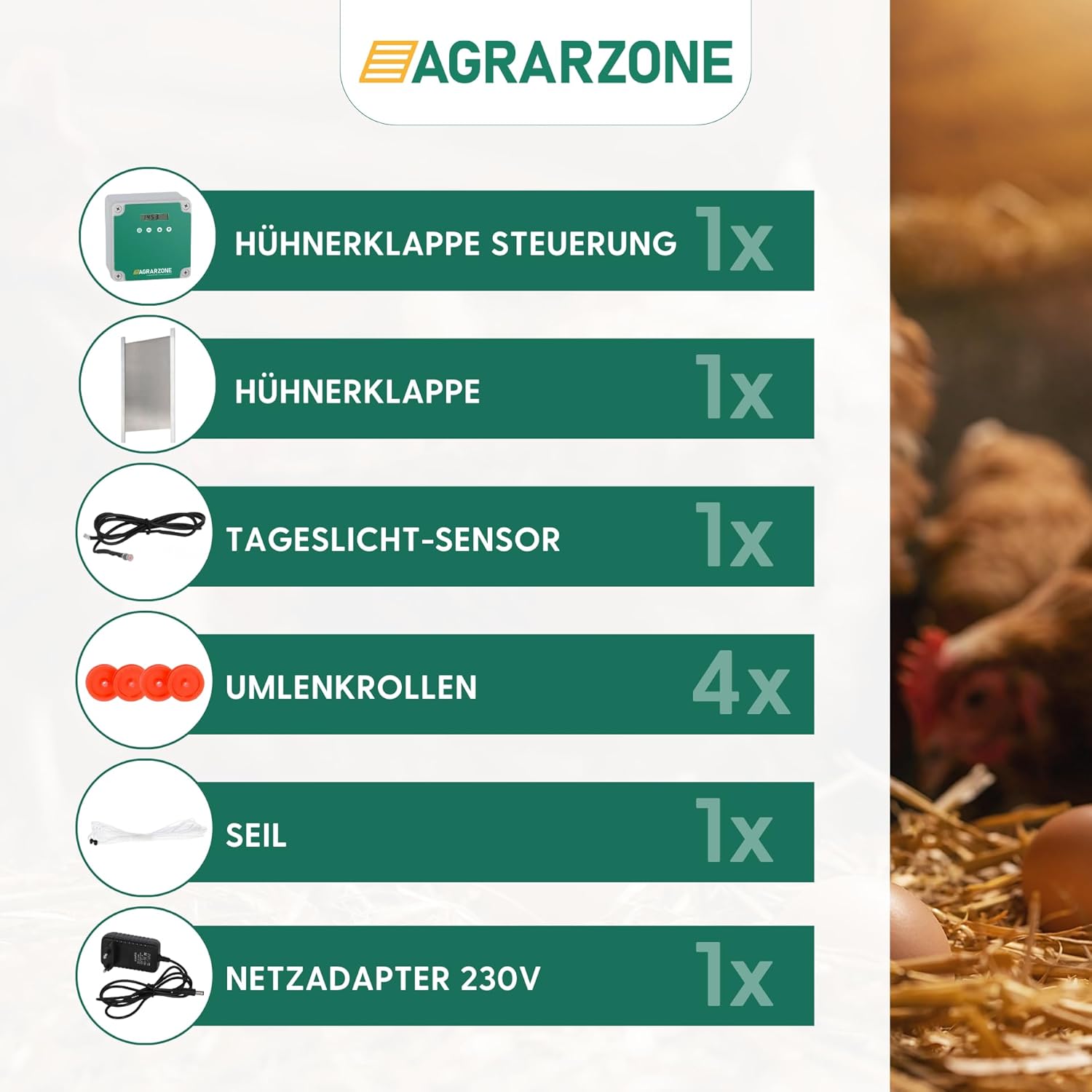
Verify that all items listed below are present in your package:
- 1x Control Unit
- 1x Aluminum Chicken Coop Door (22 x 33 cm)
- 1x Daylight Sensor
- 4x Deflection Pulleys
- 1x Rope
- 1x 230V Power Adapter
4. Product Features
The Agrarzone Automatic Chicken Coop Door offers several key features for optimal poultry management:
- Three Operating Modes: Choose between timer-based, light sensor-based, or manual control to suit your needs.
- Integrated Emergency Stop: Automatically detects obstructions (e.g., a chicken) under the door and stops closing to prevent injury.
- Flexible Power Options: Can be powered via the included 230V mains adapter or 4 AA batteries (batteries not included).
- Predator Protection: The high-quality aluminum door provides reliable protection against nocturnal predators.
- Durable Construction: Made from robust aluminum, designed for long-lasting use in various weather conditions.


5. Setup and Installation
Follow these steps to properly install your Agrarzone Automatic Chicken Coop Door:
- Prepare the Coop Opening: Ensure your chicken coop has an opening suitable for the door (22 x 33 cm for this model). The door requires vertical guides for smooth operation.
- Mount the Aluminum Door: Install the aluminum door within the coop's opening, ensuring it can slide freely up and down.
- Mount the Control Unit: Choose a suitable location on the exterior of the coop, protected from direct rain and sunlight if possible. Mount the control unit securely using appropriate screws. Ensure it is easily accessible for programming.
- Install Deflection Pulleys: Attach the four deflection pulleys above the door opening and near the control unit. These pulleys guide the rope that lifts and lowers the door. Refer to the diagram for optimal placement.
- Route the Rope: Thread the rope through the pulleys and attach one end to the top of the aluminum door and the other end to the winding mechanism on the control unit. Ensure the rope is taut but allows the door to move freely.
- Connect the Daylight Sensor: Plug the daylight sensor into the designated port on the control unit. Position the sensor in an area that receives natural daylight, away from artificial light sources that could interfere with its function.
- Connect Power: Connect the 230V power adapter to the control unit and a suitable power outlet. Alternatively, insert 4 AA batteries into the battery compartment (located on the back of the unit, usually under a cover) if operating on battery power.
- Test Operation: Perform a manual test to ensure the door opens and closes smoothly and the emergency stop function is active.

6. Operating Instructions
The control unit allows you to select from three operating modes:
6.1. Timer Mode
In Timer Mode, the door opens and closes at specific times you set. Use the control unit's buttons (usually labeled 'OK', 'Up', 'Down', 'Settings') to navigate the menu and set the desired opening and closing times. Ensure the current time is correctly set on the device.
6.2. Light Sensor Mode
In Light Sensor Mode, the door operates based on ambient light levels detected by the external sensor. The door will open when it gets light enough in the morning and close when it gets dark enough in the evening. You may be able to adjust the sensitivity of the light sensor through the control unit's settings.
6.3. Manual Mode
For immediate control, use the manual button on the control unit. Pressing this button will either open or close the door, overriding any programmed timer or light sensor settings for that single operation. This is useful for checking on your chickens or for temporary adjustments.
7. Maintenance
Regular maintenance ensures the longevity and reliable operation of your chicken coop door:
- Cleaning: Periodically clean the aluminum door and its guides to remove dirt, debris, or ice that could obstruct movement. Use a damp cloth; avoid harsh chemicals.
- Rope Inspection: Check the rope regularly for signs of wear, fraying, or damage. Replace the rope if any damage is observed to prevent unexpected failure.
- Sensor Cleaning: Ensure the daylight sensor lens is clean and free from dirt or spiderwebs to maintain accurate light detection.
- Battery Check: If operating on batteries, check their charge level periodically and replace all 4 AA batteries simultaneously when needed.
- Emergency Stop Test: Occasionally test the emergency stop function by gently placing an object (e.g., a small stick) under the closing door to ensure it stops as intended.
8. Troubleshooting
Refer to the table below for common issues and their solutions:
| Problem | Possible Cause | Solution |
|---|---|---|
| Door does not open/close | No power, incorrect settings, obstruction, damaged rope. | Check power connection or battery level. Verify timer/light sensor settings. Remove any obstructions. Inspect and replace rope if damaged. |
| Door stops mid-operation | Emergency stop activated, obstruction. | Check for animals or objects under the door. Remove obstruction. The door should resume operation or can be manually reset. |
| Light sensor not working correctly | Sensor dirty, incorrect placement, faulty sensor. | Clean the sensor lens. Relocate the sensor to an area with consistent natural light. If issues persist, the sensor may need replacement. |
| Timer settings are not saved | Power interruption, incorrect saving procedure. | Ensure power is stable. Follow the manual's instructions for saving settings after programming. |
9. Specifications
| Feature | Detail |
|---|---|
| Brand | Agrarzone |
| Model Number | 23366-002 |
| Door Dimensions (L x W x H) | 40 x 30 x 30 cm (overall unit size, door flap 22 x 33 cm) |
| Item Weight | 1.8 kg (3.97 lbs) |
| Material | Aluminum |
| Power Supply | 230V Mains Adapter or 4x AA Batteries |
| Special Features | Automatic, Timer, Light Sensor, Emergency Stop |
| Recommended for Species | All poultry breeds (Small, Medium, Large, Giant) |
| Usage Environment | Outdoor, Indoor |
| Color | White/Green |

10. Warranty and Support
Limited Warranty: Agrarzone products are covered by a limited warranty against manufacturing defects. Please refer to your purchase documentation or contact Agrarzone customer support for specific warranty terms and conditions.
Customer Support: For technical assistance, troubleshooting not covered in this manual, or warranty claims, please contact Agrarzone customer support. Contact information can typically be found on the Agrarzone website or your product packaging.


