1. Introduction
This manual provides detailed instructions for the HAVIT Wired Mechanical Gaming Keyboard, Mouse, and Headset Combo Kit. Please read this manual carefully before using the product to ensure proper operation and to maximize your gaming experience. This kit is designed for PC gamers, offering responsive controls, customizable RGB lighting, and comfortable ergonomics.
2. Package Contents
- HAVIT Wired Mechanical Gaming Keyboard
- HAVIT Wired Gaming Mouse
- HAVIT Wired Gaming Headset with Microphone
- Detachable Wrist Rest for Keyboard
- User Manual (this document)
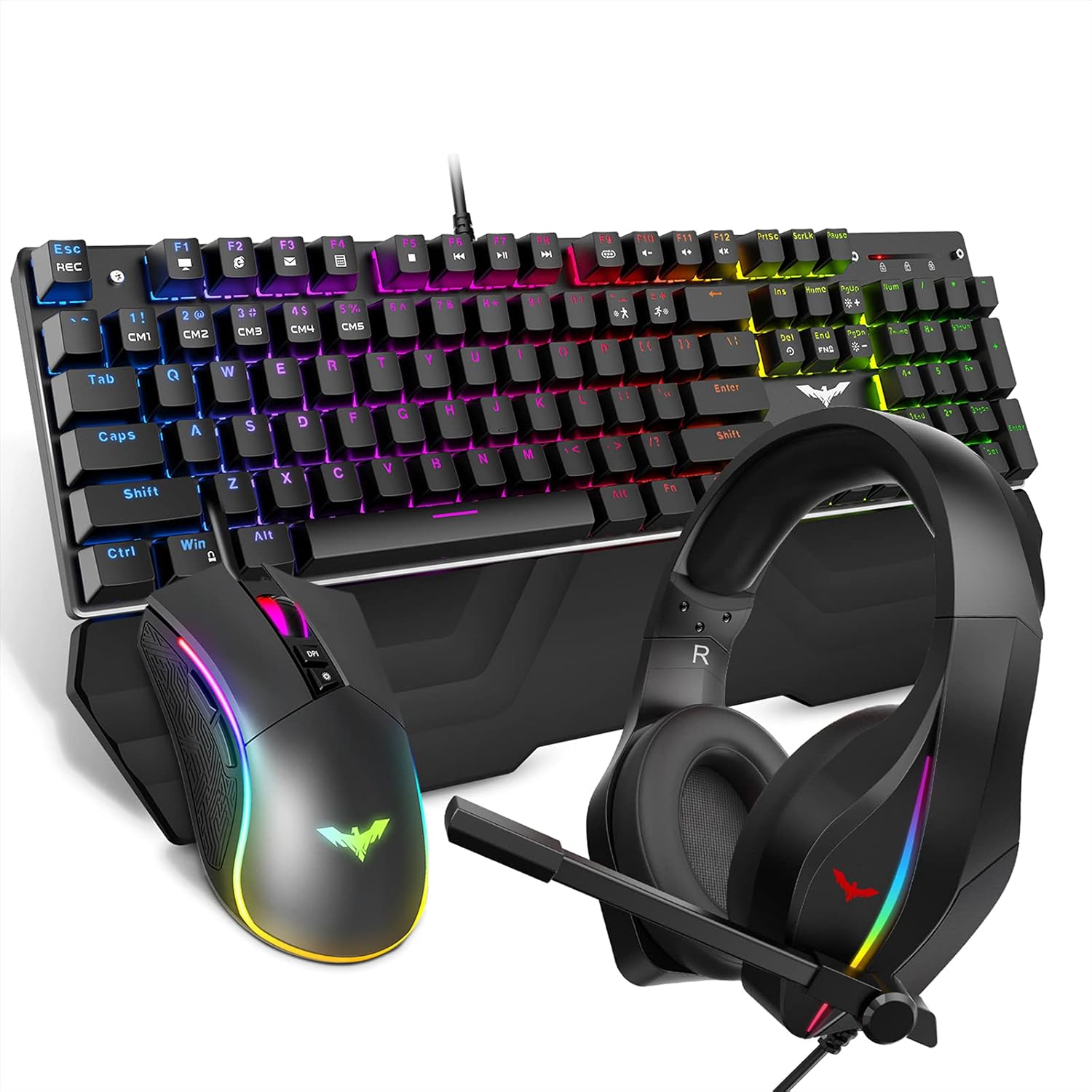
Figure 2.1: Complete HAVIT Gaming Combo Kit.
3. Setup
- Keyboard Connection: Connect the USB cable of the mechanical keyboard to an available USB port on your computer. The keyboard's RGB lighting will illuminate upon successful connection. For ergonomic comfort, attach the detachable wrist rest by aligning the clips and pressing firmly.
- Mouse Connection: Plug the USB cable of the gaming mouse into another available USB port on your computer. The mouse's RGB lighting will activate.
- Headset Connection: Connect the 3.5mm audio jack of the gaming headset to your computer's audio output port (usually green). Connect the 3.5mm microphone jack to your computer's microphone input port (usually pink). If your computer has a single combined audio jack, you may need a Y-splitter adapter (not included). The headset's RGB lighting is powered via a separate USB cable; connect this to an available USB port.

Figure 3.1: Example of the HAVIT Gaming Combo Kit connected to a computer setup.
4. Operating the Devices
4.1 Keyboard Functions
The HAVIT mechanical gaming keyboard features 14 pre-set RGB backlight modes, full N-key rollover, and anti-ghosting for precise input during intense gaming sessions.
- Changing Backlight Modes: Press the FN + F9 key combination to cycle through the 14 different RGB backlight modes.
- Adjusting Brightness: Use Fn + Page Up to increase brightness and Fn + Page Down to decrease brightness (5 levels).
- Adjusting Speed: Use Fn + "+" to increase animation speed and Fn + "-" to decrease animation speed (5 levels).
- Multimedia Keys: Access multimedia functions using the FN key in combination with F1-F8, F10-F12.

Figure 4.1: Keyboard with various RGB backlight modes.

Figure 4.2: Detachable wrist rest for enhanced comfort.
4.2 Mouse Functions
The HAVIT gaming mouse offers adjustable DPI settings, 7 kinds of RGB lighting effects, and programmable buttons for a personalized gaming experience.
- DPI Adjustment: Cycle through 6 levels of DPI (800-1600-2400-3200-4000-4800) using the DPI button located behind the scroll wheel. The indicator light will flash a specific color for each DPI setting: Green (800), Purple (1600), Blue (2400), Red (3200), Cyan (4000), Yellow (4800).
- RGB Lighting: The mouse features 7 kinds of light effects including Breathing mode, Colorful Streaming mode, Rainbow mode, Floe light mode, Waltz mode, 4-Seasons mode, and LED OFF. Adjust the RGB light mode using the "LED switch button".
- Programmable Buttons: The mouse has 7 programmable buttons. Refer to your operating system's mouse settings or third-party software for customization options.

Figure 4.3: Key features of the HAVIT Gaming Mouse.

Figure 4.4: Layout of programmable buttons on the mouse.
4.3 Headset Functions
The HAVIT gaming headset provides immersive audio with 50mm drivers and a 360° adjustable noiseless microphone, complemented by unique RGB lights.
- Audio Quality: Dual large 50mm drivers deliver powerful audio for an immersive gaming experience.
- Microphone: The 360° adjustable noiseless microphone can be positioned at any angle for clear communication.
- RGB Lights: Unique RGB lights create a cool gaming aesthetic. Note that the headset LEDs are one color cycle mode only and cannot be changed.
- Comfort: Features an adjustable headband and cushioned ear cups for extended comfort during long gaming sessions.

Figure 4.5: Headset with adjustable microphone and headband.

Figure 4.6: Headset designed for 360° stereo sound.
5. Maintenance
To ensure the longevity and optimal performance of your HAVIT Gaming Combo Kit, follow these maintenance guidelines:
- Cleaning: Use a soft, dry cloth to wipe down the surfaces of the keyboard, mouse, and headset. For stubborn dirt, a slightly damp cloth can be used, but ensure no moisture enters the internal components. Avoid harsh chemicals or abrasive cleaners.
- Keyboard Keys: If keys become sticky or unresponsive, you may carefully remove the keycaps (using a keycap puller if available) and clean underneath with compressed air.
- Cable Management: Avoid sharp bends or excessive pulling on the cables to prevent damage.
- Storage: Store the devices in a cool, dry place away from direct sunlight and extreme temperatures when not in use.
6. Troubleshooting
If you encounter any issues with your HAVIT Gaming Combo Kit, please refer to the following common troubleshooting steps:
| Problem | Possible Cause | Solution |
|---|---|---|
| Keyboard/Mouse/Headset not responding. | Loose USB connection, incorrect port, driver issue. | Ensure USB cables are securely plugged into working USB ports. Try a different USB port. Restart your computer. Check device manager for driver issues. |
| RGB lights not working or incorrect. | Lighting mode not selected, power issue, software conflict. | For keyboard, press FN + F9 to cycle modes. For mouse, use the LED switch button. Ensure headset USB power is connected. Check for any conflicting software. |
| Headset audio issues (no sound/low volume). | Incorrect audio jack, volume settings, default device. | Ensure 3.5mm audio jack is fully inserted into the correct port. Check system volume levels and ensure the headset is set as the default playback device in sound settings. |
| Headset microphone not working. | Incorrect microphone jack, muted mic, privacy settings. | Ensure 3.5mm microphone jack is fully inserted into the correct port. Check system microphone settings to ensure it's not muted and is set as the default recording device. Verify privacy settings allow applications to access the microphone. |
7. Specifications
| Feature | Detail |
|---|---|
| Product Dimensions | 17.05 x 4.88 x 1.38 inches (Keyboard) |
| Item Weight | 3.3 pounds (Total Combo) |
| Model Number | 6560227295430 |
| Connectivity Technology | USB (Wired) |
| Special Features | Backlit (RGB), Detachable Wrist Rest (Keyboard) |
| Compatible Devices | Laptop, Personal Computer, Tablet |
| Keyboard Backlight Modes | 14 pre-set RGB modes |
| Mouse DPI Settings | 800-1600-2400-3200-4000-4800 DPI |
| Headset Driver Size | 50mm |
8. Warranty and Support
HAVIT products are designed and manufactured to the highest quality standards. For information regarding warranty coverage, technical support, or customer service, please refer to the warranty card included with your product or visit the official HAVIT website. Keep your purchase receipt as proof of purchase for warranty claims.
For further assistance, you may also contact HAVIT customer support directly through their official channels.


