
Introduction
Thank you for purchasing the LEVOIT LV-H132 Air Purifier. This manual provides important information regarding the safe operation, maintenance, and troubleshooting of your device. Please read it thoroughly before use and retain it for future reference.

Image: The LEVOIT LV-H132 Air Purifier, a compact black cylindrical device with a silver band and a top air outlet.
Important Safety Instructions
- Always allow at least 15 inches (38 cm) of clearance on all sides of the air purifier to ensure proper airflow.
- Do not operate the air purifier near water or in damp environments.
- Keep the air purifier away from heat sources, such as stoves, ovens, and radiators.
- Ensure the power cord is not damaged and is properly plugged into a suitable electrical outlet (AC 120V/60Hz for USA and Canada).
- Do not insert objects into any openings.
- This appliance is not intended for use by persons (including children) with reduced physical, sensory, or mental capabilities, or lack of experience and knowledge, unless they have been given supervision or instruction concerning use of the appliance by a person responsible for their safety.
- The LV-H132 does not use UV-C light and does not produce ozone, ensuring a safe environment for families with pets, children, and individuals with asthma or allergies.

Image: The LEVOIT LV-H132 Air Purifier positioned in a living room, emphasizing its safety features with a child and a dog nearby, and icons indicating no ozone or UV-C emissions.
Package Contents
Upon unpacking your LEVOIT LV-H132 Air Purifier, please ensure all items listed below are present and in good condition:
- 1 x LEVOIT LV-H132 Air Purifier
- 1 x Pre-installed 3-in-1 Filtration Filter (True HEPA, Activated Carbon, Pre-Filter)
- 1 x User Manual (this document)
Product Diagram
Familiarize yourself with the components and controls of your air purifier.
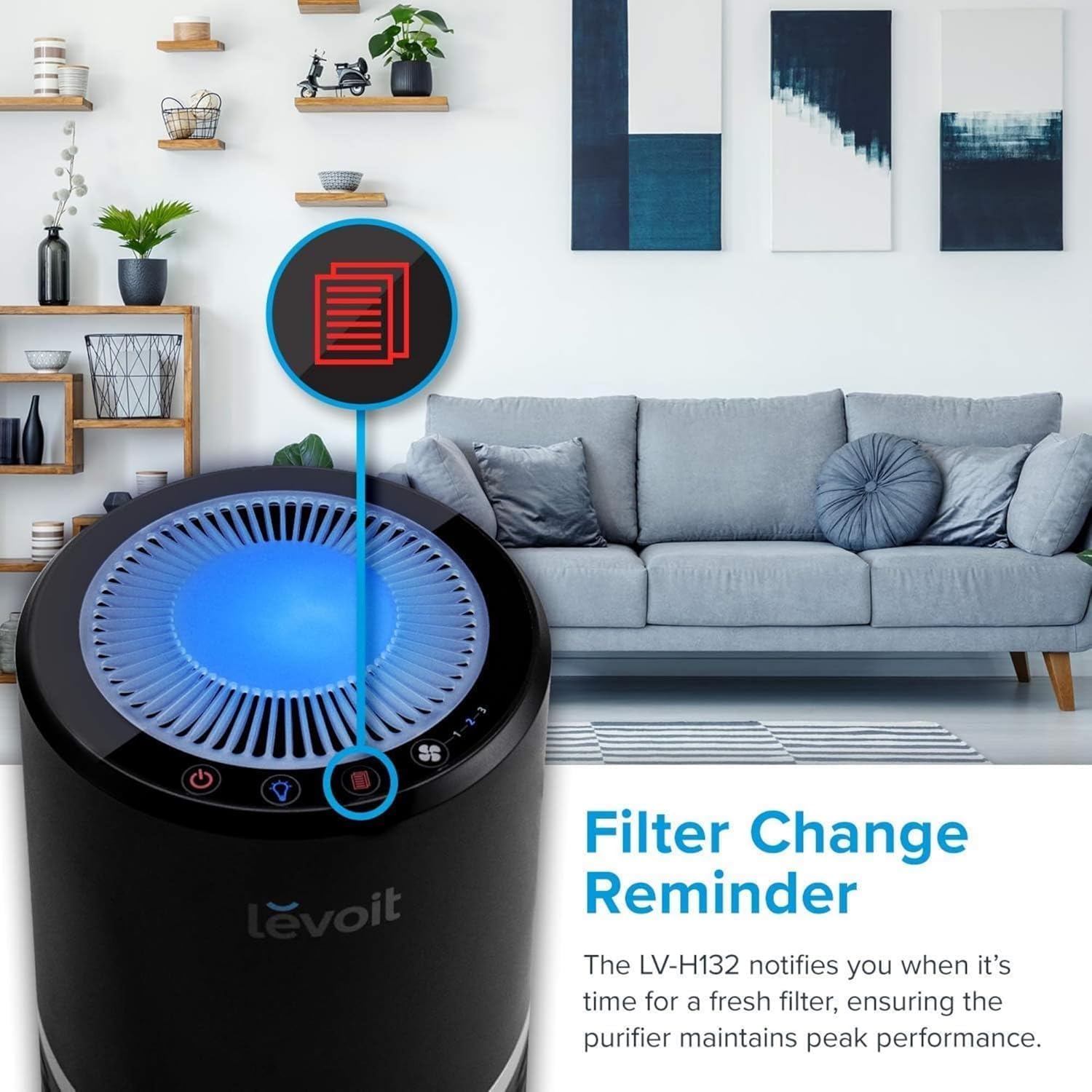
Image: A detailed top-down view of the LEVOIT LV-H132 control panel, highlighting five intuitive buttons: Power, Nightlight, Filter Reset, Fan Speed, and corresponding fan speed indicators (1, 2, 3 for Low, Medium, High).
- Power Button: Turns the unit on or off. (⏻)
- Night Light Button: Toggles the night light on/off or adjusts brightness. (💡)
- Filter Reset Button: Resets the filter replacement indicator after a new filter is installed. (↺)
- Fan Speed Button: Cycles through fan speeds (Low, Medium, High). (🌪)
- Fan Speed Indicators (1, 2, 3): Illuminates to show the current fan speed.
Setup
- Unpack: Remove the air purifier from its packaging.
- Placement: Place the air purifier on a firm, level surface. Ensure there is at least 15 inches (38 cm) of clearance around all sides of the unit for optimal air circulation. Avoid placing it directly against walls or furniture.
- Power Connection: Plug the power cord into a standard 120V/60Hz electrical outlet.

Image: The LEVOIT LV-H132 Air Purifier shown in various room settings including a kitchen, bedroom, and office, demonstrating suitable placement options.
Operating Instructions
Power On/Off
Press the Power Button (⏻) to turn the air purifier on or off. The unit will start at the last used fan speed.
Adjusting Fan Speed
Press the Fan Speed Button (🌪) repeatedly to cycle through the three fan speed settings: Low (1), Medium (2), and High (3). The corresponding indicator light will illuminate.

Image: A visual representation of the three fan speeds (High, Medium, Low) of the LEVOIT LV-H132 Air Purifier, depicted with cats in different states of activity to suggest appropriate usage scenarios.
Night Light Function
Press the Night Light Button (💡) to turn the night light on. Press it again to adjust the brightness between two levels, or press a third time to turn the night light off completely. This feature allows for a restful sleep environment, as the lowest fan speed operates at a quiet 28 dB.

Image: The LEVOIT LV-H132 Air Purifier operating quietly at 28dB next to a bed where a child is sleeping, demonstrating its suitability for a peaceful night's rest.

Image: A sequence of three images showcasing the LEVOIT LV-H132 Air Purifier with its night light feature: off, at a low brightness setting, and at a brighter setting.
Maintenance
Filter Replacement
The air purifier features a built-in filter change reminder. When the filter indicator light illuminates, it is time to replace the filter. It is recommended to replace the filter every 6–8 months, depending on usage and air quality. Always use genuine LEVOIT replacement filters to ensure optimal performance and compatibility.
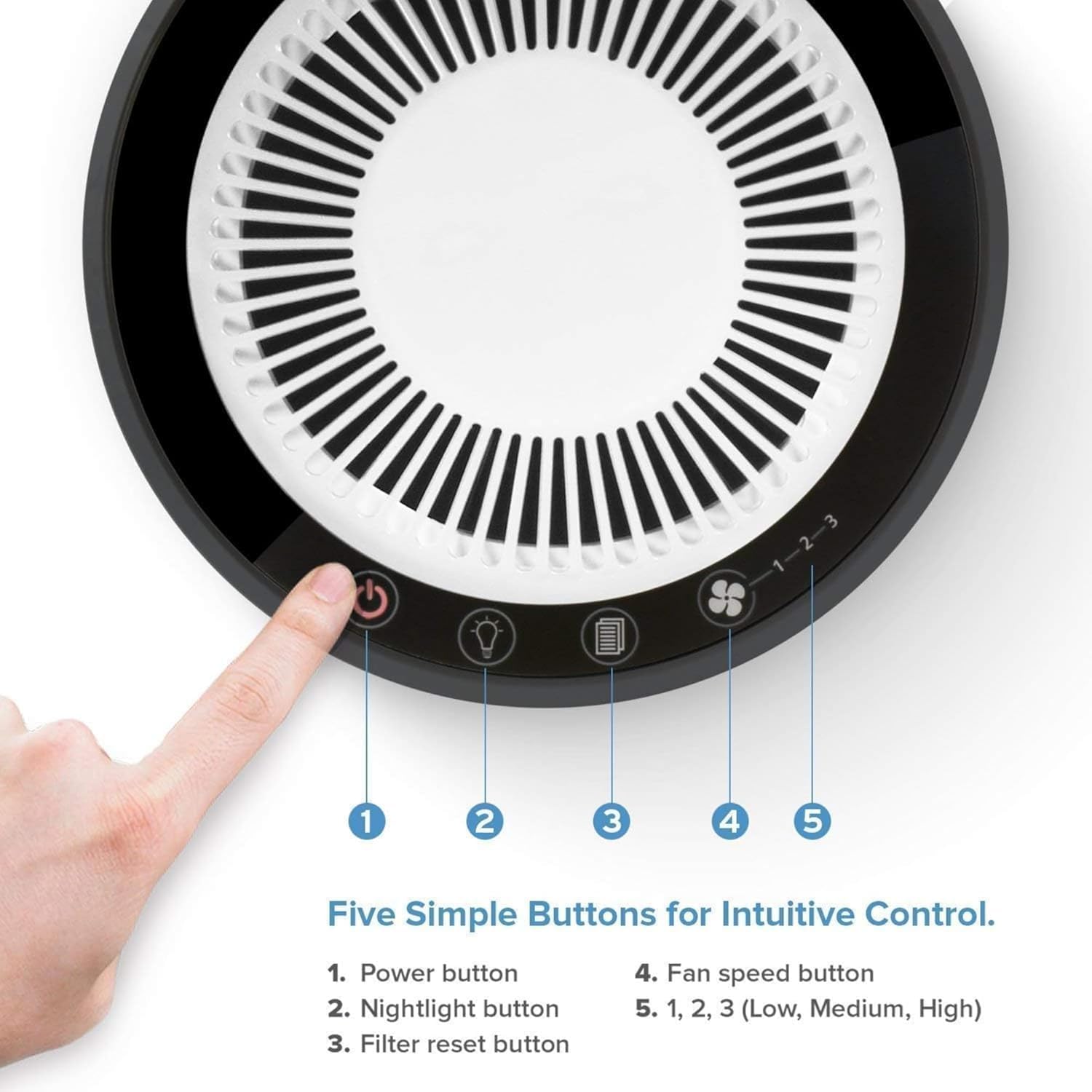
Image: The LEVOIT LV-H132 Air Purifier displaying a red filter change reminder icon on its control panel, indicating the need for filter replacement.
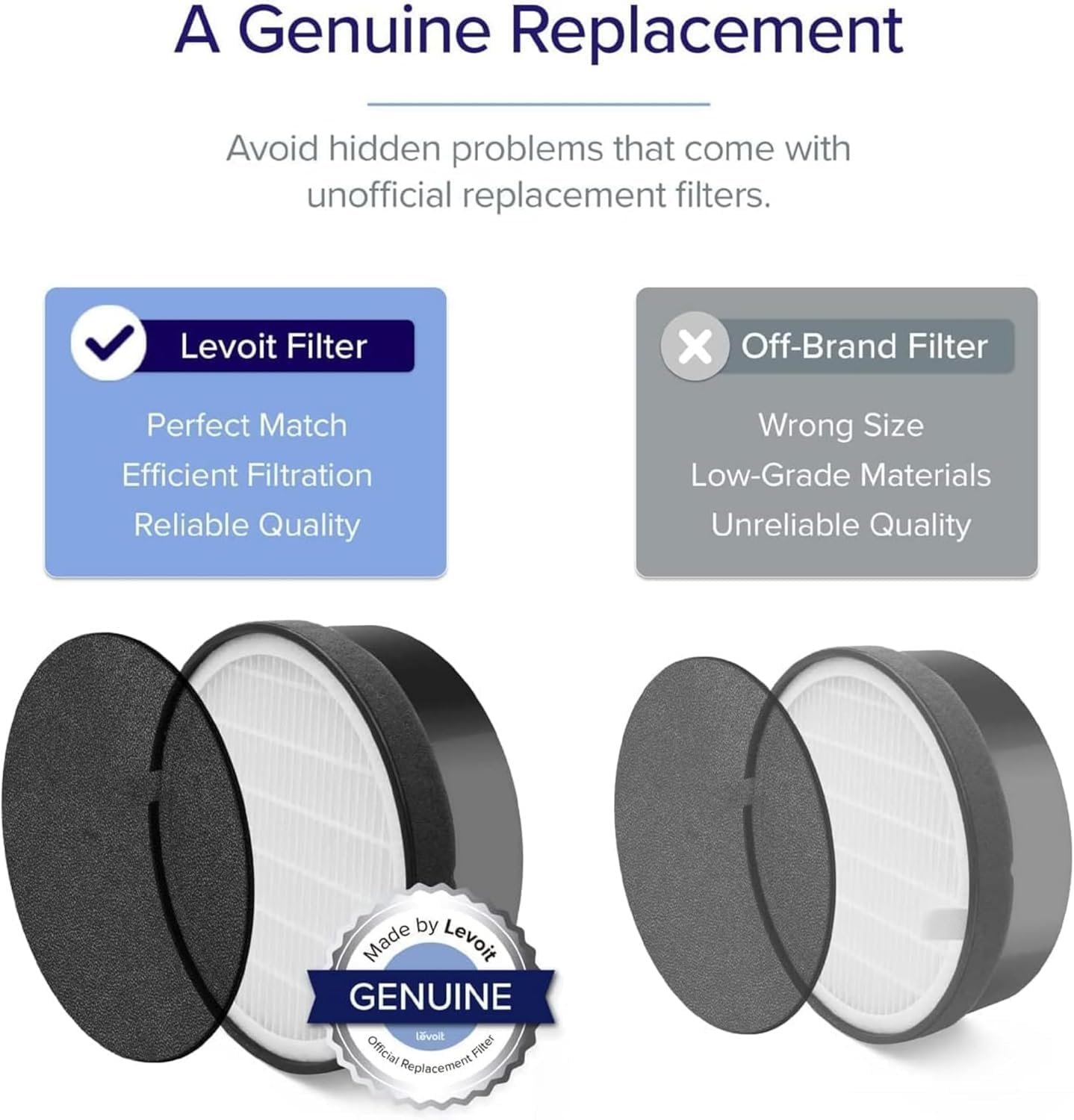
Image: A visual comparison between a genuine LEVOIT replacement filter and an off-brand filter, illustrating the importance of using authentic parts for proper fit, efficient filtration, and reliable quality.
Steps to Replace Filter:
- Unplug the air purifier from the power outlet.
- Turn the unit upside down and twist the base counter-clockwise to unlock it.
- Remove the old filter.
- Insert a new genuine LEVOIT LV-H132 replacement filter.
- Replace the base and twist clockwise to lock it.
- Plug in the air purifier.
- Press and hold the Filter Reset Button (↺) for 3 seconds until the indicator light turns off.
Cleaning the Exterior
Wipe the exterior of the air purifier with a soft, dry cloth. Do not use abrasive cleaners or harsh chemicals.
Filtration System
The LEVOIT LV-H132 Air Purifier utilizes a 3-stage filtration system to capture various airborne particles and odors:
- Pre-Filter: Captures large particles such as dust, lint, fibers, hair, and pet fur.
- True HEPA Filter: Filters small particles such as fine dust, smoke particles, and allergens like pollen and pet dander, down to 0.3 microns.
- Activated Carbon Filter: Physically adsorbs smoke, cooking odors, pet odors, and fumes.

Image: A diagram detailing the 3-stage filtration system of the LEVOIT LV-H132 Air Purifier, visually explaining how the pre-filter, True HEPA filter, and activated carbon filter work together to purify air.
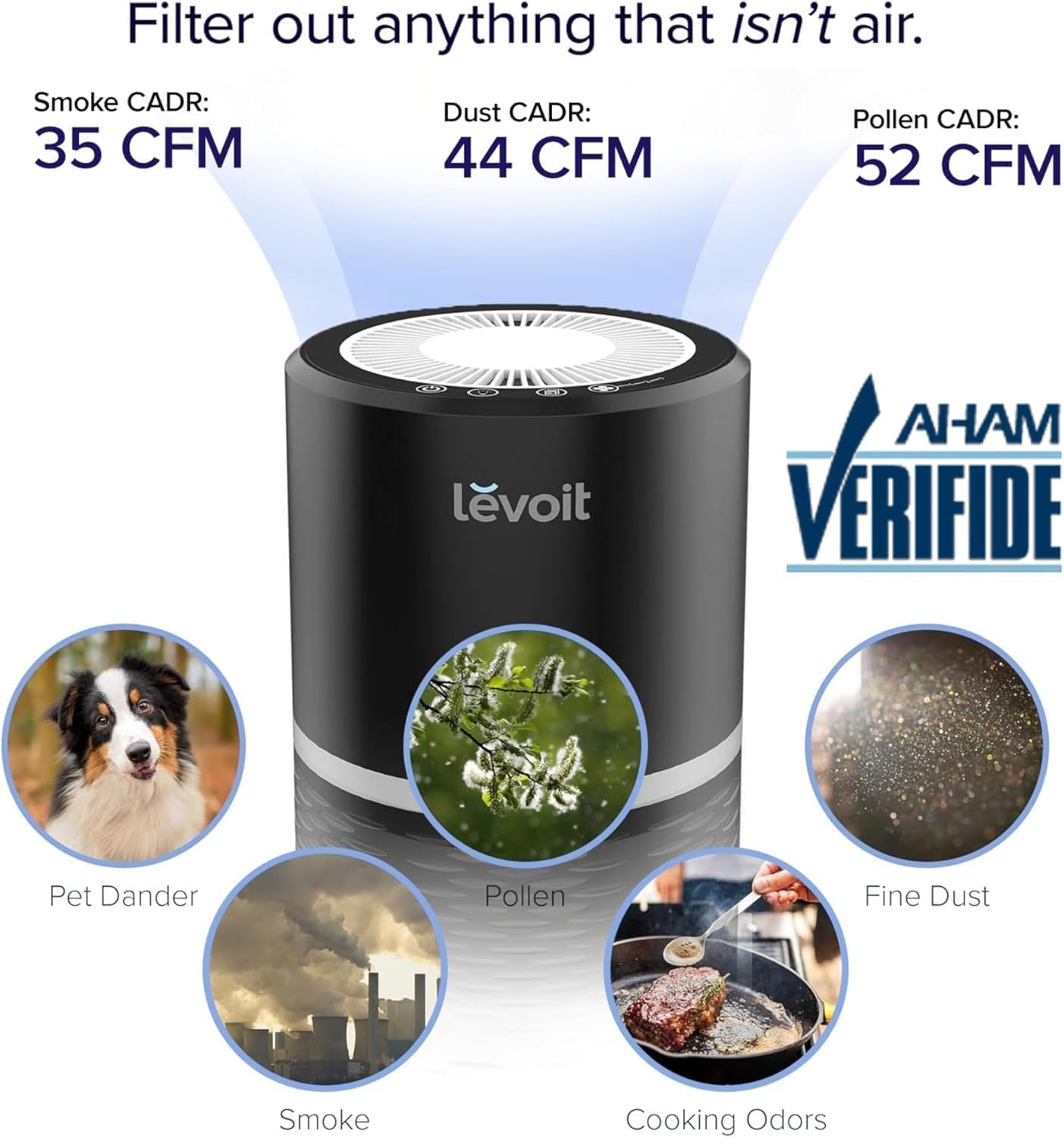
Image: An infographic highlighting the LEVOIT LV-H132 Air Purifier's Clean Air Delivery Rate (CADR) for smoke (35 CFM), dust (44 CFM), and pollen (52 CFM), alongside visual examples of common airborne pollutants it filters, such as pet dander, pollen, fine dust, smoke, and cooking odors.
Troubleshooting
| Problem | Possible Cause | Solution |
|---|---|---|
| Air purifier does not turn on. | Not plugged in; power outage; unit damaged. | Ensure the power cord is securely plugged into a working outlet. Check for power outages. If damaged, contact customer support. |
| Reduced airflow or unusual noise. | Filter is dirty or clogged; obstruction in air intake/outlet. | Check and replace the filter if necessary. Ensure there are no obstructions around the air intake or outlet. |
| Filter change indicator remains on after filter replacement. | Filter reset button not pressed. | Press and hold the Filter Reset Button (↺) for 3 seconds until the light turns off. |
| Unpleasant odor from the unit. | Filter is saturated with odors; new filter odor. | Replace the filter. A new filter may have a slight odor initially, which will dissipate with use. |
Specifications
| Feature | Detail |
|---|---|
| Brand | LEVOIT |
| Model Number | LV-H132 |
| Color | Black |
| Product Dimensions | 7.9"D x 7.9"W x 12.6"H (20.1 cm x 20.1 cm x 32 cm) |
| Recommended Floor Area | Up to 263 Square Feet (24.4 m²) |
| Noise Level | 28 dB (on lowest setting) |
| Particle Retention Size | 0.3 Micron |
| Controller Type | Touch |
| Wattage | 11 watts |
| UPC | 817915027790 |
| Power Supply | AC 120V/60Hz (USA and Canada only) |

Image: An AHAM Certified chart detailing the LEVOIT LV-H132 Air Purifier's performance across various room sizes, including the time required to clean the air and the Air Changes Per Hour (ACH).
Warranty and Customer Support
LEVOIT provides a warranty for this product. For detailed warranty information, please refer to the warranty card included with your purchase or visit the official LEVOIT website. If you encounter any issues or have questions regarding your LEVOIT LV-H132 Air Purifier, please contact LEVOIT Customer Support for assistance.
You can typically find contact information on the LEVOIT website or within your product packaging.


