
Logitech G 981-001050
Logitech G435 LIGHTSPEED Wireless Gaming Headset User Manual
Model: 981-001050
Introduction
The Logitech G435 LIGHTSPEED Wireless Gaming Headset offers a versatile and lightweight audio solution for gamers. Featuring both LIGHTSPEED wireless and low-latency Bluetooth connectivity, it provides freedom across multiple platforms including PC, PlayStation consoles, mobile devices, and Nintendo Switch. Designed for comfort during extended use, the G435 incorporates integrated dual beamforming microphones for clear communication and 40mm drivers for high-fidelity sound, compatible with Dolby Atmos and Windows Sonic.
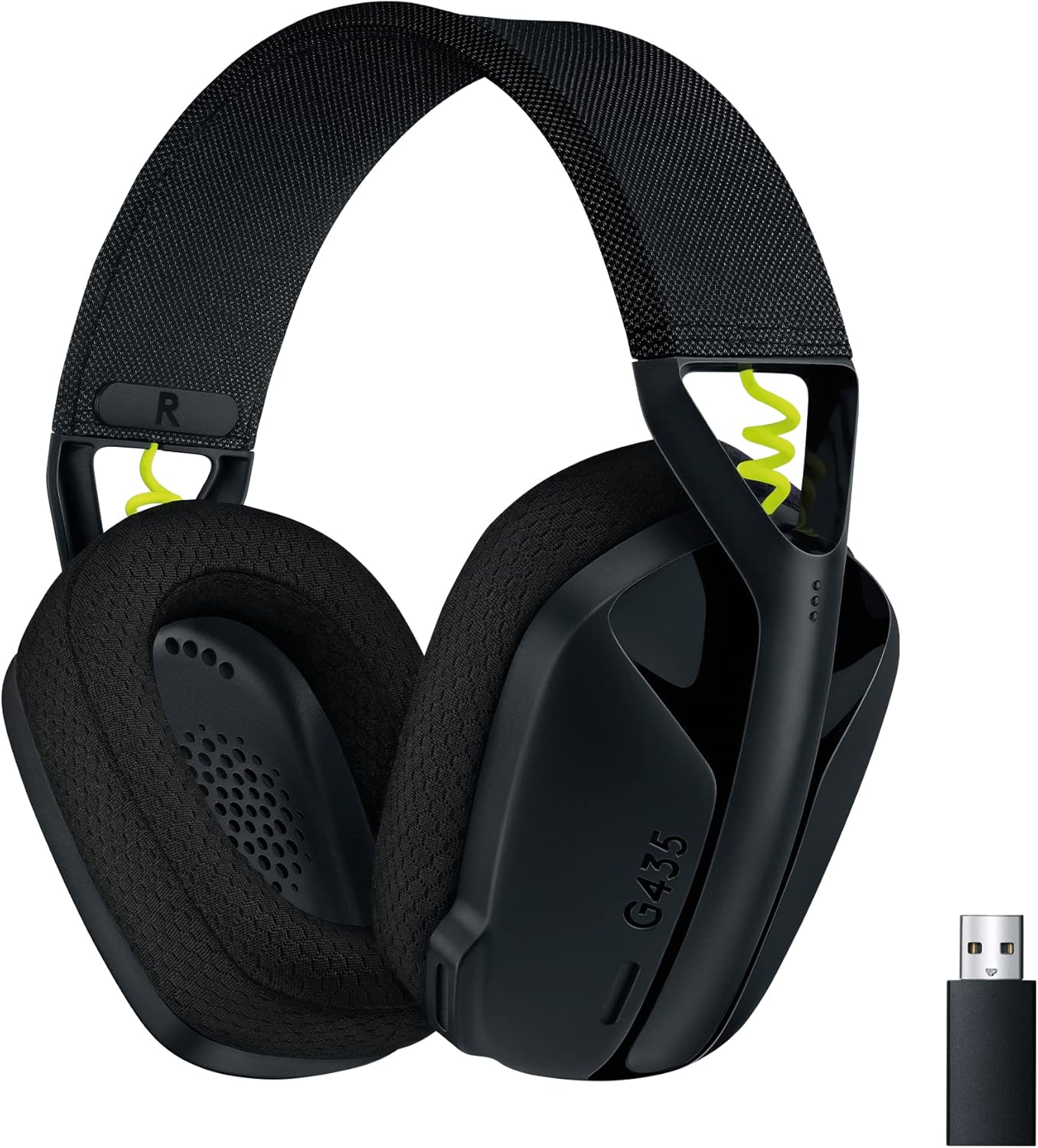
Image: Logitech G435 LIGHTSPEED Wireless Gaming Headset in black, shown with its USB receiver.
What's in the Box
- Logitech G435 Gaming Headset
- LIGHTSPEED USB-A Wireless Receiver
- USB-C to USB-A Charging Cable
- User Documentation

Image: The complete package contents of the Logitech G435 headset, including the headset, LIGHTSPEED USB receiver, and USB-C charging cable.
Setup Guide
1. Charging the Headset
Before first use, ensure your G435 headset is fully charged. Connect the USB-C end of the charging cable to the headset's USB-C port and the USB-A end to a powered USB port on your computer or a wall adapter. The LED indicator on the headset will show charging status.
- A full charge provides up to 18 hours of battery life.
2. Connecting via LIGHTSPEED Wireless (PC, PlayStation)
For optimal gaming performance on PC and PlayStation consoles, use the included LIGHTSPEED USB-A wireless receiver.
- Insert the LIGHTSPEED USB-A receiver into an available USB port on your PC or PlayStation console.
- Power on your G435 headset by pressing and holding the power button until the LED indicator lights up.
- The headset should automatically connect to the receiver. The LED on the headset will turn solid cyan when connected via LIGHTSPEED.

Image: A user wearing the G435 headset, demonstrating the professional-level LIGHTSPEED wireless connection for gaming.
3. Connecting via Bluetooth (Mobile, Nintendo Switch, PC)
For mobile devices, Nintendo Switch, or other Bluetooth-enabled devices, use the low-latency Bluetooth connection.
- Ensure your headset is powered on.
- To enter Bluetooth pairing mode, press and hold the Power button and the Mute button simultaneously for 3 seconds. The LED indicator will rapidly flash blue.
- On your device (phone, tablet, Nintendo Switch), go to Bluetooth settings and select "G435" from the list of available devices.
- Once paired, the LED on the headset will turn solid blue.

Image: Instructions for Bluetooth pairing and switching devices on the G435 headset, highlighting the power and mute buttons.
Operating Instructions
Power On/Off
- To power on, press and hold the Power button until the LED lights up.
- To power off, press and hold the Power button until the LED turns off.
Volume Control
Adjust the audio volume using the dedicated volume up (+) and volume down (-) buttons located on the left earcup.

Image: Detailed diagram of the Logitech G435 headset, pointing out features like memory foam earcups, volume controls, USB-C charging port, and the mute/mode switch.
Microphone Mute
The G435 features an integrated mute button. Press the Mute button on the left earcup to toggle the microphone on or off.
Switching Between LIGHTSPEED and Bluetooth
To switch between LIGHTSPEED wireless and Bluetooth modes, press and hold the Mute button for 3 seconds. The LED indicator will change color to reflect the active connection (cyan for LIGHTSPEED, blue for Bluetooth).
Volume Limiter
For hearing protection during prolonged use, an optional maximum volume limiter can be activated to keep the audio output below 85 decibels. Refer to the Logitech G HUB software for activation and management of this feature.
Key Features
- Dual Wireless Connectivity: Seamlessly switch between ultra-fast LIGHTSPEED wireless for gaming on PC and PlayStation, and low-latency Bluetooth for mobile devices and Nintendo Switch.
- Ultra-Lightweight Design: Weighing only 165 grams (5.8 oz), the G435 is designed for all-day comfort, making it ideal for extended gaming sessions.
- Integrated Dual Beamforming Microphones: Experience crystal-clear voice communication without the need for a boom mic. The dual microphones reduce background noise, ensuring your voice is heard clearly.

Image: Close-up view of the G435 headset, emphasizing the integrated dual beamforming microphones for clear audio capture.
- High-Fidelity Audio: Equipped with 40mm audio drivers, the headset delivers balanced and immersive sound. It supports spatial audio technologies like Dolby Atmos and Windows Sonic for an enhanced audio experience.

Image: An internal view of the G435 headset, highlighting the powerful 40mm audio drivers responsible for high-fidelity sound.
- Long-Lasting Battery: Enjoy up to 18 hours of continuous use on a single charge, allowing for extended gaming, music listening, and conversations.
- Comfortable Fit: Designed with memory foam earcups and a structure suitable for a wide range of head sizes, including smaller ones, ensuring comfort for all users.
- Sustainable Design: The plastic parts of the G435 contain a minimum of 22% certified post-consumer recycled plastic. The packaging uses FSC-certified paper, reflecting a commitment to environmental responsibility. The product is also certified Carbon Neutral.

Image: The G435 headset with a certification badge indicating it contains a minimum of 22% recycled plastic.

Image: The G435 headset with a certification badge indicating it is a Carbon Neutral product.
Maintenance
- Cleaning: Use a soft, dry cloth to clean the headset. Avoid abrasive cleaners or solvents. For earcups, gently wipe with a damp cloth and allow to air dry completely before use.
- Storage: Store the headset in a cool, dry place away from direct sunlight and extreme temperatures.
- Battery Care: To prolong battery life, avoid fully discharging the headset frequently. Charge it regularly, even if not in constant use.
Troubleshooting
- No Audio/Microphone Not Working:
- Ensure the headset is powered on and fully charged.
- Verify the correct connection mode (LIGHTSPEED or Bluetooth) is active and the headset is paired to the desired device.
- Check the volume levels on both the headset and your connected device.
- Ensure the microphone is not muted.
- For PC, check sound settings in your operating system to ensure the G435 is selected as the default input/output device.
- Connection Issues:
- If using LIGHTSPEED, try plugging the USB receiver into a different USB port.
- If using Bluetooth, unpair and re-pair the headset with your device.
- Ensure no other wireless devices are causing interference.
- Short Battery Life:
- Ensure the headset is fully charged before use.
- Battery life can vary based on usage and volume levels.
- If the issue persists, contact Logitech support.
Specifications
| Model | 981-001050 |
| Connectivity Technology | LIGHTSPEED Wireless, Bluetooth |
| Wireless Range | Up to 10 meters (33 feet) |
| Battery Life | Up to 18 hours |
| Weight | 165 grams (5.8 oz) |
| Audio Drivers | 40 mm |
| Frequency Response | 20 Hz - 20,000 Hz |
| Impedance | 45 Ohm |
| Microphone Type | Integrated Dual Beamforming Microphones |
| Compatible Platforms | PC (Windows 10 or later), PS4, PS5, Mobile, Nintendo Switch (Bluetooth) |
| Materials | Plastic, Aluminum (22% recycled plastic content) |
Warranty and Support
Logitech G products come with a limited hardware warranty. For specific warranty details, please refer to the warranty information included with your product or visit the official Logitech G support website.
If you encounter any issues or have questions regarding your Logitech G435 headset, please visit the Logitech G support page for troubleshooting guides, FAQs, and contact information:
Related documents981-001050


Ask a question about this manual
Ask about setup, troubleshooting, compatibility, parts, safety, or missing instructions. Manuals+ will review the question and use this page’s manual context to help answer it.