
PERLESMITH PSMFK10-E
PERLESMITH TV Wall Mount Instruction Manual
Model: PSMFK10-E
1. Introduction
Thank you for choosing the PERLESMITH TV Wall Mount. This manual provides detailed instructions for the safe and proper installation and operation of your new TV wall mount. Please read this manual thoroughly before installation and keep it for future reference. This mount is designed for 26-60 inch flat and curved TVs, supporting weights up to 40 kg (88 lbs).
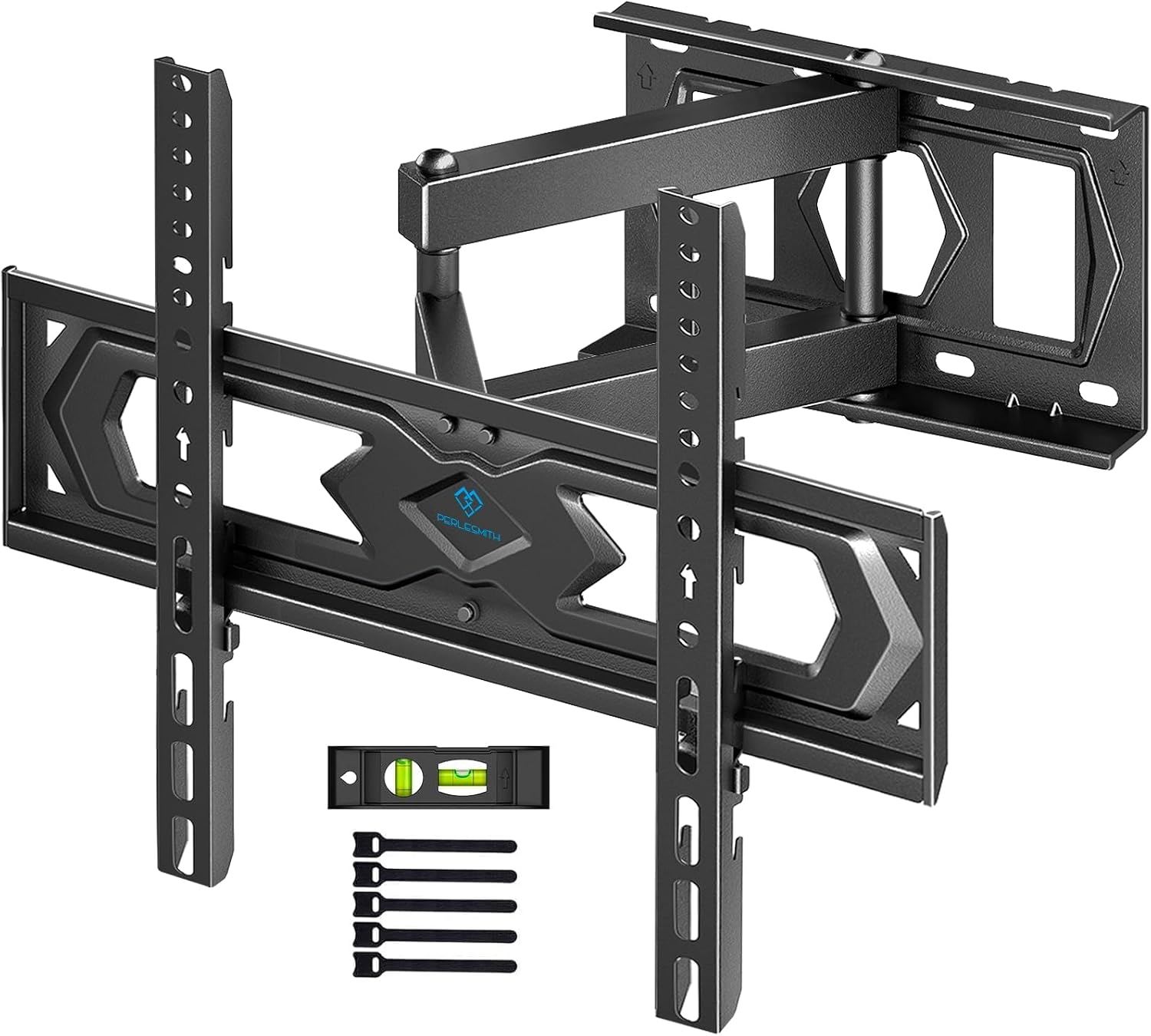
Image 1.1: PERLESMITH PSMFK10-E TV Wall Mount, a full-motion articulated bracket.
2. Safety Information
WARNING: Failure to read and follow all instructions may result in personal injury, property damage, or voiding of warranty.
- Do not exceed the maximum weight capacity of 40 kg (88 lbs).
- Ensure your TV's VESA pattern is compatible with the mount (100x100mm to 400x400mm).
- This product is designed for installation on solid concrete walls, brick walls, or solid wood studs.
- DO NOT mount this product on plasterboard, hollow walls, drywall, or weak surfaces.
- Always use a qualified technician for installation if you are unsure.
- Ensure the mounting surface can safely support the combined weight of the equipment and all attached hardware.
- Use safety gear and proper tools during installation.
3. Package Contents
Verify that all components are present and undamaged before installation. If any parts are missing or defective, contact PERLESMITH customer service.
- TV Wall Mount Assembly
- TV Brackets (x2)
- Wall Plate
- Standard Mounting Hardware Kit (screws, anchors, washers, spacers)
- Spirit Level
- Instruction Manual
4. Compatibility Check
Before proceeding with installation, ensure your TV and wall are compatible with this mount:
- TV Size: Compatible with most 26 to 60 inch (66-152 cm) flat and curved TVs.
- TV Weight: Supports TVs up to a maximum of 40 kg (88 lbs).
- VESA Pattern: Supports VESA patterns from 100x100mm up to 400x400mm. Common patterns include 100x100, 200x100, 200x200, 200x300, 200x400, 300x200, 300x300, 300x400, 400x200, 400x300, and 400x400 mm.
- Wall Type: Suitable for solid concrete walls, brick walls, or solid wood stud walls. Not suitable for drywall, plasterboard, or hollow walls.

Image 4.1: Visual guide for TV size (26-60 inches), VESA compatibility (100x100mm to 400x400mm), and maximum TV weight (40kg).

Image 4.2: Comprehensive compatibility check including TV size, VESA range, potential cable blocking, and supported wall types (wood, concrete, brick).
5. Setup and Installation
Follow these steps carefully for a secure installation. It is recommended to have two people for installation.
- Step 1: Attach TV Brackets to TV
- Carefully place your TV face down on a soft, clean surface.
- Identify the correct screws, washers, and spacers from the hardware kit that fit your TV's VESA mounting holes.
- Attach the two vertical TV brackets to the back of your TV using the selected hardware. Ensure the brackets are centered and securely fastened, but do not overtighten.
- Step 2: Install Wall Plate
- Determine the desired height for your TV. Use a stud finder to locate the center of your wood studs, or mark the drilling points for concrete/brick walls.
- Place the wall plate against the wall at the marked location and use the included spirit level to ensure it is perfectly horizontal.
- Mark the drilling holes through the wall plate.
- Drill pilot holes according to the instructions for your wall type (wood studs, concrete, or brick).
- Secure the wall plate to the wall using the appropriate lag bolts and washers. Ensure it is firmly attached.
- Step 3: Hang TV on Wall Plate
- With assistance, carefully lift the TV with the attached brackets and hook them onto the wall plate.
- Ensure the TV is securely seated on the wall plate.
- Engage any safety locks or screws on the TV brackets to prevent accidental dislodgement.

Image 5.1: Illustration of a person installing the wall plate, indicating an approximate 15-minute installation time.

Image 5.2: Simplified three-step installation process: 1) Fix TV brackets, 2) Install wall plate, 3) Hang TV.
6. Operating and Adjustments
Your PERLESMITH TV wall mount offers various adjustments for optimal viewing:
- Tilt Adjustment: The mount allows for a tilt range of 10° upwards and 15° downwards to reduce glare and achieve a comfortable viewing angle. Loosen the tilt knobs, adjust to the desired angle, and then tighten the knobs to secure.
- Swivel Adjustment: The articulated arm allows for a swivel range of up to +/-90° (depending on TV size and wall distance). Gently push or pull the TV to the desired left or right angle.
- Extension and Retraction: The mount can extend up to 490mm (19.3 inches) from the wall and retract to a minimum distance of 85mm (3.3 inches) to save space.
- Leveling Adjustment: After installation, you can fine-tune the TV's level by +/-3°. This ensures your TV is perfectly horizontal.
- Height Adjustment: The TV brackets offer 3 height adjustment options for greater comfort at eye level.

Image 6.1: Illustration of the mount's wide swivel range, allowing for +/-90° rotation.

Image 6.2: Display of the mount's extension capability, from 85mm retracted to 490mm extended from the wall.

Image 6.3: Demonstrates the tilt function, allowing 10° upward and 15° downward tilt to reduce glare.

Image 6.4: Illustrates the easy leveling adjustment of +/-3° after the TV is mounted.

Image 6.5: Depicts three height adjustment settings for optimizing eye-level viewing comfort.
7. Maintenance
Regular maintenance ensures the longevity and safe operation of your TV wall mount:
- Periodic Inspection: At least once a year, check all screws and connections to ensure they are tight and secure. Retighten if necessary.
- Cleaning: Wipe the mount with a soft, dry cloth to remove dust. Avoid using abrasive cleaners or solvents that could damage the finish.
- Movement Check: Periodically move the TV through its full range of motion (tilt, swivel, extend) to ensure smooth operation. If movement becomes stiff, check for obstructions or loose parts.
8. Troubleshooting
| Problem | Possible Cause | Solution |
|---|---|---|
| TV is not level after installation. | Wall plate not perfectly level, or minor adjustment needed. | Use the +/-3° leveling adjustment feature to correct the angle. Refer to Section 6. |
| Mount feels unstable or wobbly. | Loose wall plate screws or TV bracket screws. Incorrect wall type. | Ensure all screws are securely tightened. Verify the mount is installed on a suitable wall type (solid concrete, brick, or wood studs). If unsure, consult a professional. |
| Difficulty tilting or swiveling the TV. | Tilt knobs are too tight. Obstruction. | Loosen the tilt knobs slightly for easier adjustment, then retighten. Check for any cables or objects obstructing movement. |
| Missing parts from the package. | Packaging error. | Contact PERLESMITH customer service immediately for assistance. |
9. Specifications
- Model Number: PSMFK10-E
- Compatible TV Sizes: 26 - 60 inches (66 - 152 cm)
- Maximum Weight Capacity: 40 kg (88 lbs)
- VESA Compatibility: 100x100mm to 400x400mm
- Tilt Angle: +10° / -15°
- Swivel Angle: +/-90°
- Leveling Adjustment: +/-3°
- Extension from Wall: 85mm (retracted) to 490mm (extended)
- Material: Alloy Steel
- Color: Black
- Product Dimensions: 44.6 x 18.6 x 8.4 cm (17.56 x 7.32 x 3.31 inches)
- Product Weight: 2.31 kg (5.09 lbs)
- Country of Origin: China
10. Warranty and Support
PERLESMITH is committed to providing high-quality products. For warranty information, technical support, or any questions regarding your product, please refer to the official PERLESMITH website or contact their customer service directly. Please have your model number (PSMFK10-E) ready when contacting support.
You can often find support resources, FAQs, and contact information on the brand's official website: Visit the PERLESMITH Store on Amazon
Related documentsPSMFK10-E


Ask a question about this manual
Ask about setup, troubleshooting, compatibility, parts, safety, or missing instructions. Manuals+ will review the question and use this page’s manual context to help answer it.