
Introduction
Thank you for purchasing the Power Craze Remote Control Car CT-2022 Blue. This manual provides important information for the safe operation, setup, maintenance, and troubleshooting of your new vehicle. Please read it thoroughly before use and keep it for future reference.
Important Safety Information
- CAUTION ELECTRIC TOY: Not recommended for children under 8 years of age. As with all electric products, precautions should be observed during handling and use to prevent electric shock.
- SUPERVISION ADVISED: Adult supervision is recommended for younger users.
- Unplug the vehicle when not in use to prevent accidental operation and battery drain.
- Keep fingers, hair, and loose clothing away from moving wheels and gears.
- Do not operate near water or in wet conditions.
- Do not operate in crowded areas or near pedestrians.
Package Contents
Ensure all items listed below are present in your package:
- 1 x Power Craze Remote Control Car
- 1 x Remote Control
- 1 x USB Charger
- 1 x Screwdriver
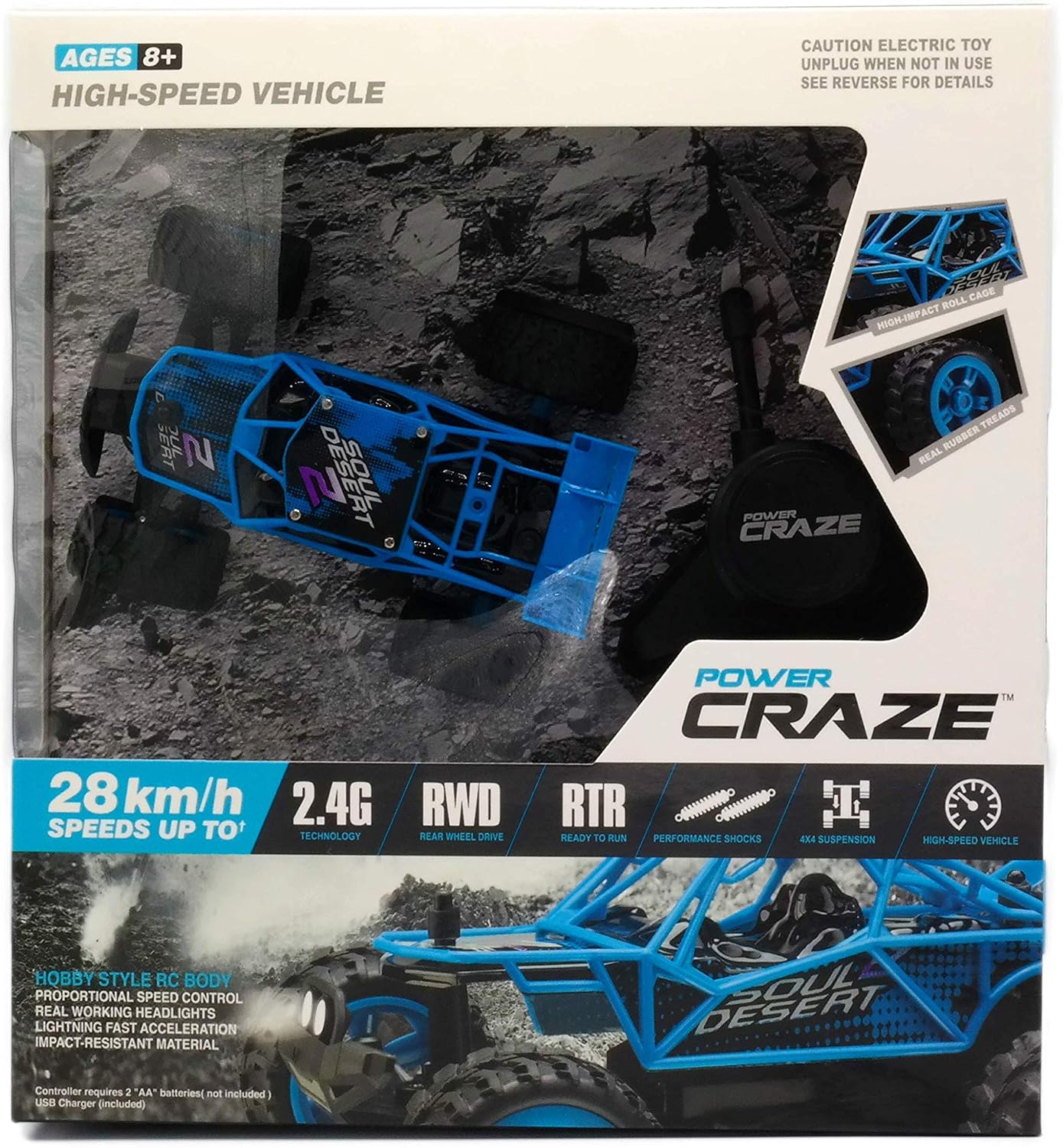
Image: The Power Craze Remote Control Car CT-2022 Blue shown in its retail box, highlighting key features and accessories.
Setup
1. Controller Battery Installation
- Locate the battery compartment on the back of the remote control.
- Use the included screwdriver to open the battery cover.
- Insert 2 x 'AA' batteries (not included) into the compartment, ensuring correct polarity (+/-).
- Replace the battery cover and secure it with the screw.

Image: The back of the product packaging, illustrating the remote control and various features of the car, including the controller's battery compartment.
2. Charging the Vehicle Battery
- Ensure the vehicle's power switch is in the OFF position.
- Connect the vehicle's battery to the included USB charger.
- Plug the USB charger into a standard USB power source (e.g., computer USB port, USB wall adapter).
- The charging indicator light on the USB charger will illuminate during charging and turn off or change color when fully charged.
- Charging time may vary. Do not overcharge the battery.
3. Pairing the Controller
- Turn on the remote control.
- Turn on the power switch on the vehicle.
- The controller and vehicle should automatically pair. If not, turn both off and repeat the steps.
Operating Your Vehicle
Basic Controls
- Forward/Backward: Push the throttle trigger forward to move the car forward. Pull it backward to reverse.
- Steering: Turn the steering wheel on the controller left or right to steer the car in the corresponding direction.
Speed Control and Headlights
- This vehicle features proportional speed control, allowing for precise acceleration.
- The functional headlights will illuminate when the vehicle is in operation, enhancing visibility and realism.

Image: The Power Craze Remote Control Car CT-2022 Blue in action, driving outdoors with its headlights on, showcasing its design and functionality.
Maintenance
- Cleaning: Use a soft, dry cloth to wipe down the vehicle after use. Do not use water or chemical cleaners.
- Storage: Store the vehicle and controller in a cool, dry place away from direct sunlight when not in use. Remove batteries from the controller if storing for extended periods.
- Battery Care: Always allow the vehicle battery to cool down before recharging. Do not leave batteries charging unattended.
Troubleshooting
| Problem | Possible Cause | Solution |
|---|---|---|
| Vehicle does not respond. | Vehicle or controller is off. Low battery in vehicle or controller. Not paired. | Ensure both are ON. Charge vehicle battery. Replace controller batteries. Re-pair the controller and vehicle. |
| Short operating time. | Battery not fully charged. Old battery. | Ensure battery is fully charged. Consider replacing the vehicle battery if it's old and not holding a charge. |
| Vehicle moves slowly. | Low battery. Obstruction in wheels/gears. | Charge vehicle battery. Check for and remove any debris from wheels and gears. |
| Loss of control/interference. | Operating too far from controller. Other 2.4 GHz devices nearby. | Operate within recommended range. Move to an area with less interference. |
Specifications
| Feature | Detail |
|---|---|
| Model Number | 1344980 |
| Control Frequency | 2.4 GHz |
| Max Speed | Up to 28 km/h |
| Product Dimensions | 22.86 x 15.24 x 7.62 cm |
| Product Weight | 340.19 g |
| Manufacturer Recommended Age | 8 months and up (Note: Safety warning advises 8 years and up) |
| Batteries Required | Yes (for controller, not included) |
| First Available Date | September 2, 2019 |
Warranty and Support
For warranty information or technical support, please refer to the contact details provided on the product packaging or visit the official Power Craze website. Keep your purchase receipt as proof of purchase.