
mDesign 06071MDK
mDesign Plastic Lazy Susan Cabinet Storage Bin Instruction Manual
Model: 06071MDK
Product Overview
The mDesign Plastic Lazy Susan Cabinet Storage Bin is designed to optimize storage space within kitchen cabinets, pantries, shelves, and refrigerators. These durable PET plastic bins feature a unique wedge shape and a front handle, allowing them to fit perfectly into Lazy Susan turntables or be used individually for versatile organization. They are ideal for holding food, drinks, snacks, and various household items, helping to eliminate clutter and maintain a tidy environment.

Image: Two mDesign Smoke Gray Tint Lazy Susan Storage Bins, designed for efficient organization.
Setup
The mDesign Lazy Susan Storage Bins require minimal setup. Follow these simple steps:
- Unpack: Carefully remove the storage bins from their packaging.
- Clean: Before first use, wash the bins with mild soap and water. Rinse thoroughly and dry completely.
- Placement: Place the bins inside your Lazy Susan cabinet, pantry, or shelf. The wedge design allows multiple units to form a complete circle on a Lazy Susan.

Image: This diagram illustrates how four individual storage bins can be arranged to create a full circular organization system within a Lazy Susan cabinet.

Image: This diagram indicates that the storage bins are designed to work effectively with Lazy Susans ranging from 26 to 28 inches in diameter.
Operating Instructions
Using your mDesign storage bins is straightforward:
- Fill: Place desired items such as food containers, bottles, snacks, or other pantry staples into the bins. The open top design allows for easy access.
- Access: If used on a Lazy Susan, simply rotate the turntable to bring the desired bin to the front. The integrated front handle allows for easy pulling and removal of the bin from the shelf.
- Versatility: These bins can also be used individually on any flat surface, such as countertops, shelves, or inside refrigerators, to organize various items.

Image: A clear mDesign storage bin is shown holding several beverage cans, demonstrating its capacity and utility for organizing drinks.
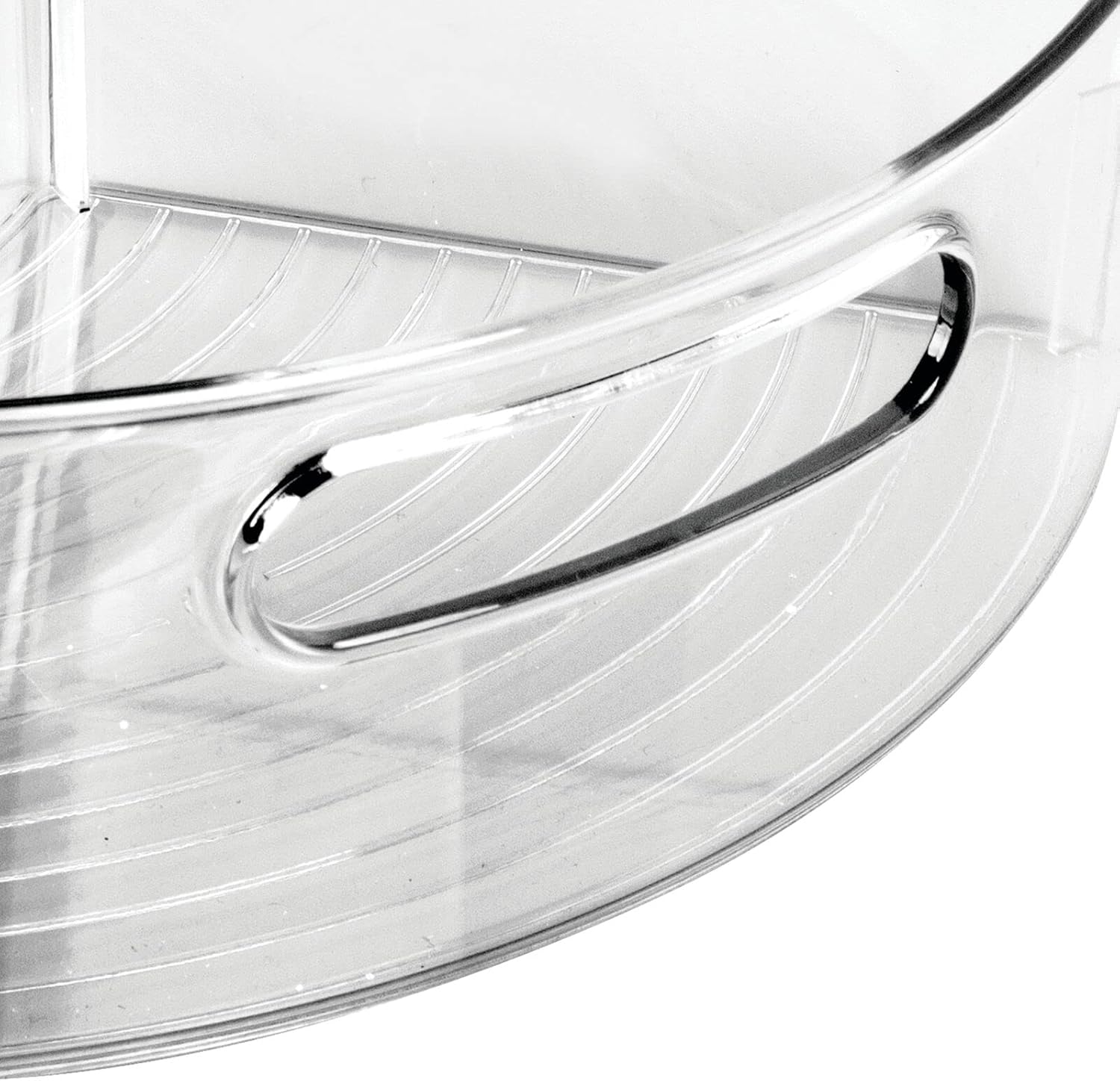
Image: A detailed view of the integrated handle on the front of the storage bin, designed for easy gripping and retrieval.
Maintenance
To ensure the longevity and cleanliness of your mDesign storage bins, follow these maintenance guidelines:
- Cleaning: Wash the bins by hand using mild soap and warm water. Avoid abrasive cleaners or scouring pads, as these can scratch the plastic surface.
- Drying: Air dry completely or wipe with a soft cloth to prevent water spots.
- Storage: When not in use, store the bins in a clean, dry place.
Troubleshooting
If you encounter any issues with your mDesign storage bins, consider the following:
- Bins do not fit Lazy Susan:
- Ensure your Lazy Susan diameter is within the recommended range of 26-28 inches.
- Verify that the bins are correctly oriented and seated on the turntable.
- Items falling out of bins:
- Avoid overfilling the bins, especially with small or unstable items.
- Ensure the Lazy Susan is rotated smoothly to prevent items from shifting excessively.
- Scratches or cloudy appearance:
- Use only mild soap and soft cloths for cleaning. Harsh chemicals or abrasive materials can damage the PET plastic.
Specifications
| Feature | Detail |
|---|---|
| Brand | mDesign |
| Model Number | 06071MDK |
| Material | PET plastic |
| Color | Smoke Gray Tint |
| Item Weight | 10.4 ounces |
| Maximum Weight Recommendation | 100 Pounds |
| Product Dimensions (L x W x H) | 12.56 x 7.33 x 4.05 inches |
| UPC | 192173060711 |
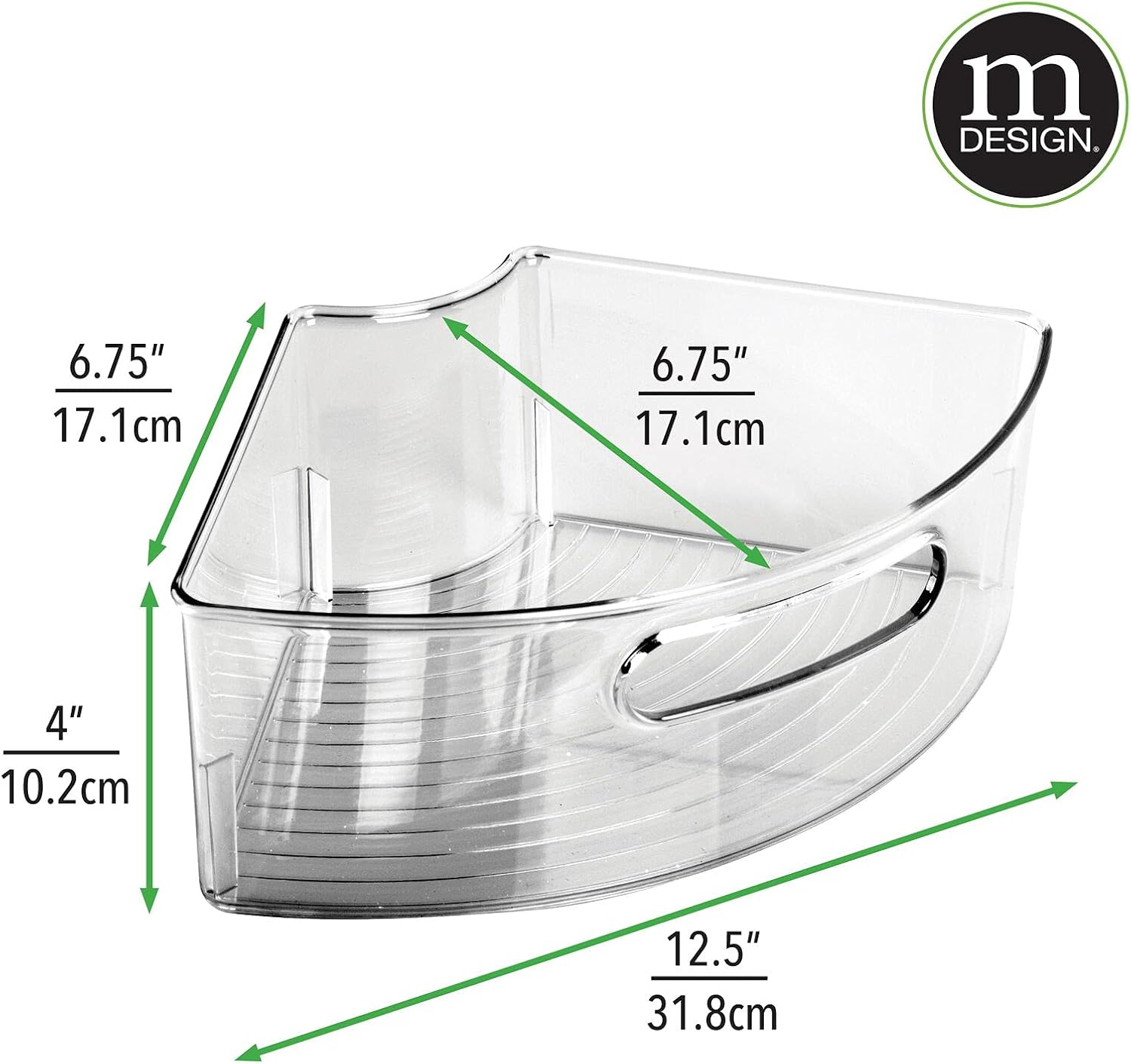
Image: This image provides precise measurements of the storage bin, including length (12.5 inches / 31.8 cm), width (6.75 inches / 17.1 cm), and height (4 inches / 10.2 cm).
Warranty and Support
Specific warranty information for the mDesign Plastic Lazy Susan Cabinet Storage Bin is typically provided at the point of purchase or within the product packaging. For detailed warranty terms, product support, or to inquire about replacement parts, please refer to the information included with your purchase or visit the official mDesign website.
You can also visit the mDesign Store on Amazon for more products and information.
Ask a question about this manual
Ask about setup, troubleshooting, compatibility, parts, safety, or missing instructions. Manuals+ will review the question and use this page’s manual context to help answer it.