
NEWTRY SLQ-1
NEWTRY 1100lbs Electric Hoist Winch User Manual
Model: SLQ-1
Brand: NEWTRY
1. Safety Information
Read and understand all safety warnings and instructions before operating this electric hoist. Failure to follow these instructions may result in electric shock, fire, serious injury, or death.
General Safety Rules:
- Always wear appropriate personal protective equipment (PPE), including safety glasses, gloves, and sturdy footwear.
- Ensure the hoist is securely mounted to a structure capable of supporting the maximum rated load plus the weight of the hoist itself.
- Do not exceed the hoist's rated lifting capacity of 1100 lbs (500 kg).
- Keep hands and body clear of the wire rope, hook, and load during operation.
- Inspect the hoist, wire rope, and hooks for damage before each use. Do not use if any damage is found.
- Ensure the load is balanced and properly secured before lifting.
- Do not use the hoist to lift people or animals.
- Avoid operating the hoist in wet or damp conditions.
- Disconnect power before performing any maintenance or adjustments.
- The hoist is equipped with a limit switch to prevent over-lifting. Ensure it functions correctly.

Image: Limit Switch. This safety feature automatically stops the hoist when the hook reaches its upper limit, preventing over-lifting.
2. Product Overview
The NEWTRY 1100lbs Electric Hoist Winch is a versatile and powerful tool designed for various lifting and pulling applications in industrial, construction, and home environments. It offers both manual and wireless remote control options for flexible operation.
Key Features:
- 1100lbs (500kg) Lifting Capacity: Capable of handling significant loads.
- Dual Control Methods: Features both manual operation and a wireless remote control with a 200ft range.
- 1500W Motor: Provides strong and reliable lifting power.
- 16ft/min Lifting Speed: Ensures efficient and steady load handling.
- 25ft (7.6m) Lifting Height: Suitable for various vertical lifting tasks.
- 360° Rotatable Hooks: Top and bottom hooks rotate to prevent tangling and simplify load positioning.
- Galvanized Steel Wire Rope: Durable and corrosion-resistant for long-term use.

Image: NEWTRY 1100lbs Electric Hoist Winch. This image shows the main unit with its handle, power cord, and the wireless remote control in operation.

Image: Product Dimensions and 360° Hook. This diagram illustrates the compact size of the hoist and highlights the fully rotatable hooks for versatile load attachment.

Image: Galvanized Steel Wire Rope. This close-up shows the durable, corrosion-resistant galvanized steel wire rope, designed for flexibility and longevity.
3. Setup and Installation
Proper installation is crucial for the safe and effective operation of your NEWTRY Electric Hoist. The hoist can be installed vertically or horizontally.
Installation Steps:
- Choose a Secure Mounting Location: Select a sturdy ceiling, wall, or beam capable of supporting the hoist's weight and the maximum load. Ensure the mounting surface is level and free from obstructions.
- Attach Mounting Bracket: Use the provided heavy-duty mounting bracket and appropriate fasteners (not always included, verify with packaging) to securely attach the hoist. Ensure all bolts are tightened to the manufacturer's specifications.
- Connect Power: Plug the hoist into a compatible 110V/120V power outlet. Ensure the power source meets the hoist's electrical requirements.
- Prepare for Operation: Before first use, ensure the wire rope is properly spooled and free from kinks or damage.
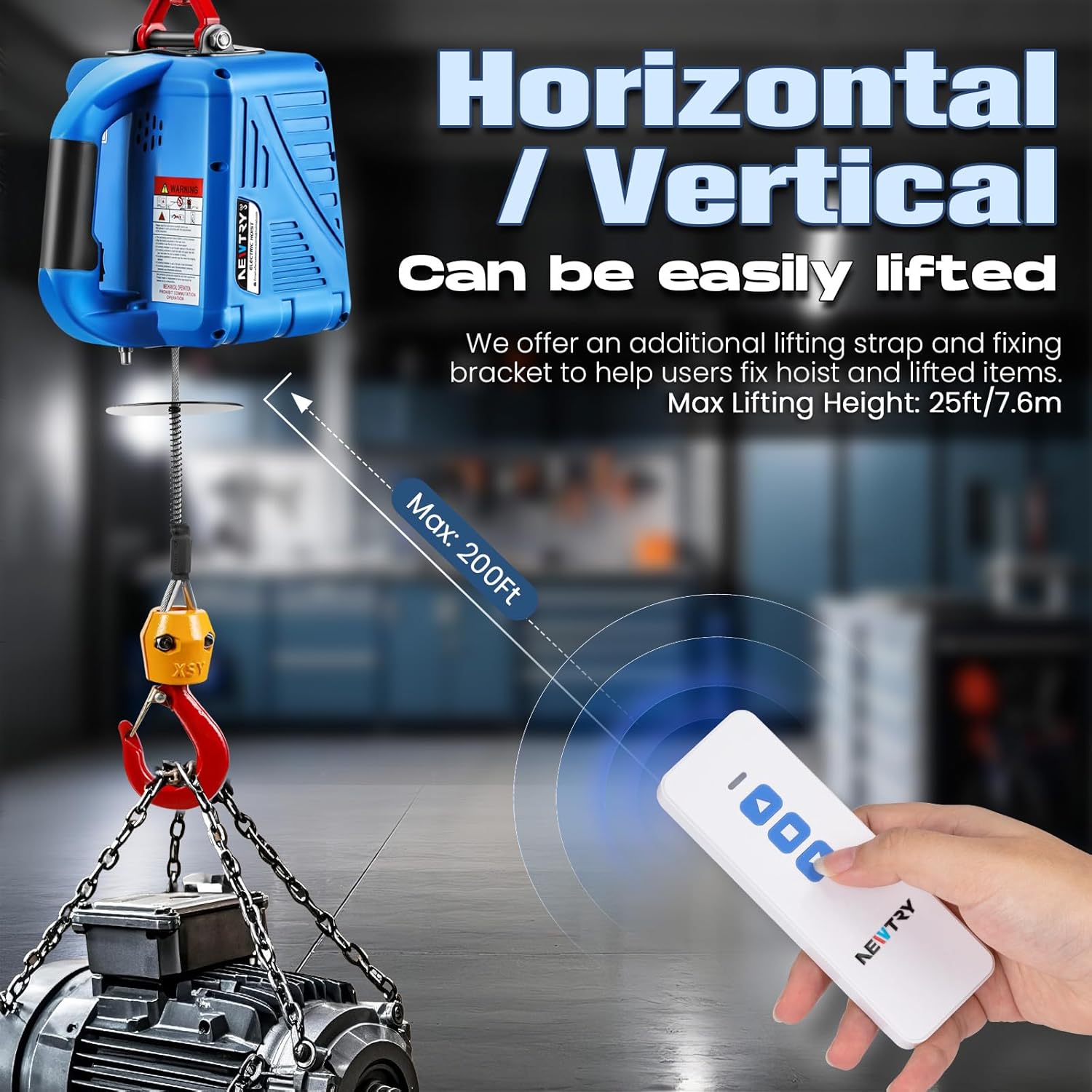
Image: Horizontal/Vertical Lifting. This image demonstrates the hoist's adaptability for both horizontal pulling and vertical lifting applications, highlighting its flexible installation options.
4. Operating Instructions
The NEWTRY Electric Hoist offers two primary control methods: manual control via the integrated buttons and wireless remote control.
Manual Control:
For close-range operation, use the up and down buttons located directly on the hoist unit. This method is convenient when you are near the hoist and the load.

Image: Manual Control. This visual illustrates how to operate the hoist using the integrated manual control buttons, ideal for direct interaction with the unit.
Wireless Remote Control:
The wireless remote control allows for safe operation from a distance of up to 200 feet, ideal for tight spaces or elevated tasks. Ensure the remote has a working AAA 12V 23A battery (not included).

Image: Two Control Methods. This image highlights both the manual control option on the hoist unit and the wireless remote control, offering operational flexibility.

Image: Wireless Remote Control. This visual demonstrates the use of the wireless remote, emphasizing its 200ft range for safe, distanced operation.
Operating Procedures:
- Secure the Load: Attach the load securely to the hoist's hook using appropriate lifting straps or chains. Ensure the 360° rotatable hook is properly engaged and the safety latch is closed.
- Clear the Area: Ensure no personnel or obstructions are in the path of the load.
- Lift the Load: Press the 'UP' button on the manual control or wireless remote to lift the load. The hoist operates at a steady speed of 16ft/min.
- Lower the Load: Press the 'DOWN' button to lower the load. Control the descent carefully.
- Stop Operation: Release the button to stop the hoist. The hoist will hold the load in position.
Video: NEWTRY Electric Hoist in Operation. This video demonstrates the general lifting capabilities and smooth operation of the electric hoist.
Video: NEWTRY 3-in-1 Electric Hoist Demonstration. This video showcases the different control methods (manual, wired, wireless) and their application in various lifting scenarios.
Video: NEWTRY Electric Hoist with Wireless Remote Control. This video specifically highlights the convenience and range of the wireless remote control during hoist operation.
5. Maintenance
Regular maintenance ensures the longevity and safe operation of your electric hoist.
Maintenance Schedule:
- Before Each Use: Inspect the wire rope for fraying, kinks, or damage. Check the hooks for deformation or cracks. Ensure all connections are secure.
- Monthly: Lubricate the wire rope with a light oil to prevent corrosion and extend its life. Check the power cord for any cuts or damage.
- Annually: Have the hoist inspected by a qualified technician for internal wear and tear, motor performance, and brake function.
Video: NEWTRY 1100lbs Electric Hoist Overview. This video provides a general look at the hoist, including its components and some operational aspects relevant to maintenance checks.
6. Troubleshooting
This section addresses common issues you might encounter with your electric hoist.
| Problem | Possible Cause | Solution |
|---|---|---|
| Hoist does not operate. | No power, damaged power cord, faulty switch, remote battery dead. | Check power connection. Inspect power cord. Test manual switch. Replace remote battery (AAA 12V 23A). |
| Remote control not working. | Dead battery, remote out of range, interference. | Replace remote battery. Move closer to the hoist. Reduce electronic interference. |
| Hoist operates slowly. | Overload, low voltage, motor issue. | Reduce load. Ensure stable power supply. Contact support if issue persists. |
| Excessive noise during operation. | Normal for universal motor, lack of lubrication, internal wear. | A certain level of noise is normal. Lubricate wire rope. If noise is excessive or new, contact support. |
| Wire rope is tangled or kinked. | Improper winding, sudden stops. | Carefully unwind and straighten the rope. Avoid sudden stops or drops. If severely damaged, replace. |
7. Specifications
| Specification | Value |
|---|---|
| Product Model | SLQ-1 |
| Lifting Capacity | 1100 lbs (500 kg) |
| Motor Power | 1500W |
| Rated Voltage | 110V/120V ~ 60Hz |
| Lifting Speed | 16 ft/min |
| Lifting Height | 25 ft (7.6 m) |
| Wireless Remote Range | Up to 200 ft |
| Product Weight | 25.75 lbs (11.68 kg) |
| Package Dimensions | 14.02 x 11.81 x 11.5 inches |
8. Warranty and Support
For warranty information, technical support, or replacement parts, please contact NEWTRY customer service directly. Refer to your product packaging or the official NEWTRY website for the most up-to-date contact details.
Website: NEWTRY Official Store
Ask a question about this manual
Ask about setup, troubleshooting, compatibility, parts, safety, or missing instructions. Manuals+ will review the question and use this page’s manual context to help answer it.