
Introduction
This manual provides essential information for the CORN 61 Key Layout OEM Profile PBT Thick Keycaps. These keycaps are designed to enhance the aesthetic and tactile experience of your 60% mechanical keyboard. Made from durable PBT material, they offer a robust and long-lasting solution for keyboard customization. This set includes 61 keycaps and a key puller for easy installation.
Note: This product includes keycaps only. The keyboard is not included.

Image: CORN 61 Key Layout OEM Profile PBT Thick Keycaps installed on a 60% mechanical keyboard, showcasing the pink and teal color scheme.
Setup
Installing your new CORN keycaps is a straightforward process. Ensure your keyboard is powered off before beginning the installation.
- Remove Existing Keycaps: Use the included keycap puller to carefully remove the existing keycaps from your mechanical keyboard. Grip the keycap firmly with the puller and gently pull upwards until it detaches from the switch stem.
- Identify Keycap Placement: Refer to your keyboard's layout or a visual guide to ensure correct placement of each keycap. The CORN keycaps are OEM profile, which is generally higher than Cherry profile.
- Install New Keycaps: Align each new CORN keycap with its corresponding switch stem. Press down firmly but gently until you feel the keycap snap securely into place. Ensure the keycap is level and does not wobble.
The package includes a plastic keycap puller to assist with the removal and installation process.
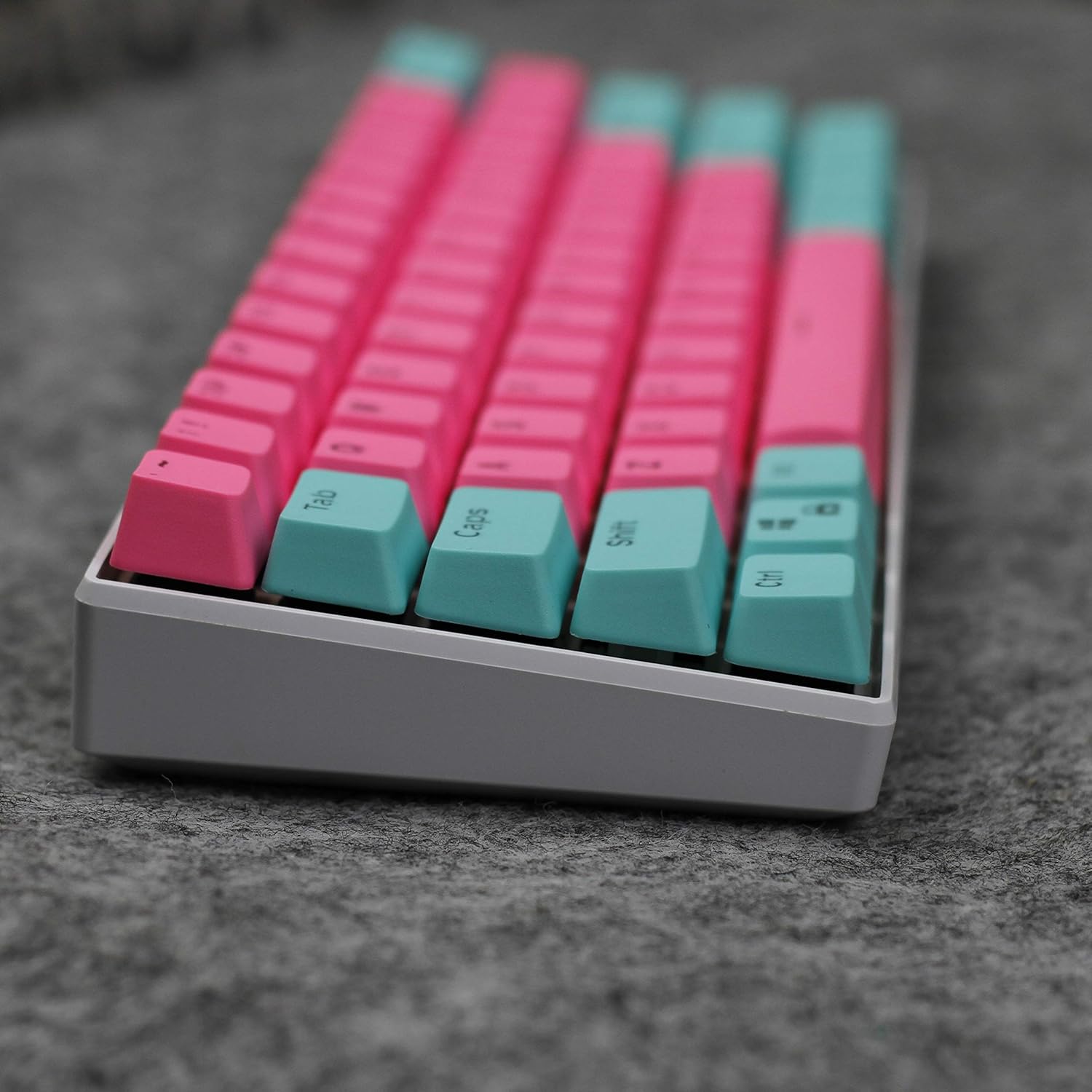
Image: A close-up view of the CORN PBT keycaps, highlighting their thick PBT material and textured surface.
Operating
CORN keycaps are passive components that function by being installed onto compatible mechanical keyboard switches. Their primary purpose is to provide a durable, aesthetically pleasing, and comfortable typing surface.
- Compatibility: These keycaps are compatible with most Cherry MX, Gateron, Kailh, and all other MX switches. They feature a cross-stem design for broad compatibility.
- OEM Profile: The keycaps feature an OEM profile, which is a sculpted profile that provides a comfortable typing angle and feel. This profile is generally higher than the Cherry profile.
- Material: The keycaps are made of durable PBT (Polybutylene Terephthalate) material, known for its resistance to shine and wear over time, ensuring a consistent feel and appearance. The thickness is approximately 1.5mm.

Image: The underside of several CORN keycaps, illustrating the cross-stem mounting points for compatibility with various mechanical switches.
Maintenance
Proper care and maintenance will ensure the longevity and appearance of your CORN PBT keycaps.
- Regular Cleaning: Dust and debris can accumulate between keycaps. Use a soft brush or compressed air to remove loose particles.
- Deep Cleaning: For a more thorough clean, remove the keycaps using the provided keycap puller. Wash them in lukewarm water with a mild soap. Avoid harsh chemicals or abrasive materials, as these can damage the PBT material or legends. Rinse thoroughly and allow them to air dry completely before re-installing.
- Avoid Excessive Force: When installing or removing keycaps, apply gentle, even pressure. Excessive force can damage the keycap stems or the keyboard switches.
Troubleshooting
- Keycap Does Not Fit: Ensure your keyboard uses Cherry MX-style switches (cross-stem). These keycaps are designed for such switches. If the keycap feels too tight, gently wiggle it while applying downward pressure. Do not force it, as this may damage the switch stem.
- Keycap Feels Loose/Wobbly: This can sometimes occur due to manufacturing tolerances in either the keycap or the switch. Try rotating the keycap 90 degrees and re-installing it. If the issue persists, it might indicate a worn switch stem or a slightly oversized keycap stem.
- Stems Breaking: While PBT is durable, repeated forceful removal or installation can stress the plastic stems. Always use the keycap puller and apply even pressure. If a stem breaks, the keycap will need to be replaced.
- Legends Not Clear/Light Bleed: These keycaps are thick PBT, designed to diffuse light well. If you experience significant light bleed or unclear legends, ensure your keyboard's backlighting is set appropriately. The double-shot injection molding ensures the legends are part of the keycap material and will not fade.
Specifications
| Feature | Detail |
|---|---|
| Brand | CORN |
| Model Number | keycap |
| Color | Pink |
| Number of Keys | 61 |
| Keycap Profile | OEM Profile |
| Material | Polybutylene Terephthalate (PBT) |
| Keycap Thickness | Approximately 1.5mm |
| Compatibility | Most Cherry MX, Gateron, Kailh, and other MX switches |
| Included Components | Keycap Puller |
| Item Weight | 5.3 ounces |
| Package Dimensions | 6.22 x 5.98 x 1.97 inches |
| Date First Available | August 5, 2019 |
Warranty and Support
This product is subject to a 30-day return and replacement policy from the date of purchase. For specific warranty details, technical support, or further inquiries, please contact the manufacturer, CORN, directly through their official channels or the retailer from whom the product was purchased.
Please retain your proof of purchase for any warranty claims or support requests.

