
1. Introduction
Thank you for choosing the EVOLVEO DOORPHONE IK06 Video Intercom System. This manual provides detailed instructions for the installation, operation, and maintenance of your new video intercom. Please read this manual thoroughly before installation and use to ensure proper function and safety.
The EVOLVEO DOORPHONE IK06 is designed to enhance your home security and communication, featuring a robust outdoor unit with IK06 vandalism protection and IP44 weather resistance, paired with a color indoor monitor.
2. Product Overview
2.1 Key Features
- Vandalism Protection: IK06 certified outdoor unit for enhanced durability.
- Weather Resistance: IP44 waterproof outdoor unit.
- Recording Capability: Supports microSD card recording (up to 32 GB) and internal memory recording (up to 120 photos).
- Wide Viewing Angle: 110° camera angle for comprehensive visitor visibility.
- Expandable System: Can be expanded to include up to two outdoor units and two internal monitors.
- Intercom Function: Supports intercom communication between multiple internal monitors.
- CCTV Integration: Possibility to connect up to two external CCTV cameras.
- Night Vision: Infrared lighting for clear visibility in low-light conditions.
- Door Lock Control: Integrated button for electric door lock release with adjustable impulse time.
- Secret Listening Function: Allows discreet monitoring of the outdoor unit area.
2.2 Components
The EVOLVEO DOORPHONE IK06 system typically includes the following components:
- Outdoor Unit (Doorbell Camera)
- Indoor Monitor (Color Screen)
- Mounting Bracket for Indoor Monitor
- Power Adapter
- Wiring Cables and Connectors
- Mounting Screws and Wall Plugs

Figure 1: Complete EVOLVEO DOORPHONE IK06 system kit, including the outdoor unit, indoor monitor, power adapter, and wiring accessories.
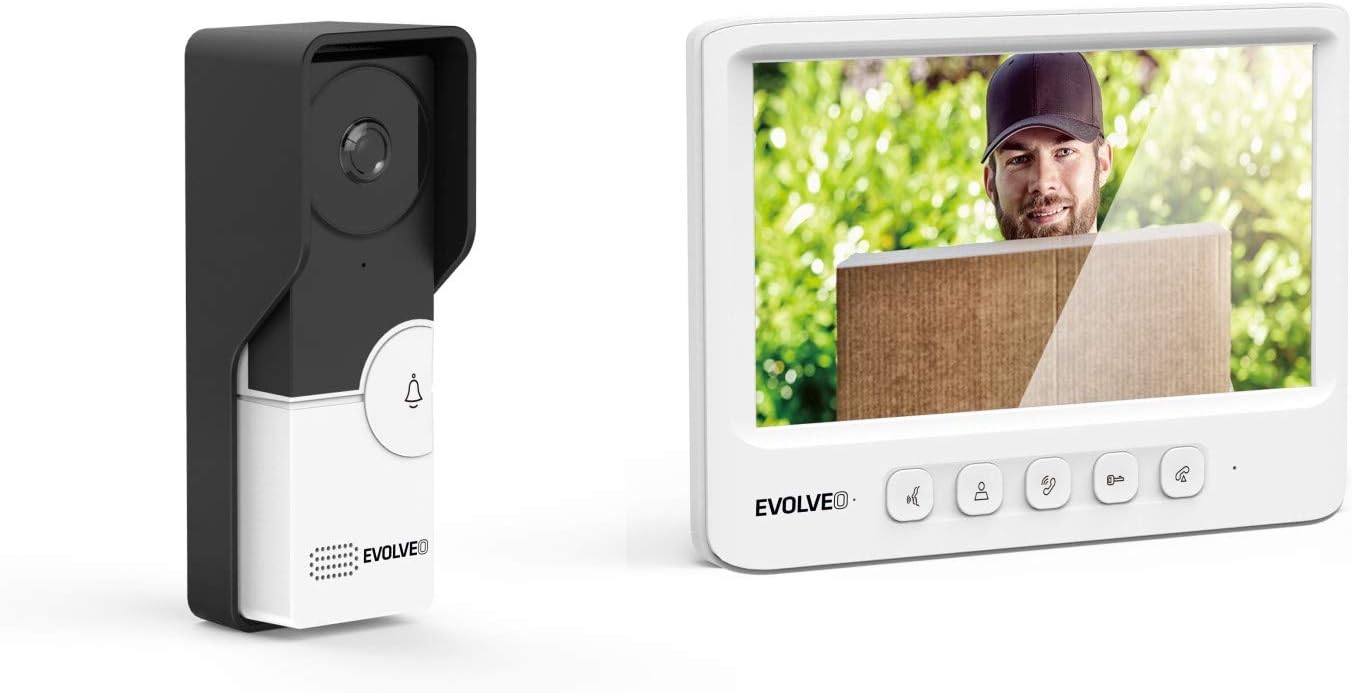
Figure 2: The EVOLVEO DOORPHONE IK06 outdoor unit (left) and indoor monitor (right) displaying a visitor.

Figure 3: Front view of the EVOLVEO DOORPHONE IK06 outdoor unit, showing the camera lens and doorbell button.
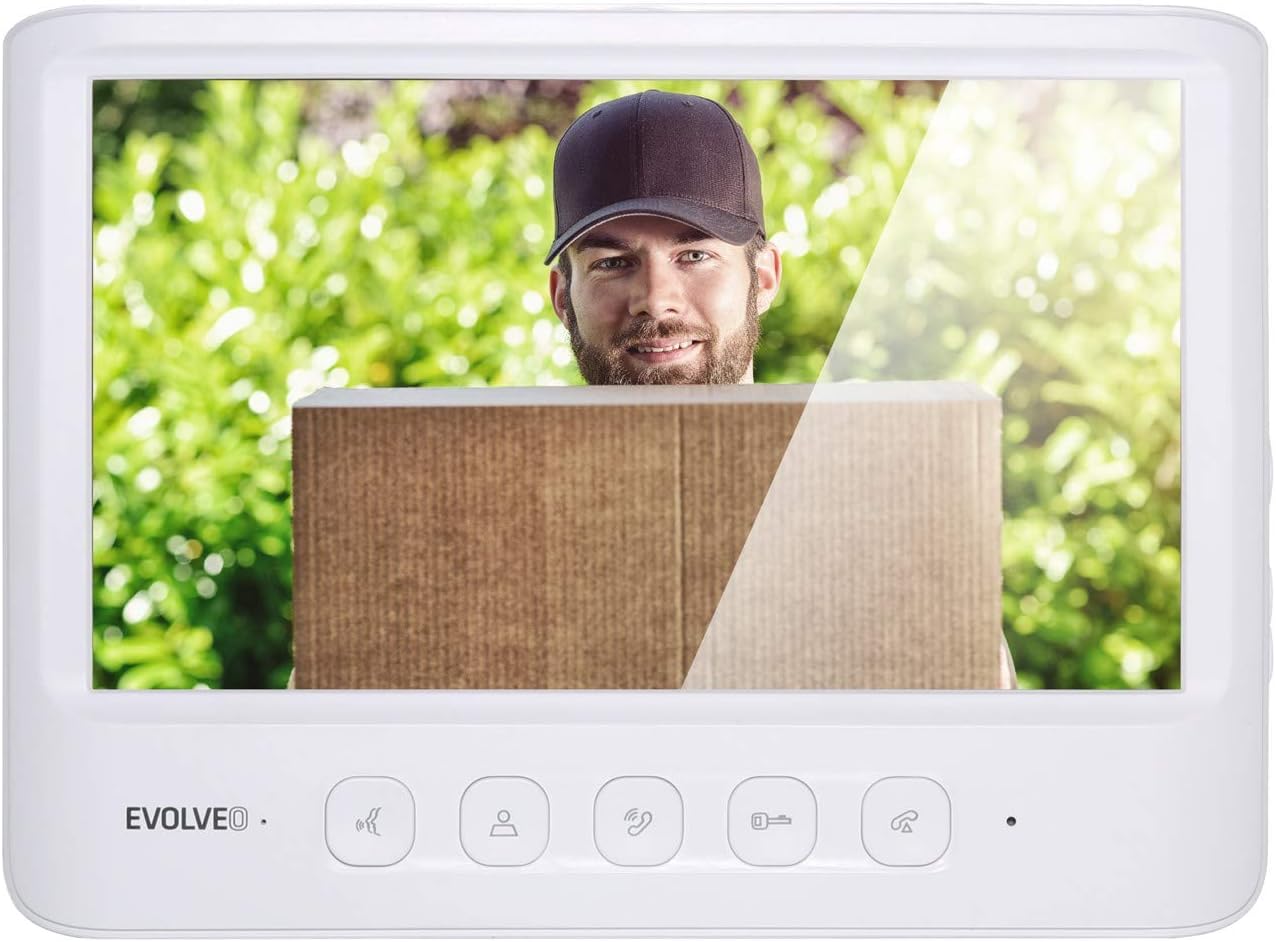
Figure 4: Front view of the EVOLVEO DOORPHONE IK06 indoor monitor, displaying a visitor and control buttons below the screen.
3. Setup and Installation
Careful installation is crucial for the optimal performance and longevity of your EVOLVEO DOORPHONE IK06 system. Ensure all power is disconnected before beginning installation.
3.1 Outdoor Unit Installation
- Choose Location: Select a suitable location near your entrance, typically at a height of 1.4 to 1.6 meters from the ground, ensuring clear visibility of visitors. The unit is IK06 vandal-resistant and IP44 waterproof, suitable for outdoor exposure.
- Mounting: Use the provided mounting bracket and screws to securely attach the outdoor unit to a wall or surface. Ensure the unit is level.
- Wiring: Connect the necessary wires (power, video, audio, door lock control) to the terminals on the back of the outdoor unit. Refer to the wiring diagram below.

Figure 5: Rear view of the EVOLVEO DOORPHONE IK06 outdoor unit, showing the wiring terminals for power, video, audio, and door lock connections.

Figure 6: Angled view of the EVOLVEO DOORPHONE IK06 outdoor unit, illustrating its design and potential use with a protective rain cover.
3.2 Indoor Monitor Installation
- Choose Location: Select a convenient indoor location, such as a hallway or living room, where the monitor is easily accessible.
- Mounting: Attach the indoor monitor's mounting bracket to the wall using screws.
- Wiring: Connect the corresponding wires from the outdoor unit and power adapter to the terminals on the back of the indoor monitor. Ensure correct polarity and secure connections.

Figure 7: Rear view of the EVOLVEO DOORPHONE IK06 indoor monitor, showing the wiring instructions and connection ports.

Figure 8: Side view of the EVOLVEO DOORPHONE IK06 indoor monitor, highlighting the microSD card slot and control buttons.
3.3 Power Connection
Connect the provided power adapter to the indoor monitor and then plug it into a standard electrical outlet. The system should power on automatically.
4. Operating Instructions
4.1 Answering a Call
- When a visitor presses the doorbell button on the outdoor unit, the indoor monitor will ring and display the visitor's image.
- Press the Answer button (typically a phone icon) on the monitor to establish two-way audio communication.
4.2 Opening the Door
- During a call, press the Unlock button (typically a key icon) on the monitor to activate the electric door lock. The door will unlock for a preset, adjustable duration.
4.3 Monitoring
- Press the Monitor button (typically an eye or camera icon) on the indoor monitor to view the live feed from the outdoor unit camera at any time, even without a visitor.
- The "secret listening" function allows you to listen to audio from the outdoor unit area during monitoring without alerting the visitor.
4.4 Recording Images and Videos
- The system can automatically record images or short videos when a visitor presses the doorbell or when motion is detected (if enabled).
- Recordings are stored on an inserted microSD card (up to 32 GB) or in the internal memory (up to 120 photos).
- To manually record, press the Record button during a call or monitoring session.
- Review recorded content via the monitor's menu.
4.5 Intercom Function (Multiple Monitors)
- If multiple indoor monitors are installed, you can initiate an intercom call between them. Refer to the monitor's on-screen menu for specific instructions on initiating and answering internal calls.
4.6 System Settings
- Access the system settings menu on the indoor monitor to adjust parameters such as ringtone, volume, recording preferences, date/time, and door unlock duration.
5. Maintenance
- Cleaning: Use a soft, damp cloth to clean the surfaces of both the outdoor unit and indoor monitor. Avoid abrasive cleaners or solvents.
- Camera Lens: Ensure the outdoor unit's camera lens is clean and free from obstructions for clear image quality.
- Wiring: Periodically check all wiring connections for security and signs of wear.
- Software Updates: Check the manufacturer's website for any available firmware updates for your system.
6. Troubleshooting
| Problem | Possible Cause | Solution |
|---|---|---|
| No image on indoor monitor. |
|
|
| No sound during call. |
|
|
| Door lock not activating. |
|
|
| Recording not working. |
|
|
7. Specifications
| Brand | Evolveo |
| Model Number | IK06 |
| Manufacturer | Abacus Electric, s.r.o. |
| Outdoor Unit Protection | IK06 (Vandalism), IP44 (Waterproof) |
| Camera Viewing Angle | 110° |
| Recording Storage | MicroSD card (up to 32 GB), Internal memory (up to 120 photos) |
| Expandability | Up to 2 outdoor units, up to 2 internal monitors, up to 2 external CCTV cameras |
| Color | White |
| ASIN | B07W455QJW |
8. Warranty and Support
The EVOLVEO DOORPHONE IK06 system is manufactured by Abacus Electric, s.r.o. For warranty information, technical support, or service inquiries, please refer to the warranty card included with your product or visit the official Evolveo website.
Please retain your proof of purchase for any warranty claims.


