
1. Introduction
Thank you for choosing the Fansteck SYH066 20-LED Motion Sensor Cabinet Light. This manual provides essential information for the safe and efficient operation of your new lighting solution. Please read it thoroughly before use and retain it for future reference.
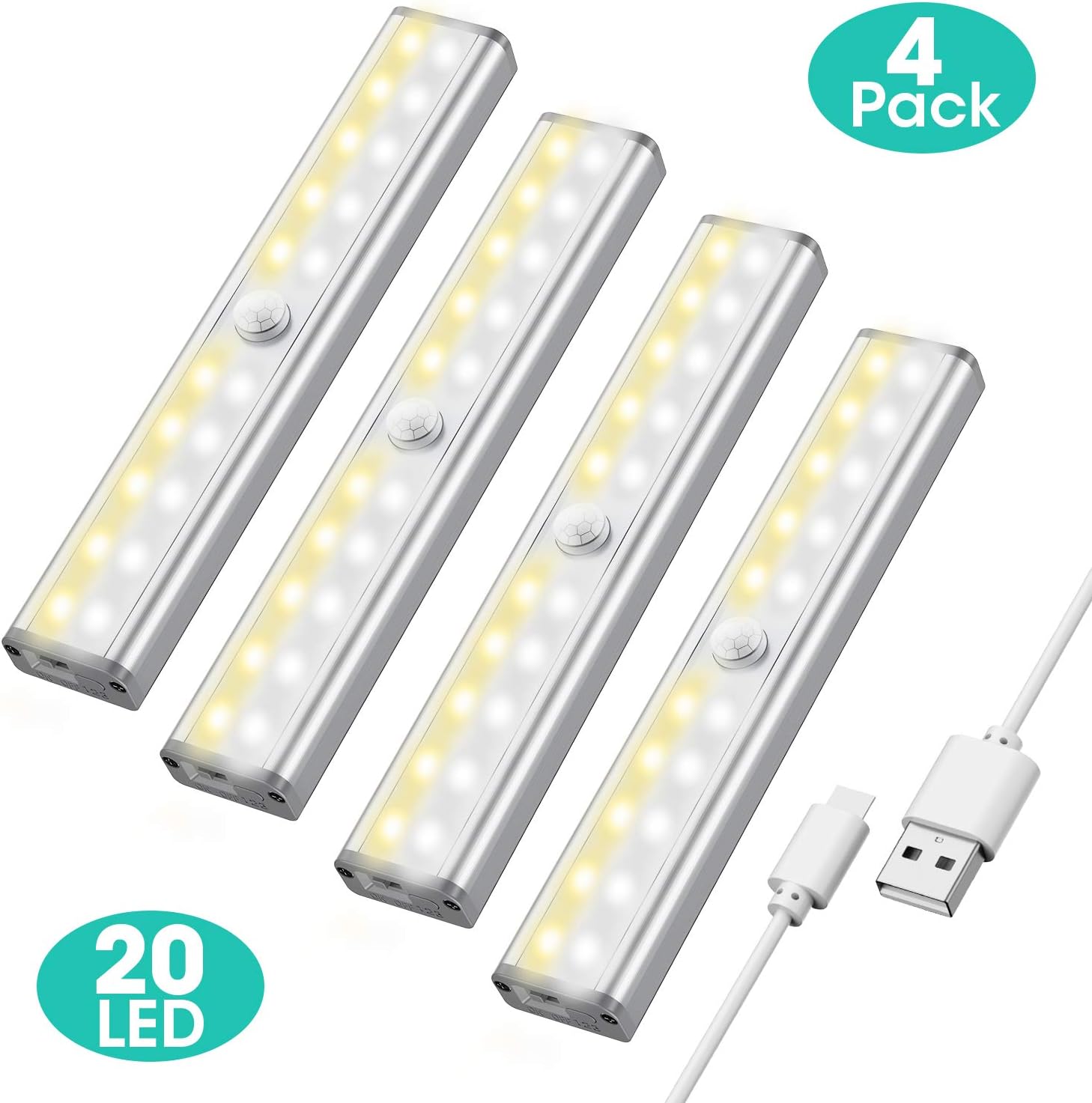
Image: Four Fansteck 20-LED motion sensor cabinet lights, showing their compact design and included charging cables.
2. What's in the Box
The Fansteck SYH066 package includes the following components:
- 4 x 20 LED Motion Sensor Light Bulbs
- 6 x Magnetic Stripes with 3M adhesive
- 2 x USB Charging Cables
- 1 x User Manual
3. Features
The Fansteck SYH066 cabinet lights offer a range of features designed for convenience and efficiency:
- 20 Bright LEDs: Provides ample illumination for various spaces.
- 3 Color Modes: Easily switch between Cold White, Warm White, and a Combination of both to suit your preference or environment.
- Motion Sensor: Automatically detects movement within a 10ft range and 120° angle, activating the light only in dark conditions.
- Always-On Mode: Allows for continuous illumination when motion sensing is not desired.
- Rechargeable Battery: Built-in rechargeable battery eliminates the need for frequent battery replacements.
- Magnetic Installation: Simple peel-and-stick magnetic strips allow for easy installation and removal for charging.
- Auto-Off Function: Lights automatically turn off after approximately 15 seconds of no detected motion in motion sensor mode.
4. Setup
Follow these steps to install your Fansteck SYH066 cabinet lights:
- Prepare the Surface: Clean the desired installation area (e.g., wall, cabinet interior) to ensure it is dry and free of dust or grease.
- Attach Magnetic Strip: Peel off the protective film from one side of the 3M adhesive on a magnetic strip. Align and firmly press the magnetic strip onto the back of the light fixture.
- Mount the Light: Peel off the protective film from the other side of the 3M adhesive on the magnetic strip. Press the light fixture firmly onto the cleaned installation surface. The magnetic attachment allows for easy removal for charging.

Image: Visual guide for installing the light using the magnetic strip and adhesive.
5. Operating Instructions
Your Fansteck SYH066 light offers multiple operating modes and color options:
5.1 Power On/Off and Mode Selection
Locate the ON/OFF switch and the '123' button on the side of the light fixture.
- OFF: Slide the switch to the 'OFF' position to turn off the light completely.
- Motion Sensor Mode: Slide the switch to the 'ON' position. The light will activate automatically when motion is detected in dark environments and turn off after approximately 15 seconds of no motion.
- Always-On Mode: With the switch in the 'ON' position, press and hold the '123' button for 3 seconds until a red light flashes. The light will remain continuously on.

Image: Instructions for activating the Always-On mode.
5.2 Color Mode Selection
In Motion Sensor Mode, you can cycle through three color temperatures:
- Cold White: Press the '123' button once. A green light will flash.
- Warm White: Press the '123' button again. A green light will flash.
- Combination: Press the '123' button a third time. A green light will flash.

Image: Visual representation of the three available light color modes: Cold White, Warm White, and a Combination.
5.3 Motion Sensing Details
The motion sensor has a detection range of approximately 10 feet (3 meters) and a 120-degree angle. The light will only activate in dark conditions to conserve battery life. It will automatically turn off after about 15 seconds if no further motion is detected.

Image: Illustration of the motion sensor's detection range and the automatic shut-off timer.
6. Charging
When the battery is low, the light may dim or stop functioning. To recharge:
- Gently pull the light fixture from its magnetic mounting strip.
- Connect the provided USB charging cable to the charging port on the side of the light and to a USB power source (e.g., computer, wall adapter).
- The indicator light will show red during charging and turn blue when fully charged.

Image: Demonstrates how to easily remove the light from its magnetic mount for charging.
7. Maintenance
To ensure the longevity and optimal performance of your Fansteck SYH066 lights:
- Cleaning: Wipe the light fixture with a soft, dry cloth. Avoid using abrasive cleaners or solvents.
- Battery Care: Recharge the lights regularly, especially if they are not used for extended periods, to maintain battery health.
- Storage: If storing the lights for a long time, ensure they are fully charged and stored in a cool, dry place.
8. Troubleshooting
If you encounter issues with your Fansteck SYH066 lights, refer to the following common solutions:
| Problem | Possible Cause | Solution |
|---|---|---|
| Light does not turn on. | Low battery; Switch is OFF; Insufficient darkness (in motion sensor mode). | Charge the light; Slide switch to ON; Ensure ambient light is low enough for sensor activation. |
| Motion sensor not working. | Too much ambient light; Sensor obstructed; Motion outside detection range. | Ensure installation in a dark area; Clear any obstructions from the sensor; Adjust light position for optimal detection. |
| Light turns off too quickly. | Standard auto-off time (15 seconds). | This is normal behavior for motion sensor mode. For continuous light, use Always-On mode. |
9. Specifications
Key technical specifications for the Fansteck SYH066:
| Feature | Detail |
|---|---|
| Brand | Fansteck |
| Model Number | SYH066 |
| Light Source Type | LED (20 LEDs) |
| Color Modes | Cold White, Warm White, Combination |
| Motion Sensor Range | 10 ft (3 meters), 120° angle |
| Auto-Off Time | Approx. 15 seconds (no motion detected) |
| Installation Type | Magnetic Mount, Peel-and-Stick |
| Power Source | Rechargeable (USB) |
| Product Dimensions | 7.5"L x 1.5"W x 0.4"H |
| Item Weight | 12.7 ounces (per 4-pack) |
| Indoor/Outdoor Usage | Indoor |
| Water Resistance Level | Not Water Resistant |
10. Warranty and Support
For warranty information or technical support, please refer to the contact details provided with your purchase or visit the official Fansteck website. Keep your purchase receipt as proof of purchase.