
SupplySource AC Adapter for JVC Emerald EM37T
SupplySource AC Adapter Instruction Manual
For JVC Emerald EM37T 37" LED HDTV LCD
1. Introduction
This manual provides essential information for the safe and effective use of your SupplySource AC Adapter, designed for compatibility with the JVC Emerald EM37T 37" LED HDTV LCD. Please read these instructions carefully before use and retain them for future reference.
2. Safety Information
- Compatibility Check: Before connecting, ensure the DC output voltage and tip size of this AC adapter match the requirements of your JVC Emerald EM37T 37" LED HDTV. Incorrect specifications can damage your device.
- Ventilation: When using the adapter for extended periods, ensure it is placed in a well-ventilated area. Avoid covering the adapter or placing it on soft surfaces that may obstruct airflow.
- Environmental Conditions: Do not expose the adapter to excessive humidity, water, or extreme temperatures. Avoid placing it on skin products or other materials that may retain heat.
- Protection Features: This adapter is equipped with multiple safety features, including protection against incorrect voltage (IV), short circuits (SC), and internal overheating (IO). It is certified with CE and FCC standards.
- Handling: Do not attempt to open, modify, or repair the adapter. Refer all servicing to qualified personnel.
3. Product Overview
The SupplySource AC Adapter provides reliable power to your compatible JVC Emerald EM37T 37" LED HDTV. It features a durable design and incorporates safety mechanisms to protect your device.
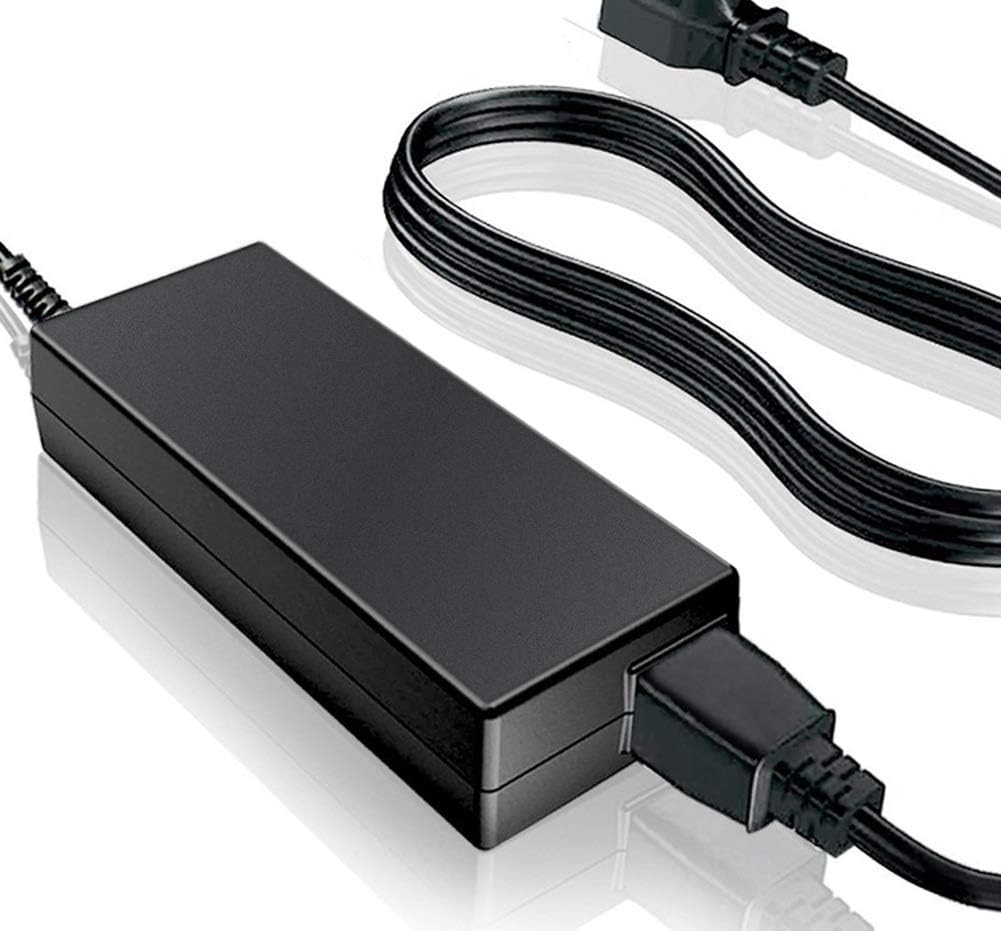
Figure 1: The SupplySource AC Adapter unit with its detachable power cord. The adapter is a black rectangular block, connected to a power cord with a standard two-prong plug on one end and a connector for the adapter on the other. The output cable from the adapter terminates in a barrel connector.

Figure 2: Detailed view illustrating key features of the AC adapter. The image highlights the internal circuitry, emphasizing stable output voltage, automatic overload cut-off, over voltage cut-off, automatic thermal cut-off, and short circuit protection. It also shows the power cord, noting it is made of high-quality 3x0.5 mm copper core for antioxidant and corrosion resistance. Furthermore, the image indicates that the power supply's shell is constructed from flame retardant and high-temperature resistant ABS and PC synthetic materials, ensuring strength and wear resistance.
4. Setup and Installation
- Verify Compatibility: Before connecting, confirm that the adapter's DC output voltage and connector tip size are compatible with your JVC Emerald EM37T 37" LED HDTV.
- Connect to Device: Insert the barrel connector of the AC adapter's output cable firmly into the power input port of your JVC Emerald EM37T 37" LED HDTV.
- Connect Power Cord: Attach the detachable 2-pin power cord to the AC adapter unit.
- Plug into Outlet: Plug the other end of the power cord into a standard 100-240V AC electrical outlet.
- Power On: Once connected, your JVC Emerald EM37T 37" LED HDTV should receive power and be ready for operation.
5. Operating Instructions
The SupplySource AC Adapter operates automatically once connected to a power source and your compatible device. No user intervention is required for its basic function.
- Ensure all connections are secure to prevent intermittent power supply.
- The adapter is designed for continuous operation within its specified input voltage range (100-240V AC).
- If the adapter feels unusually hot, disconnect it immediately and check for proper ventilation or potential issues with the connected device.
6. Maintenance
- Cleaning: Disconnect the adapter from the power outlet and your device before cleaning. Use a soft, dry cloth to wipe the exterior. Do not use liquid cleaners or solvents.
- Storage: When not in use, store the adapter in a cool, dry place, away from direct sunlight and extreme temperatures. Avoid tightly coiling the cable to prevent damage.
- Inspection: Periodically inspect the adapter and power cord for any signs of damage, such as frayed wires, cracked casing, or bent pins. If damage is found, discontinue use and replace the adapter.
7. Troubleshooting
| Problem | Possible Cause | Solution |
|---|---|---|
| No power to device |
|
|
| Adapter gets unusually hot |
|
|
| Intermittent power |
|
|
8. Specifications
| Feature | Detail |
|---|---|
| Input Voltage Range | 100-240V AC |
| Input Frequency | 50-60Hz |
| Cable Length | 11 FT (approximately 3.35 meters) |
| Connector Type | Barrel connector (output), 2-pin (main power input) |
| Material | Flame retardant and high-temperature resistant ABS and PC synthetic materials (shell), Copper core (power cord) |
| Safety Certifications | CE, FCC |
| Protection Features | Incorrect Voltage (IV), Short Circuit (SC), Internal Overheating (IO), Overload Cut-off, Over Voltage Cut-off, Automatic Thermal Cut-off |
| Compatible Devices | JVC Emerald EM37T 37" LED HDTV LCD |
9. Warranty and Support
SupplySource provides the following warranty for this AC Adapter:
- Money Back Guarantee: 30 Days from the date of purchase.
- Free Exchange: 60 Days with a paid return label.
- Worry-Free Warranty: 720 Days (approximately 2 years) for any manufacturing defects or performance issues.
For any questions, concerns, or warranty claims, please contact SupplySource customer support. Refer to your purchase documentation for specific contact details.
Ask a question about this manual
Ask about setup, troubleshooting, compatibility, parts, safety, or missing instructions. Manuals+ will review the question and use this page’s manual context to help answer it.