
1. Introduction
This manual provides detailed instructions for the installation, operation, and maintenance of the HANWHA QNV-8080R 5 MP Network IR Vandal Resistant Dome Camera. Please read this manual thoroughly before using the product to ensure correct and safe operation. Retain this manual for future reference.
The QNV-8080R is an outdoor-rated, 5-megapixel network dome camera designed for surveillance applications. It features a motorized vari-focal lens, infrared (IR) illumination, and vandal-resistant construction (IK10), making it suitable for demanding environments.
2. Safety Information
Observe the following safety precautions to prevent injury or damage to the product:
- Power Source: Use only the specified power source (PoE or 12V DC). Incorrect voltage may cause fire or electric shock.
- Installation: Installation must be performed by qualified personnel in accordance with all local codes and regulations. Ensure the mounting surface can support the camera's weight.
- Water and Moisture: Do not expose the camera to water or moisture beyond its IP66 rating. Avoid direct exposure to heavy rain or submersion.
- Cleaning: Disconnect power before cleaning. Use a soft, dry cloth. Do not use strong detergents or abrasive cleaners.
- Disassembly: Do not attempt to disassemble or modify the camera. This will void the warranty and may cause damage or injury.
- Operating Temperature: Operate the camera within the specified temperature range to ensure optimal performance and longevity.
3. Package Contents
Verify that all items are present in the package. If any items are missing or damaged, contact your supplier.
- HANWHA QNV-8080R Dome Camera Unit
- Mounting Screws and Anchors
- Installation Template
- Waterproof Cap for Ethernet Cable
- Quick Guide / Instruction Manual (this document)
4. Product Overview
The HANWHA QNV-8080R is a high-performance network dome camera. Key features include:
- 5 Megapixel Resolution: Delivers clear and detailed images at up to 30 frames per second.
- Motorized Vari-focal Lens: Allows remote adjustment of zoom and focus (3.2 ~ 10.0mm).
- Infrared (IR) Illumination: Built-in IR LEDs provide visibility in low-light or no-light conditions up to 98 feet (30 meters).
- Vandal Resistant (IK10): Robust housing protects against impact.
- Weatherproof (IP66): Designed for outdoor use, resistant to dust and water ingress.
- Power over Ethernet (PoE): Simplifies installation by providing power and data over a single Ethernet cable.
- Wide Dynamic Range (WDR): 120dB WDR ensures balanced exposure in scenes with high contrast.
- WiseStream II: Advanced compression technology to reduce bandwidth and storage requirements.
- Video Analytics: Includes features like defocus detection, motion detection, and tampering alerts.
- Hallway View: Optimizes the image for vertical-oriented areas.
- SD Card Slot: Supports local storage for video recording.
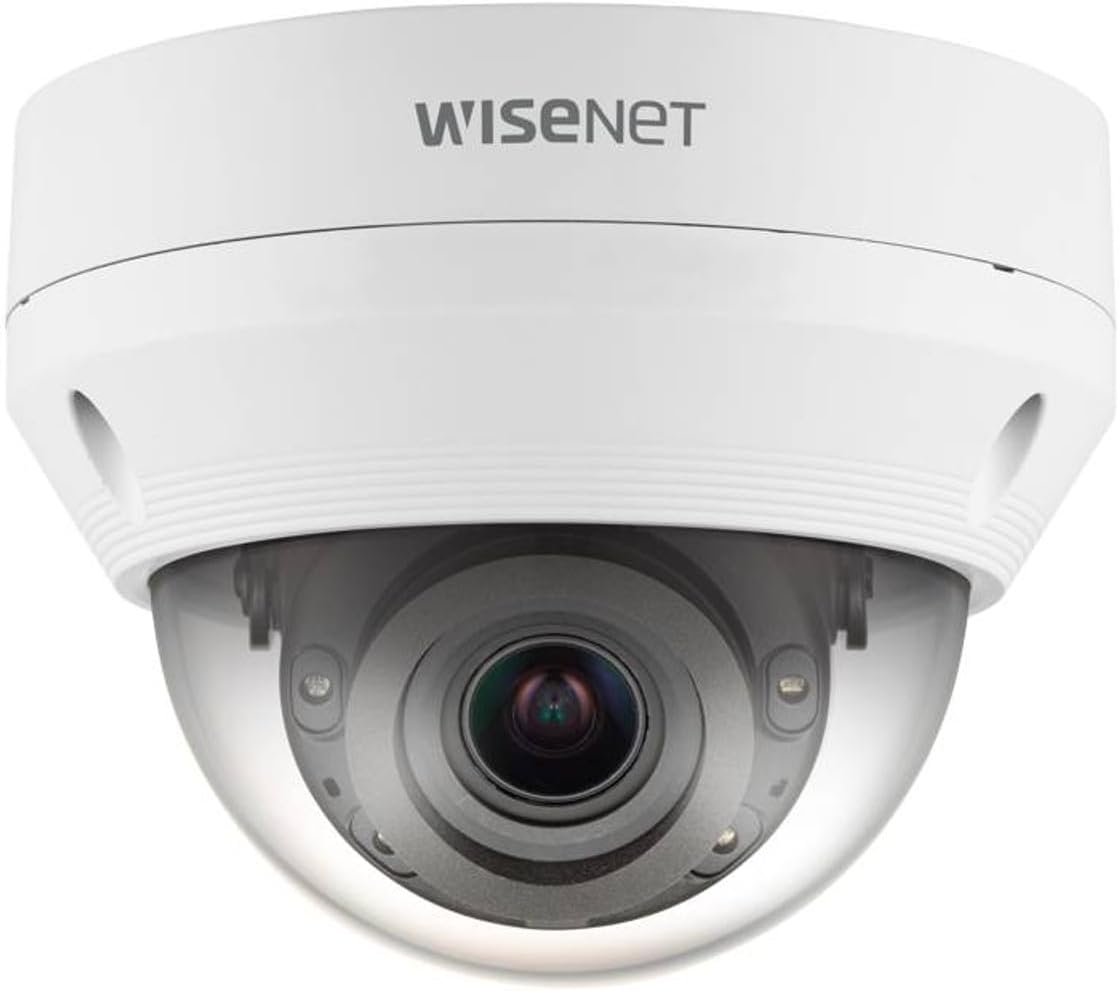
Figure 4.1: Front view of the HANWHA QNV-8080R Dome Camera. This image displays the white dome-shaped camera with the lens visible through the clear protective cover. The "Wisenet" logo is visible on the top housing.
5. Setup and Installation
5.1 Mounting Location
Select a suitable mounting location that provides the desired field of view and is within reach of network cabling. The camera is designed for ceiling mount installation and is rated for outdoor use (IP66, IK10).
5.2 Physical Installation
- Prepare the Mounting Surface: Use the provided installation template to mark drilling points for screws and the cable hole.
- Drill Holes: Drill pilot holes for the mounting screws and a larger hole for the network cable.
- Secure the Camera Base: Attach the camera's mounting base securely to the surface using the provided screws and anchors.
- Cable Connection:
- Connect an Ethernet cable to the camera's RJ45 port. Ensure the cable is rated for outdoor use if exposed.
- If using PoE, no separate power adapter is needed. If not using PoE, connect a 12V DC power adapter (sold separately) to the power input.
- Use the waterproof cap for the Ethernet cable connection to maintain IP66 rating.
- Attach the Dome Cover: Once cabling is complete, securely attach the dome cover to the camera base.
5.3 Initial Network Connection
After physical installation, connect the camera to your network. The camera will obtain an IP address via DHCP by default. Use the HANWHA Device Manager software (available on the manufacturer's website) to discover the camera on your network and assign a static IP address if required.
6. Operating the Camera
6.1 Accessing the Web Interface
Open a web browser (e.g., Chrome, Firefox) and enter the camera's IP address in the address bar. Log in using the default credentials (refer to the quick guide or manufacturer's website for default username/password, which should be changed immediately after initial login for security).
6.2 Basic Configuration
- Lens Adjustment: Navigate to the video settings. Use the motorized vari-focal controls to adjust the zoom and focus remotely for the desired field of view and image clarity.
- Video Settings: Configure resolution (up to 5MP), frame rate (up to 30fps), and compression codec (H.265/H.264/MJPEG). Adjust image quality settings such as brightness, contrast, and WDR.
- Network Settings: Verify or modify IP address, subnet mask, gateway, and DNS settings.
- Date and Time: Set the correct date and time, preferably using an NTP server.
6.3 Advanced Features
- IR Illumination: The camera automatically activates IR LEDs in low light. Settings can be adjusted for IR intensity or mode.
- Motion Detection: Configure motion detection zones and sensitivity to trigger alarms or recording.
- Video Analytics: Enable and configure advanced analytics like defocus detection, tampering, and virtual line crossing.
- Hallway View: If monitoring a vertical corridor, enable Hallway View to rotate the image 90 degrees, optimizing the aspect ratio for such environments.
- SD Card Recording: Insert a compatible microSD card (not included) into the camera's slot. Configure recording schedules and event-triggered recording to the SD card.
7. Maintenance
- Cleaning: Periodically clean the dome cover with a soft, damp cloth to remove dust, dirt, or water spots that may affect image quality. Do not use abrasive materials.
- Firmware Updates: Regularly check the HANWHA website for firmware updates. Updating firmware can improve performance, add features, and enhance security. Follow the instructions provided with the firmware update package carefully.
- Cable Inspection: Periodically inspect network cables and connections for wear or damage, especially in outdoor installations.
8. Troubleshooting
| Problem | Possible Cause | Solution |
|---|---|---|
| No power/Camera not turning on | No PoE power; Incorrect 12V DC power; Faulty cable. | Verify PoE switch/injector is active. Check 12V DC power supply. Inspect Ethernet cable for damage. |
| No video/Cannot access camera via network | Network cable disconnected; Incorrect IP address; Firewall blocking access. | Check network cable connection. Use HANWHA Device Manager to find IP. Temporarily disable firewall for testing. |
| Poor image quality/Blurry image | Lens out of focus; Dirty dome cover; Insufficient lighting. | Adjust focus via web interface. Clean the dome cover. Ensure IR is active in low light. |
| IR LEDs not working | IR setting disabled; Ambient light too high. | Check IR settings in the web interface. Ensure camera is in a dark environment for IR activation. |
9. Specifications
| Feature | Detail |
|---|---|
| Model Number | QNV-8080R |
| Video Capture Resolution | 5 MP |
| Frame Rate | 30 fps |
| Lens Type | Motorized Vari-focal (3.2 ~ 10.0mm) |
| IR Range | Up to 98 feet (30 meters) |
| Connectivity Technology | Wireless (Wi-Fi), Wired (Ethernet) |
| Connectivity Protocol | Wi-Fi |
| Power Source | PoE (Power over Ethernet), 12V DC |
| Indoor/Outdoor Usage | Outdoor |
| International Protection Rating | IP66 (Dust and Water Resistant) |
| Vandal Resistance Rating | IK10 |
| Video Compression | H.265, H.264, MJPEG (with WiseStream II) |
| Wide Dynamic Range (WDR) | 120dB |
| Storage | MicroSD/SDHC/SDXC slot |
| Item Weight | 3 pounds |
| UPC | 745559956698 |
| Manufacturer | Hanwha |
10. Warranty and Support
This product is covered by a manufacturer's warranty. For specific warranty terms and conditions, please refer to the warranty card included with your product or visit the official HANWHA website. Technical support and additional resources, including software downloads and FAQs, are available on the HANWHA support portal.
For assistance, contact HANWHA customer support or your authorized dealer.


