
1. Introduction
This manual provides essential information for the safe and efficient operation of your Vertiv Liebert GXT5 Uninterruptible Power Supply (UPS). The GXT5-6000MVRT4UXLN is designed to protect critical equipment from power outages and disturbances, ensuring continuous power conditioning. It features a 6kVA online double conversion design, high power factor, and integrated remote monitoring capabilities.
2. Safety Information
WARNING: Read all safety instructions before installation or operation. Failure to follow these instructions may result in electric shock, fire, or serious injury.
- Do not open the UPS enclosure. There are no user-serviceable parts inside. Refer servicing to qualified service personnel.
- Ensure proper grounding. The UPS must be connected to a grounded power outlet.
- Do not block ventilation openings. Adequate airflow is essential for proper cooling.
- Avoid installing the UPS in areas with excessive dust, humidity, or extreme temperatures.
- Disconnect the UPS from the AC power source before performing any maintenance or moving the unit.
3. Product Overview
The Vertiv Liebert GXT5 UPS is a robust power protection solution. Key features include:
- High Power Factor (0.9-1.0): Allows for more connected loads, optimizing space and cost efficiency.
- Remote Management: Equipped with an optional Vertiv RDU101 network communications card for advanced monitoring and control.
- Energy Efficient: ENERGY STAR 2.0 certified, offering high normal operating efficiency up to 95%.
- Easy-to-Use Interface: Features a gravity-sensing graphical color display for intuitive operation in both tower and rack mount configurations.
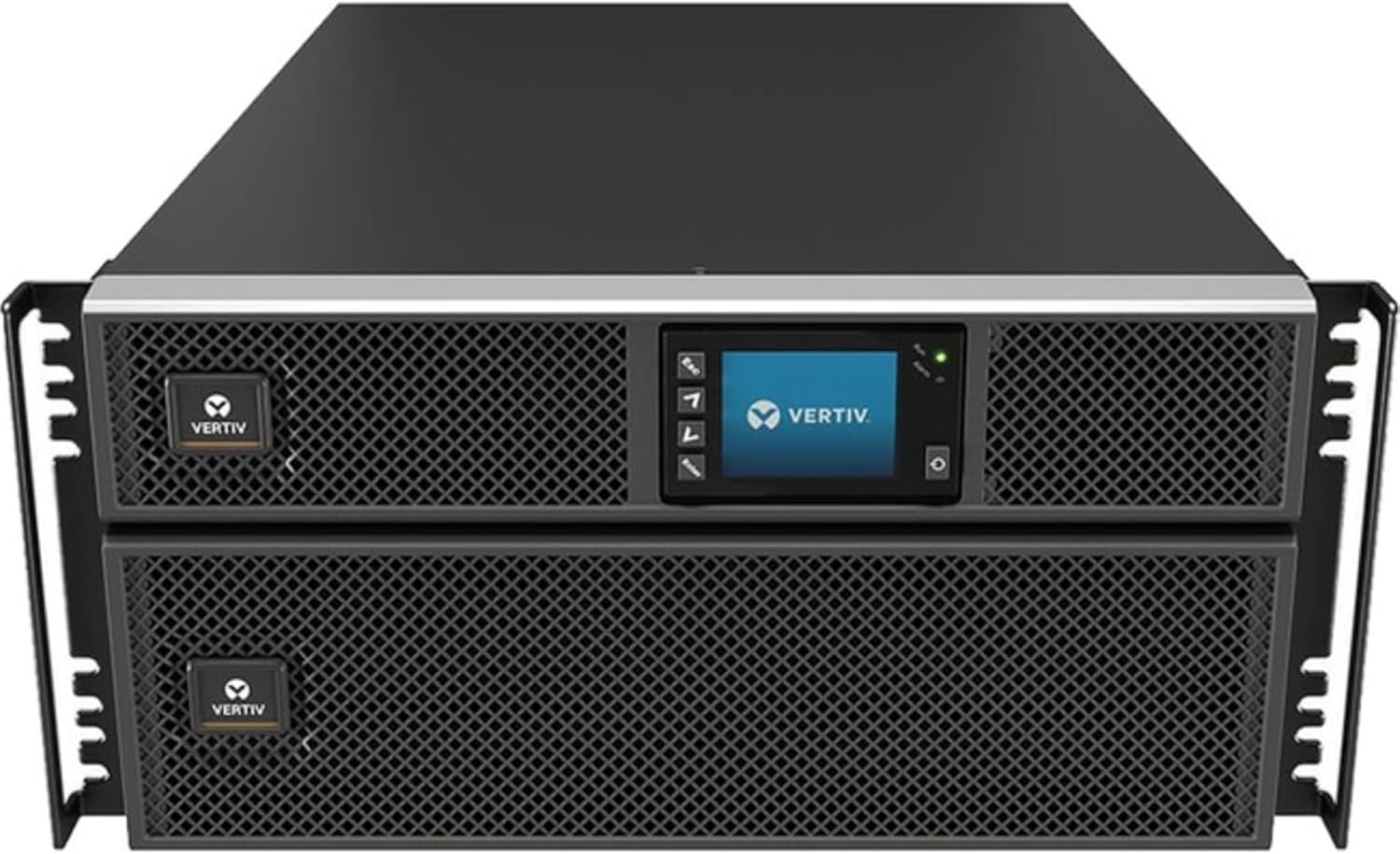
Figure 3.1: Front view of the Vertiv Liebert GXT5 UPS. The unit is black with a silver trim, featuring a display screen and ventilation grilles.

Figure 3.2: Angled view of the Vertiv Liebert GXT5 UPS, showing the side panels and rackmount ears. The unit is designed for both tower and rack installations.
4. Setup
- Unpacking: Carefully remove the UPS from its packaging. Inspect for any shipping damage. Report any damage to your dealer immediately.
- Placement: Place the UPS in a well-ventilated area, away from direct sunlight, heat sources, and excessive moisture. Ensure sufficient clearance around the unit for airflow. The unit can be configured for tower or rack installation.
- Initial Charging: Connect the UPS to a grounded AC power outlet. Allow the unit to charge for at least 8 hours before connecting critical loads to ensure optimal battery performance. The LCD display will indicate charging status.
- Connecting Equipment: Once the UPS is charged, connect your critical equipment to the output receptacles on the rear panel of the UPS. Ensure the total load does not exceed the UPS capacity (6kVA/6kW).
- Network Card (Optional): If using the RDU101 communications card, refer to its separate manual for installation and configuration instructions for remote monitoring.
5. Operation
- Powering On: Press and hold the power button on the front panel until the display illuminates. The UPS will perform a self-test and then enter online mode.
- LCD Display: The full-color LCD display provides real-time information on UPS status, input/output voltage, load level, battery capacity, and event logs. Navigate through menus using the buttons adjacent to the display.
- Battery Mode: In the event of a power outage, the UPS will automatically switch to battery mode, providing continuous power to connected equipment. An audible alarm will sound, and the display will indicate battery operation.
- Powering Off: To shut down the UPS, press and hold the power button until the display prompts you to confirm shutdown. Confirm to power off the unit and connected loads.
- Bypass Mode: The UPS can be manually switched to bypass mode for maintenance, allowing power to flow directly from the utility to the loads without UPS protection. Consult the display menu for this option.
6. Maintenance
Regular maintenance ensures the longevity and optimal performance of your UPS.
- Battery Replacement: The internal lead-acid batteries have a finite lifespan. The UPS will indicate when battery replacement is necessary. Contact qualified service personnel for battery replacement.
- Cleaning: Periodically clean the exterior of the UPS with a soft, dry cloth. Do not use liquid or aerosol cleaners. Ensure ventilation openings are free from dust and debris.
- Environmental Checks: Regularly check the operating environment to ensure it remains within specified temperature and humidity ranges.
- Firmware Updates: Check the Vertiv support website for available firmware updates for your UPS and RDU101 card to ensure the latest features and bug fixes.
7. Troubleshooting
This section provides solutions to common issues. For problems not listed here, contact technical support.
| Problem | Possible Cause | Solution |
|---|---|---|
| UPS does not turn on | No AC input power; Battery discharged | Check power cord connection and wall outlet; Allow UPS to charge for several hours. |
| UPS beeps continuously in online mode | Overload condition | Reduce the connected load. Check the LCD display for load percentage. |
| Short backup time | Battery not fully charged; Battery nearing end of life | Allow UPS to charge for 24 hours; Consider battery replacement. |
| UPS switches to battery mode frequently | Unstable utility power | This is normal operation. If frequent, consult an electrician to check building wiring. |
8. Specifications
| Attribute | Detail |
|---|---|
| Model Number | GXT5-6000MVRT4UXLN |
| Capacity | 6kVA / 6kW |
| Product Dimensions | 25.6 x 16.9 x 6.8 inches (65.02D x 42.93W x 17.27H cm) |
| Weight | (Weight not provided in input, placeholder) |
| Battery Cell Composition | Lead Acid |
| Voltage | 230 Volts (Input/Output: 208V in / 208 and 120V out) |
| Color | Black |
| Form Factor | 4U Rack/Tower |
| Certification | Energy Star 2.0 Certified |
9. Warranty and Support
The Vertiv Liebert GXT5 UPS comes with a 3-year comprehensive warranty, which includes the battery. Options for a 2-year extension may be available.
For technical support, service, or warranty claims, please contact Vertiv customer service or visit the official Vertiv website. Ensure you have your model number (GXT5-6000MVRT4UXLN) and serial number ready when contacting support.
Manufacturer: Vertiv
Online Resources: For additional documentation, FAQs, and software downloads, please visit the official Vertiv support portal.