1. Introduction
Thank you for choosing the iMartine BR151-Geometric 2-in-1 Mopping and Vacuuming Robot. This intelligent device is designed to simplify your home cleaning routine by offering both powerful vacuuming and efficient mopping capabilities. With its slim design, smart navigation, and app control, it provides a convenient and thorough cleaning experience for various floor types, including hard floors and low-pile carpets.

Figure 1.1: The iMartine BR151-Geometric Robot Vacuum and Mop Combo.
2. Package Contents
Please verify that all components are present and in good condition:
- Robot Vacuum
- Water Tank
- Charging Adapter
- Remote Control
- User Manual
3. Product Overview
Familiarize yourself with the key features and components of your iMartine robot vacuum.

Figure 3.1: The 2-in-1 Mopping Robot Vacuum features a 230ml water tank and up to 1400Pa suction for effective cleaning.
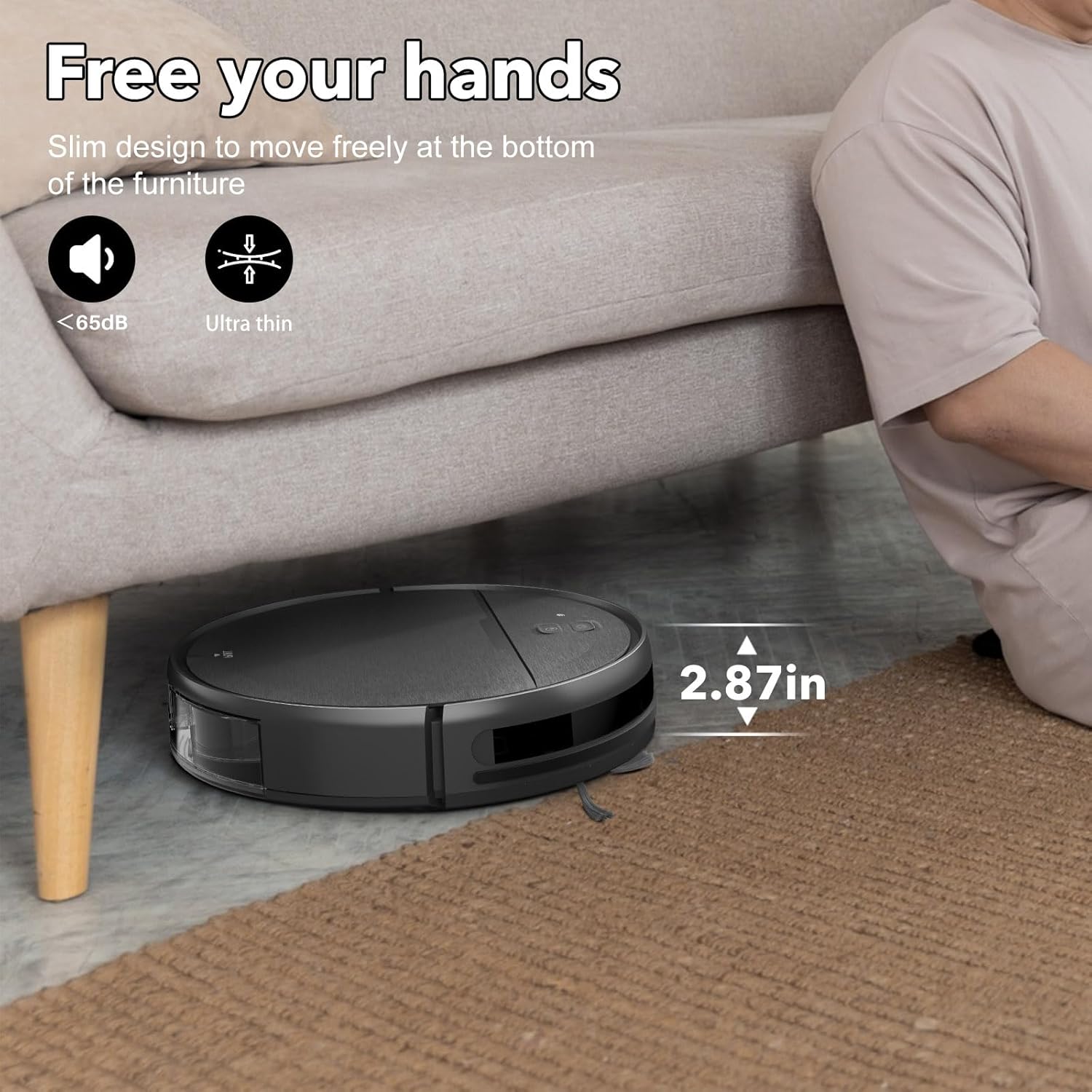
Figure 3.2: The robot's slim 2.87-inch design allows it to easily clean under beds, sofas, and other furniture.
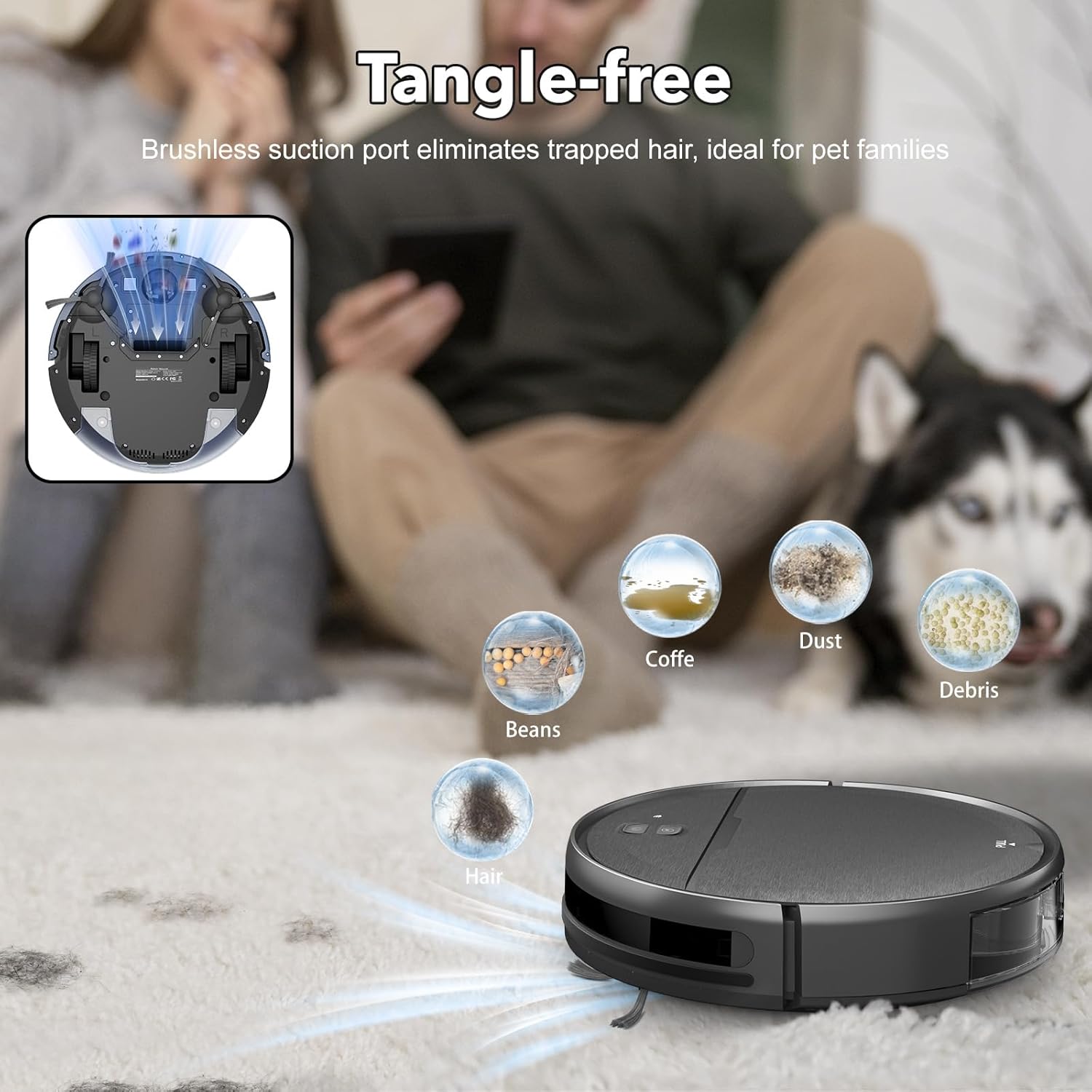
Figure 3.3: The non-rolling brush suction port is designed to be tangle-free, making it ideal for pet families by effectively picking up hair, dust, and debris.
4. Setup
Charging Base Placement:
Place the charging base against a wall in an open, uncluttered area. Ensure there is at least 0.5 meters (1.6 feet) of clear space on both sides of the charging base and 1.5 meters (4.9 feet) in front of it. Connect the charging adapter to the base and plug it into a power outlet.
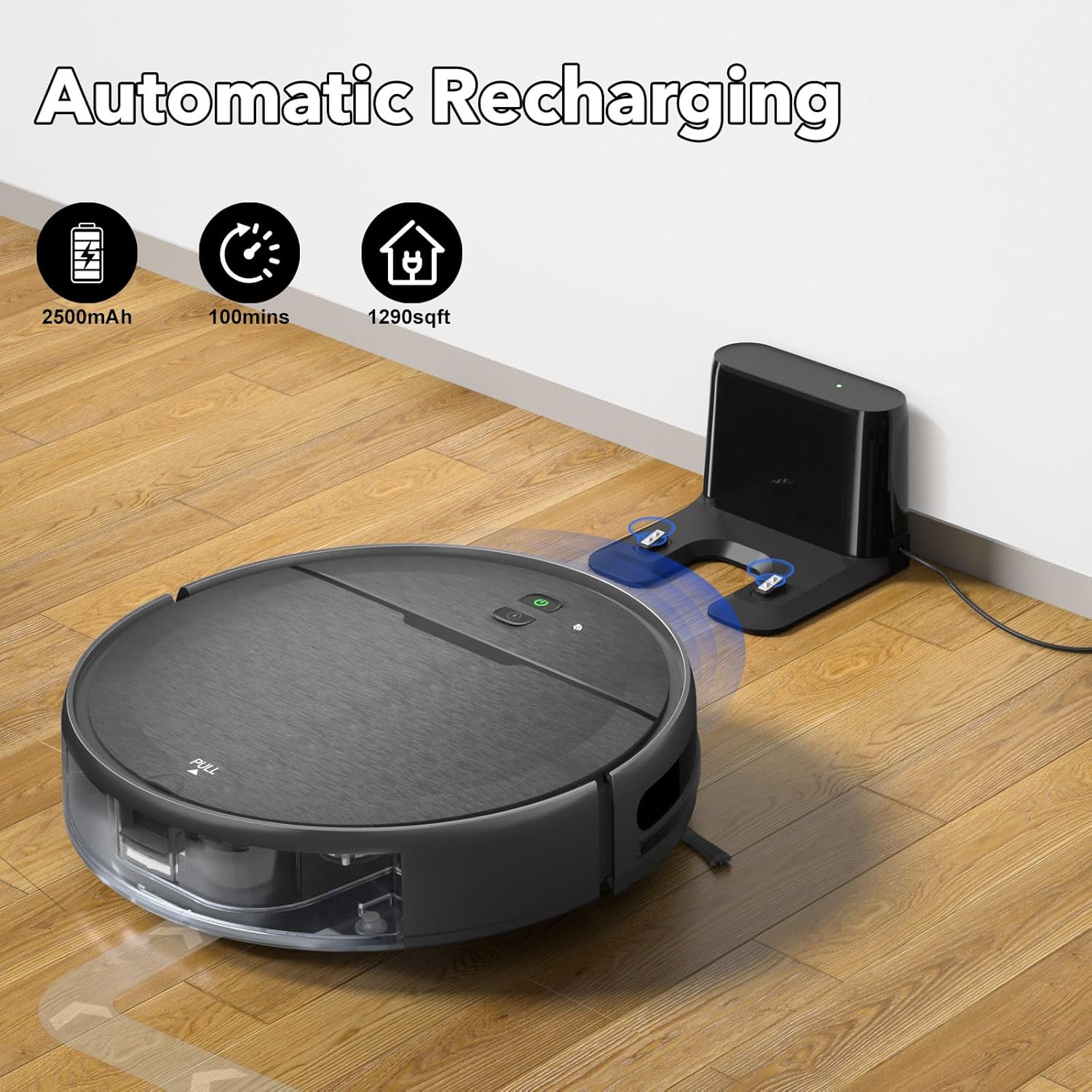
Figure 4.1: The robot vacuum automatically returns to its charging base when the battery is low or cleaning is complete.
Initial Charge:
Place the robot vacuum on the charging base. Ensure the charging contacts on the robot align with those on the base. The indicator light on the robot will show charging status. Allow the robot to fully charge before its first use (approximately 4-5 hours).
App and Voice Control Setup:
Download the Tuya Smart App from your mobile device's app store. Follow the in-app instructions to connect your robot vacuum to your home Wi-Fi network. Note that the app only supports 2.4 GHz Wi-Fi. The robot is also compatible with voice assistants like Amazon Alexa and Google Assistant; refer to the app for integration instructions.

Figure 4.2: Control your robot vacuum via the Tuya Smart App or voice commands with compatible smart assistants.
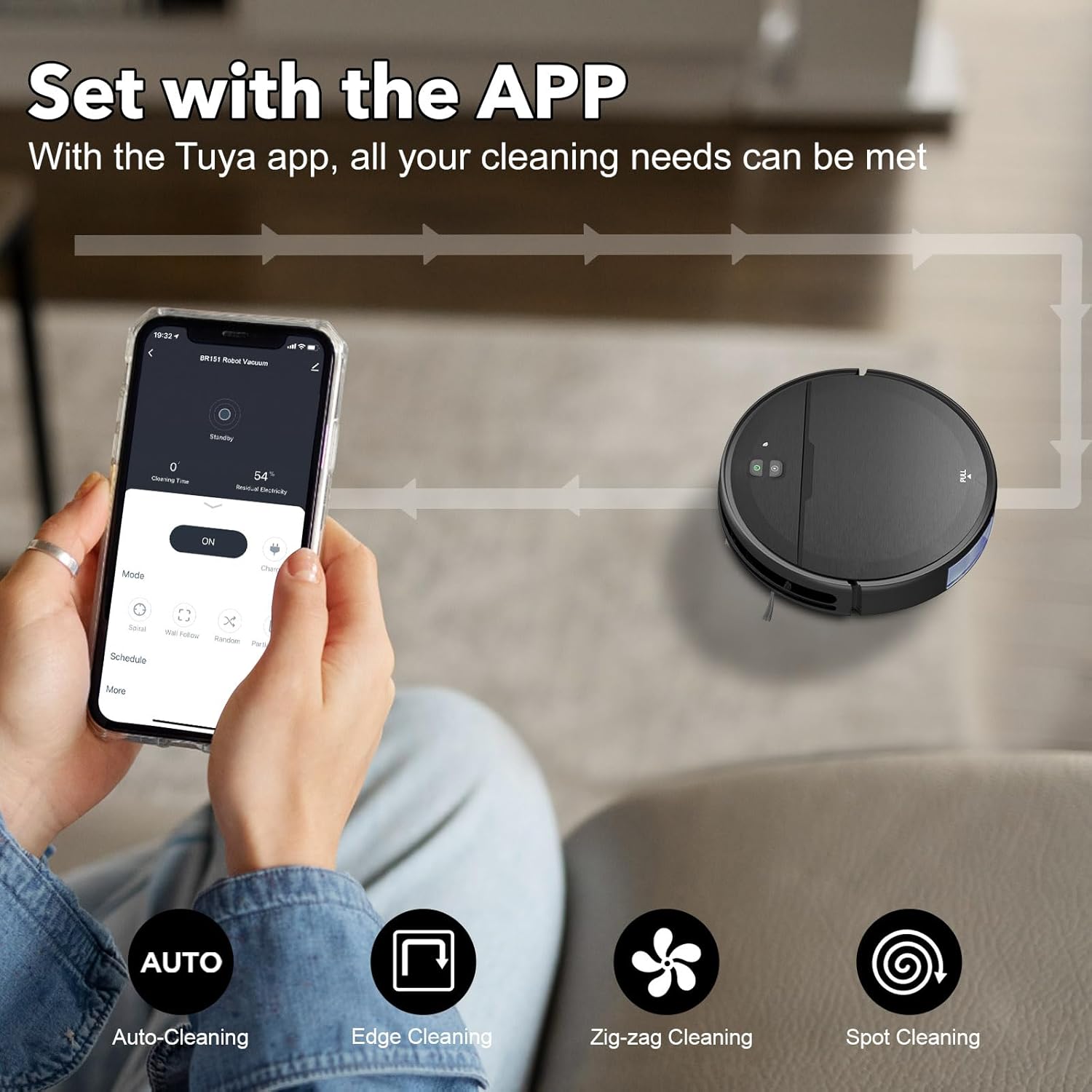
Figure 4.3: The Tuya app allows you to set cleaning plans, change modes, and customize cleaning preferences.
5. Operating Modes
The iMartine robot vacuum offers four high-efficiency cleaning modes to suit various needs:
Auto Cleaning Mode:
The robot intelligently navigates and cleans the entire floor area, adjusting its path as needed. This is the default cleaning mode.
Spot Cleaning Mode:
Ideal for concentrated dirty areas. The robot will clean in a spiral pattern to thoroughly clean a specific spot.
Edge Cleaning Mode:
The robot focuses on cleaning along walls and furniture edges, ensuring no dust is left behind in corners.
Zig-zag Cleaning Mode:
The robot cleans in a systematic zig-zag pattern, providing high coverage and efficiency, especially in open areas.
Video 5.1: Official iMartine demonstration of the robot vacuum's various cleaning modes and features.
6. Mopping Function
The iMartine BR151-Geometric features an intelligent mopping system with a 230ml electronic water tank. You can set two different water flow levels via the app to suit specific cleaning needs, ensuring even water penetration and cleaner mopping results. The mopping and vacuuming functions can be used simultaneously for comprehensive floor care.
8. Maintenance
Regular maintenance ensures optimal performance and extends the lifespan of your robot vacuum:
Dustbin and Filter Cleaning:
Empty the dustbin after each use. The three-layer high-efficiency filter is washable; clean it regularly according to the user manual. The filter cotton is not washable and should be replaced periodically.
Side Brush Cleaning:
Inspect and clean the side brushes regularly to remove tangled hair or debris. Replace them if they are worn or damaged.
Water Tank and Mop Pad Cleaning:
After mopping, empty any remaining water from the tank and rinse it thoroughly. Remove and clean the mop pad. Allow all components to air dry completely before reassembling.
Sensor Cleaning:
Wipe the sensors on the robot with a clean, dry cloth to ensure proper navigation and obstacle detection.
9. Troubleshooting
If you encounter issues with your iMartine robot vacuum, please refer to the following common solutions:
Robot not charging:
Ensure the charging base is plugged in and the power outlet is active. Check that the charging contacts on both the robot and the base are clean and free of debris. Reposition the robot on the base to ensure proper connection.
Robot gets stuck frequently:
Clear obstacles such as loose cables, small toys, or thick rugs from the cleaning path. Ensure the robot's wheels are clean and free of tangled hair.
Poor cleaning performance:
Empty the dustbin and clean the filter. Check if the side brushes are tangled or worn and clean/replace them if necessary. Ensure the suction inlet is not blocked.
Mopping function not working:
Ensure the water tank is filled and properly installed. Check the water flow settings in the app. Clean the mop pad and ensure it is correctly attached.
App connectivity issues:
Confirm your Wi-Fi network is 2.4 GHz. Restart your router and the robot vacuum. Ensure the app is updated to the latest version.
For more detailed troubleshooting or persistent issues, please contact iMartine customer support.
10. Specifications
| Feature | Specification |
|---|---|
| Brand | iMartine |
| Model Name | BR151-Geometric |
| Special Feature | Wet/Dry |
| Color | Black |
| Product Dimensions | 11.8"L x 11.8"W x 2.87"H |
| Included Components | Robot Vacuum, Water Tank, Charging Adapter, Remote Control, User Manual |
| Filter Type | Three-layer high-efficiency filtration (washable) + filter cotton (not washable) |
| Battery Life | 100 minutes |
| Voltage | 14.4 Volts |
| Water Tank Capacity | 230 Milliliters |
| Power Source | Battery Powered |
| Control Method | Touch, App, Remote Control, Voice Control |
| Compatible Devices | Smartphones (Tuya Smart App), Google Assistant, Amazon Alexa |
| Item Weight | 7.73 pounds |
| Manufacturer | iMartine |
| UPC | 737123336272 |
11. Warranty and Support
iMartine products are designed for reliability and performance. For information regarding product warranty, technical support, or service inquiries, please refer to the contact details provided in your product packaging or visit the official iMartine website. Keep your purchase receipt for warranty claims.


