
Introduction
Thank you for choosing the DEWENWILS 10-Outlet Surge Protector Power Strip. This device is designed to provide reliable power distribution and surge protection for your electronic devices, both at home and in the office. Featuring multiple AC outlets and USB charging ports, along with advanced safety features, this power strip ensures your equipment remains powered and protected.

Image: The DEWENWILS 10-Outlet Surge Protector Power Strip, black in color, featuring 10 AC outlets and 4 USB ports, with its 15-foot long cord and right-angle flat plug.
Safety Information
To ensure safe operation and prevent damage to your devices or personal injury, please read and adhere to the following safety guidelines:
- Indoor Use Only: This power strip is designed for indoor use in dry locations. Do not use it outdoors or in wet environments.
- Avoid Overloading: Do not exceed the maximum power rating of 15A/1800W. Overloading can cause the circuit breaker to trip or lead to overheating and fire hazards.
- Proper Grounding: The green LED light indicates that your devices are properly grounded, providing additional safety. Ensure this light is illuminated during use.
- Surge Protection: The 2480 Joules surge protection rating helps protect connected devices from power surges, lightning strikes, and AC contamination.
- Circuit Breaker: The integrated 15 AMP circuit breaker automatically cuts off power when the total current of connected devices exceeds 15A, protecting against short circuits and overloads.
- Child Safety Covers: The twist-to-lock safety covers on the AC outlets help prevent electrical shock and keep dust out. Always ensure unused outlets are twisted to the closed position.
- Cord Management: Do not run the power cord under carpets, rugs, or furniture. Avoid placing heavy objects on the cord.
- Inspection: Regularly inspect the power strip and cord for any signs of damage. Discontinue use if damaged.

Image: An illustrative diagram showing the internal components responsible for 2480 Joules surge protection, highlighting the safety features of the power strip.

Image: An icon depicting the twist-to-lock safety covers on the outlets, emphasizing the child protection feature.
Product Features
- 10 Grounded AC Outlets: Provides ample power connections for multiple devices. Two outlets are widely spaced to accommodate bulkier power adapters without blocking adjacent outlets.
- 4 USB Charging Ports: Features smart USB charging ports with a total shared rating of 5V/3.1A, suitable for charging smartphones, tablets, digital cameras, and other USB-powered devices.
- 2480 Joules Surge Protection: Offers robust protection against power surges and spikes, safeguarding your valuable electronics.
- 15 AMP Circuit Breaker: Equipped with an ON/OFF manual rocker switch that also functions as a circuit breaker, automatically shutting off power in case of overload to prevent damage.
- 15 FT Long Extension Cord: A heavy-duty 14 AWG power cord provides extended reach, allowing flexible placement of the power strip.
- Right Angle Flat Plug: The space-saving flat plug design allows the power strip to be plugged into wall outlets in tight spaces, such as behind furniture.
- Wall Mountable Design: Features keyhole mounting slots on the back for convenient wall or desk mounting, helping to keep your space organized.
- UL Certified and FCC Approved: Ensures the product meets high safety and quality standards.

Image: The power strip in use, demonstrating its capacity to power multiple AC devices and charge USB devices simultaneously, highlighting the "Power for All" capability.

Image: A close-up view of the right-angle flat plug, illustrating how it fits snugly behind furniture, saving space compared to standard plugs.
Setup
- Unpack: Carefully remove the power strip from its packaging. Retain packaging for future storage or transport.
- Placement: Choose a dry, indoor location for the power strip, away from water sources, heat, and direct sunlight. Ensure adequate ventilation around the unit.
- Wall Mounting (Optional): If desired, use the two keyhole mounting slots on the back of the power strip to securely mount it to a wall or desk. Ensure appropriate screws and anchors are used for the mounting surface.
- Connect to Power: Plug the power strip's right-angle flat plug into a standard 3-prong grounded wall outlet. The "GROUNDED" indicator light on the power strip should illuminate green, confirming a proper ground connection.
- Power On: Press the ON/OFF rocker switch to the "ON" position. The "PROTECTED" indicator light should illuminate red, indicating that the surge protection is active.
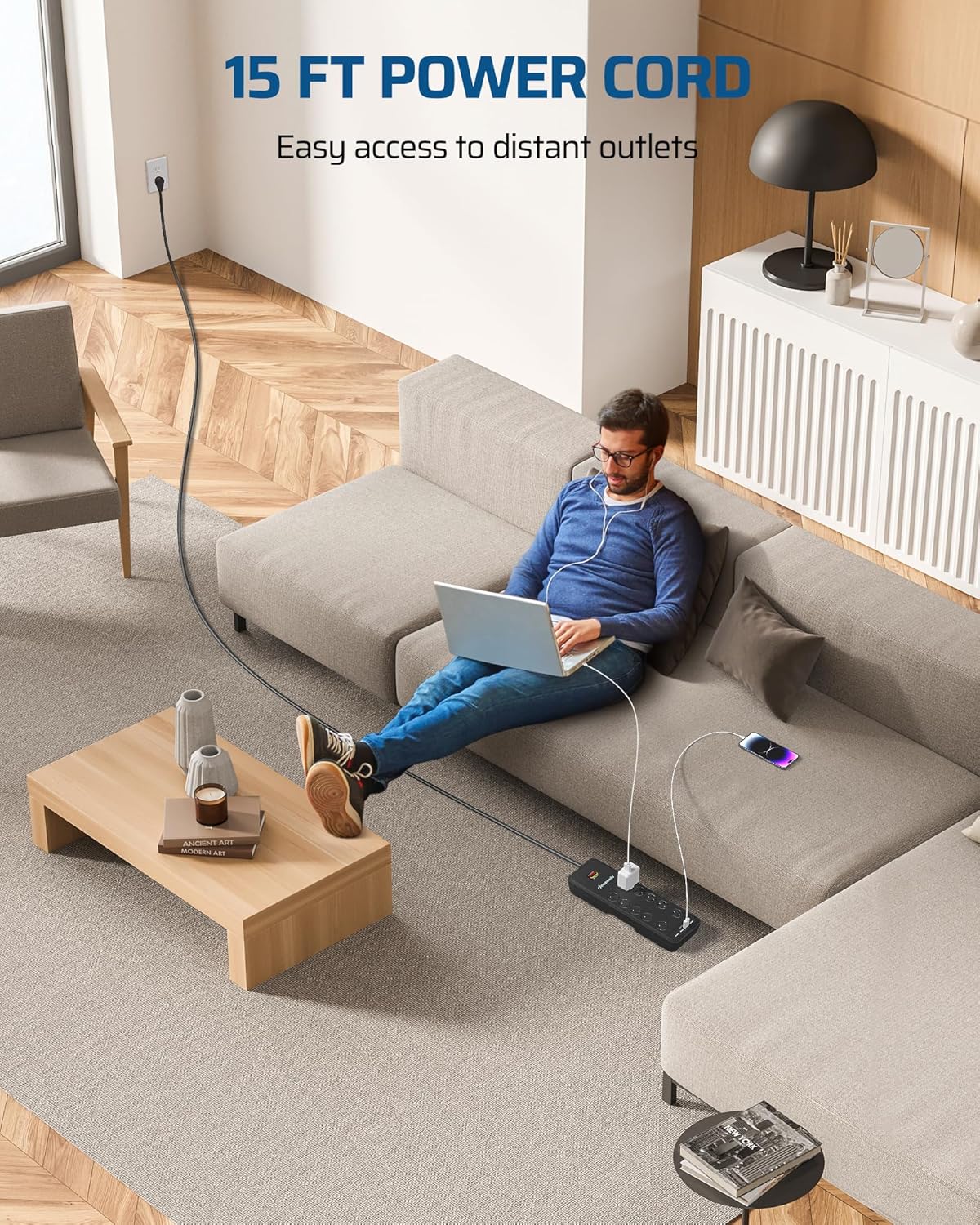
Image: A person comfortably using the power strip with its 15-foot long cord, demonstrating its extended reach for convenient access to distant outlets.

Image: A visual representation of the power strip's wall-mountable design, showing the two keyhole slots on the back for secure installation.
Operating Instructions
- Connecting AC Devices:
- Ensure the power strip is turned "ON" (red "PROTECTED" light illuminated).
- For unused outlets, twist the safety cover to align the slots. Insert the device's plug firmly into the AC outlet.
- After inserting the plug, you may twist the safety cover back to the locked position if the plug allows, or simply ensure the plug is fully seated.
- Utilize the widely spaced outlets for larger power adapters to prevent blocking other outlets.
- Connecting USB Devices:
- Plug your USB charging cable into one of the four USB ports on the power strip.
- Connect the other end of the cable to your USB-powered device (e.g., smartphone, tablet).
- The USB ports will automatically detect and deliver the appropriate charging current up to 3.1A total shared output.
- Powering Off: To turn off power to all connected devices, press the ON/OFF rocker switch to the "OFF" position. The indicator lights will turn off.

Image: A collage showing the power strip being used in different environments: a bedroom, an office, a camping setting, and a tool room, illustrating its versatility.
Maintenance
- Cleaning: Disconnect the power strip from the wall outlet before cleaning. Use a soft, dry cloth to wipe the surface. Do not use liquid cleaners or abrasive materials.
- Inspection: Periodically check the power cord, plug, and the power strip casing for any signs of damage, such as fraying, cracks, or discoloration. If any damage is found, discontinue use immediately and replace the unit.
- Circuit Breaker Reset: If the circuit breaker trips (the switch pops out), unplug some devices to reduce the load, then press the rocker switch back to the "ON" position to reset it.
Troubleshooting
| Problem | Possible Cause | Solution |
|---|---|---|
| No power to devices. | Power strip is off, circuit breaker tripped, or wall outlet has no power. | Ensure the ON/OFF switch is in the "ON" position. If the switch is popped out, reset the circuit breaker after reducing the load. Check the wall outlet by plugging in another device. |
| "PROTECTED" light is off. | Surge protection has been compromised or the unit is not powered. | If the power strip is on and the "GROUNDED" light is green, but "PROTECTED" is off, the surge protection may have absorbed a large surge and is no longer active. Replace the unit. |
| "GROUNDED" light is off. | Improper grounding at the wall outlet. | Plug the power strip into a different grounded outlet. If the issue persists, consult a qualified electrician to inspect your home's wiring. |
| USB ports not charging. | Device not compatible, cable faulty, or total USB load exceeded. | Ensure your device is compatible with 5V USB charging. Try a different USB cable. Reduce the number of devices charging simultaneously. |
Specifications
- Model Number: PS-1017F-1C
- Total Power Outlets: 10 AC Outlets
- USB Ports: 4 (5V total 3.1A shared rating)
- Voltage: 120 Volts
- Max Current/Power: 15A / 1800W
- Surge Rating: 2480 Joules
- Circuit Breaker: 15 AMP
- Cord Length: 15 FT (14 AWG heavy duty)
- Plug Type: Right Angle Flat Plug
- Product Dimensions: 13 x 3.85 x 1.2 inches
- Item Weight: 2.68 pounds
- Certifications: UL Listed, FCC Approved

Image: A diagram showing the dimensions of the DEWENWILS power strip, including length, width, and thickness, along with the spacing of the wall-mounting keyholes.
Warranty and Support
This DEWENWILS product is UL Listed and FCC Approved, ensuring it meets recognized safety and quality standards. For specific warranty details, return policies, or technical support, please refer to the documentation included with your product or visit the official DEWENWILS website. Contact information for customer service is typically available on the product packaging or the manufacturer's website.
Note: Always retain your purchase receipt for warranty claims.