
Introduction
The Beurer KS34 Digital Kitchen Scale combines sophisticated design with high functionality, making it an essential tool for precise food measurement in any kitchen. Featuring a unique magic LED display that appears only during use, an extra-high weight capacity, and an easy-to-clean glass surface, this scale is designed for convenience and accuracy in baking, cooking, and meal preparation.
Product Features
- High Capacity: Weighs up to 33 lbs (15 kg), suitable for various kitchen tasks from meal prep to baking.
- Precise Measurements: Measures in pounds, ounces, kilograms, and grams with high accuracy.
- Magic LED Display: Invisible when off, illuminates brightly during measurement for easy reading.
- Tare Function: Allows you to weigh multiple ingredients consecutively in the same container by resetting the scale to zero after each addition.
- Hold Function: Displays the weight after measurement, useful for larger items that might obscure the display.
- Modern Touch Key Operation: Seamless and easy-to-use touch buttons for a sleek design.
- Easy-to-Clean Surface: Durable glass surface with an anti-fingerprint coating ensures easy maintenance.
- Automatic Switch-Off: Conserves battery life by automatically turning off when not in use.
Setup
- Unpacking: Carefully remove the Beurer KS34 Digital Kitchen Scale from its packaging.
- Battery Installation: The scale comes with batteries included. Locate the battery compartment on the underside of the scale and ensure the batteries are correctly installed according to the polarity indicators.
- Placement: Place the scale on a flat, stable, and level surface to ensure accurate readings. Avoid placing it near heat sources or in areas with strong vibrations.
Operating Instructions
1. Power On/Off
- To turn on the scale, gently press the power button (usually marked with an ON/OFF or power symbol). The magic LED display will illuminate.
- The scale features an automatic switch-off function to conserve battery. To manually turn off, press and hold the power button for a few seconds.
2. Unit Conversion
- Press the "UNIT" button to cycle through the available measurement units: grams (g), ounces (oz), pounds (lb), and kilograms (kg). Select the desired unit before weighing.
3. Tare Function
- Place an empty container on the weighing platform. The display will show its weight.
- Press the "TARE" button. The display will reset to zero, allowing you to add ingredients and weigh them without including the container's weight.
- You can repeat the tare function for multiple ingredients.
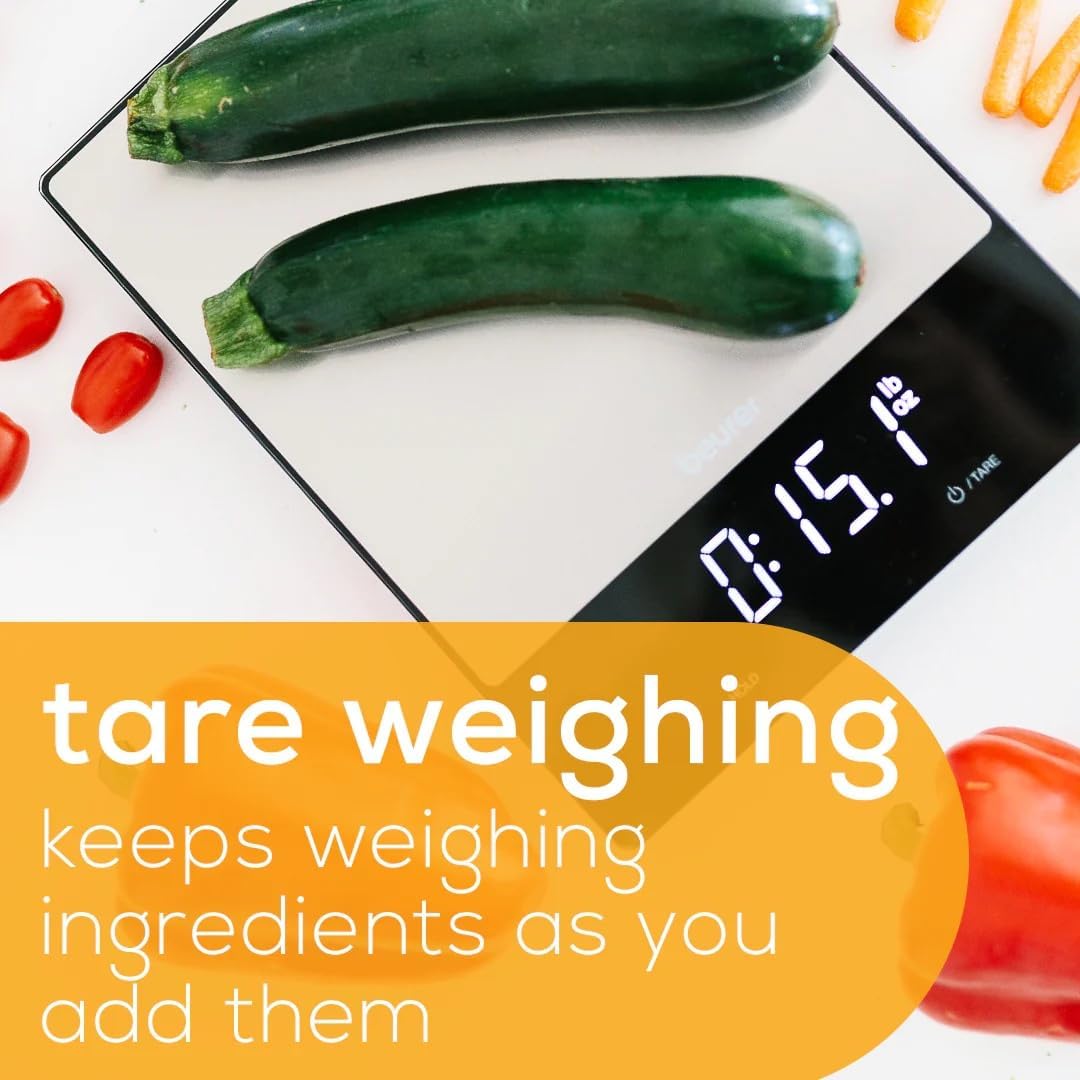
Image: The Beurer KS34 Digital Kitchen Scale demonstrating the tare weighing function. Two zucchinis are on the scale, and the display shows "0:15.1 lb". An overlay text highlights "tare weighing keeps weighing ingredients as you add them."
4. Hold Function
- For larger items that might obscure the display, use the "HOLD" function. Place the item on the scale, wait for the reading to stabilize, then press "HOLD". The weight will remain on the display even after the item is removed.

Image: A close-up of the Beurer KS34 Digital Kitchen Scale's display area. A finger is shown pressing the "HOLD" button. The display shows "483 g" with an overlay text stating "with hold function measure at your own pace."
5. Magic LED Display
- The scale features a unique "magic" LED display that is only visible when the scale is in use. This contributes to its sleek and modern aesthetic.

Image: A close-up of the Beurer KS34 Digital Kitchen Scale's display, showing "228 g". An overlay text highlights "magic LED invisible display only appears during measurement."
6. Measurement Accuracy
- The scale provides precise measurements, often in fine increments like 0.05 oz, ensuring accuracy for all your recipes.

Image: The Beurer KS34 Digital Kitchen Scale displaying "605 g" with a coffee pot on its platform. An overlay text indicates "0.05 oz increments," demonstrating the scale's precision.
Maintenance
- Cleaning: The glass surface with anti-fingerprint coating is easy to clean. Wipe with a damp cloth and mild detergent if necessary. Avoid abrasive cleaners or harsh chemicals.
- Storage: Store the scale in a dry place away from extreme temperatures and humidity.
- Battery Replacement: If the display indicates low battery, replace the AAA batteries as needed.
Troubleshooting
No specific troubleshooting steps are provided in the product description. If you encounter issues, ensure the scale is on a flat surface, batteries are correctly installed and charged, and the weight capacity is not exceeded. For persistent problems, refer to the manufacturer's support channels.
Specifications
| Product Dimensions | 7.9 x 10.4 x 0.8 inches; 2.2 Pounds |
| Item Model Number | KS34 |
| Manufacturer | Beurer |
| Brand | Beurer |
| Color | Black |
| Recommended Uses | Food, Fruits, Vegetables |
| Special Features | Auto Shut Off, Backlit Display, High Weight Capacity, Large Display |
| Display Type | LED |
| Weight Capacity | 33 lbs (15 kg) |

Image: The Beurer KS34 Digital Kitchen Scale with a green apple on its platform. The display shows "250 g". An overlay text highlights "33 lbs. capacity."

Image: The Beurer KS34 Digital Kitchen Scale shown with its physical dimensions indicated by arrows and numbers: 7.9 inches (width), 10.4 inches (length), and 0.8 inches (height).
Warranty and Support
Specific warranty details and direct support contact information were not provided in the product data. Please refer to the product packaging or the official Beurer website for the most up-to-date warranty information and customer support contacts.