
Introduction
This manual provides detailed instructions for the UltraPro 24hr Digital Bar Outlet Timer, Model 45959. This device is designed to automate the operation of indoor lights and small appliances by setting custom ON/OFF schedules. Please read these instructions carefully before use to ensure proper operation and safety.
Safety Information
- Indoor Use Only: This timer is designed for indoor use in dry locations. Do not expose to water or moisture.
- Electrical Rating: Do not exceed the electrical ratings of 125VAC, 60Hz, 15A, 1875W Resistive/Tungsten, 1/2HP. Overloading the timer can cause overheating and fire.
- Polarized Outlet: Ensure the device plugged into the timer has a polarized plug and is inserted correctly.
- Cleaning: Disconnect from power before cleaning. Use a dry cloth only.
- Repairs: Do not attempt to repair or modify the timer. Refer all servicing to qualified personnel.
Product Overview
The UltraPro Digital Bar Outlet Timer features a compact design with a single polarized outlet and an easy-to-read digital display. It includes buttons for setting the clock, programming ON/OFF times, and an override function.

Image: Two UltraPro 24hr Digital Bar Outlet Timers, illustrating the compact design and digital interface.

Image: Detailed view of the timer's digital display and control buttons, highlighting the CLOCK, SET, ON TIME, OFF TIME, ON/OFF, and arrow buttons for programming.

Image: Side view of the timer, clearly showing the single polarized outlet for connecting devices.
Setup
1. Initial Charge and Setting Current Time
- Plug the timer into a standard 125VAC wall outlet for at least 30 minutes to charge the internal battery. The display will activate.
- Press the CLOCK button once. The display will show '12:00 AM'.
- Use the UP (^) and DOWN (v) arrow buttons to set the current time. Hold the buttons for faster adjustment. Ensure AM/PM is correct.
- Press the CLOCK button again to save the current time. The display will return to normal operation.
Operating Instructions
1. Programming ON/OFF Times
The timer allows for two distinct ON/OFF programs per 24-hour cycle.
- Set Program 1 ON Time: Press the ON TIME button. The display will show '1 ON'. Use the UP (^) and DOWN (v) arrow buttons to set the desired ON time for Program 1. Press ON TIME again to confirm.
- Set Program 1 OFF Time: After setting Program 1 ON time, the display will show '1 OFF'. Use the UP (^) and DOWN (v) arrow buttons to set the desired OFF time for Program 1. Press OFF TIME to confirm.
- Set Program 2 ON Time: Press the ON TIME button again. The display will show '2 ON'. Use the UP (^) and DOWN (v) arrow buttons to set the desired ON time for Program 2. Press ON TIME again to confirm.
- Set Program 2 OFF Time: After setting Program 2 ON time, the display will show '2 OFF'. Use the UP (^) and DOWN (v) arrow buttons to set the desired OFF time for Program 2. Press OFF TIME to confirm.
- Press the CLOCK button to exit programming mode and return to the current time display. The timer is now set to operate according to your programmed schedule.

Image: Visual guide demonstrating the steps to program custom ON and OFF times for both Program 1 and Program 2.
2. Using the ON/OFF Override Button
The ON/OFF button allows for manual control, temporarily overriding the programmed schedule.
- If the timer is currently OFF (according to its program), pressing ON/OFF will turn the connected device ON. It will remain ON until the next programmed OFF time.
- If the timer is currently ON (according to its program), pressing ON/OFF will turn the connected device OFF. It will remain OFF until the next programmed ON time.
- This override is temporary. The timer will resume its programmed schedule at the next scheduled ON or OFF event.
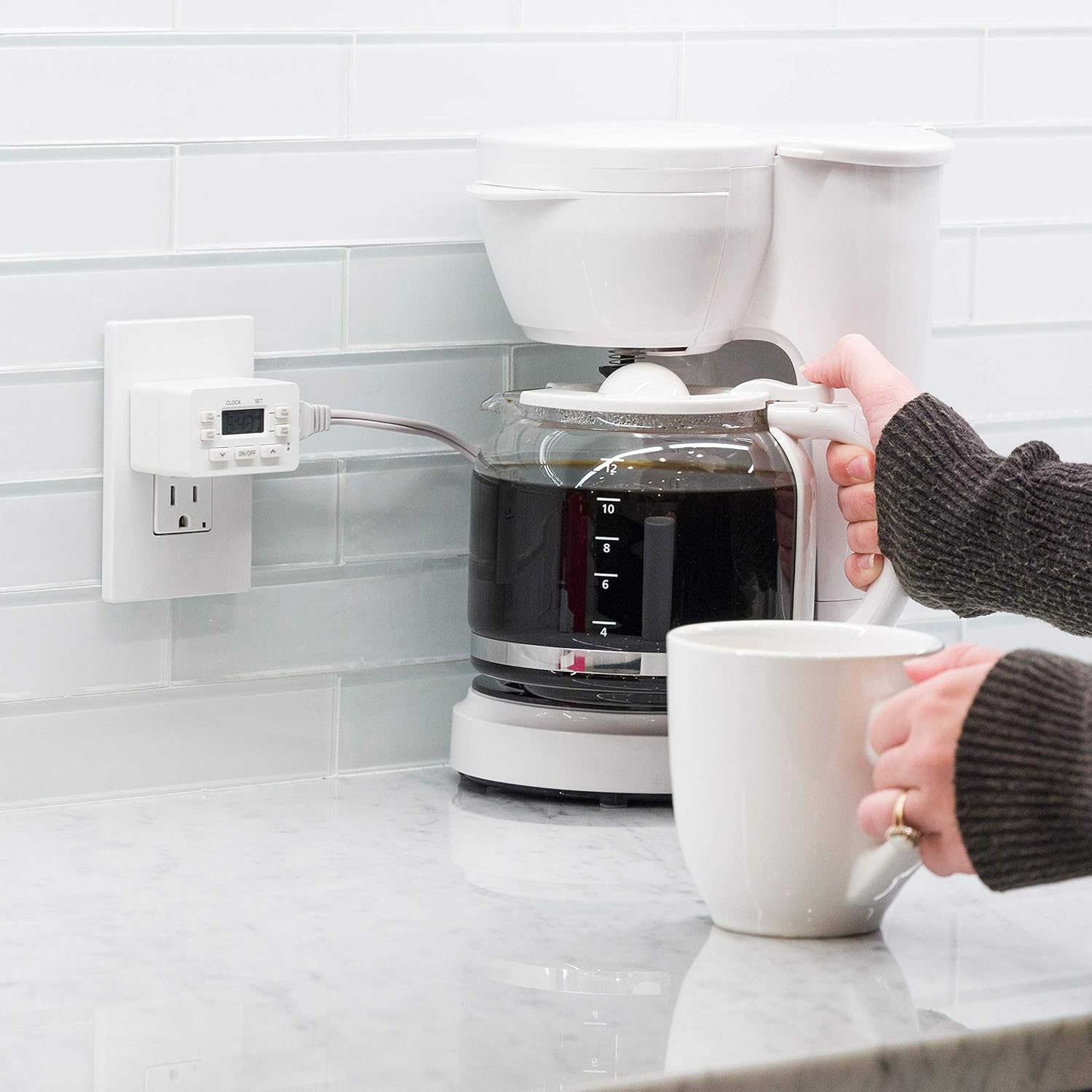
Image: The timer in use, connected to a coffee maker, demonstrating its application for scheduling various indoor appliances.
Maintenance
The UltraPro Digital Bar Outlet Timer requires minimal maintenance.
- Keep the timer clean and free from dust. Wipe with a dry, soft cloth.
- Do not use liquid cleaners or solvents.
- Ensure the timer is unplugged from the wall outlet before cleaning.
- The internal battery is designed to retain settings during power outages or when unplugged. If the display is blank, plug the timer into an outlet for at least 30 minutes to recharge the battery.
Troubleshooting
- Display is blank: Plug the timer into a live outlet for at least 30 minutes to charge the internal battery.
- Programs not running:
- Ensure the current time is set correctly, including AM/PM.
- Verify that the ON and OFF times for each program are correctly entered and confirmed.
- Check if the override function (ON/OFF button) has been activated, as it temporarily suspends the schedule.
- Device not turning ON/OFF:
- Confirm the device plugged into the timer is working correctly when plugged directly into a wall outlet.
- Ensure the timer is securely plugged into a live wall outlet.
- Check that the total wattage of the connected device does not exceed the timer's maximum rating (1875W).
- Time setting changes unexpectedly: Avoid accidentally pressing the arrow buttons when not in programming mode, as this can alter the current time.
Specifications
| Feature | Specification |
|---|---|
| Model Number | 45959 |
| Brand | UltraPro |
| Electrical Rating | 125VAC, 60Hz, 15A, 1875W Resistive/Tungsten, 1/2HP |
| Number of Programs | 2 ON/OFF cycles per 24 hours |
| Outlet Type | 1 Polarized Outlet |
| Material | Plastic |
| Product Dimensions (D x W x H) | 1.56" x 2.5" x 1.5" (3.96cm x 6.35cm x 3.81cm) |
| Item Weight | 6.4 ounces |
| Specific Use | Indoor Use |

Image: Product dimensions of the UltraPro Digital Timer, indicating its compact size.
Warranty Information
UltraPro products are typically backed by a limited warranty. For specific warranty details, including duration and coverage, please refer to the documentation included with your purchase or visit the official UltraPro website. Retain your proof of purchase for warranty claims.
Customer Support
For further assistance, technical support, or to inquire about replacement parts, please visit the official UltraPro website or contact their customer service department. Contact information can usually be found on the product packaging or the manufacturer's website.
Online Resources: Visit the UltraPro Store on Amazon


