
Fitbit FB203BK
Contents
Fitbit Aria Air Smart Scale Instruction Manual
Model: FB203BK
1. Product Overview
The Fitbit Aria Air Smart Scale is designed to help you track your weight and body mass index (BMI) effortlessly. It syncs your data directly to the Fitbit app, allowing you to monitor your progress and understand how your lifestyle choices impact your health goals.
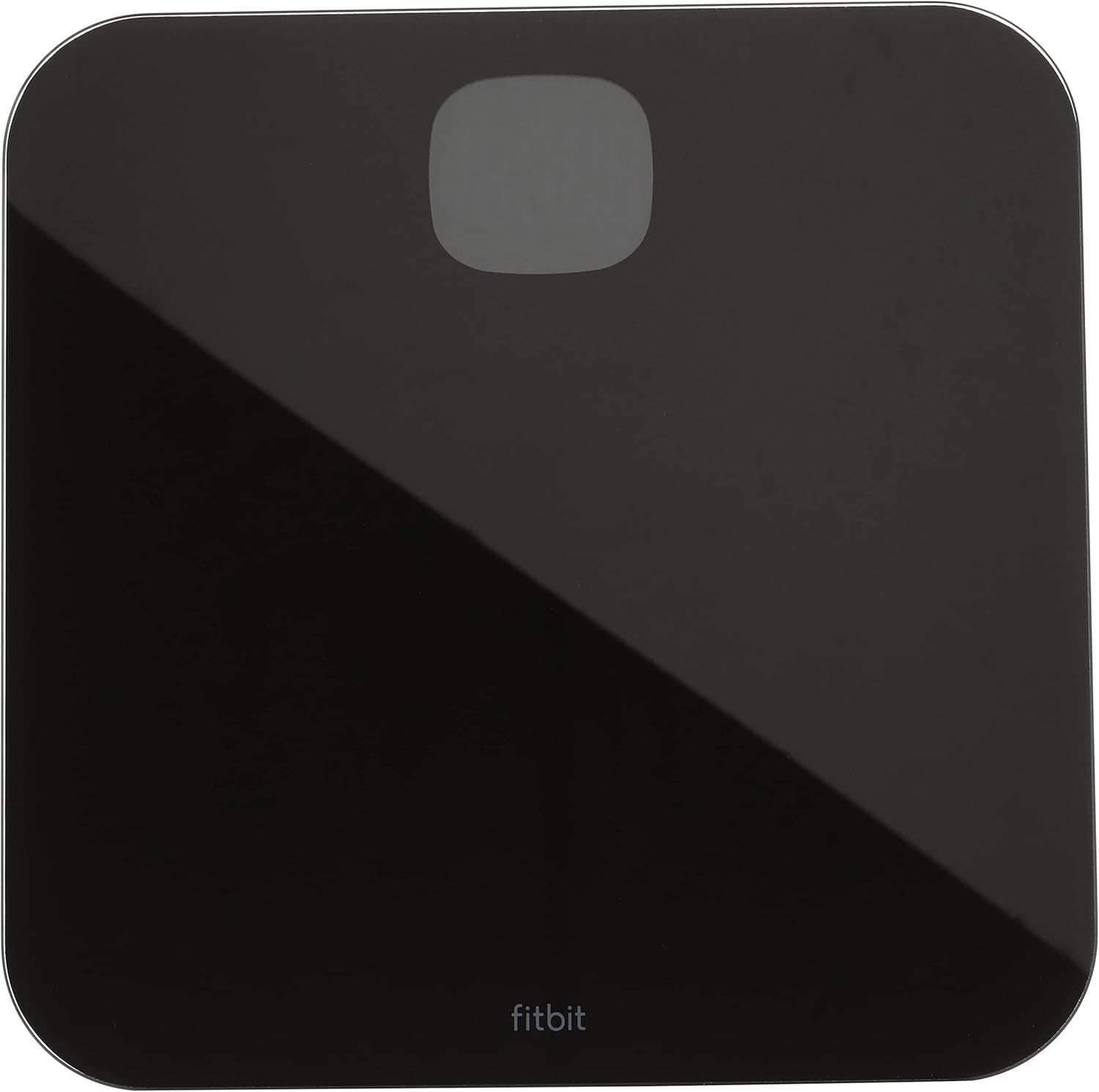
Figure 1: Top view of the Fitbit Aria Air Smart Scale.
Key Features:
- Measures and displays weight directly on the screen.
- Synchronizes statistics to your Fitbit dashboard using Bluetooth wireless technology.
- Displays your progress on the Fitbit app with simple, easy-to-read graphs.
- Supports multiple users, allowing each individual to track their stats when their phone is connected to the scale.
- Features an easy Bluetooth setup process that takes just a few minutes with your smartphone.

Figure 2: Back of the Fitbit Aria Air packaging highlighting key features.
2. Setup
Battery Installation:
The Fitbit Aria Air Smart Scale requires 3 AAA batteries (included). To install or replace batteries:
- Flip the scale over to access the battery compartment on the underside.
- Open the battery compartment cover.
- Insert the 3 AAA batteries, ensuring correct polarity (+/-).
- Close the battery compartment cover securely.
Initial Bluetooth Setup:
Setting up your Fitbit Aria Air with the Fitbit app is quick and easy:
- Download and install the Fitbit app on your smartphone (available for iOS and Android).
- Open the Fitbit app and log in or create a new account.
- In the app, navigate to your Account settings (usually by tapping your profile icon).
- Select "Set Up a Device" and choose "Aria Air" from the list of devices.
- Follow the on-screen instructions in the Fitbit app to pair your scale via Bluetooth. This typically involves stepping on the scale to activate it and allowing the app to detect it.
- Once paired, your weight measurements will automatically sync to your Fitbit dashboard.
3. Operating Instructions
Taking a Weight Measurement:
To get an accurate weight reading:
- Place the scale on a hard, flat surface (e.g., tile or hardwood). Avoid soft surfaces like carpet, which can affect accuracy.
- Open the Fitbit app on your smartphone and navigate to the weight logging screen. Ensure Bluetooth is enabled on your phone.
- Step onto the scale barefoot. The scale will display your weight on its screen.
- Your weight will automatically sync to the Fitbit app. If it doesn't sync immediately, ensure the app is open and on the weight screen.

Figure 3: User standing on the Fitbit Aria Air Smart Scale.
Changing Units:
The scale can display weight in kilograms (kg), pounds (lb), or stones (st). To change the unit, locate the small button on the underside of the scale near the battery compartment. Press this button to cycle through the available units.

Figure 4: Side profile of the Fitbit Aria Air Smart Scale.
4. Maintenance
Cleaning:
To keep your scale clean, wipe the glass surface with a damp cloth and a mild detergent. Avoid abrasive cleaners or harsh chemicals that could damage the finish.
Battery Replacement:
Replace the 3 AAA batteries when the low battery indicator appears on the scale's display or in the Fitbit app. Follow the battery installation steps outlined in the Setup section.
5. Troubleshooting
Inconsistent Readings:
- Ensure the scale is placed on a hard, flat surface. Soft surfaces like thick carpets can cause inaccurate readings.
- Step onto the scale gently and stand still until the measurement is complete.
- Ensure your feet are clean and dry when stepping on the scale.
Syncing Issues with Fitbit App:
- Make sure Bluetooth is enabled on your smartphone.
- Ensure the Fitbit app is open and on the weight logging screen when you step on the scale.
- Bring your smartphone close to the scale during the syncing process.
- If issues persist, try restarting your smartphone and the scale (by temporarily removing and reinserting the batteries).
- Advanced Troubleshooting (Factory Reset): Some users have reported success resolving persistent sync issues by performing a factory reset. To do this, press and hold the units button (on the back of the scale) until "OTA" appears on the screen. Then, press and hold the units button again until "CLR" appears. This will factory reset the scale, and you can then re-pair it with your Fitbit app.
6. Specifications
| Feature | Detail |
|---|---|
| Item Model Number | FB203BK |
| Batteries | 3 AAA batteries required (included) |
| Material | ABS bottom housing, Tempered glass platform |
| Color | Black |
| Compatible Devices | Smartphones |
| Product Dimensions | 11.8"L x 11.8"W x 1"H |
| Item Weight | 3.95 Pounds |
| Manufacturer | Fitbit Inc |
| Country of Origin | China |
7. Warranty and Support
For detailed warranty information and additional support, please refer to the official user manual provided by Fitbit. You can often find this document on the Fitbit support website or through the link below:
For further assistance, please visit the Fitbit support page or contact their customer service.
8. Official Product Videos
Currently, there are no official product instruction videos from the seller available for embedding. Please refer to the text instructions and the official user manual for guidance.
Documents and downloads
Ask a question about this manual
Ask about setup, troubleshooting, compatibility, parts, safety, or missing instructions. Manuals+ will review the question and use this page’s manual context to help answer it.