
Nobsound NS-08P PRO
Contents
Nobsound NS-08P PRO HiFi Bluetooth 5.0 Digital Audio Preamplifier User Manual
Model: NS-08P PRO
1. Introduction
Thank you for purchasing the Nobsound NS-08P PRO HiFi Bluetooth 5.0 Digital Audio Preamplifier. This manual provides detailed instructions for the setup, operation, and maintenance of your device. Please read this manual thoroughly before use to ensure proper functionality and to maximize your audio experience.
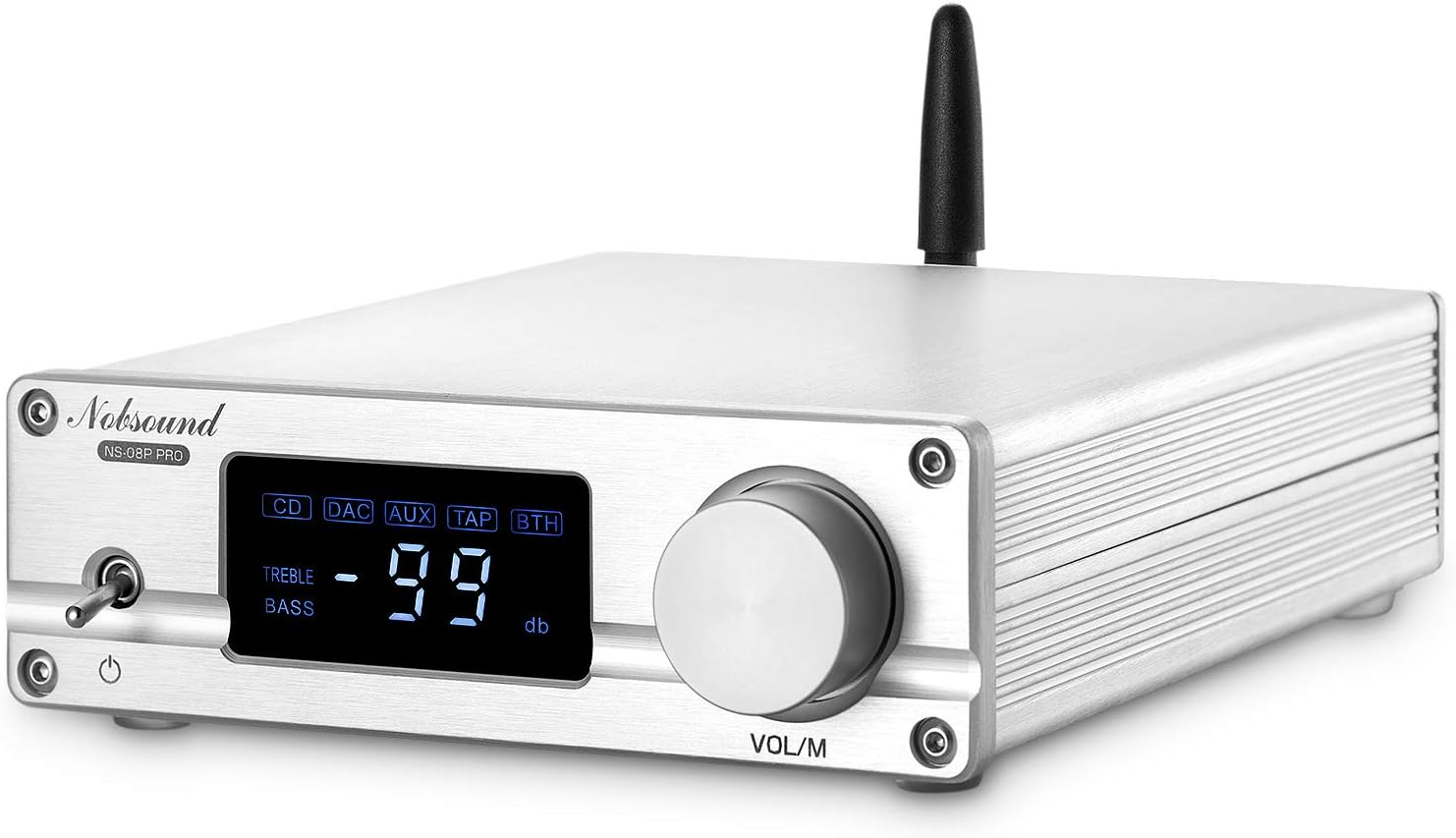
Figure 1: Nobsound NS-08P PRO Preamplifier, front view with antenna.
2. Package Contents
Please check the package contents upon unboxing. If any items are missing or damaged, please contact your retailer.
- 1x Nobsound NS-08P PRO Preamplifier
- 1x IR Remote Control (battery not included)
- 1x Power Cable

Figure 2: Included accessories: Power Cable and Remote Control.
3. Product Overview
3.1 Front Panel

Figure 3: Front Panel Layout.
- Power Switch: Toggles the device on and off.
- LED Display: Shows current input source and volume level.
- Volume Adjustment / Signal Switching Knob:
- Rotate to adjust volume.
- Press to cycle through input sources (CD, DAC, AUX, TAP, BTH).
3.2 Rear Panel

Figure 4: Rear Panel Layout and Connection Diagram.
- RCA Input (TAP, AUX, DAC, CD): Four sets of stereo RCA inputs for connecting various audio sources.
- RCA Output: Stereo RCA output for connecting to an amplifier or active speakers.
- Bluetooth Antenna Connector: For attaching the Bluetooth antenna.
- AC Power Input: Connect the provided power cable here. Supports 110V/220V.
4. Setup
4.1 Connecting Audio Sources
The NS-08P PRO offers multiple input options:
- RCA Inputs: Connect your audio devices (e.g., CD player, DAC, TV, MP3 player) to any of the four stereo RCA input pairs (TAP, AUX, DAC, CD) on the rear panel using RCA cables.
- Bluetooth Input: The preamplifier supports Bluetooth 5.0 for wireless audio streaming from compatible devices like smartphones, tablets, or computers. Ensure the Bluetooth antenna is securely attached to the rear panel.
4.2 Connecting to an Amplifier or Speakers
Connect the RCA Output of the NS-08P PRO to the input of your power amplifier or directly to active (powered) speakers using RCA cables. This preamplifier does not have a built-in power amplifier and requires an external amplifier or active speakers to produce sound.
4.3 Power Connection
Connect the provided power cable to the AC Power Input on the rear panel of the preamplifier, then plug the other end into a suitable wall outlet. The device supports both 110V and 220V.
5. Operating Instructions
5.1 Power On/Off
Press the Power Switch on the front panel to turn the preamplifier on or off. The LED display will illuminate when the device is powered on.
5.2 Input Selection
You can select the desired audio input source using two methods:
- Front Panel Knob: Press the Volume Adjustment / Signal Switching Knob on the front panel to cycle through the available inputs (CD, DAC, AUX, TAP, BTH). The selected input will be shown on the LED display.
- Remote Control: Use the dedicated input selection buttons on the IR remote control to directly select your desired source.
5.3 Volume Control
Adjust the volume level using either the front panel knob or the volume buttons on the remote control. The volume level will be displayed on the LED screen.

Figure 5: Volume adjustment shown on the LED display.
5.4 Bluetooth Pairing
To connect a Bluetooth device:
- Ensure the Bluetooth antenna is connected to the preamplifier.
- Select "BTH" as the input source on the preamplifier. The LED display will indicate Bluetooth mode.
- On your Bluetooth device (e.g., smartphone), enable Bluetooth and search for available devices.
- Select "Nobsound NS-08P PRO" (or similar name) from the list of found devices to pair.
- Once paired, audio from your Bluetooth device will be streamed through the preamplifier.

Figure 6: Bluetooth 5.0 with aptX Low Latency support.
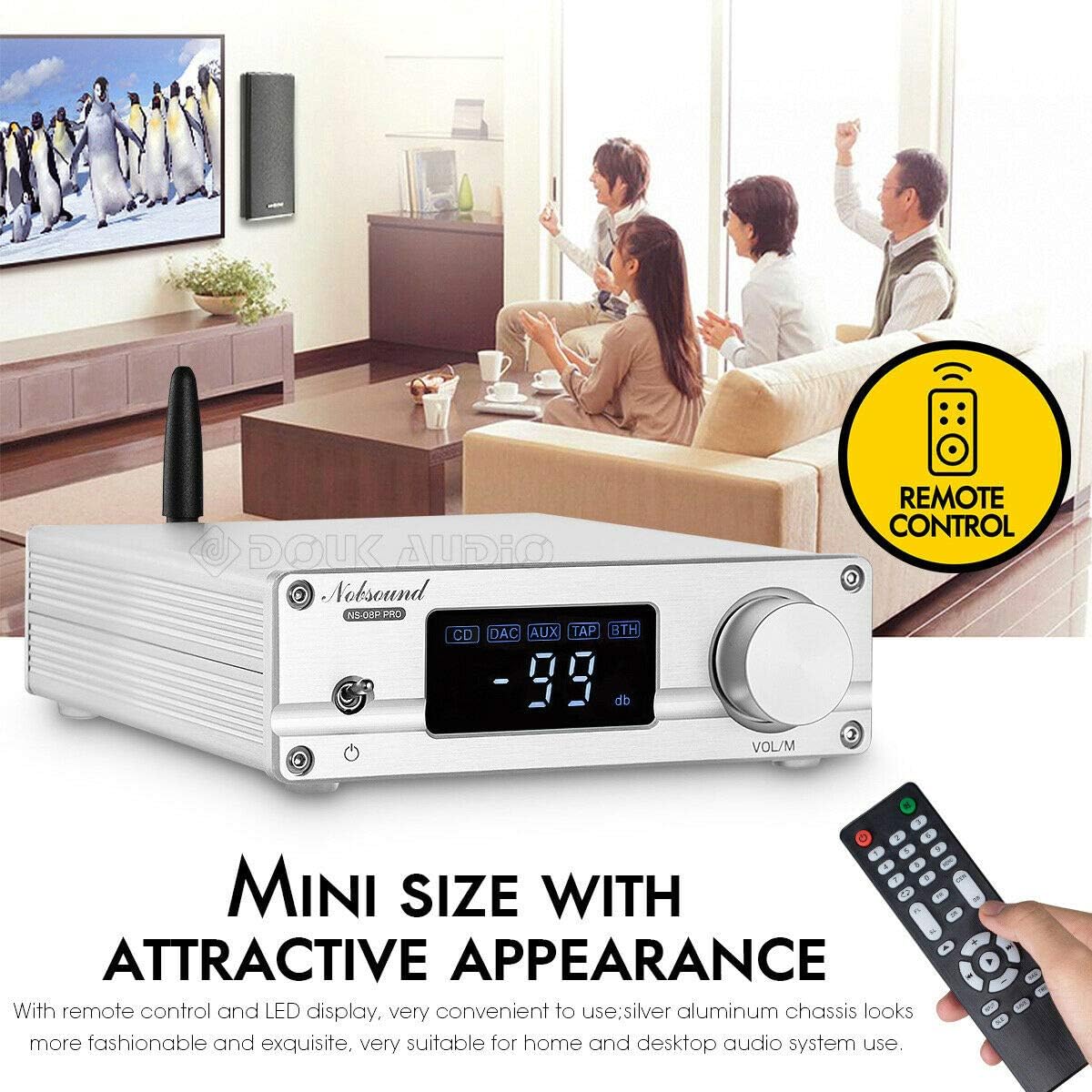
Figure 7: Using the remote control for convenient operation.
6. Maintenance
To ensure the longevity and optimal performance of your NS-08P PRO preamplifier, follow these maintenance guidelines:
- Cleaning: Use a soft, dry cloth to wipe the exterior of the unit. Do not use liquid cleaners or abrasive chemicals, as they may damage the finish.
- Ventilation: Ensure the unit is placed in a well-ventilated area to prevent overheating. Do not block any ventilation openings.
- Storage: If storing the unit for an extended period, disconnect it from the power supply and store it in a cool, dry place.
- Remote Control Battery: Replace the remote control battery when its range decreases or it stops responding. Refer to the remote control's battery compartment for the correct battery type.
7. Troubleshooting
If you encounter any issues with your Nobsound NS-08P PRO, please refer to the following common problems and solutions:
| Problem | Possible Cause | Solution |
|---|---|---|
| No power | Power cable not connected; Power switch off; Power outlet faulty. | Ensure power cable is securely connected. Press the power switch. Test the power outlet with another device. |
| No sound output | Incorrect input selected; Volume too low; Output cables loose; Amplifier/active speakers off or faulty. | Select the correct input source. Increase volume. Check RCA output connections to amplifier/speakers. Ensure amplifier/speakers are powered on and functioning. |
| Bluetooth connection issues | Preamplifier not in Bluetooth mode; Device too far; Interference; Already paired with another device. | Ensure "BTH" input is selected. Move Bluetooth device closer to the preamplifier. Avoid strong electromagnetic interference. Disconnect from other Bluetooth devices and try pairing again. |
| Remote control not working | Battery depleted; Obstruction between remote and unit; Remote not pointed correctly. | Replace the battery. Remove any obstructions. Point the remote directly at the preamplifier's IR receiver. |
8. Specifications
The following are the technical specifications for the Nobsound NS-08P PRO Preamplifier:
| Parameter | Value |
|---|---|
| Audio Input | 4 groups Stereo RCA + Bluetooth 5.0 |
| Audio Output | Stereo RCA |
| Bluetooth Chip | QCC3008 |
| Bluetooth Protocols | A2DP, AVRCP, HFP, TWS, AAC, I2S, APTX, APTX-LL |
| Distortion | 0.001% |
| SNR (Signal-to-Noise Ratio) | 128 dB |
| Color | Silver |
| Operating Voltage | 110V/220V (selectable) |
| Dimensions (L x H x D) | 131 x 43 x 159 mm (5.16 x 1.69 x 6.26 inches) |
| Net Weight | 0.8 kg (1.76 lbs) |
| Material | Metal |
| Manufacturer Model Number | DZ064_DE |

Figure 8: Internal view highlighting the custom full linear drive power supply.

Figure 9: Internal components, emphasizing high-end materials for low distortion and high SNR.
9. Warranty and Support
For warranty information, technical support, or service inquiries, please refer to the warranty card included with your product or contact your retailer. You may also visit the official Nobsound website for further assistance.
Official Nobsound Website: www.doukaudio.com
Documents and downloads
Ask a question about this manual
Ask about setup, troubleshooting, compatibility, parts, safety, or missing instructions. Manuals+ will review the question and use this page’s manual context to help answer it.