
U`King ZQ-B93
U`King 10W RGBW Mini Stage Pinspot Light Instruction Manual
Model: ZQ-B93
Introduction
This manual provides detailed instructions for the safe and effective operation of your U`King 10W RGBW Mini Stage Pinspot Light. Please read this manual thoroughly before use and retain it for future reference.
Safety Information
- Ensure the power supply voltage matches the product's requirements.
- Do not open the housing; there are no user-serviceable parts inside. Refer all servicing to qualified personnel.
- Avoid direct eye exposure to the light beam.
- Keep the device away from water, moisture, and extreme temperatures.
- Ensure proper ventilation to prevent overheating.
- Always disconnect from power before cleaning or maintenance.
What's in the Box
- U`King 10W RGBW Mini Stage Pinspot Light Unit
- Power Cord
- Mounting Bracket
- Remote Control
- Instruction Manual
Product Features
- High Power LED: 10W RGBW LED bead (Red, Green, Blue, White).
- Long Lifespan: Up to 10,000 hours.
- Control Modes: DMX 512, Master Slave, Sound Activated, Auto.
- Lighting Effects: RGBW mixed color, strobe, and dimming.
- Integrated Design: ABS housing for temperature protection.
- Adjustable Beam Angle: Zoomable lens for beam adjustment.
- Easy Installation: Mini size with included brackets for versatile mounting.
Setup
- Unpacking: Carefully remove all components from the packaging. Inspect for any damage.
- Mounting Bracket Assembly: Attach the included mounting bracket to the light unit using the provided screw. The bracket allows for direct placement on a surface or hanging from a truss.
- Power Connection: Connect the power cord to the light unit and then plug it into a suitable power outlet.

Operating Instructions
Control Panel and Digital Display
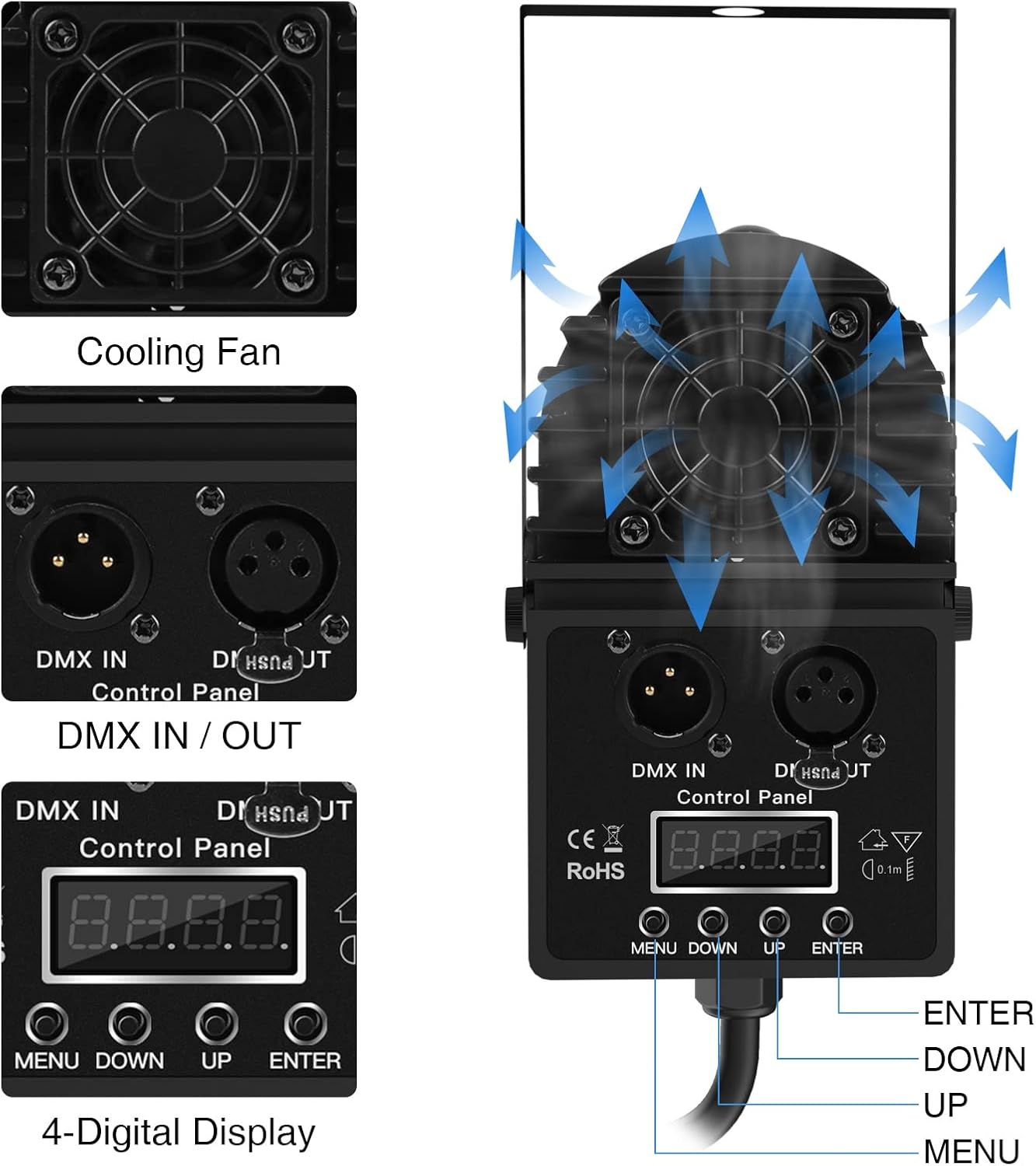
The light unit features a control panel with a 4-digit display and buttons (MENU, DOWN, UP, ENTER) for direct control and mode selection.
Remote Control Functions
The included remote control provides convenient access to various settings:
- Power: Turn the light ON/OFF.
- Color Selection: Directly select Red, Green, Blue, White, Yellow, Purple, or Cyan.
- Modes:
- Fade Mode: Smooth transitions between colors.
- Jump Mode: Instant color changes.
- Flash Mode: Rapid flashing of colors.
- Pulse Mode: Pulsating color effects.
- Strobe Mode: Flashing white light effect.
- Brightness/Speed: Adjust the intensity of the light or the speed of dynamic modes using the '+' and '-' buttons.
Beam Adjustment (Zoomable)
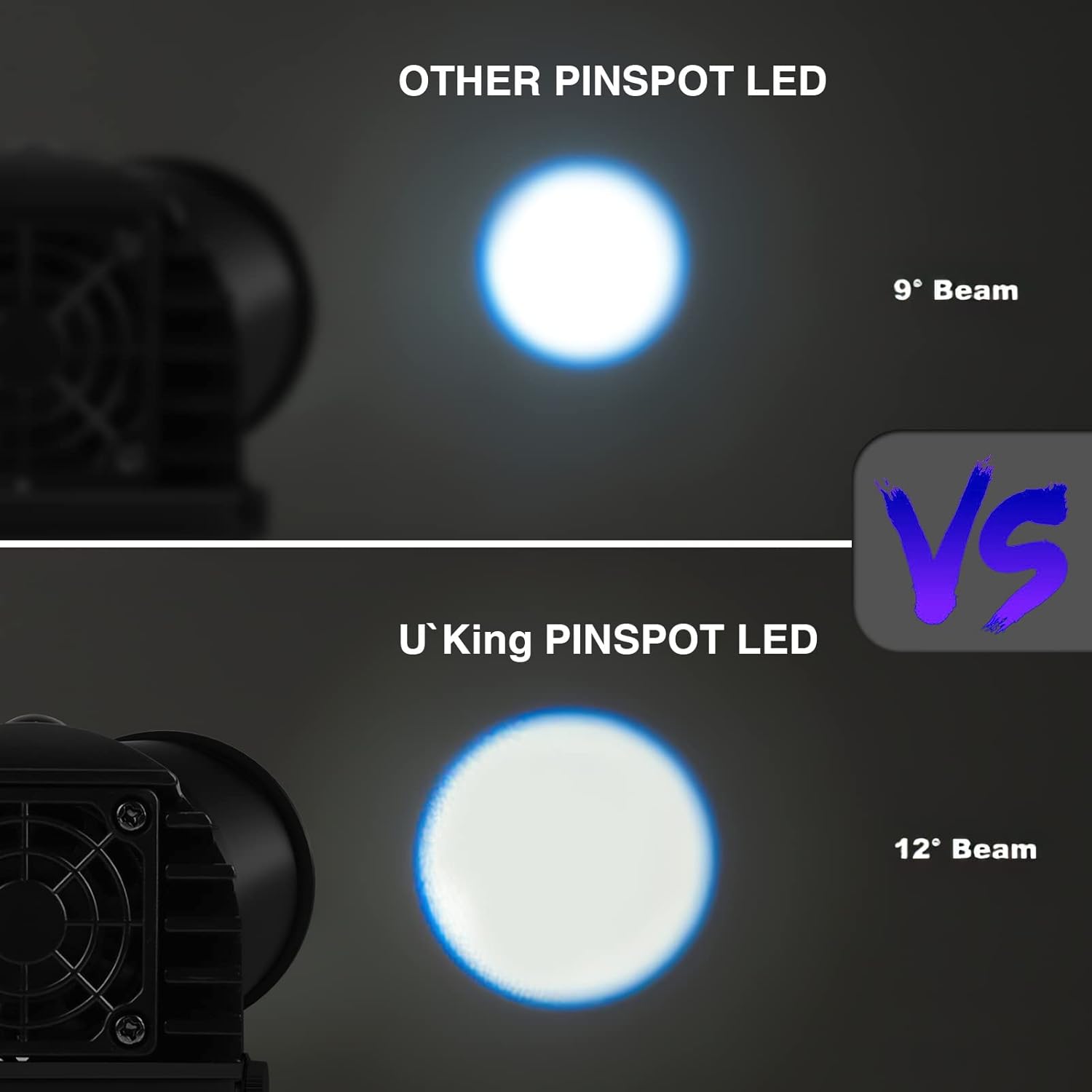
The front lens of the pinspot light is zoomable, allowing you to adjust the beam angle to achieve a tighter or wider light spread. Rotate the front ring to modify the beam focus.

DMX 512 Control
For advanced control, connect the light to a DMX controller using standard DMX cables. Refer to your DMX controller's manual for specific programming instructions. The light supports DMX 512 protocol for integration into professional lighting setups.
Maintenance
- Clean the lens regularly with a soft, lint-free cloth to maintain optimal light output.
- Do not use abrasive cleaners or solvents.
- Periodically check the power cord for any signs of damage.
- Ensure the cooling fan is free from dust and obstructions.
Troubleshooting
- No Power: Check if the power cord is securely plugged into both the light unit and the power outlet. Verify the outlet is functional.
- Light Not Responding to Remote: Ensure the remote's battery is functional and there are no obstructions between the remote and the light's sensor.
- Overheating: Ensure the cooling fan is clear and the unit has adequate ventilation. If overheating persists, discontinue use and contact support.
Specifications
| Brand | U`King |
| Model Number | ZQ-B93 |
| Light Source Type | Light Emitting Diode (LED) |
| Light Source Wattage | 10 Watts |
| Number of Light Sources | 4 (RGBW) |
| Beam Angle | 25 Degrees |
| Control Modes | DMX 512, Master Slave, Sound Activated, Auto |
| Material | Acrylonitrile Butadiene Styrene (ABS) |
| Item Weight | 1 pounds (16 ounces) |
| Product Dimensions | 14"L x 8"W x 8"H |
| Power Source | Corded Electric |
| UPC | 745695300300 |
Warranty and Support
For warranty information or technical support, please refer to the contact details provided with your purchase documentation or visit the official U`King website. Keep your proof of purchase for warranty claims.
Related documentsZQ-B93

Ask a question about this manual
Ask about setup, troubleshooting, compatibility, parts, safety, or missing instructions. Manuals+ will review the question and use this page’s manual context to help answer it.