
Welcome
Thank you for choosing the Eufy BoostIQ RoboVac 30C. This robot vacuum cleaner is designed to provide efficient and convenient cleaning for your home. Featuring BoostIQ technology, super-thin design, and 1500Pa strong suction, it adapts to various floor types and can be controlled via Wi-Fi for effortless operation.

Image: The Eufy BoostIQ RoboVac 30C, a sleek black circular robot vacuum, is shown alongside its charging base and two rolls of boundary strips. A smartphone displaying the EufyHome app interface is also visible, highlighting its smart control capabilities.
Package Contents
- Eufy BoostIQ RoboVac 30C
- Charging Base
- AC Power Adapter
- Boundary Strips (13 ft)
- Remote Control (with 2 AAA batteries)
- Side Brushes (4x)
- Extra Filter Set
- Cleaning Tool
- Instruction Guide
Setup
Charging the RoboVac
Before first use, fully charge the RoboVac. Connect the charging base to a power outlet and place the RoboVac on the charging pins. The indicator lights will show charging status. A full charge typically takes 5-6 hours.

Image: The Eufy RoboVac 30C is shown docked on its charging base, positioned against a wall. The blue indicator light on the RoboVac is illuminated, indicating it is charging.
Connecting to Wi-Fi (EufyHome App)
Download the EufyHome app from the App Store or Google Play. Follow the in-app instructions to connect your RoboVac to your home Wi-Fi network. This enables remote control, scheduling, and mode selection from your smartphone.

Image: A hand holds a smartphone displaying the EufyHome app, with options to control the RoboVac, receive notifications, set cleaning schedules, and find the robot. The RoboVac itself is visible in the background on a wooden floor.
Operating the RoboVac
Cleaning Modes
The RoboVac 30C offers multiple cleaning modes to suit your needs:
- Auto Cleaning: The RoboVac cleans automatically, adjusting its path based on obstacles and floor type.
- Spot Cleaning: Focuses on a specific dirty area, cleaning in a spiral pattern.
- Edge Cleaning: Cleans along walls and furniture edges.
- BoostIQ Technology: Automatically increases suction power when extra vacuuming strength is needed, such as on carpets.

Image: The Eufy RoboVac 30C is shown cleaning underneath a chair, demonstrating its super-thin profile (2.85 inches) which allows it to access hard-to-reach areas. A child is observing the robot from the floor.
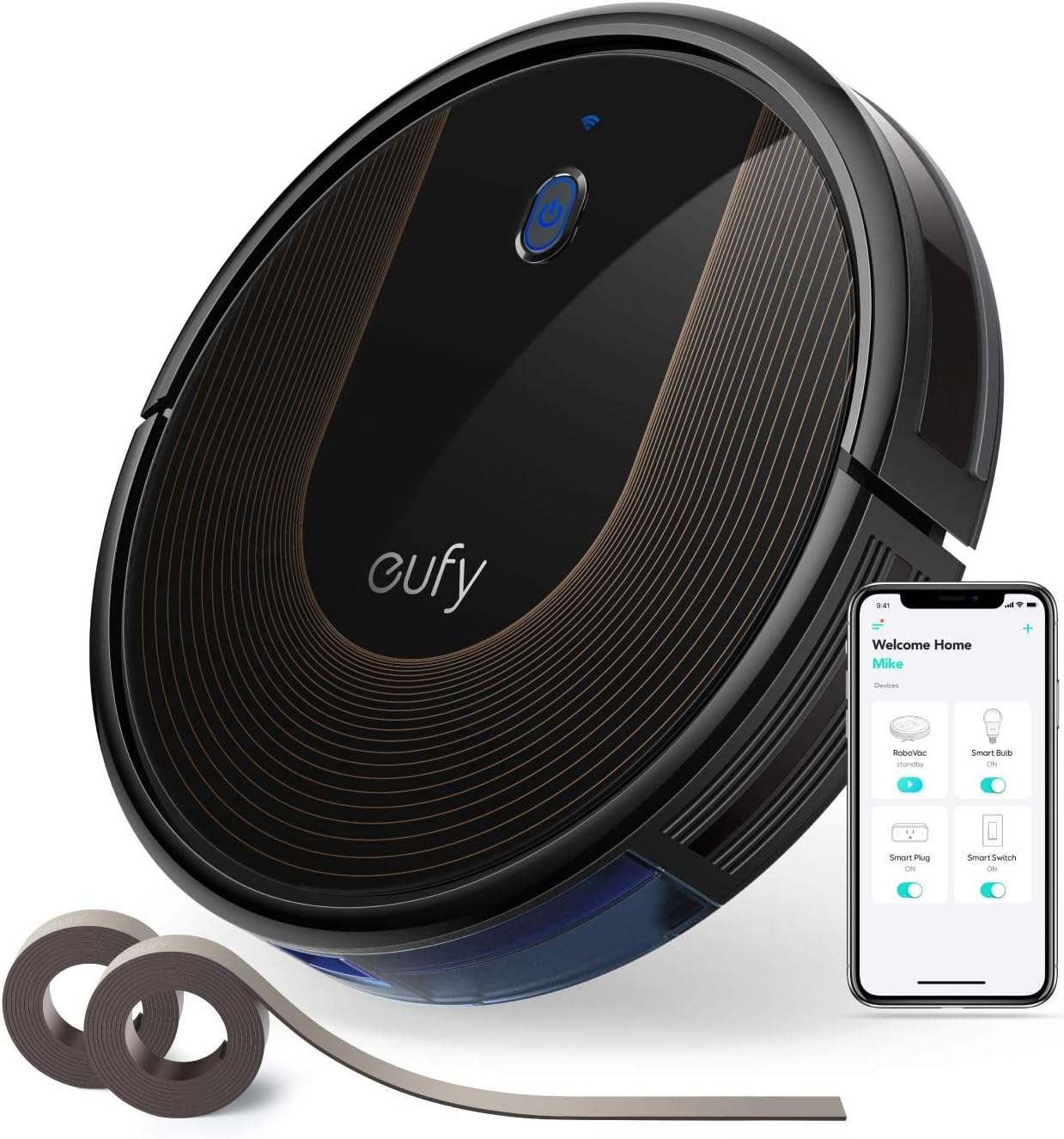
Image: The Eufy RoboVac 30C is depicted moving from a hard floor onto a carpeted area, illustrating its BoostIQ technology which optimizes cleaning performance across different surfaces.
Using Boundary Strips
Use the included boundary strips to create off-limit areas for your RoboVac. Place the strips flat on the floor to prevent the RoboVac from entering specific rooms or areas.

Image: The Eufy RoboVac 30C is shown on a wooden floor, approaching a boundary strip that creates a virtual wall. Arrows indicate the robot's path being redirected by the strip, preventing it from entering a designated area with toys.
Obstacle Avoidance and Drop Sensing
The RoboVac is equipped with 9 anti-collision infrared sensors to help it avoid bumping into obstacles and drop-sensing technology to prevent falls from stairs or ledges.
Care and Maintenance
Regular maintenance ensures optimal performance of your RoboVac.
Emptying the Dust Bin
The dust bin should be emptied after each cleaning cycle. Press the release button on the back of the RoboVac to remove the dust bin, then open it and discard the collected debris. For best results, tap the filter to remove excess dust.
Cleaning Brushes and Filters
Periodically inspect and clean the rolling brush, side brushes, and filters. Use the provided cleaning tool to remove hair and debris from the rolling brush. The side brushes can be pulled off for cleaning or replacement. The filters (pre-filter and high-performance filter) should be cleaned regularly by tapping off dust and can be rinsed with water if necessary (ensure they are completely dry before re-inserting).
Troubleshooting Common Issues
| Problem | Solution |
|---|---|
| RoboVac not charging | Ensure the charging base is plugged in and the power indicator is on. Clean the charging pins on both the RoboVac and the base. |
| RoboVac stuck or trapped | Remove any obstacles or tangled cords. Use boundary strips to block off problem areas. |
| Poor suction or not picking up debris | Empty the dust bin. Clean the rolling brush, side brushes, and filters. Check for blockages in the suction inlet. |
| RoboVac making unusual noises | Check for foreign objects caught in the rolling brush or side brushes. Ensure all components are properly installed. |
| Wi-Fi connection issues | Ensure your Wi-Fi network is 2.4GHz. Restart your router and the RoboVac. Re-pair the RoboVac with the EufyHome app. |
Product Specifications
- Brand: eufy
- Model Name: CRTANKBTIQ30CBRB
- Model Number: AK-T2118111-F
- Special Feature: Automatic Dust Collection
- Color: Black Brown
- Product Dimensions: 12.8"L x 12.8"W x 2.85"H
- Filter Type: Disk
- Battery Life: 100 minutes
- Capacity: 0.6 Liters
- Power Source: Battery Powered
- Control Method: Voice (Amazon Echo, Google Home compatible)
- Item Weight: 5.9 pounds
- UPC: 760575870766
- Specific Instructions for Use: Dual action, hard floor, carpet
Warranty & Support
Warranty Information
The Eufy BoostIQ RoboVac 30C comes with a 90-day limited warranty. Please refer to the included warranty card for detailed terms and conditions.
Customer Support
For technical support, troubleshooting assistance, or warranty claims, please contact Eufy customer service. Refer to the contact information provided in your product packaging or visit the official Eufy website for the most up-to-date support details.