
Introduction
Welcome to the GLORIOUS Model O- (Minus) Compact Wired Gaming Mouse user manual. This guide provides essential information for setting up, operating, maintaining, and troubleshooting your new gaming mouse. The Model O- (Minus) is engineered for competitive gaming, featuring a superlight 58g design, ambidextrous form factor, customizable RGB lighting, a high-precision Pixart 3360 sensor, and durable Omron switches.
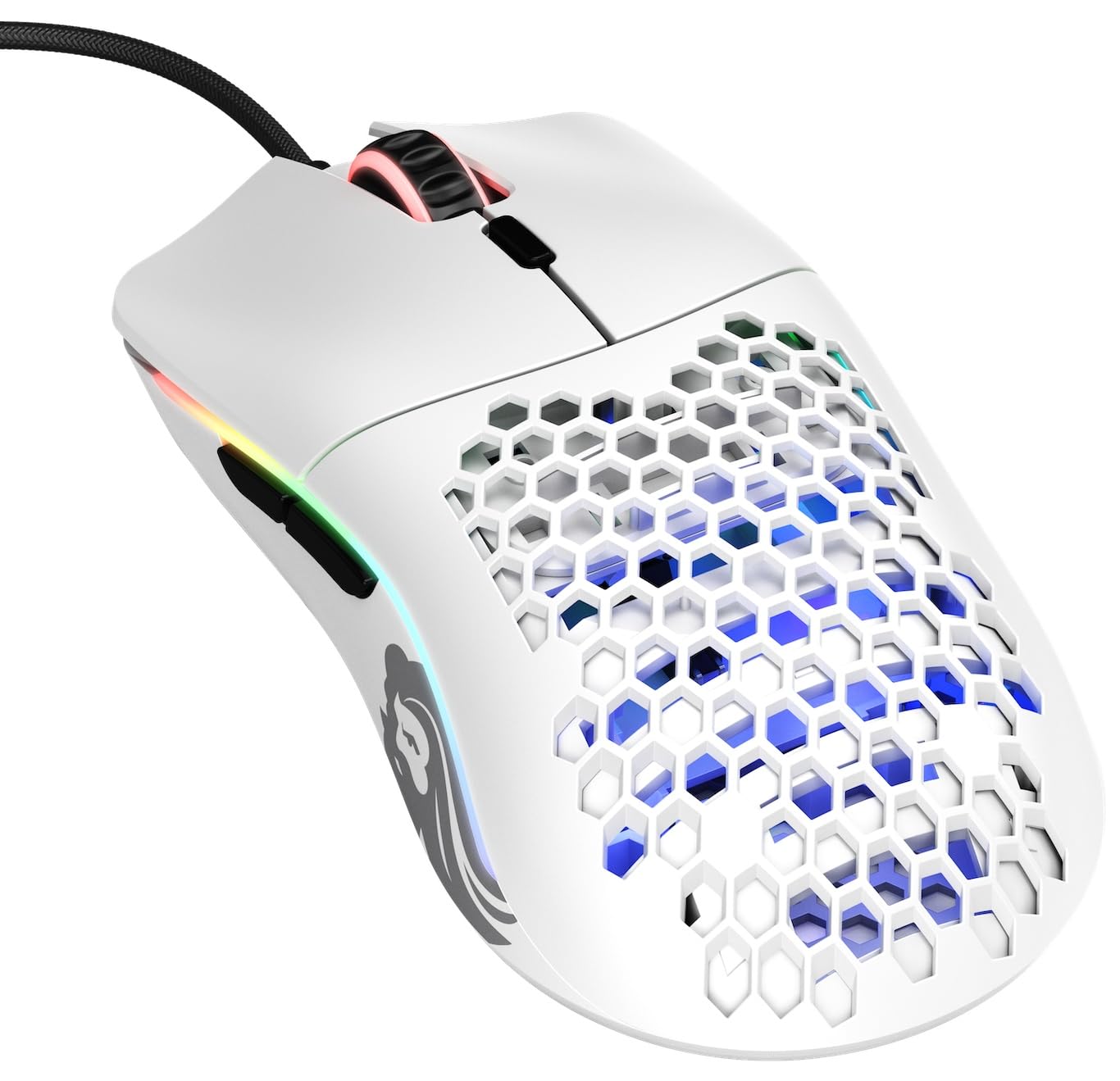
Image: Top view of the GLORIOUS Model O- (Minus) Compact Wired Gaming Mouse, showcasing its matte white finish and honeycomb shell.
Setup Guide
- Connect the Mouse: Plug the USB connector of the GLORIOUS Model O- (Minus) mouse into an available USB port on your computer. The mouse is plug-and-play compatible with Windows, Linux, and macOS.
- Install Glorious Core Software (Optional but Recommended): For full customization of RGB lighting, button macros, and DPI settings, download and install the Glorious Core software from the official GLORIOUS website. This software allows you to personalize your mouse experience.
- Driver Installation: Your operating system should automatically install the necessary drivers. No manual driver installation is typically required.

Image: Screenshot of the Glorious Core software interface, demonstrating options for lighting, key binding, and performance settings.
Operating Instructions
The GLORIOUS Model O- (Minus) mouse features 6 programmable buttons and customizable settings to enhance your gaming and productivity.
Button Functions
- Left Click: Primary action button.
- Right Click: Secondary action button.
- Scroll Wheel: Scrolls up/down, and acts as a middle click button.
- DPI Button: Cycles through preset DPI stages. Default stages can be customized via Glorious Core.
- Side Buttons (2): Typically used for forward/backward navigation in web browsers or customizable for in-game macros.

Image: Side view of the mouse highlighting the two programmable side buttons.
DPI Settings
The mouse features a Pixart 3360 sensor with a maximum sensitivity of 12000 DPI. You can adjust DPI settings using the dedicated DPI button or fine-tune them within the Glorious Core software. The DPI indicator LED on the bottom of the mouse changes color to reflect the current DPI stage.
RGB Lighting
The Model O- (Minus) features vibrant RGB lighting. Customize lighting effects, colors, and brightness using the Glorious Core software to match your setup or mood.
Advanced Features
- Polling Rate: 1000 Hz for rapid response.
- Lift-off Distance (LOD): Less than 0.7mm, preventing unwanted cursor movement when repositioning the mouse.
- Ambidextrous Design: Suitable for both left and right-handed users.
Maintenance
To ensure the longevity and optimal performance of your GLORIOUS Model O- (Minus) mouse, follow these maintenance guidelines:
- Cleaning: Use a soft, dry cloth to wipe the surface of the mouse. For the honeycomb shell, a can of compressed air can help remove dust and debris. Avoid using harsh chemicals or abrasive materials.
- Sensor Care: Keep the optical sensor on the bottom of the mouse clean and free from obstructions.
- Cable Management: Avoid sharp bends or excessive pulling on the Ascended Paracord cable to prevent damage.
Troubleshooting
If you encounter issues with your GLORIOUS Model O- (Minus) mouse, please refer to the official Troubleshooting Guide (PDF) for detailed solutions. Common issues and quick fixes include:
- Mouse not responding: Ensure the USB cable is securely connected to your computer. Try a different USB port.
- DPI not changing: Verify that the Glorious Core software is installed and running, and check your DPI settings within the software.
- RGB lighting not working: Check RGB settings in Glorious Core. Ensure the mouse is properly connected.
- Cursor erratic or not tracking: Clean the optical sensor and ensure you are using the mouse on a suitable surface (e.g., a mouse pad).
Specifications

Image: Diagram showing the dimensions of the GLORIOUS Model O- (Minus) mouse.
| Feature | Detail |
|---|---|
| Brand | GLORIOUS |
| Model Name | Model O- (Minus) |
| Model Number | GOM-WHITE |
| Color | Matte White |
| Connectivity Technology | USB |
| Movement Detection Technology | Optical (Pixart 3360 Sensor) |
| Mouse Maximum Sensitivity | 12000 dots_per_inch |
| Button Quantity | 6 |
| Hand Orientation | Ambidextrous |
| Item Weight | 58 g |
| Item Dimensions (L x W) | 5.04"L x 2.48"W |
| Included Components | Glorious Skates mouse feet and Ascended Paracord cable |
| Operating System Compatibility | Windows, Linux, or macOS |
| Special Features | Superlight, Honeycomb Design, RGB LED, Omron Switches |
Warranty Information
The GLORIOUS Model O- (Minus) Compact Wired Gaming Mouse comes with a 2-year manufacturer's warranty. This warranty covers defects in materials and workmanship under normal use. For warranty claims or further details, please contact GLORIOUS customer support.
Support
For additional support, FAQs, software downloads, and product information, please visit the official GLORIOUS website or their Amazon store:
- GLORIOUS Amazon Store: Visit the GLORIOUS Store
- Troubleshooting Guide (PDF): Download PDF
Our customer support team is available to assist with any questions or concerns you may have.