
De'Longhi ECAM44.660.B
Contents
De'Longhi ECAM 44.660.B Superautomatic Coffee Machine User Manual
Model: ECAM44.660.B
Introduction
This manual provides essential instructions for the safe and efficient operation, maintenance, and troubleshooting of your De'Longhi ECAM 44.660.B Superautomatic Coffee Machine. Please read this manual thoroughly before using the appliance and keep it for future reference.

Figure 1: De'Longhi ECAM 44.660.B Superautomatic Coffee Machine. This image shows the machine with a milk carafe attached, dispensing a cappuccino into a glass cup.
Important Safety Information
Always follow basic safety precautions when using electrical appliances to reduce the risk of fire, electric shock, and injury to persons. Keep this appliance away from children. Do not immerse the appliance in water. Ensure the water tank is fully inserted and not overfilled. Regularly empty the drip tray.
Setup and First Use
Unpacking
Carefully remove all packaging materials. Ensure all components are present: main unit, milk carafe, and any included accessories. Retain packaging for future transport or service.
Positioning the Machine
Place the machine on a stable, level surface, away from water sources and heat. Ensure adequate ventilation around the appliance.
Water Tank Filling
- Remove the water tank from the back of the machine.
- Fill the tank with fresh, cold water up to the MAX level indicator.
- Insert the water tank back into the machine, ensuring it is fully seated.
Note: Do not overfill the water tank. Ensure it is fully inserted to prevent leaks and ensure proper operation.
Coffee Bean Container
Open the lid on top of the machine and pour fresh coffee beans into the container. Close the lid securely.
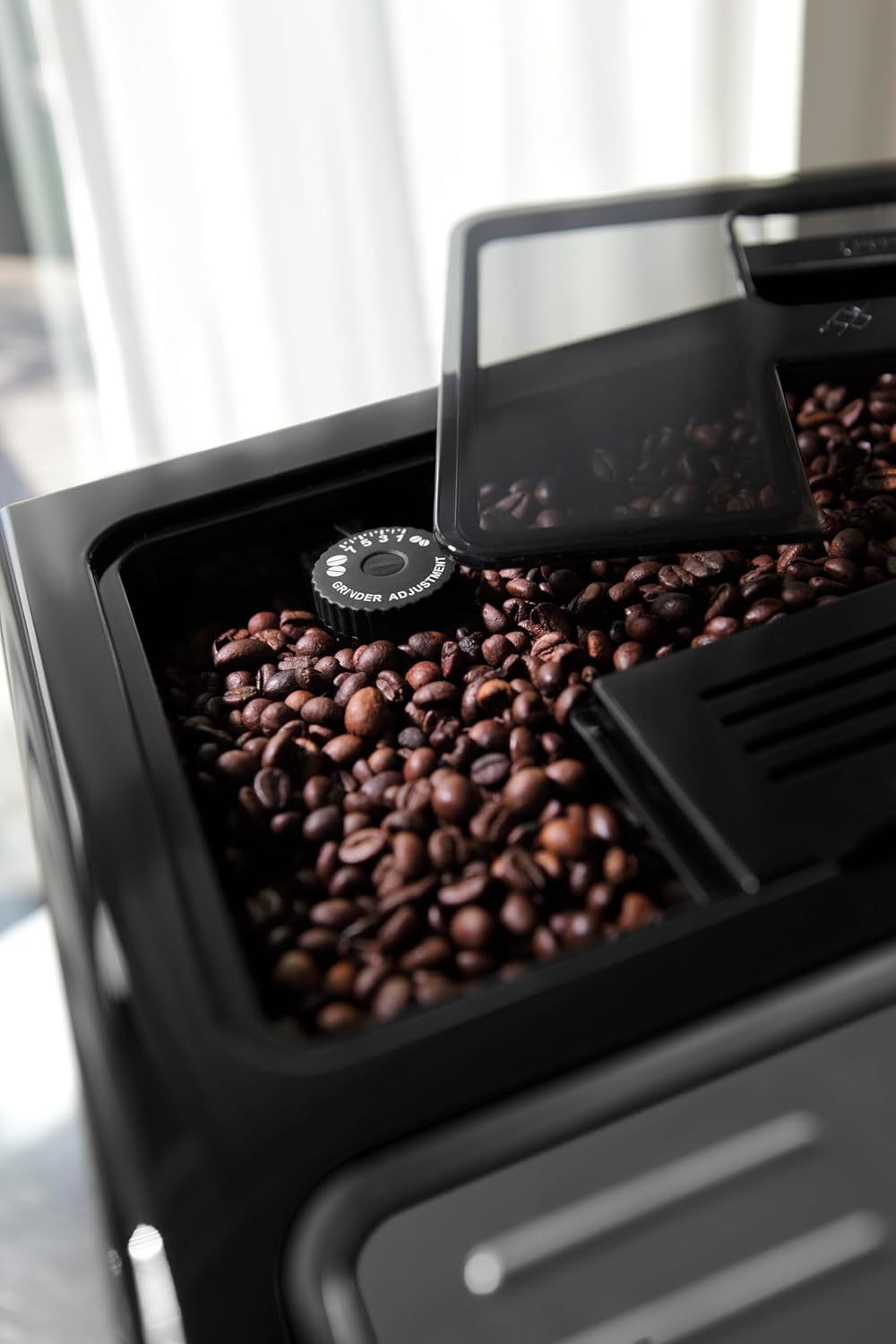
Figure 2: Filling the coffee bean container. The top lid is open, revealing the compartment for whole coffee beans.
Power Connection
Plug the appliance into a suitable power outlet. The machine will perform an initial self-check and rinse cycle.
Operating Instructions
Control Panel Overview
The machine features an intuitive LED panel for selecting and customizing beverages. Use the buttons to navigate through the menu options.
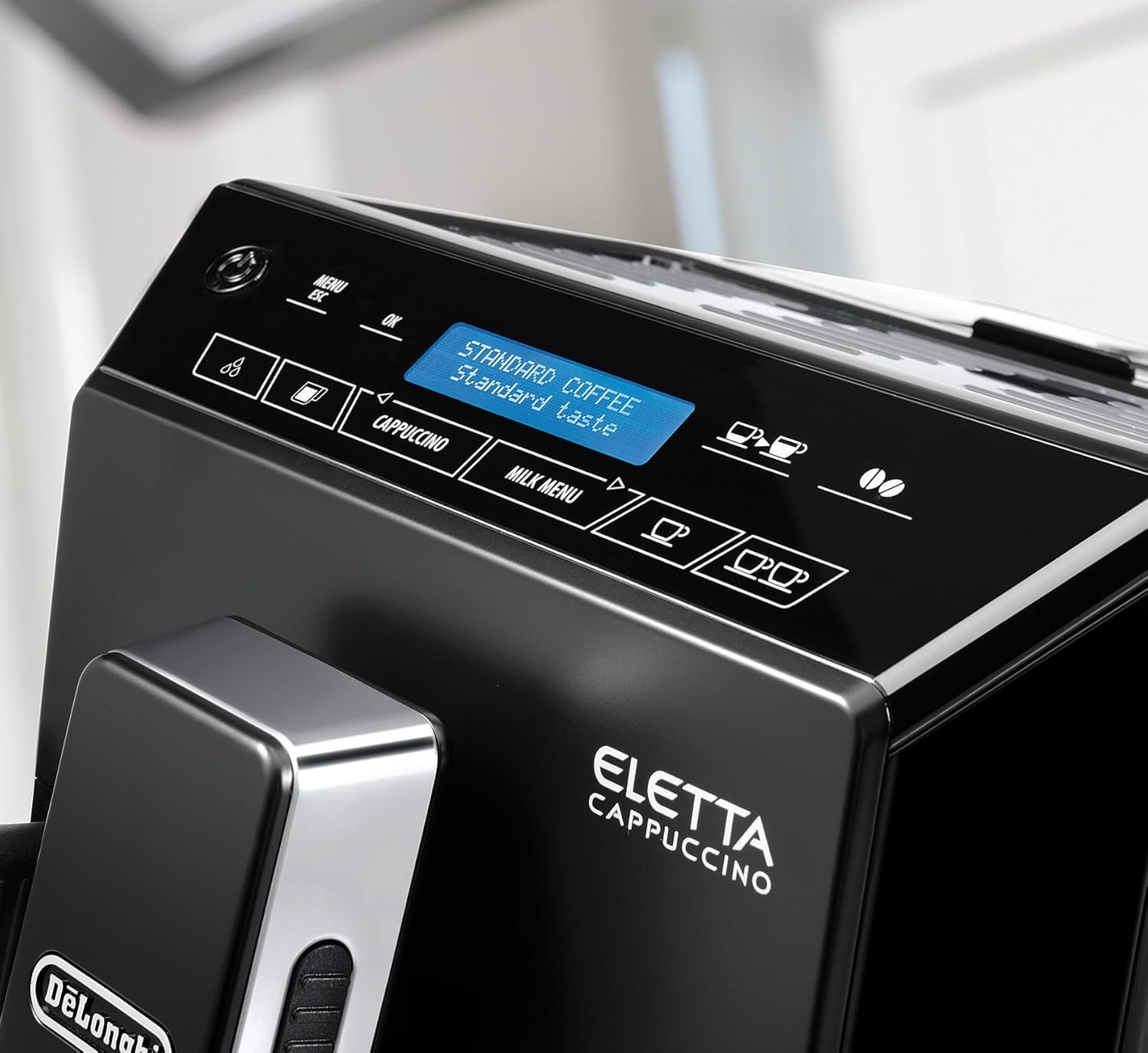
Figure 3: The LED control panel. This panel allows for selection of various coffee and milk-based beverages and displays machine status.
Making Coffee and Espresso
- Ensure the water tank is filled and coffee beans are in the hopper.
- Place a cup under the coffee spouts.
- Select your desired coffee type (e.g., Espresso, Long Coffee) from the menu.
- Press the corresponding button to start brewing.
Using the LatteCrema System for Milk Drinks
- Fill the milk carafe with fresh milk.
- Attach the milk carafe to the machine's milk spout.
- Place a suitable cup under the milk and coffee spouts.
- Select your desired milk-based beverage (e.g., Cappuccino, Latte Macchiato) from the menu.
- The machine will automatically froth and dispense milk, then brew coffee.
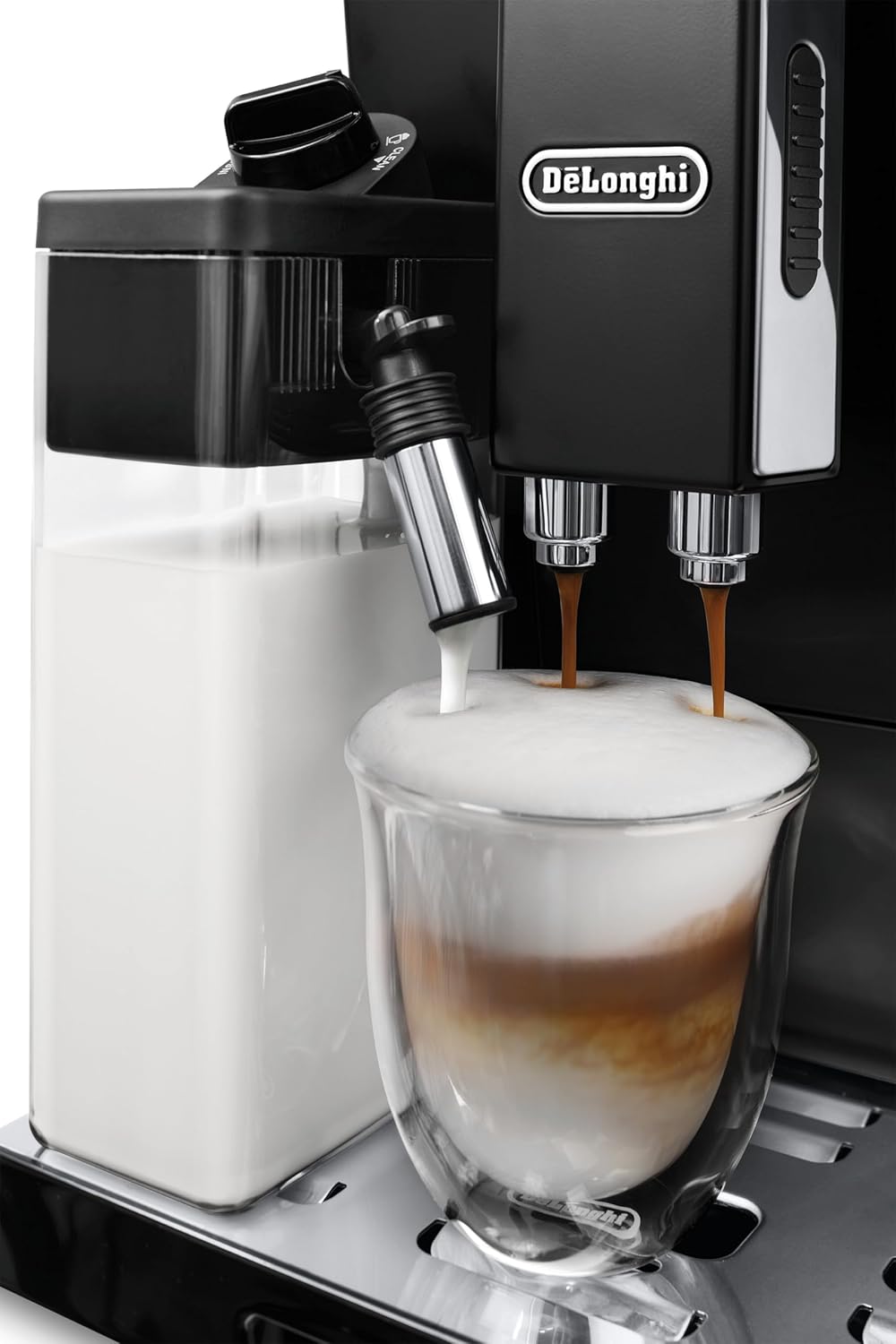
Figure 4: The LatteCrema system in action. Milk is being frothed and dispensed into a glass, followed by coffee.
Hot Water Dispensing
The machine can dispense hot water for tea or other hot beverages. Remove the milk carafe and attach the hot water spout if necessary. Select the hot water function from the menu.
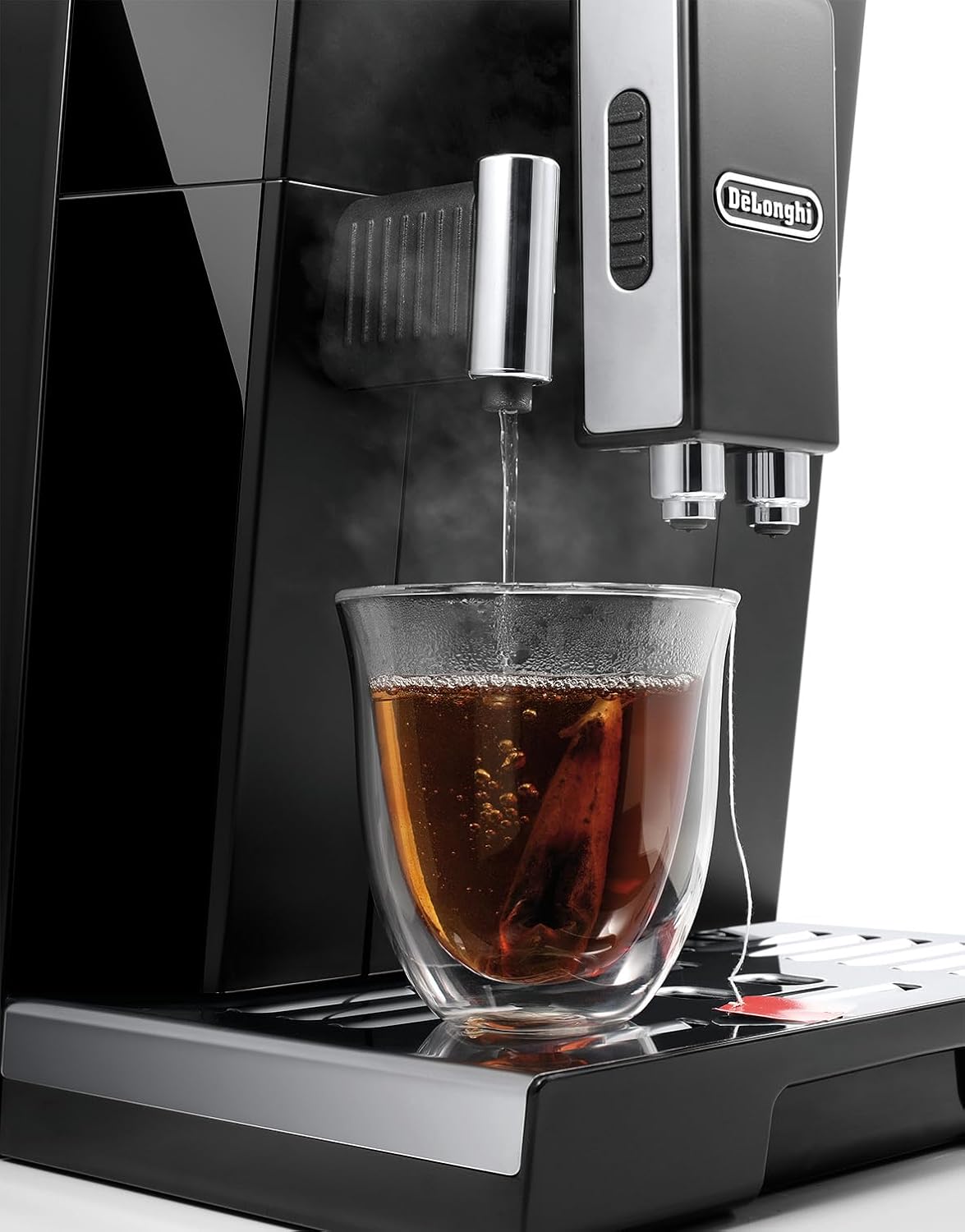
Figure 5: Hot water dispensing. The machine provides hot water, suitable for preparing tea.
Grinder Adjustment
The integrated grinder has 13 adjustable positions. To adjust the grind fineness, turn the dial located inside the coffee bean container. Important: Only adjust the grinder when the machine is actively grinding coffee beans.
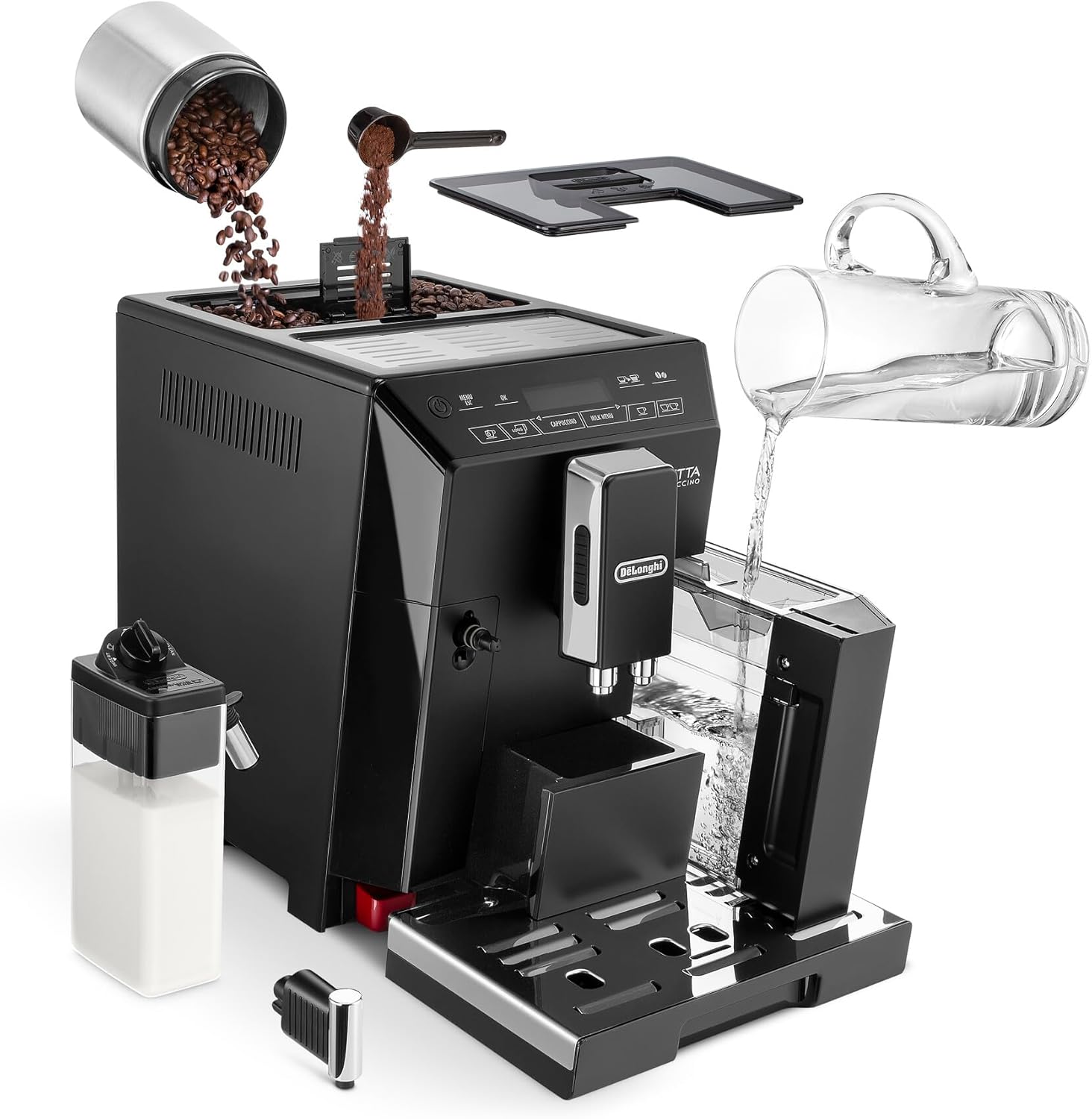
Figure 6: Grinder adjustment dial. This dial allows users to select from 13 grind fineness settings.
Maintenance and Cleaning
Daily Cleaning
- Drip Tray: Empty and clean the drip tray daily. The machine will indicate when the tray needs emptying.
- Milk Carafe: After each use, perform the automatic cleaning cycle for the milk carafe. Disassemble and wash components regularly.
- Brewing Unit: The brewing unit should be removed and rinsed under running water weekly.
Descaling
The machine will prompt you when descaling is required. Follow the on-screen instructions and use a De'Longhi descaling solution. Regular descaling is crucial for machine longevity and optimal performance.
Water Filter
If using a water filter, replace it approximately every two months, or as indicated by the machine. This helps reduce limescale buildup.
Troubleshooting
| Problem | Possible Cause | Solution |
|---|---|---|
| No coffee dispensed. | Water tank empty or not inserted correctly. | Fill water tank and ensure it is fully inserted. |
| Coffee is too weak. | Grind setting too coarse; insufficient coffee dose. | Adjust grinder to a finer setting (only while grinding). Increase coffee strength setting. |
| Milk not frothing properly. | Milk carafe dirty; milk type unsuitable; carafe not correctly attached. | Clean milk carafe thoroughly. Use cold, fresh milk. Ensure carafe is securely attached. |
| "Descale" message appears. | Machine requires descaling. | Perform the descaling cycle as per instructions. |
Specifications
- Brand: De'Longhi
- Model: ECAM 44.660.B
- Type: Superautomatic Espresso Machine
- Color: Black
- Dimensions (D x W x H): 4.03"D x 7.13"W x 5.58"H
- Item Weight: 24.2 pounds
- Voltage: 240 Volts
- Operation Mode: Fully Automatic
- Coffee Input: Coffee beans and ground coffee
- Special Features: LatteCrema system, LED panel, Automatic cleaning, 13-position adjustable grinder, Programmable On/Off, Removable water tank.
Warranty and Support
For warranty information and customer support, please refer to the documentation included with your purchase or visit the official De'Longhi website. Keep your proof of purchase for warranty claims.
Manufacturer: De'Longhi
Date First Available: June 26, 2014
Ask a question about this manual
Ask about setup, troubleshooting, compatibility, parts, safety, or missing instructions. Manuals+ will review the question and use this page’s manual context to help answer it.