1. Introduction
Thank you for choosing the PUSOKEI UNIWA BM001 Bluetooth PTT Hand Microphone. This device is designed to enhance your communication experience with Push-To-Talk (PTT) applications like Zello and other POC (Push-to-Talk Over Cellular) intercom systems. It provides a wireless, ergonomic, and durable solution for clear voice transmission and reception. Please read this manual carefully to ensure proper use and maintenance of your device.
2. Product Overview
2.1 Key Features
- Ergonomic design for comfortable handling.
- Wireless Bluetooth connectivity for seamless integration with POC intercoms.
- Two-way audio transmission for headset and microphone voice.
- Dedicated PTT button for efficient communication.
- Sturdy construction for stability and durability.
- Excellent sound quality for clear voice collection.
2.2 Package Contents
Upon unpacking, please verify that all items listed below are present:
- 1 x Handheld Microphone
- 1 x Data Line (USB Charging Cable)
- 1 x Clip
- 1 x Instruction Manual
2.3 Device Layout
Familiarize yourself with the various components and controls of your Bluetooth PTT Hand Microphone:

Image 1: Device Layout. This diagram illustrates the key components of the microphone, including the PTT button, power indicator, function indicator, power button (play/pause), microphone, speaker, USB port, volume down/group switch down (V-), and volume up/group switch up (V+). Note that an SOS button is not available on this model.

Image 2: Rear View with Clip. The back of the device features a sturdy clip for attaching the microphone to clothing or gear, ensuring convenient hands-free operation.
3. Setup
3.1 Charging the Device
Before initial use, fully charge the microphone. Use the provided USB data line for charging.
- Connect the small end of the USB data line to the USB port on the microphone.
- Connect the standard USB end to a compatible USB power adapter (not included) or a computer's USB port.
- The power indicator light will show charging status (refer to device layout for indicator location).
- Charging typically takes approximately 2.5 hours.
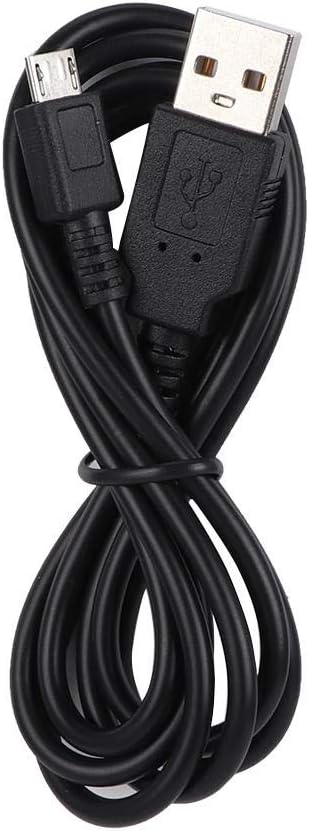
Image 3: USB Charging Cable. Use this cable to charge the device via its USB port.
3.2 Bluetooth Pairing
The microphone connects wirelessly via Bluetooth to your smartphone or other compatible device running a walkie-talkie APP.
- Ensure the microphone is powered off.
- Press and hold the Power Button until the function indicator light flashes, indicating pairing mode.
- On your smartphone, enable Bluetooth and search for available devices.
- Select "UNIWA BM001" or a similar name from the list of found devices to pair.
- Once paired, the function indicator light will change to a steady blue or flash slowly.
3.3 Connecting to POC Intercom Application
This microphone is designed to work with walkie-talkie APP software, such as Zello. After successful Bluetooth pairing:
- Open your preferred walkie-talkie application on your smartphone.
- Navigate to the application's settings or peripheral device options.
- Select the UNIWA BM001 as your external microphone/PTT device.
- Follow any on-screen prompts within the application to complete the setup.
4. Operating Instructions
4.1 Power On/Off
- Power On: Press and hold the Power Button for a few seconds until the power indicator lights up.
- Power Off: Press and hold the Power Button for a few seconds until the power indicator turns off.
4.2 PTT Function
The large side button is the Push-To-Talk (PTT) button.
- To transmit your voice, press and hold the PTT button. Speak clearly into the microphone.
- Release the PTT button to stop transmitting and listen for replies.
4.3 Volume Control and Group Switching
Use the V+ and V- buttons located on the side of the device.
- Volume Up: Press the V+ button to increase the speaker volume.
- Volume Down: Press the V- button to decrease the speaker volume.
- Group Switch: In some walkie-talkie applications, the V+ and V- buttons may also function as group switch controls. Refer to your application's specific instructions for this feature.
4.4 Music Playback Control
The Power Button can also function as a play/pause control for music when the device is connected to a media source.
- Play/Pause: Briefly press the Power Button to play or pause music.
4.5 Headphone Connection
The microphone features a 3.5mm universal headphone jack, allowing you to connect a PTT headset for private listening and communication.

Image 4: Ergonomic Design. The microphone is designed for comfortable use and can be paired with POC intercoms for wireless communication.

Image 5: Clear Sound Quality. The microphone's design ensures excellent sound quality, capturing your voice clearly for effective communication.
5. Maintenance
5.1 Cleaning
- Wipe the device with a soft, dry cloth.
- Do not use harsh chemicals, cleaning solvents, or strong detergents.
- Avoid getting moisture into the ports or speaker grille.
5.2 Storage
- Store the microphone in a cool, dry place away from direct sunlight and extreme temperatures.
- If storing for an extended period, ensure the battery is partially charged (around 50%) to prolong its lifespan.
5.3 Battery Care
- Avoid fully discharging the battery frequently.
- Do not expose the battery to high temperatures.
- If the battery performance significantly degrades, contact customer support for assistance.

Image 6: Sturdy Construction. The device is built with a robust structure to ensure stability and durability in various environments.
6. Troubleshooting
6.1 Common Issues and Solutions
| Problem | Possible Cause | Solution |
|---|---|---|
| Device does not power on. | Battery is depleted. | Charge the device fully. |
| Cannot pair via Bluetooth. | Device not in pairing mode; Bluetooth off on phone; device too far. | Ensure device is in pairing mode (flashing indicator). Turn on phone's Bluetooth. Keep devices within 10 meters. |
| No audio or poor audio quality. | Volume too low; microphone not selected in APP; poor Bluetooth connection. | Increase volume. Check APP settings to ensure UNIWA BM001 is selected. Re-pair Bluetooth. |
| PTT button not working. | Not connected to APP; APP not configured for external PTT. | Ensure device is connected to the walkie-talkie APP. Check APP settings for external PTT configuration. |
7. Specifications
Detailed technical specifications for the UNIWA BM001 Bluetooth PTT Hand Microphone:
| Feature | Specification |
|---|---|
| Bluetooth Version | BT4.2 |
| Bluetooth Protocols | HFP, HSP, A2DP, AVRCP, SPP |
| Wireless Transmission Range | >10 meters |
| Music Playback Time (Max Volume) | >12 hours |
| Talk Time | Approx. 14 hours |
| Intercom Time | Approx. 14 hours |
| Standby Time | >90 hours |
| Working Temperature | -10 ~ 50°C |
| Storage Temperature | -25 ~ 60°C |
| Headphone Jack | 3.5mm universal, supports PTT headset |
| Battery | 2000mA / 3.7V |
| Charging Time | 2.5 hours |
| Dimensions (L*W*H) | Approx. 9*6.2*2.8 cm (3.54*2.44*1.1 inches) |
| Weight | 8 Ounces (approx. 227g) |
| Model Number | Tangxi6mtbqv2dsg |
| UPC | 781593285233 |
8. Warranty and Support
For warranty information and customer support, please refer to the documentation provided at the time of purchase or contact your retailer. Keep your purchase receipt as proof of purchase for any warranty claims.