
1. Introduction
This manual provides comprehensive instructions for the installation, operation, and maintenance of your LiftMaster 882LM Security+ 2.0 Multi-Function Control Panel. Please read this manual thoroughly before beginning installation or operation to ensure proper function and safety.
The LiftMaster 882LM is designed to control a single garage door opener and its light, offering enhanced security features. It is compatible with LiftMaster Security+ 2.0 Garage Door Openers.
2. Safety Information
WARNING:
- Always disconnect power to the garage door opener before installing or servicing the control panel. Failure to do so may result in serious injury or death.
- Ensure all wiring is performed according to local electrical codes.
- Do not allow children to play with or operate the garage door opener or its controls.
- Keep the area around the garage door clear of obstructions.
This control panel is designed for indoor use only. Do not expose to water or extreme temperatures.
3. Package Contents
Verify that all components are present before beginning installation:
- LiftMaster 882LM Security+ 2.0 Multi-Function Control Panel
- Mounting Screws (typically 2)
- Instruction Manual (this document)
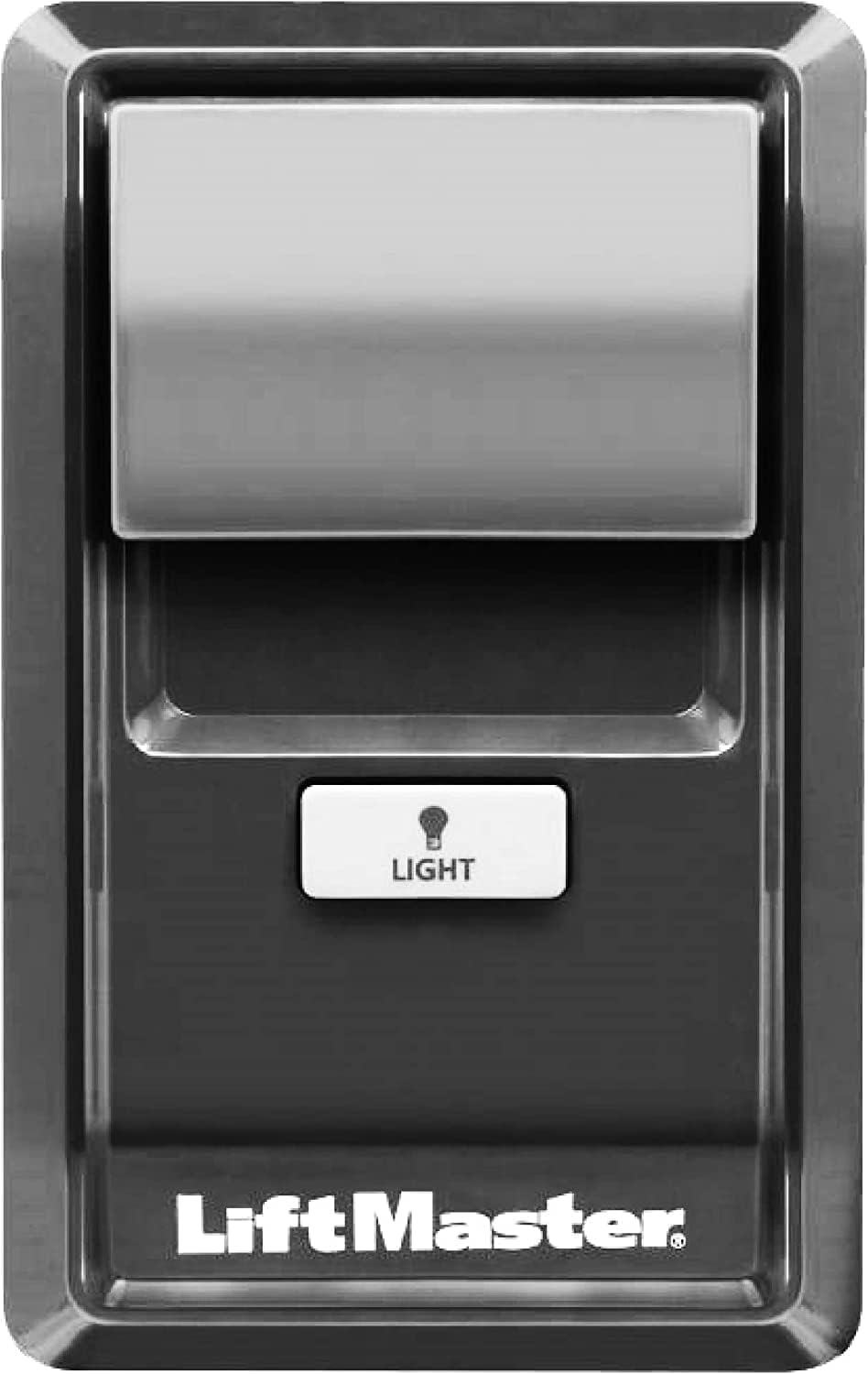
Image: Front view of the LiftMaster 882LM Security+ 2.0 Multi-Function Control Panel, showing the main button and the light button.
4. Installation
The 882LM control panel is designed for wall mounting inside the garage. It should be installed at least 5 feet (1.5 meters) above the floor, out of the reach of small children.
4.1 Tools Required
- Phillips Head Screwdriver
- Wire Strippers (if new wiring is needed)
- Drill with appropriate bit (if new mounting holes are needed)
4.2 Wiring Instructions
- Disconnect Power: Unplug the garage door opener from the electrical outlet. This is a critical safety step.
- Remove Old Panel (if applicable): If replacing an existing control panel, carefully remove the mounting screws and disconnect the wires from the old panel. Note which wire goes to which terminal (usually red and white).
- Prepare Wires: Strip approximately 1/2 inch (12 mm) of insulation from the ends of the wires if they are not already prepared.
- Connect Wires: Locate the red and white terminals on the back of the 882LM control panel. Connect the red wire from your garage door opener wiring to the red terminal and the white wire to the white terminal. Ensure a secure connection.
- Mount Panel: Align the control panel with the existing mounting holes or mark new ones. Secure the panel to the wall using the provided mounting screws.
- Restore Power: Plug the garage door opener back into the electrical outlet.

Image: Side view of the LiftMaster 882LM control panel, highlighting its compact design and the "882LMW Wi-Fi Multi-Function Control Panel" label.
5. Setup
The LiftMaster 882LM is designed for simple plug-and-play operation with compatible Security+ 2.0 garage door openers. No complex programming is typically required for basic open/close functionality after proper wiring.
5.1 Pairing with New Devices (if needed)
If you need to program new remote controls or other Security+ 2.0 accessories, the 882LM panel can facilitate this process. Refer to your garage door opener's manual for specific programming steps, often involving pressing the "Learn" button on the opener unit and then a button on the new device.

Image: Graphic indicating compatibility with LiftMaster Security+ 2.0 Garage Door Openers, emphasizing the secure communication protocol.
6. Operating Instructions
The 882LM control panel provides convenient control over your garage door opener and its light.
6.1 Opening and Closing the Garage Door
- Press the large main button on the control panel once to open or close the garage door.
- Pressing the button again while the door is in motion will stop the door. Pressing it a third time will reverse the door's direction.
6.2 Controlling the Garage Door Light
- Press the small "LIGHT" button to turn the garage door opener's light ON or OFF independently of the door operation.
- The light will automatically turn off after a preset time (usually 4.5 minutes) if not manually turned off.

Image: Close-up of the LiftMaster 882LM control panel, illustrating its function to control a single garage door opener.
7. Maintenance
The LiftMaster 882LM Multi-Function Control Panel requires minimal maintenance.
- Cleaning: Wipe the surface of the control panel with a soft, damp cloth. Do not use abrasive cleaners or solvents.
- Inspection: Periodically check the wiring connections at the back of the panel to ensure they are secure.
- Functionality Test: Regularly test the open/close and light functions to ensure proper operation.
8. Troubleshooting
| Problem | Possible Cause | Solution |
|---|---|---|
| Control panel does not respond. | No power to garage door opener; loose wiring; incompatible opener. | Ensure opener is plugged in. Check wiring connections at panel and opener. Verify opener is Security+ 2.0 compatible. |
| Light button does not work. | Loose wiring; bulb burned out in opener. | Check light button wiring. Replace light bulb in opener. |
| Door opens/closes intermittently. | Interference; loose wiring. | Check for sources of interference. Secure all wiring connections. |
If troubleshooting steps do not resolve the issue, please contact LiftMaster customer support.
9. Specifications
- Model: 882LM
- Compatibility: LiftMaster Security+ 2.0 Garage Door Openers (Wi-Fi Units ONLY)
- Power Source: Operates via low-voltage wiring from garage door opener (no separate battery required for panel operation)
- Display Type: Not applicable (button-based interface)
- Form Factor: Wall Mounted
- UPC: 700761119101
- Package Dimensions: 7.2 x 3.9 x 1.85 inches (18.3 x 9.9 x 4.7 cm)
- Item Weight: 3.84 ounces (108.8 grams)
- Date First Available: July 29, 2019
- Manufacturer: LiftMaster

Image: The LiftMaster 882LM control panel mounted on a wall, demonstrating its integration into a typical home environment.
10. Warranty and Support
For warranty information, please refer to the documentation provided with your garage door opener or visit the official LiftMaster website. The 882LM control panel typically carries a limited warranty against defects in materials and workmanship.
For technical support, troubleshooting assistance beyond this manual, or to purchase replacement parts, please contact LiftMaster Customer Support:
- Website: www.liftmaster.com
- Phone: Refer to the website for regional contact numbers.
When contacting support, please have your product model number (882LM) and the serial number of your garage door opener ready.


