
Introduction
The Skullcandy Method ANC Active Noise Cancelling Wireless Earbuds (Model S2NQW-M448) are designed to provide a high-quality audio experience with the added benefit of active noise cancellation. These earbuds feature a secure in-ear fit, wireless Bluetooth connectivity, and integrated controls for media and calls. This manual provides essential information for setting up, operating, and maintaining your earbuds.
What's in the Box
Verify that all the following items are included in your product packaging:
- Skullcandy Method ANC Wireless Earbuds
- Ear Gels (Small, Medium)
- Removable FitFins™ (Small, Medium)
- Micro-USB Charging Cable
- Travel Bag
- User Guide (this document)
- 2-Year Warranty Guide

Image: All items included in the Skullcandy Method ANC earbuds package, showing the earbuds, various ear tips and fins, a Micro-USB charging cable, and a small travel bag.
Setup
1. Charging Your Earbuds
Before first use, fully charge your earbuds. Use the provided Micro-USB charging cable to connect the earbuds to a USB power source (e.g., computer USB port, wall adapter). The LED indicator on the control module will show charging status. A full charge typically takes approximately 2 hours and provides up to 8 hours of playback.

Image: The control module of the Skullcandy Method ANC earbuds, highlighting the location of the charging port and control buttons.
2. Bluetooth Pairing
- Ensure your earbuds are powered off.
- Press and hold the main power button on the control module until the LED indicator flashes red and blue, indicating pairing mode.
- On your device (smartphone, tablet, etc.), enable Bluetooth and search for available devices.
- Select "Method ANC" from the list of available devices.
- Once connected, the LED indicator will flash blue periodically, and you will hear an audible confirmation.
3. Achieving a Secure Fit
The Method ANC earbuds come with different sizes of ear gels and Removable FitFins™ to ensure a comfortable and secure fit. Experiment with different sizes to find the best seal for optimal sound quality and active noise cancellation performance.
- Ear Gels: Choose the size that creates a snug seal in your ear canal.
- FitFins™: These fins help secure the earbuds in your outer ear. Select the size that fits comfortably and prevents the earbuds from shifting during activity.
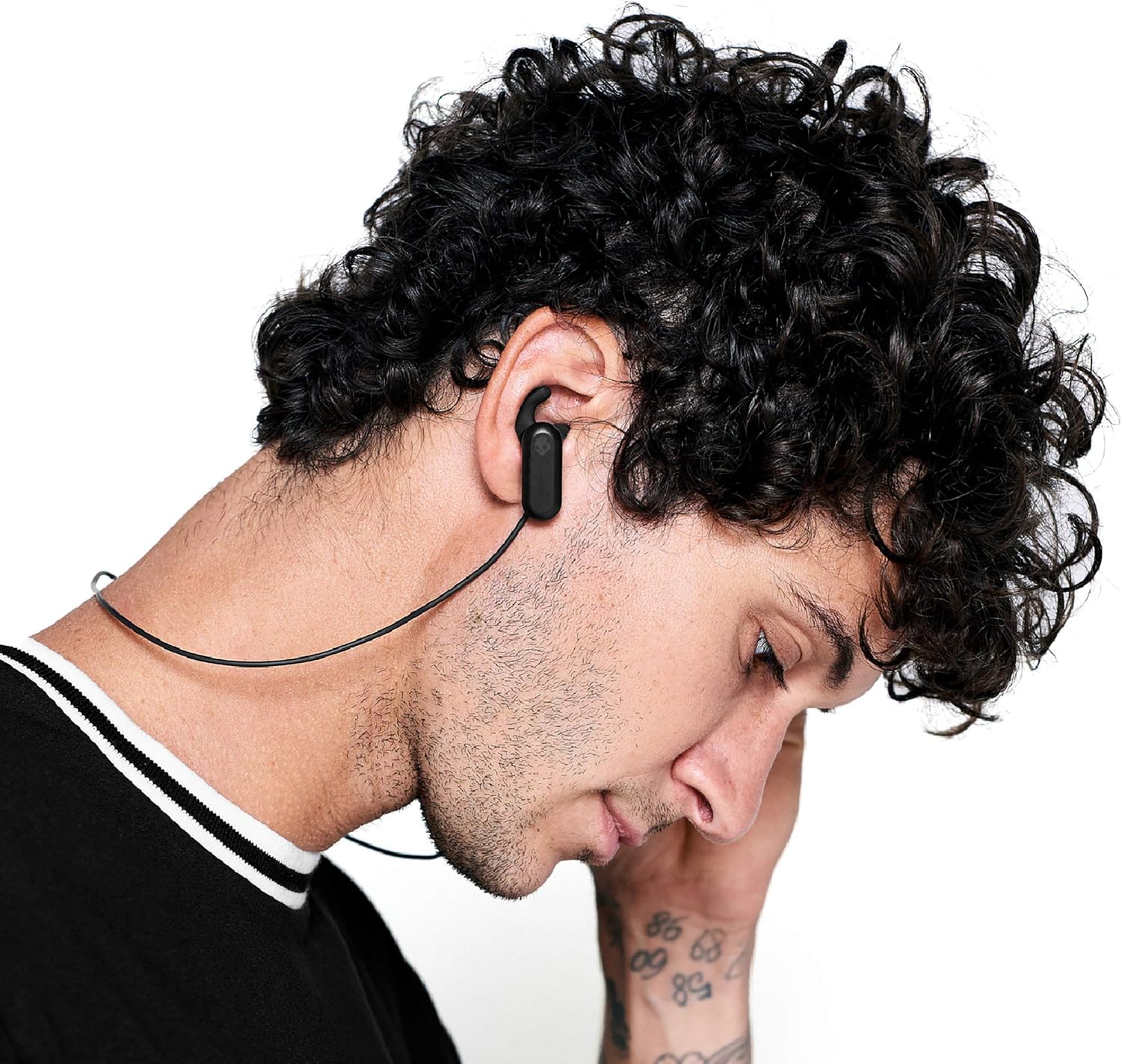

Image: Two different individuals wearing the Skullcandy Method ANC earbuds, demonstrating the secure in-ear fit with the ear gels and FitFins.
Operating Your Earbuds
Control Functions
The inline control module allows you to manage audio playback, volume, and calls.
| Button/Action | Function |
|---|---|
| Power Button (Center) |
|
| Volume Up (+) |
|
| Volume Down (-) |
|
Active Noise Cancellation (ANC)
The Skullcandy Method ANC earbuds feature integrated Active Noise Cancellation. This technology is designed to reduce ambient noise, providing a more immersive listening experience. The ANC function is automatically enabled when the earbuds are powered on and cannot be manually disabled or adjusted.
Maintenance
- Cleaning: Regularly clean the ear gels and the earbuds' surfaces with a soft, dry cloth. For ear gels, you may gently wipe them with a damp cloth and mild soap, then rinse and dry thoroughly before reattaching.
- Storage: When not in use, store your earbuds in the provided travel bag to protect them from dust and damage.
- Water Resistance: The earbuds are water-resistant. Avoid submerging them in water or exposing them to high-pressure water streams. Dry them completely if they get wet.
- Battery Care: To prolong battery life, avoid fully discharging the earbuds frequently. Charge them regularly, even if not in constant use.
Troubleshooting
- Earbuds not powering on:
- Ensure the earbuds are fully charged. Connect them to a power source using the Micro-USB cable.
- Unable to pair with device:
- Ensure the earbuds are in pairing mode (LED flashing red and blue).
- Turn off and on Bluetooth on your device.
- Forget "Method ANC" from your device's Bluetooth list and attempt to pair again.
- Ensure the earbuds are not already connected to another device.
- No sound or low volume:
- Check the volume levels on both your earbuds and your connected device.
- Ensure the earbuds are properly paired and connected.
- Clean any debris from the ear gels and speaker grilles.
- Try different ear gel sizes to ensure a proper seal.
- Active Noise Cancellation not effective:
- Ensure the earbuds are properly seated in your ears with a good seal.
- Verify that the correct size ear gels and FitFins are being used.
- ANC is designed to reduce continuous low-frequency noise, not eliminate all sounds.
Specifications
| Feature | Detail |
|---|---|
| Model Number | S2NQW-M448 |
| Connectivity | Wireless (Bluetooth 5.0) |
| Headphone Type | In-Ear |
| Noise Control | Active Noise Cancellation |
| Battery Life | Up to 8 hours |
| Charging Port | Micro-USB |
| Water Resistance | Water Resistant |
| Impedance | 16 Ohms |
| Frequency Range | 20 Hz - 20,000 Hz |
| Additional Features | Lightweight, Microphone Included, Volume Control |
Warranty and Support
The Skullcandy Method ANC Wireless Earbuds (Model S2NQW-M448) are covered by a 2-year manufacturer's warranty. This warranty covers defects in materials and workmanship under normal use. For warranty claims, technical support, or further assistance, please visit the official Skullcandy support website or contact their customer service directly. Keep your proof of purchase for warranty validation.
For more information, you may visit the Skullcandy Store on Amazon.


