
Introduction
This manual provides comprehensive instructions for the safe and efficient installation, operation, and maintenance of your ALEKO GG900UGLD Dual Swing Gate Opener. Please read this manual thoroughly before beginning installation or operation to ensure proper function and to prevent injury or damage. This automatic gate opener is designed for dual swinging gates up to 36 feet in length and weighing up to 1320 pounds, featuring a 24V DC motor and solar compatibility.
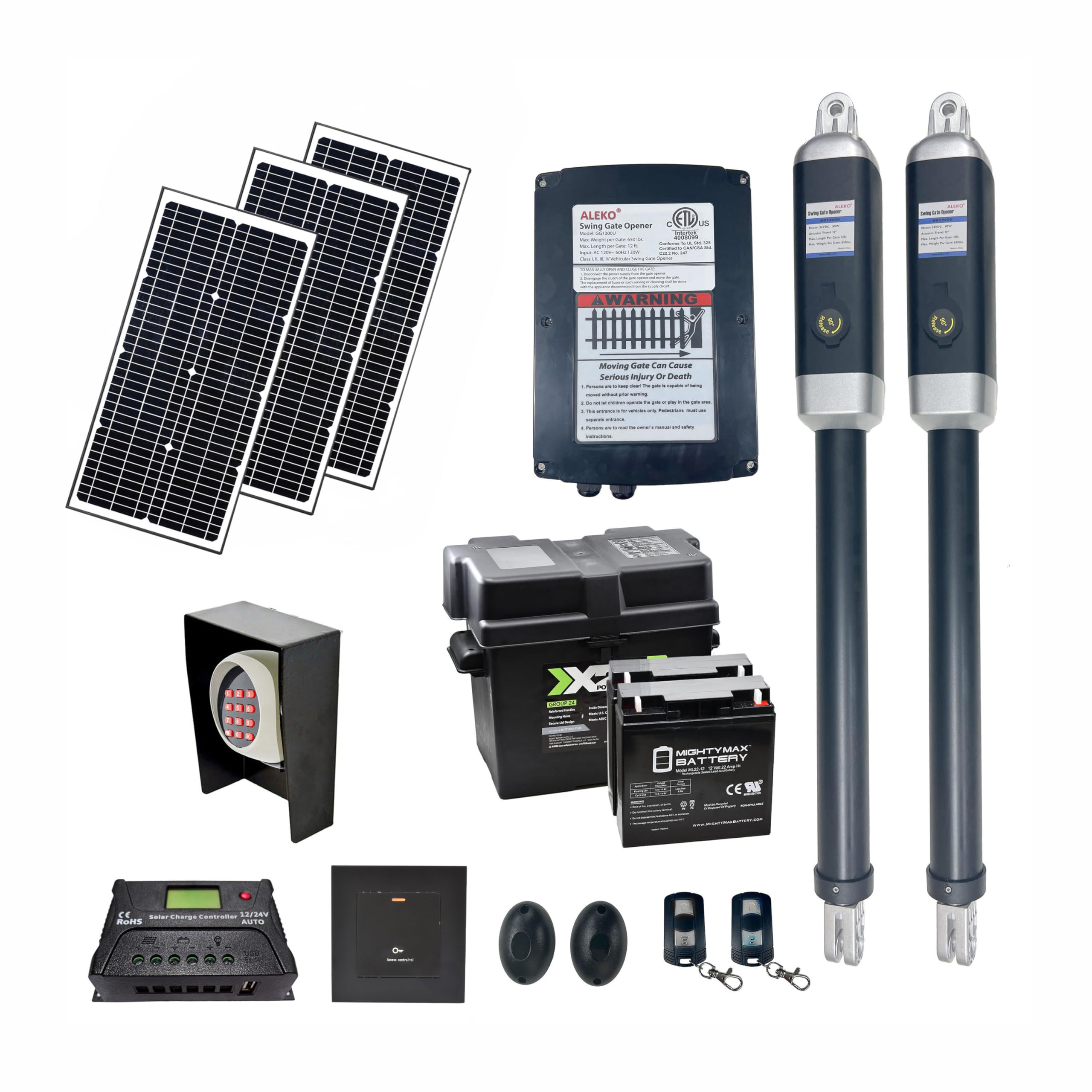
Image: Two ALEKO GG900UGLD gate opener actuators, illustrating the main components of the system.
Safety Information
WARNING: Failure to follow these safety instructions may result in serious injury or death.
- Read and understand all instructions before installing and using the gate opener.
- Keep the gate area clear of persons and objects while the gate is in motion.
- Do not allow children to operate the gate opener or play near the gate.
- Ensure all warning signs are properly installed and visible.
- In case of power failure, use the emergency release key to manually operate the gate.
- Regularly inspect the gate opener for signs of wear or damage. Do not operate if damaged.
- Only qualified personnel should perform electrical wiring and repairs.
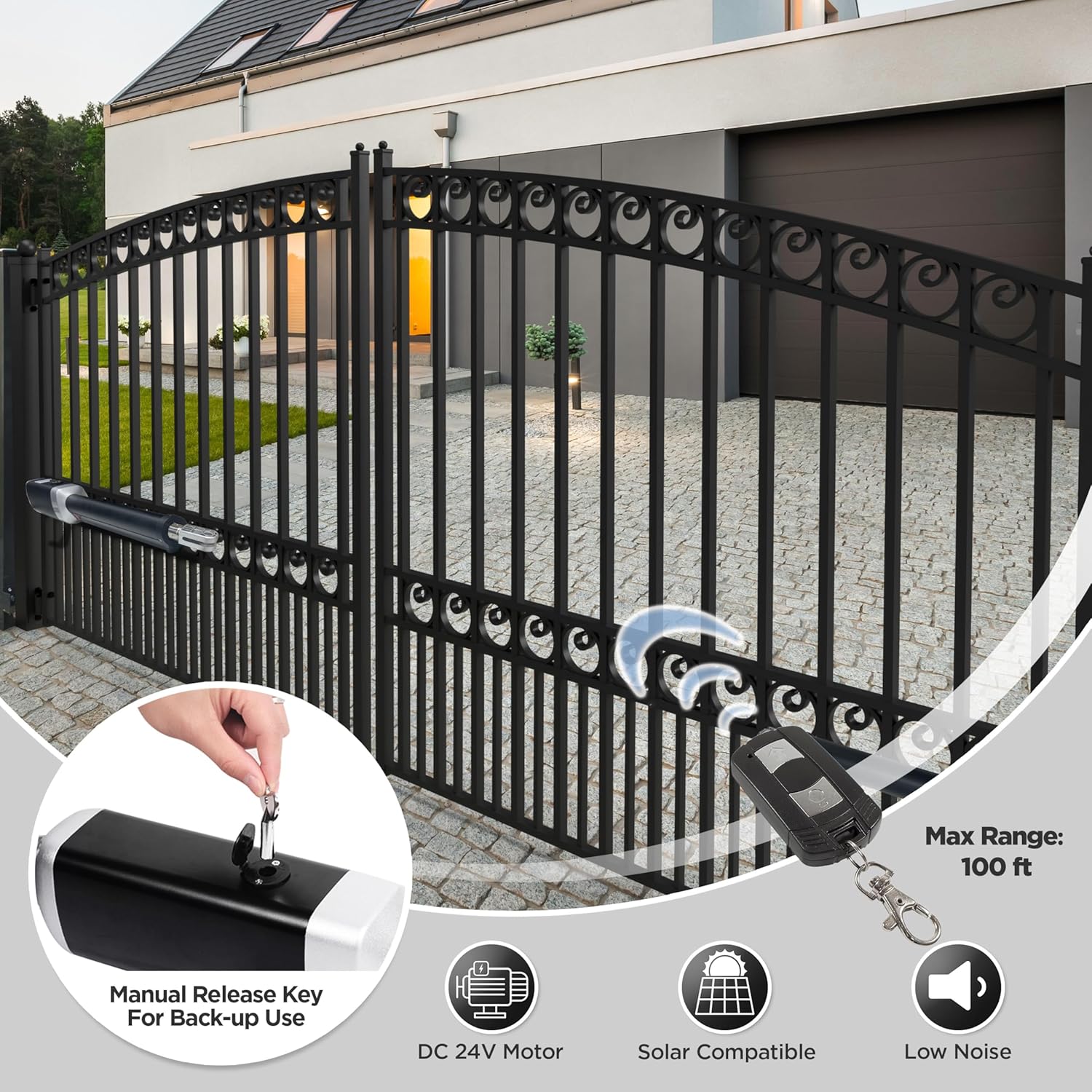
Image: An ALEKO gate opener installed on a dual swing gate, showing the remote control and the manual release key for backup use.
Package Contents
The ALEKO GG900UGLD Dual Swing Gate Opener kit includes the following components:
- 2 x Actuators
- 1 x Control Box
- 3 x 8.5 x 11-inch Warning Signs
- 2 x Emergency Release Keys
- 1 x Pair of Photocell Sensors
- 2 x 433 MHz Remote Controls
- 1 x Set of Mounting Hardware for Gate Opener
- 2 x 22AH Batteries
- 1 x Battery Box
- 1 x Wired Push Button
- 1 x Wireless Keypad
- 1 x Keypad Metal Cover
- 3 x 20W/24V Solar Panels
- 1 x 12V/24V Solar Charge Controller
- 1 x User Manual (this document)
Note: Mounting hardware for the solar panel is not included.
Specifications
| Feature | Detail |
|---|---|
| Manufacturer | ALEKO |
| Part Number | GG900UGLD |
| Item Weight | 84 pounds |
| Item Model Number | GG900UGLD |
| Size | 900 ETL Listed |
| Color | Solar 60W Accessory Kit |
| Included Components | Opener Operator |
| Max Gate Length | 36 feet (dual swing) |
| Max Gate Weight | 1320 pounds |
| Motor Type | 24V DC |
| Operating Temperature | -4°F to +122°F |
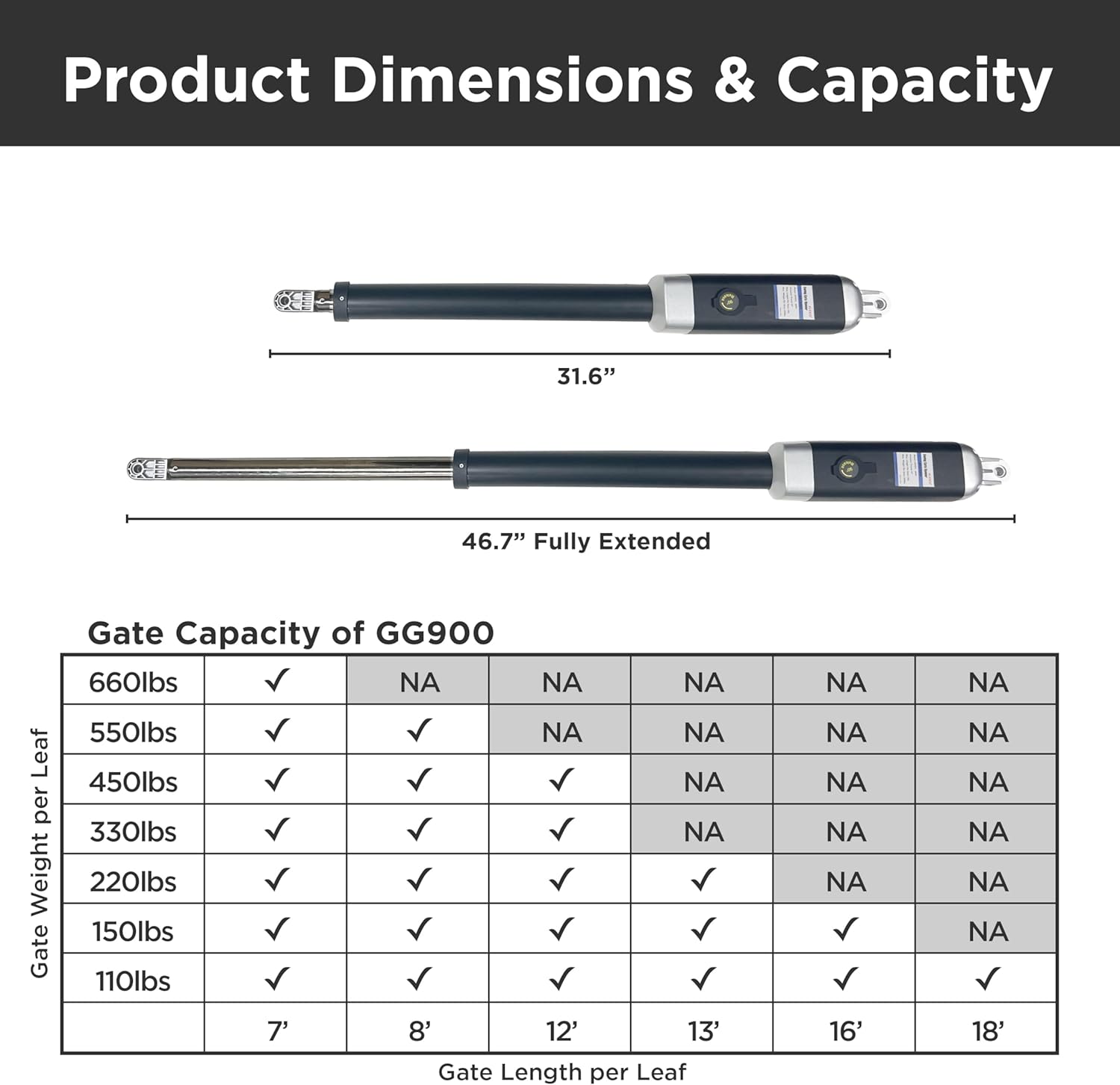
Image: A table detailing the gate capacity of the GG900 model based on gate weight per leaf and gate length per leaf, along with actuator dimensions.
Setup and Installation
Proper installation is crucial for the performance and safety of your gate opener. Refer to the detailed diagrams in the full user manual for specific mounting points and wiring connections.
1. Actuator Installation
- Mount the actuators securely to your gate and gate posts using the provided mounting hardware. Ensure the actuators are level and aligned for smooth operation.
- Verify that the gate can open and close freely without obstruction before connecting the actuators.
2. Control Box and Wiring
- Install the control box in a protected location, away from direct weather exposure.
- Connect the actuator wires, photocell sensors, wired push button, and power supply to the control board inside the control box as per the wiring diagram in the full manual.
- Ensure all connections are secure and insulated to prevent short circuits.
3. Solar Panel Setup
For solar-powered operation, install the solar panels in a location that receives maximum sunlight throughout the day. Connect the solar panels to the solar charge controller, and then connect the charge controller to the batteries in the battery box.
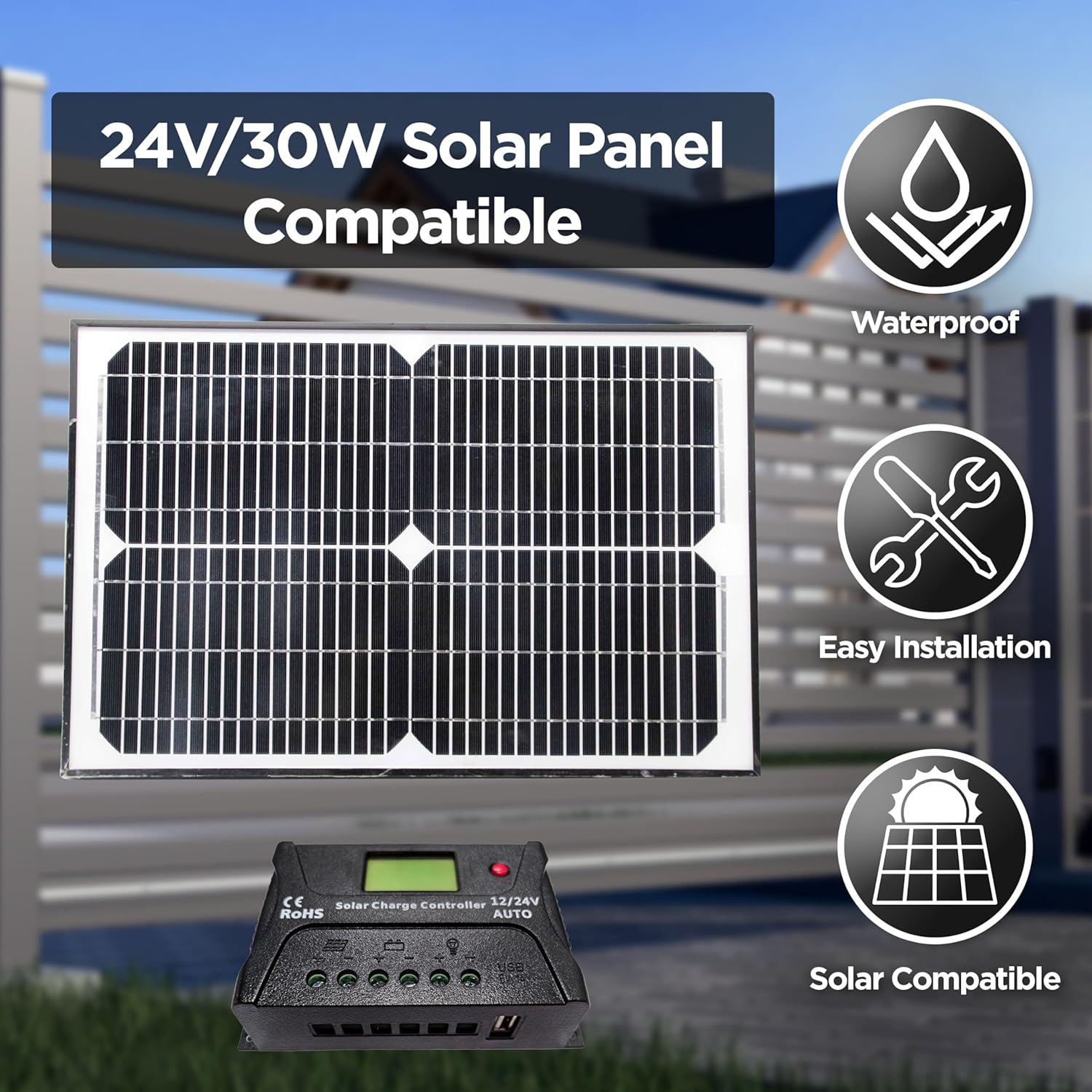
Image: A solar panel and a solar charge controller, indicating compatibility and ease of installation for solar power options.
4. Power Modes
The system supports various power configurations:
- Power Mode 1: AC Electricity Only
- Power Mode 2: Solar Panels and Batteries
- Power Mode 3: AC Electricity and Back-up Batteries
- Power Mode 4: AC Electricity, Solar Panels, and Back-up Batteries

Image: A diagram illustrating the four different power modes available for the gate opener system, including AC electricity, solar panels, and backup batteries.
Operating Instructions
Your ALEKO gate opener offers multiple ways to control your gate.
1. Remote Control Operation
- Press the designated button on your 433 MHz remote control to open or close the gate.
- The remote control has a stop/reverse button to halt gate movement in case of an unexpected obstacle.
- The maximum range for the remote control is approximately 100 feet.
2. Wireless Keypad and Wired Push Button
- Use the wireless keypad to enter a programmed code to operate the gate.
- The wired push button provides a direct control option, typically mounted near the gate.
3. Auto-Close Feature
The gate opener features a built-in programmable auto-close function. This can be adjusted from 0 to 99 seconds, allowing the gate to automatically close after a set delay once it has fully opened.
4. Emergency Release
In the event of a power failure, use the provided emergency release key to disengage the motor and manually open or close the gate.

Image: An illustration of the gate opener's internal motor components, highlighting smart features such as obstacle adjusting, multiple remote control compatibility, and auto-closing settings.
Maintenance
Regular maintenance ensures the longevity and reliable operation of your gate opener.
- Monthly: Inspect the gate and opener for any loose hardware, signs of wear, or obstructions. Ensure the gate moves freely without the opener engaged.
- Quarterly: Check electrical connections for corrosion or damage. Test the photocell sensors and obstacle detection features.
- Annually: Lubricate moving parts of the gate and opener as recommended in the full manual. Check battery health if using solar or backup power.

Image: Two ALEKO gate opener actuators, emphasizing features such as waterproof design, easy installation, safety, low noise operation, DC 24V motor, and reliable quality.
Troubleshooting
If you encounter issues with your gate opener, refer to the following common problems and solutions. For more detailed troubleshooting, consult the full user manual or contact customer support.
- Gate not responding to remote: Check remote batteries. Ensure the gate opener has power. Verify the remote is programmed correctly.
- Gate stops unexpectedly: Check for obstructions in the gate's path. Ensure photocell sensors are clean and aligned.
- Gate opens/closes partially: Check for mechanical obstructions. Verify actuator mounting and alignment. Ensure power supply is stable.
- No power to the unit: Check circuit breaker or fuse. Verify all power connections. If using solar, check solar panel and battery connections.

Image: An illustration of the gate opener's internal motor components, highlighting features contributing to powerful and durable performance, including waterproof design, wide working temperature range, and adjustable electromagnetism limit.
Support
For further assistance, technical support, or warranty inquiries, please contact ALEKO Customer Support. Your purchase includes a 30-day easy return policy.
- Customer Support: Refer to the contact information provided with your product packaging or visit the official ALEKO website.
- Returns: Products are eligible for 30-day easy returns. Please retain your proof of purchase.


