
Makita WT06Z

Makita WT06Z 12V max CXT® Lithium-Ion Brushless Cordless 1/2" Sq. Drive Impact Wrench
User Manual
Introduction
The Makita WT06Z 12V max CXT® Lithium-Ion Brushless Cordless 1/2" Sq. Drive Impact Wrench is engineered to deliver power and speed in a compact size, making it an efficient fastening solution. This tool is particularly suited for working in tight spaces and overhead applications. It features a Makita-built BL Brushless motor, providing significant torque for various fastening tasks. This manual provides essential information for the safe and effective operation, maintenance, and troubleshooting of your WT06Z impact wrench.
Safety Information
Always read and understand all safety warnings, instructions, illustrations, and specifications provided with this power tool. Failure to follow all instructions listed below may result in electric shock, fire, and/or serious injury.
- Work Area Safety: Keep your work area clean and well-lit. Cluttered or dark areas invite accidents.
- Electrical Safety: Do not expose power tools to rain or wet conditions. Water entering a power tool will increase the risk of electric shock.
- Personal Safety: Always wear eye protection. Use appropriate safety equipment such as dust masks, non-skid safety shoes, hard hats, or hearing protection when necessary.
- Tool Use and Care: Do not force the power tool. Use the correct power tool for your application. It will do the job better and safer at the rate for which it was designed.
- Battery Tool Use and Care: Prevent unintentional starting. Ensure the switch is in the off-position before connecting to battery pack, picking up or carrying the tool.
- Proposition 65 Warning: This product can expose you to chemicals including lead, which is known to the State of California to cause cancer and birth defects or other reproductive harm. For more information go to www.P65Warnings.ca.gov.
Product Overview and Features
The Makita WT06Z impact wrench is designed for robust performance and user comfort. Key features include:
- Powerful Brushless Motor: Makita-built BL Brushless motor delivers 122 ft. Lbs. of max torque and 210 ft. Lbs. of nut-busting torque.
- Variable 2-Speed Settings: Offers (0-1,300/0-2,400 RPM & 0-2,000/0-3,600 IPM) for a wide range of fastening applications.
- Reverse Rotation Auto-Stop Mode: Stops rotation and impact when the fastener is loosened adequately, preventing over-loosening.
- Ultra-Compact Design: At only 5-7/8" long and weighing 2.2 lbs. (with battery, sold separately), it reduces operator fatigue.
- Built-in L.E.D. Light: Illuminates the work area for improved visibility.

Overall view of the Makita WT06Z 12V max CXT® Lithium-Ion Brushless Cordless 1/2" Sq. Drive Impact Wrench.

Close-up of the 1/2" square drive anvil, ready for socket attachment.

The integrated LED light provides illumination for dark work areas.

Control panel displaying speed settings (S/H) and the light indicator.

The compact design allows for comfortable handling and reduced fatigue.
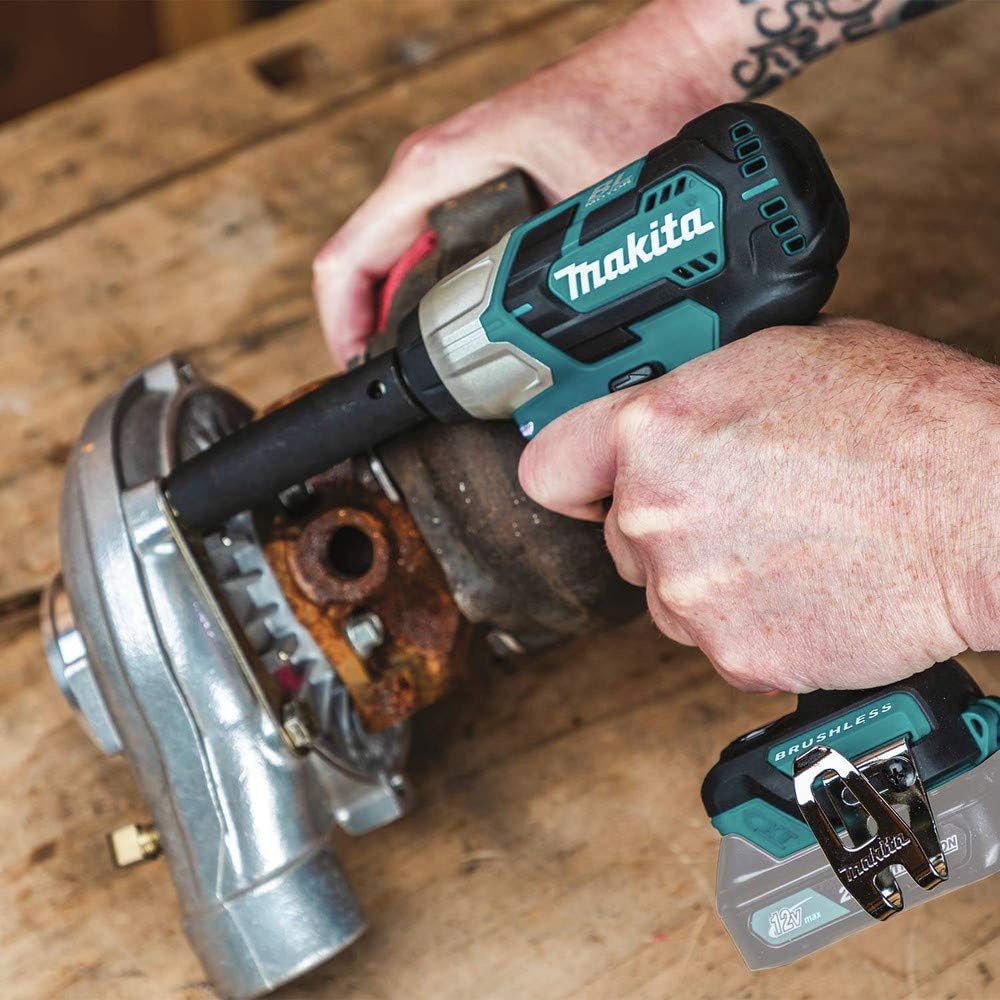
The impact wrench in action, demonstrating its capability for fastening applications.
Specifications
| Specification | Value |
|---|---|
| Brand | Makita |
| Model Number | WT06Z |
| Voltage | 12 Volts |
| Max Torque | 122 ft. Lbs. |
| Nut-Busting Torque | 210 ft. Lbs. |
| No Load Speed (RPM) | 0-1,300 / 0-2,400 |
| Impacts Per Minute (IPM) | 0-2,000 / 0-3,600 |
| Square Drive | 1/2" |
| Tool Length | 5-7/8" |
| Tool Weight (with battery) | 2.2 lbs. |
| Power Source | Battery (Lithium Ion) |
| Material | Alloy Steel |
| Finish Type | Powder Coated |
Setup
The Makita WT06Z is sold as a tool-only unit. Battery and charger are not included and must be purchased separately. Ensure you use genuine Makita 12V max CXT® Lithium-Ion batteries for optimal performance and safety.
- Battery Installation: Align the battery pack with the battery port on the tool. Slide the battery into place until it clicks securely. Ensure it is fully seated.
- Battery Removal: Press the battery release button and slide the battery pack out of the tool.
- Socket Installation: Push the desired 1/2" square drive impact socket onto the anvil until it locks into place. Pull on the socket to ensure it is securely attached.
- Socket Removal: Pull the socket firmly off the anvil.
Operation
Familiarize yourself with the tool's controls before operation.
- Power On/Off: The tool is activated by pressing the trigger switch. Releasing the trigger turns the tool off.
- Variable Speed Control: The tool speed can be varied by the amount of trigger depression. Pressing the trigger further increases the speed.
- Forward/Reverse Switch: Located above the trigger, this switch controls the direction of rotation. Push it to the left for forward (tightening) and to the right for reverse (loosening). Ensure the switch is in the neutral (center) position when not in use to prevent accidental starting.
- Speed Mode Selection: Use the speed selector button (often indicated by 'S' for Slow/Low and 'H' for High) to choose between the two available speed settings (0-1,300/0-2,400 RPM).
- Impact Mode: The tool automatically engages impact action when resistance is met during fastening or loosening.
- Reverse Rotation Auto-Stop Mode: When loosening fasteners, this mode automatically stops rotation and impact once the fastener is adequately loosened, preventing it from falling off or being over-loosened.
- LED Work Light: The built-in LED light illuminates the work area when the trigger is pulled.
Maintenance
Regular maintenance ensures the longevity and optimal performance of your impact wrench.
- Cleaning: Regularly clean the tool's ventilation openings to prevent dust and debris buildup, which can hinder motor performance. Use a soft, dry cloth. Do not use harsh chemicals or abrasive cleaners.
- Inspection: Periodically inspect the tool for any signs of damage, loose screws, or worn parts. If any damage is found, have the tool serviced by a qualified Makita service center.
- Lubrication: This tool features a brushless motor and sealed components, requiring no user lubrication.
- Storage: Store the tool in a cool, dry place, away from direct sunlight and moisture. Remove the battery pack before storing for extended periods.
Troubleshooting
If you encounter issues with your Makita WT06Z impact wrench, refer to the following common troubleshooting steps:
- Tool Does Not Start:
- Ensure the battery pack is fully charged and properly inserted.
- Check if the forward/reverse switch is in the neutral position. Move it to either forward or reverse.
- The battery protection circuit may have activated due to overloading, over-discharging, or overheating. Allow the battery to cool down or recharge.
- Reduced Power/Performance:
- The battery charge may be low. Recharge the battery.
- Ensure the correct speed mode is selected for the application.
- Check for any obstructions in the ventilation openings.
- Excessive Vibration or Noise:
- Ensure the socket is properly seated on the anvil.
- Inspect the tool for any loose components or damage. Discontinue use if severe.
If problems persist after attempting these steps, contact a qualified Makita service center for assistance.
Warranty and Support
Your Makita WT06Z impact wrench comes with a 3-year limited warranty. This warranty covers defects in materials and workmanship from the date of original purchase. For full details regarding warranty coverage, limitations, and how to make a claim, please refer to the official warranty statement included with your product or visit the Makita website.
For additional support, detailed instructions, or to download the official user guide in PDF format, please visit the following link:
For service or technical assistance, please contact Makita customer support or locate an authorized service center near you.
Related documentsWT06Z


Ask a question about this manual
Ask about setup, troubleshooting, compatibility, parts, safety, or missing instructions. Manuals+ will review the question and use this page’s manual context to help answer it.