
1. Important Safety Instructions
Please read and understand all safety instructions before installing, operating, or performing maintenance on this fan. Failure to follow these instructions may result in electric shock, fire, or serious injury.
- Always disconnect power before servicing or cleaning the fan.
- Ensure the fan is securely mounted to a structural support capable of holding its weight.
- Do not operate the fan with a damaged cord or plug. If the cord is damaged, it must be replaced by the manufacturer, its service agent, or similarly qualified persons to avoid a hazard.
- Keep hands, hair, clothing, and loose items away from moving parts during operation.
- Do not use this fan in wet or damp locations, such as bathrooms or laundry areas, unless specifically rated for such environments.
- This appliance is not intended for use by persons (including children) with reduced physical, sensory or mental capabilities, or lack of experience and knowledge, unless they have been given supervision or instruction concerning use of the appliance by a person responsible for their safety.
- Children should be supervised to ensure that they do not play with the appliance.
2. Package Contents
Verify that all components are present and undamaged before proceeding with installation.
- Airmaster EPR Wall Fan Unit (10 Inch)
- Mounting Bracket
- Mounting Hardware (Screws, Anchors)
- User Manual (This document)
3. Installation
The Airmaster EPR Wall Fan is designed for wall-mounted installation. Professional installation by a qualified electrician is recommended to ensure proper wiring and safety.
3.1 Choosing a Location
- Select a wall location that can support the fan's weight and allows for optimal air circulation.
- Ensure there is adequate clearance around the fan for airflow and maintenance.
- Avoid locations near curtains, blinds, or other objects that could interfere with the fan blades.
- Ensure the chosen location is within reach of a suitable power source.
3.2 Mounting the Fan
- Mark the desired mounting position on the wall using the mounting bracket as a template.
- Drill pilot holes at the marked locations. Use appropriate drill bits for your wall material (e.g., wood studs, drywall with anchors, masonry).
- Secure the mounting bracket to the wall using the provided screws and anchors. Ensure it is firmly attached.
- Carefully lift the fan unit and attach it to the secured mounting bracket according to the bracket's design. Ensure all locking mechanisms are engaged.
3.3 Electrical Connection
- Ensure the power supply is turned OFF at the circuit breaker before making any electrical connections.
- Connect the fan's wiring to the building's electrical system as per local electrical codes and the fan's wiring diagram (if provided separately).
- All wiring connections must be secure and properly insulated.
- Once connections are complete, restore power at the circuit breaker.
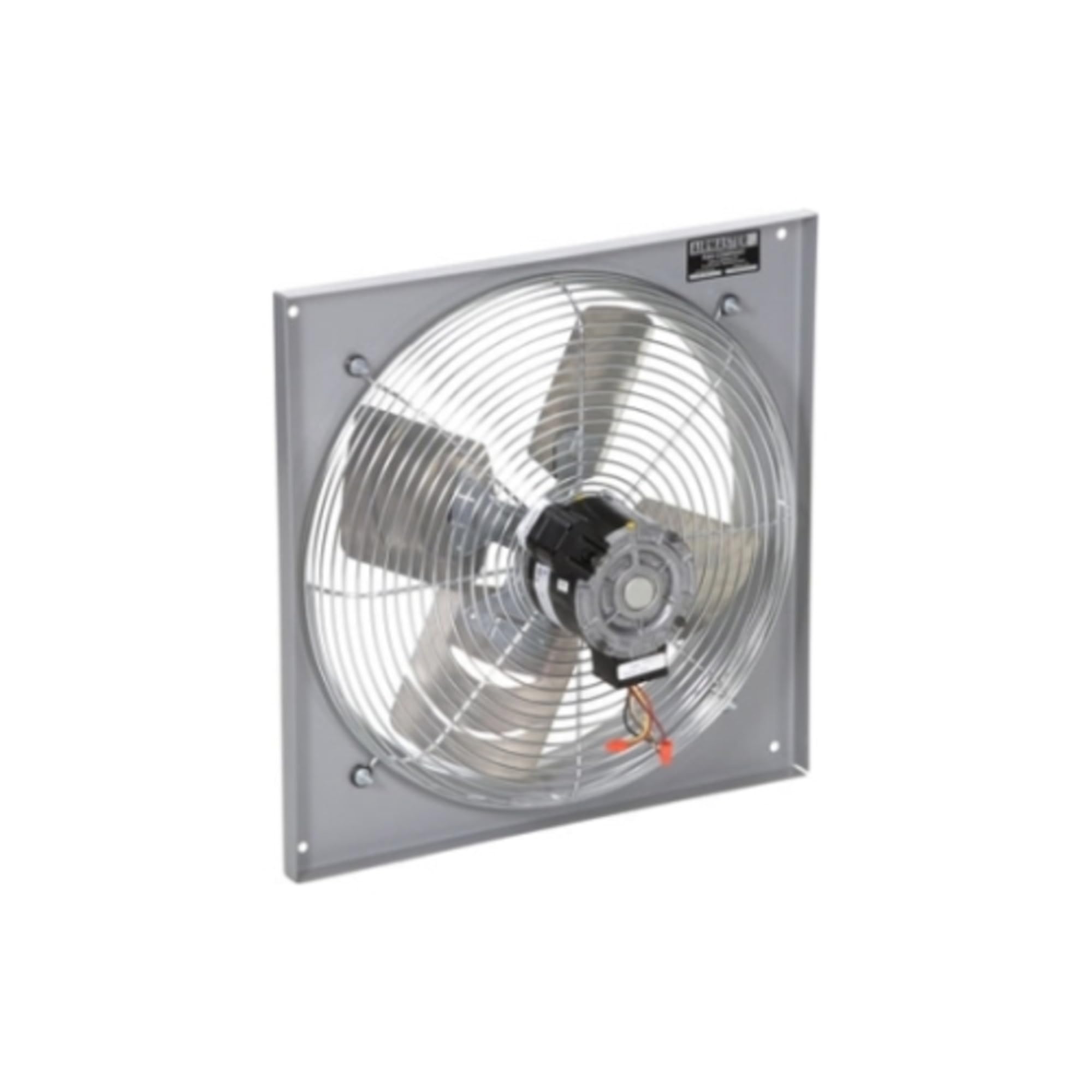
Image: The Airmaster EPR Wall Fan 10 Inch (Model 24100) shown mounted on a wall, illustrating its design and typical installation appearance.
4. Operating Instructions
The Airmaster EPR Wall Fan features multiple speed settings for customized airflow.
4.1 Power On/Off
- To turn the fan ON, locate the control switch or pull chain (if applicable) and select a speed setting.
- To turn the fan OFF, set the control switch or pull chain to the 'OFF' position.
4.2 Adjusting Fan Speed
This fan offers 3 speed settings:
- Low: For gentle air circulation.
- Medium: For moderate airflow.
- High: For maximum air movement.
Adjust the speed by cycling through the settings using the control switch or pull chain until the desired airflow is achieved.
5. Maintenance
Regular cleaning and maintenance will ensure optimal performance and extend the life of your Airmaster fan.
5.1 Cleaning the Fan
- Disconnect Power: Always ensure the fan is turned off and disconnected from the power supply before cleaning.
- Exterior Cleaning: Wipe the exterior surfaces of the fan with a soft, damp cloth. Do not use abrasive cleaners, solvents, or harsh chemicals, as these may damage the finish.
- Blade and Grille Cleaning: If accessible, carefully remove the front grille (refer to specific model instructions if needed) and gently wipe the fan blades and interior of the grille with a soft, dry or slightly damp cloth to remove dust and debris.
- Reassembly: Ensure all parts are dry before reassembling the grille and restoring power.
No lubrication is required for the fan motor. Do not attempt to open the motor housing.
6. Troubleshooting
If you experience issues with your Airmaster EPR Wall Fan, consult the following table before contacting customer support.
| Problem | Possible Cause | Solution |
|---|---|---|
| Fan does not turn on. | No power supply. Fan switch is off. Loose wiring connection. |
Check circuit breaker and wall switch. Ensure fan switch is in an 'ON' position. Verify all electrical connections are secure (consult a qualified electrician). |
| Fan operates slowly or with low airflow. | Incorrect speed setting. Dust buildup on blades/grille. Obstruction near fan. |
Select a higher speed setting. Clean fan blades and grilles as per maintenance instructions. Remove any objects blocking airflow. |
| Unusual noise during operation. | Loose mounting. Obstruction hitting blades. Internal motor issue. |
Ensure fan is securely mounted. Check for any foreign objects near or on the blades. If noise persists, discontinue use and contact customer support. |
7. Specifications
Detailed technical specifications for the Airmaster EPR Wall Fan 10 Inch (Model 24100).
| Feature | Detail |
|---|---|
| Model Number | 24100 |
| Fan Diameter | 10 inches |
| Flow Rate | 630 cfm (at 0 in SP) |
| Speed | 1550 rpm |
| Power | 1/30 hp |
| Housing Material | Steel |
| Other Material | EPR |
| Dimensions (H x W x D) | 12-1/4 in x 14 in x 6 in |
| Maximum Sones | 5.6 at 5 ft |
| Number of Speeds | 3 |
| Number of Blades | 3 |
| Mounting Type | Wall Mount |
| Fan Design | Exhaust Fan |
| Recommended Use | Air Circulation |
8. Warranty and Support
Airmaster products are manufactured to high-quality standards. For specific warranty information regarding your Model 24100 fan, please refer to the warranty card included with your purchase or visit the official Airmaster website.
If you require technical assistance, have questions about installation, operation, or maintenance, or need to report a defect, please contact Airmaster customer support. Contact details can typically be found on the product packaging or the official Airmaster website.
When contacting support, please have your product model number (24100) and purchase date available.