1. Introduction
This manual provides essential instructions for the safe operation, setup, and maintenance of your Potensic D85 FPV Drone. Please read this manual thoroughly before operating the drone to ensure proper function and to prevent damage or injury. The Potensic D85 is equipped with a 2K camera, brushless motors, 5G WiFi for live video transmission, and GPS for enhanced flight stability and features.
2. Safety Guidelines
Operating a drone requires adherence to safety regulations and best practices. Failure to follow these guidelines may result in property damage, injury, or legal penalties.
- Local Regulations: Always check and comply with local aviation authority regulations (e.g., FAA in the United States) regarding drone registration, flight zones, and altitude limits.
- Pre-Flight Check: Before each flight, ensure all components are securely attached, batteries are fully charged, and propellers are free from damage.
- Environmental Conditions: Avoid flying in strong winds, rain, snow, or fog. Maintain visual line of sight with the drone at all times.
- Safe Distance: Keep the drone away from people, animals, buildings, and power lines. Do not fly over crowds.
- Battery Management: Monitor battery levels during flight. Land the drone immediately if a low battery warning is received. Do not attempt to fly until the battery is critically low, as this can lead to loss of control.
- Respect Privacy: Be mindful of privacy when using the camera.
- Age Recommendation: This product is recommended for users aged 14 years and up.
3. Package Contents
Verify that all items are present in your package:
- Potensic D85 FPV Drone
- Remote Control
- 2 x 7.4V 2800mAh Lithium Ion Batteries
- Balance Charger
- Carrying Case
- Spare Propellers (2 sets)
- Tools for Propeller Replacement

Image: The Potensic D85 FPV Drone, its remote control, two rechargeable batteries, and a protective carrying case, illustrating the complete package contents.
4. Components Overview
4.1 Drone Components
- Brushless Motors: Four high-quality brushless motors provide efficient and powerful flight, enabling speeds up to 50km/h.
- 2K HD Camera: Integrated camera capable of capturing 2K resolution video and still images with a 130° panoramic view. Compatible with sports cameras.
- 5G WiFi Module: Enables live video transmission to your smartphone via the dedicated app.
- GPS Module: Provides stable positioning, intelligent flight modes, and accurate return-to-home functions.
- Battery Compartment: Houses the 7.4V 2800mAh flight battery.
- Propellers: Four main propellers for lift and propulsion.
- Landing Gear: Provides stability during takeoff and landing. Note: These are made of plastic and require careful handling to prevent breakage.
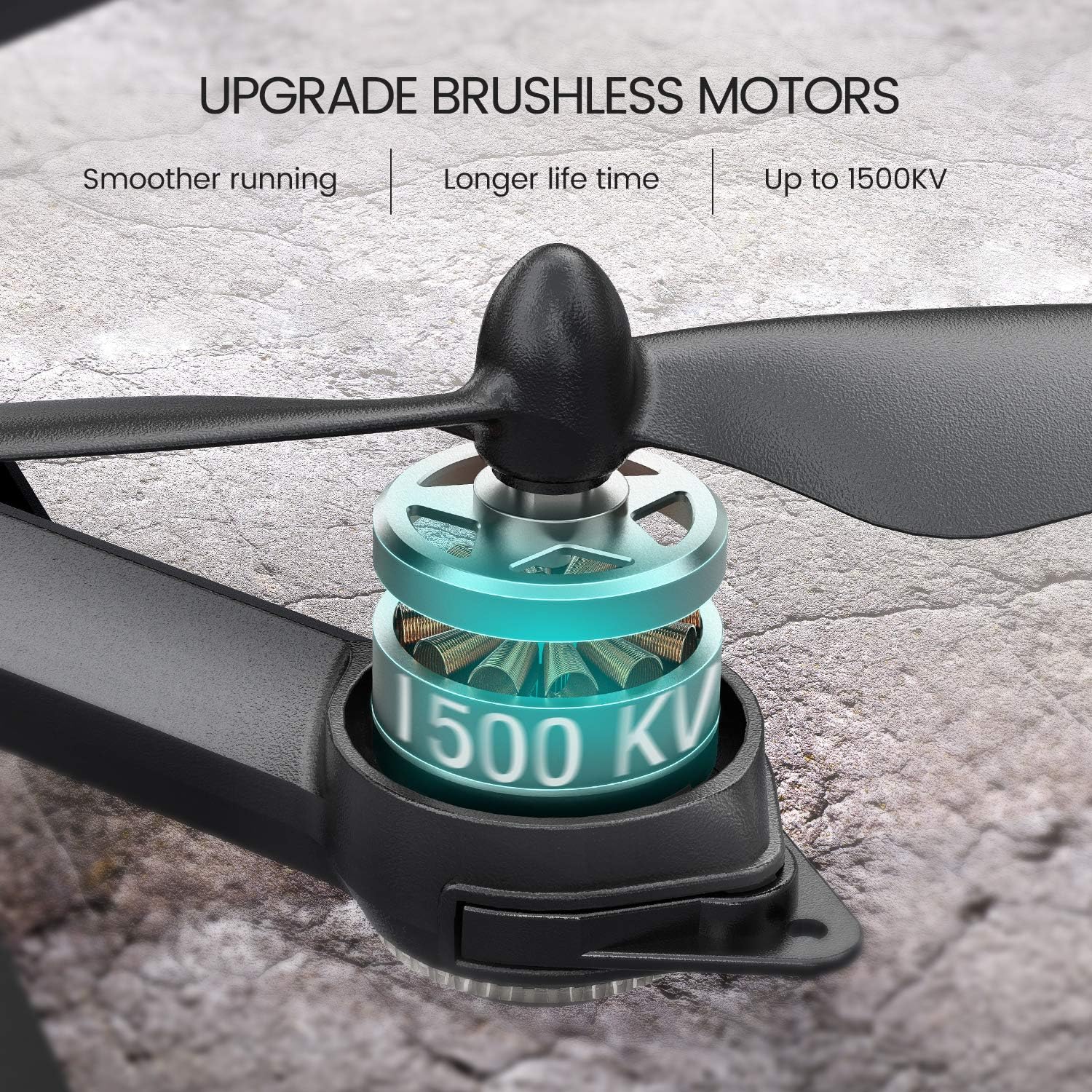
Image: A detailed view of the Potensic D85's brushless motor and propeller, highlighting the 1500KV motor for smoother and longer flight performance.
4.2 Remote Control
The remote control features dual joysticks for flight control, dedicated buttons for one-key functions (take-off, landing, return home), and a smartphone holder for FPV viewing.
5. Setup
5.1 Battery Charging
Charge both 7.4V 2800mAh Lithium Ion flight batteries using the provided balance charger. A full charge typically takes approximately 7 hours. Ensure the charger is connected to a stable power source and the batteries are correctly inserted. The balance charger is designed for safe charging.

Image: A close-up of the Potensic D85 drone's battery compartment with a 2800mAh battery inserted, indicating up to 40 minutes of flight time with two batteries.
5.2 Propeller Installation
If propellers are not pre-installed or need replacement, attach them according to the markings (A and B) on the propellers and motor arms. Ensure they are securely fastened using the provided tools.
5.3 Camera Installation
Attach the 2K HD camera to the drone's gimbal mount. Ensure it is firmly secured. Insert a compatible SD card into the camera's slot for recording footage. Note that the SD card slot can be small and may require careful insertion and removal.
5.4 Remote Control Setup
Install batteries into the remote control. Extend the smartphone holder and securely place your smartphone for FPV viewing.
5.5 App Installation and Connection
Download the official Potensic FPV app from your device's app store. Power on the drone and remote control. Connect your smartphone to the drone's 5G WiFi network (usually named 'Potensic_D85_XXXXXX'). Open the app to establish a live video feed and access advanced flight features.
5.6 Calibration
Before the first flight and after any significant movement or battery change, perform a compass and gyroscope calibration as instructed in the app or quick start guide. This ensures accurate GPS positioning and stable flight.
6. Operating Instructions
6.1 Pre-Flight Checklist
- Ensure drone and remote control batteries are fully charged.
- Check propellers for damage and ensure they are securely attached.
- Verify camera is installed and SD card is inserted.
- Perform necessary calibrations (compass, gyroscope).
- Confirm GPS signal acquisition (indicated by solid green lights on the drone).
- Choose an open, clear flying area, free from obstacles and people.
6.2 Take-off and Landing
After completing the pre-flight checklist and calibration, press the One-Key Take-off button on the remote control. The drone will automatically ascend to a safe hovering altitude (approximately 2 meters). To land, press the One-Key Landing button, and the drone will gently descend and land near its take-off point.
6.3 Flight Controls
Use the remote control joysticks to maneuver the drone. The left joystick typically controls altitude (up/down) and yaw (rotation), while the right joystick controls forward/backward and left/right movement. Practice basic controls in an open area before attempting complex maneuvers.
6.4 GPS Features
The D85 drone utilizes GPS for enhanced flight stability and intelligent functions:
- GPS Return Home: The drone can automatically return to its take-off point in cases of low battery, signal loss, or when manually activated via the One-Key Return button.
- Follow Me Mode: The drone will automatically follow the remote controller or your smartphone, capturing footage as you move.
- Orbit Mode: The drone will circle a designated point of interest at a set radius and altitude.
- Route Design: Plan a custom flight path on the app interface, and the drone will follow it autonomously.
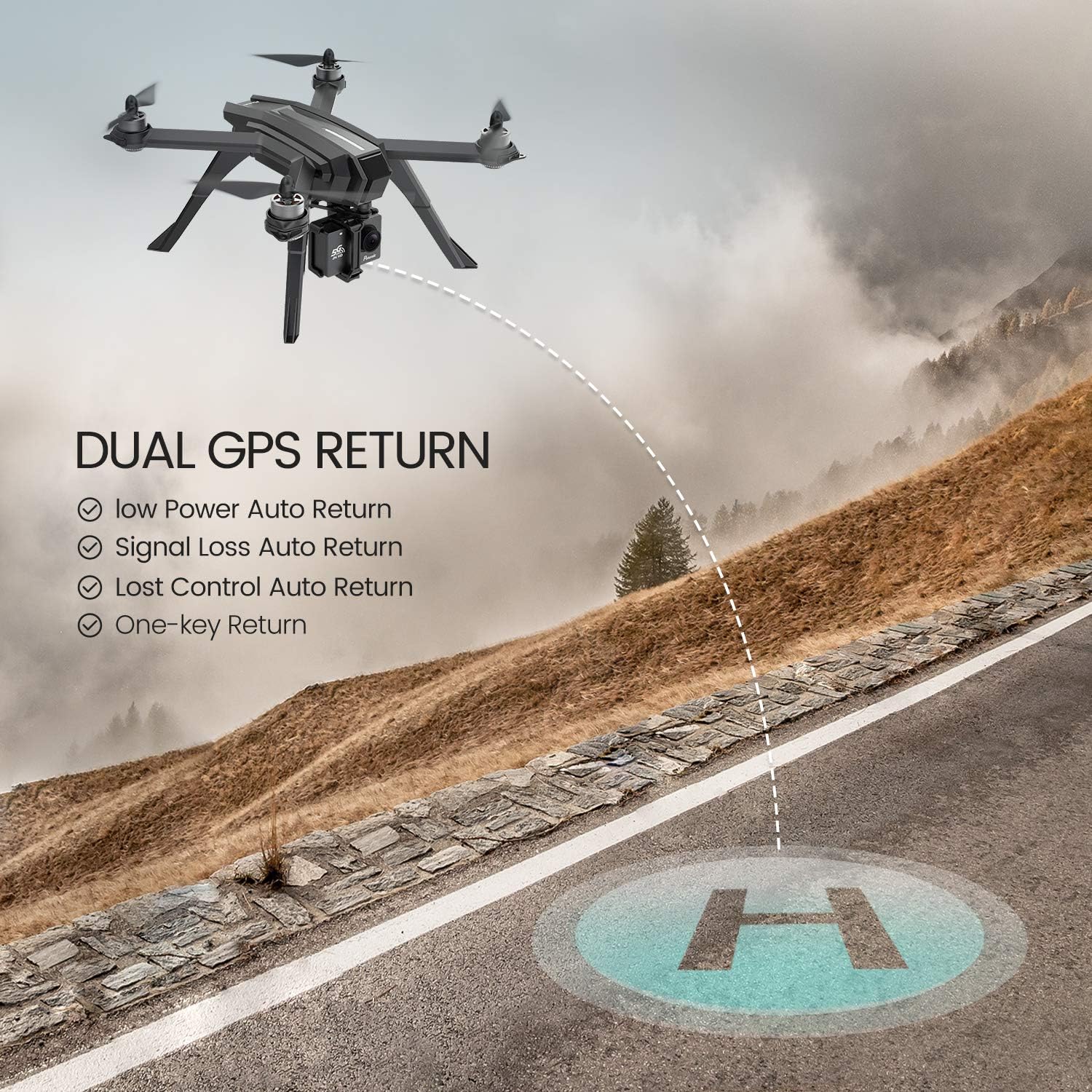
Image: The Potensic D85 drone in flight, with an overlay illustrating its Dual GPS Return capabilities, including low power auto return, signal loss auto return, lost control auto return, and one-key return to home.
6.5 Camera Operation
Utilize the 2K HD camera to capture high-quality aerial photos and videos. The 5G WiFi transmission provides a clear live video feed to your connected smartphone. Control photo and video recording functions through the remote control or the dedicated app. The camera offers a 130° panoramic view.

Image: A visual comparison demonstrating the superior clarity of 2K HD 130° sports camera footage from the Potensic D85 compared to standard 720P resolution.
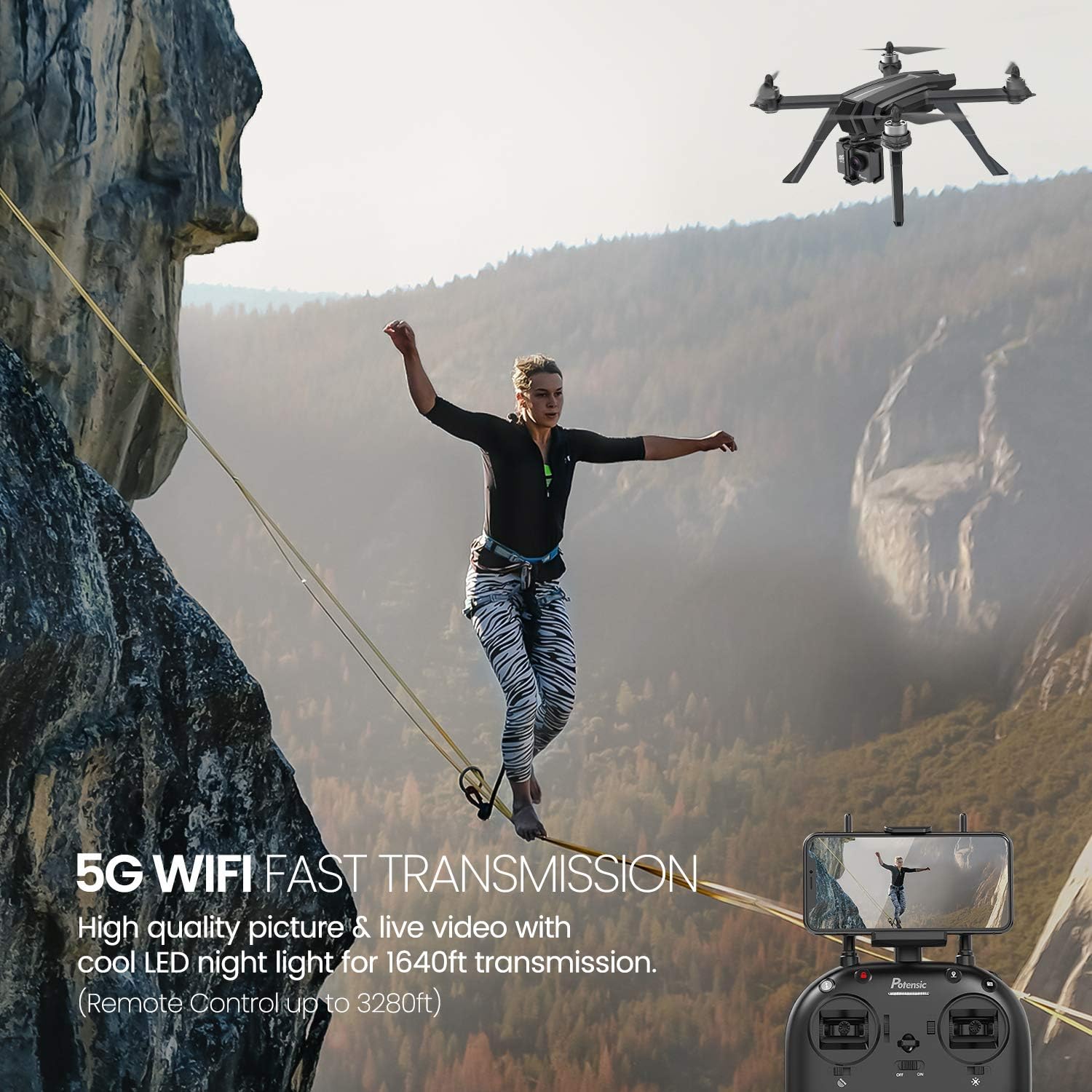
Image: The Potensic D85 drone in flight, with a remote control displaying a smartphone connected via 5G WiFi for fast transmission of high-quality pictures and live video.
7. Maintenance
7.1 Cleaning
Regularly clean the drone body with a soft, dry cloth. Ensure the camera lens is free from dust and smudges for optimal image quality. Avoid using harsh chemicals or solvents.
7.2 Propeller Replacement
Inspect propellers for cracks, bends, or chips before each flight. Replace any damaged propellers immediately using the provided spare parts and tools. Incorrectly installed or damaged propellers can affect flight stability and safety.
7.3 Battery Care
Store batteries in a cool, dry place away from direct sunlight and extreme temperatures. Do not overcharge or over-discharge batteries. If storing for extended periods, charge batteries to approximately 50% capacity.
8. Troubleshooting
If you encounter issues with your Potensic D85 drone, refer to the following common problems and solutions:
- Drone Not Taking Off/Unstable Flight:
- Ensure batteries are fully charged in both drone and remote.
- Perform compass and gyroscope calibration correctly.
- Check for sufficient GPS signal (at least 7-8 satellites).
- Verify propellers are installed correctly and undamaged.
- No Live Video Feed:
- Confirm your smartphone is connected to the drone's 5G WiFi network.
- Ensure the Potensic FPV app is open and updated.
- Check for interference in the flying environment.
- Drone Does Not Respond to Commands:
- Check remote control battery level.
- Ensure drone and remote are properly paired.
- If a low battery signal is received, land the drone immediately. Continuing to fly with critically low battery can lead to loss of control and the drone becoming unresponsive.
- Landing Gear Breakage:
- The landing legs are made of plastic and can be brittle. Handle the drone carefully during transport and landing.
- Avoid hard landings.
9. Specifications
| Feature | Specification |
|---|---|
| Brand | Potensic |
| Model Name | D85 |
| Age Range (Description) | Adult (14 years and up) |
| Color | Black |
| Video Capture Resolution | 1080p (2K HD Camera) |
| Effective Still Resolution | 2 MP |
| Connectivity Technology | Wi-Fi (5G) |
| Included Components | Battery, Carrying Case |
| Skill Level | Beginner |
| Battery Capacity | 2800 Milliamp Hours (per battery) |
| Video Capture Format | MP4 |
| Control Type | Remote Control |
| Maximum Range | 4900 Feet |
| Material | Plastic |
| Wireless Communication Technology | Wi-Fi |
| Battery Cell Composition | Lithium Ion |
| Are Batteries Included | Yes (2) |
| Remote Control Included? | Yes |
| Optical Sensor Technology | CMOS |
| Rechargeable Battery Included | Yes |
| UPC | 824007431465 |
| Item Weight | 7.19 pounds |
10. Warranty and Support
For warranty information or technical support, please refer to the documentation included with your purchase or visit the official Potensic website. Keep your proof of purchase for any warranty claims.


