
1. Product Overview
The DEWENWILS Wireless Remote Control Outlet provides a convenient way to control your electronic devices and lighting with a simple press of a button. This plug-in switch eliminates the need for complex wiring, offering a flexible and energy-efficient solution for your home or office. It features a strong RF signal, child protection, and a compact design.

Image: The DEWENWILS wireless remote control outlet and its accompanying remote control.
2. Safety Information
Please read and understand all safety instructions before using this product. Failure to follow these instructions may result in electric shock, fire, or serious injury.
- Do not exceed the maximum load capacity of 2300W (10A at 230V).
- Ensure the outlet is fully inserted into a wall socket.
- Do not immerse the device in water or expose it to excessive moisture.
- Keep out of reach of children. The product includes integrated child protection features.
- Do not disassemble or modify the device.
- Use indoors only, or in a protected outdoor environment within specified temperature ranges (-25°C to 40°C).
- Disconnect power before cleaning.

Image: The wireless outlet highlighting its high-quality, flame-retardant material for safety.

Image: A child reaching for the outlet, illustrating the integrated child protection feature.
3. Package Contents
Verify that all components are present and in good condition upon opening the package.
- DEWENWILS Wireless Remote Control Outlet(s)
- Wireless Remote Control(s) (with battery included)
- User Manual (this document)
4. Product Features
The DEWENWILS Wireless Remote Control Outlet offers several key features for enhanced convenience and safety:
- 30m Long Range: The strong RF signal operates effectively through walls and doors, providing up to 30 meters of outdoor range without obstacles. No direct line of sight is required between the remote and the outlet.
- Pre-programmed & Expandable: The transmitter and receiver units are pre-programmed for immediate use. Additional portable remote controls and outlets (of the same model) can be added and paired.
- Energy Saving: Designed to eliminate standby power consumption from connected devices, helping to reduce energy costs. The outlet remains off after a power outage. Standby power consumption is only 0.6W.
- Plug & Play: Enjoy hassle-free installation with no programming or tools required. The remote control battery is included.
- Wireless Remote Control: Features 5 channels, allowing remote control of various indoor lighting and electronic devices. Ideal for hard-to-reach appliances or for users with limited mobility.
- Integrated Child Protection: Enhanced safety features prevent accidental contact with live parts.
- Compact Size: Designed to fit into tight spaces without blocking adjacent outlets.
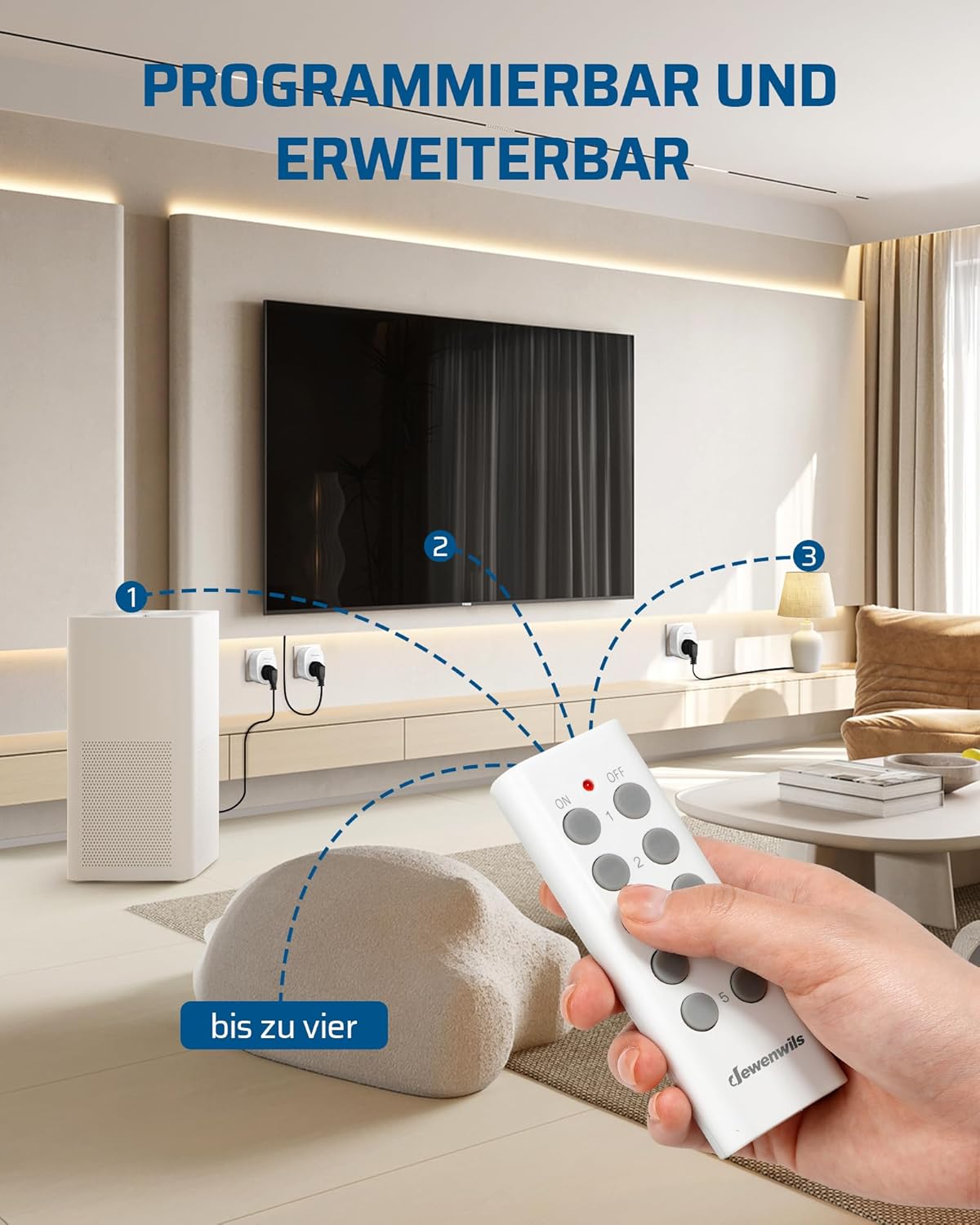
Image: Illustrates the maximum power capacity of 2300W and examples of suitable appliances.

Image: Demonstrates the 30-meter RF range, allowing control across multiple rooms.
5. Setup
The DEWENWILS Wireless Remote Control Outlet is designed for easy, plug-and-play setup. The remote and outlet are pre-programmed for immediate use.
Initial Setup:
- Unpack: Carefully remove the wireless outlet(s) and remote control(s) from the packaging.
- Insert Remote Battery: The remote control comes with a pre-installed battery. If needed, remove the plastic tab to activate it.
- Plug in Outlet: Insert the wireless outlet into a standard wall socket. Ensure it is securely plugged in.
- Connect Device: Plug the appliance or light you wish to control into the wireless outlet.
- Test: Use the remote control to switch the connected device ON and OFF. The remote and outlet should already be paired.
Pairing Additional Outlets/Remotes (if applicable):
If you purchase additional DEWENWILS wireless outlets or remotes (of the same model), you can pair them as follows:
- Plug the new wireless outlet into a wall socket.
- Press and hold the pairing button on the side of the outlet for approximately 3 seconds until the indicator light starts flashing.
- Within 10 seconds, press the desired 'ON' or 'OFF' button on your remote control for the channel you wish to assign.
- The indicator light on the outlet will stop flashing and remain solid for a moment, then turn off, indicating successful pairing.
- Repeat for any other additional outlets or remotes.
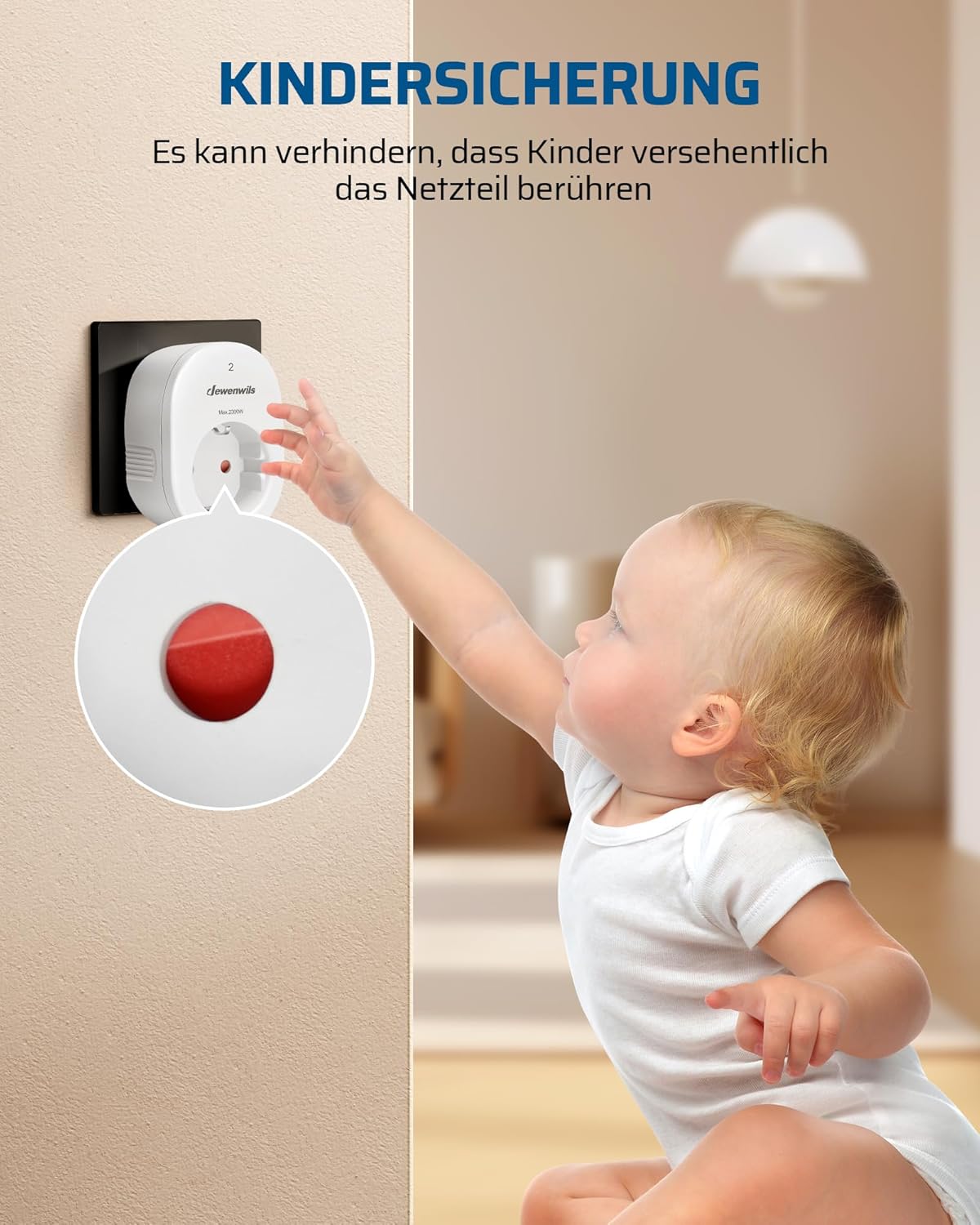
Image: Illustrates the pairing process between the remote control and multiple outlets.
6. Operating Instructions
Using the DEWENWILS Wireless Remote Control Outlet is straightforward:
- Power ON/OFF: Press the 'ON' button on the remote control to turn on the device connected to the corresponding channel. Press the 'OFF' button to turn it off.
- Channel Control: The remote control features multiple channels (e.g., 1, 2, 3, 4, 5). Each channel can be paired with one or more outlets. Use the specific channel buttons to control the desired outlet(s).
- Master ON/OFF (if available): Some remotes may have a master 'ALL ON' or 'ALL OFF' button to control all paired outlets simultaneously.

Image: Shows the versatility of the wireless outlet in different usage scenarios, such as controlling a humidifier or a microwave.
7. Maintenance
Proper maintenance ensures the longevity and optimal performance of your wireless remote control outlet.
- Cleaning: Disconnect the outlet from the power source before cleaning. Wipe the device with a soft, dry cloth. Do not use abrasive cleaners or solvents.
- Battery Replacement (Remote Control): When the remote control's range decreases or it stops responding, it may be time to replace the battery. The remote uses 12V batteries (included). Refer to the remote's casing for specific battery type and replacement instructions.
- Storage: Store the device in a cool, dry place when not in use for extended periods.
8. Troubleshooting
If you encounter issues with your DEWENWILS Wireless Remote Control Outlet, refer to the following table for common problems and solutions.
| Problem | Possible Cause | Solution |
|---|---|---|
| Outlet does not respond to remote. | 1. Remote battery is low or dead. 2. Outlet and remote are not paired. 3. Obstruction or interference. | 1. Replace remote battery. 2. Re-pair the outlet and remote (refer to Section 5). 3. Move closer to the outlet or remove large metal objects. |
| Connected device does not turn on. | 1. Device is not properly plugged into the outlet. 2. Outlet is not receiving power. 3. Connected device is faulty. | 1. Ensure the device is fully plugged into the wireless outlet. 2. Check if the wall socket is working by plugging in another device directly. 3. Test the connected device directly in a working wall socket. |
| Short range or intermittent control. | 1. Remote battery is low. 2. Strong interference from other RF devices. 3. Thick walls or metal structures. | 1. Replace remote battery. 2. Try using the remote in a different location or reduce other RF device usage. 3. Ensure the remote is within the specified 30m range. |
| Outlet remains off after power outage. | This is a safety feature to save energy. | Press the 'ON' button on the remote to reactivate the outlet. |
9. Specifications
Detailed technical specifications for the DEWENWILS Wireless Remote Control Outlet:
| Specification | Value |
|---|---|
| Brand | DEWENWILS |
| Item Model Number | BHC1805G-RF-10A+BH-P1 |
| Product Dimensions (L x W x H) | 5.6 x 3.9 x 7.9 cm |
| Weight | 680 g |
| Operating Voltage | 230 Volt |
| Current Rating | 10 Ampere |
| Maximum Load | 2300 W |
| Operating Mode | ON-OFF |
| Connector Type | Plug-in |
| Switch Type | Push Button |
| Material | Plastic |
| Remote Control Frequency | 433.92 MHz |
| Wireless Range | Up to 30 meters (outdoor, unobstructed) |
| Batteries (Remote) | 2 x 12V batteries (included) |
| First Available Date | 29 October 2019 |

Image: Detailed dimensions of the wireless remote control outlet.

Image: The compact design of the outlet, fitting discreetly next to furniture.
10. Warranty and Support
DEWENWILS products are manufactured to high-quality standards. For warranty information or technical support, please refer to the contact details provided with your purchase or visit the official DEWENWILS website. Please retain your proof of purchase for warranty claims.


