
Introduction
Thank you for choosing the DEWIN Soil Hygrometer and Temperature Tester. This digital device is designed to accurately measure both the moisture and temperature of soil, providing essential data for optimal plant care. Its robust construction and clear LCD display make it an ideal tool for gardening, agriculture, and plant cultivation, suitable for various plants including fruits, flowers, vegetables, cereals, and shrubs. This manual provides detailed instructions for the proper use and maintenance of your device.
Product Overview
The DEWIN Soil Hygrometer features a high-quality design for reliable performance. It is equipped with a durable metal probe for accurate readings and an easy-to-read LCD screen that displays both temperature and humidity levels. The device also includes a memory function for convenient data recall.
Key Features:
- High-Quality Construction: Made from durable ABS material with a robust stainless steel probe.
- Dual Measurement: Accurately measures both soil temperature and humidity.
- Clear LCD Display: Provides easy-to-read digital readouts.
- Memory Function: Retains previous readings for comparison.
- Portable Design: Lightweight and compact for convenient indoor and outdoor use.
- High Precision: Ensures reliable data for informed plant care decisions.
Components:
- Main Unit: Houses the LCD display and control buttons.
- Stainless Steel Probe: The sensing element inserted into the soil.
- ON/OFF Button: To power the device on or off.
- MAX/MIN Button: To view maximum and minimum recorded values.
Specifications
| Specification | Value |
|---|---|
| Model Number | ZJSDJ0722 |
| Material | ABS + Stainless Steel Probe |
| Measurement Range (Temperature) | -10℃ to 50℃ (14℉ to 122℉) |
| Accuracy (Temperature) | ±1℃ |
| Color | White |
| Meter Dimensions | Approx. 44 x 30 x 30 mm (1.7 x 1.2 x 1.2 inches) |
| Probe Length | Approx. 140 mm (5.5 inches) |
| Screen Size | Approx. 24 x 14 mm (1.0 x 0.6 inches) |
| Weight | Approx. 47g (1.7 oz) |
| Power Source | Battery powered (battery included) |
| UPC | 723645750399 |
| ASIN | B07VJHBZLH |
Setup
The DEWIN Soil Hygrometer is designed for ease of use and comes with a pre-installed battery. No complex assembly is required.
- Unpack the Device: Carefully remove the soil hygrometer from its packaging.
- Initial Power On: Press the ON/OFF button located on the front of the device. The LCD screen should illuminate and display current readings. If the screen does not turn on, please refer to the Troubleshooting section.
- Familiarize Yourself: Observe the LCD display. It will show temperature (in Celsius or Fahrenheit, depending on the default setting) and humidity percentage.

Image: Front view of the DEWIN Soil Hygrometer with key dimensions indicated in millimeters and inches. The display shows temperature and humidity readings.
Operating Instructions
Follow these steps to accurately measure soil moisture and temperature:
- Power On: Press the ON/OFF button to turn on the device.
- Prepare for Insertion: Ensure the soil is soft enough to allow the probe to be inserted without excessive force. Avoid inserting into hard or rocky soil to prevent damage to the probe.
- Insert the Probe: Gently insert the stainless steel probe vertically into the soil to the desired depth. For best results, insert the probe deep enough to reach the root zone of the plant. Avoid touching the probe tip with your hands to prevent inaccurate readings.
- Read the Display: Once the probe is inserted, the LCD screen will display the current soil temperature and humidity percentage. Allow a few moments for the readings to stabilize.
- Memory Function (MAX/MIN):
- Press the MAX/MIN button once to view the maximum temperature and humidity recorded since the last reset.
- Press the MAX/MIN button again to view the minimum temperature and humidity recorded.
- To clear the MAX/MIN memory, press and hold the MAX/MIN button for a few seconds until the display resets.
- Remove the Probe: After taking your readings, gently pull the probe straight out of the soil.
- Clean the Probe: Wipe the probe clean with a soft cloth after each use to remove any soil residue. This ensures accuracy for future measurements.
- Power Off: Press the ON/OFF button to turn off the device and conserve battery life.

Image: The DEWIN Soil Hygrometer with its probe inserted into soil, demonstrating its use for measuring soil conditions for a small plant.
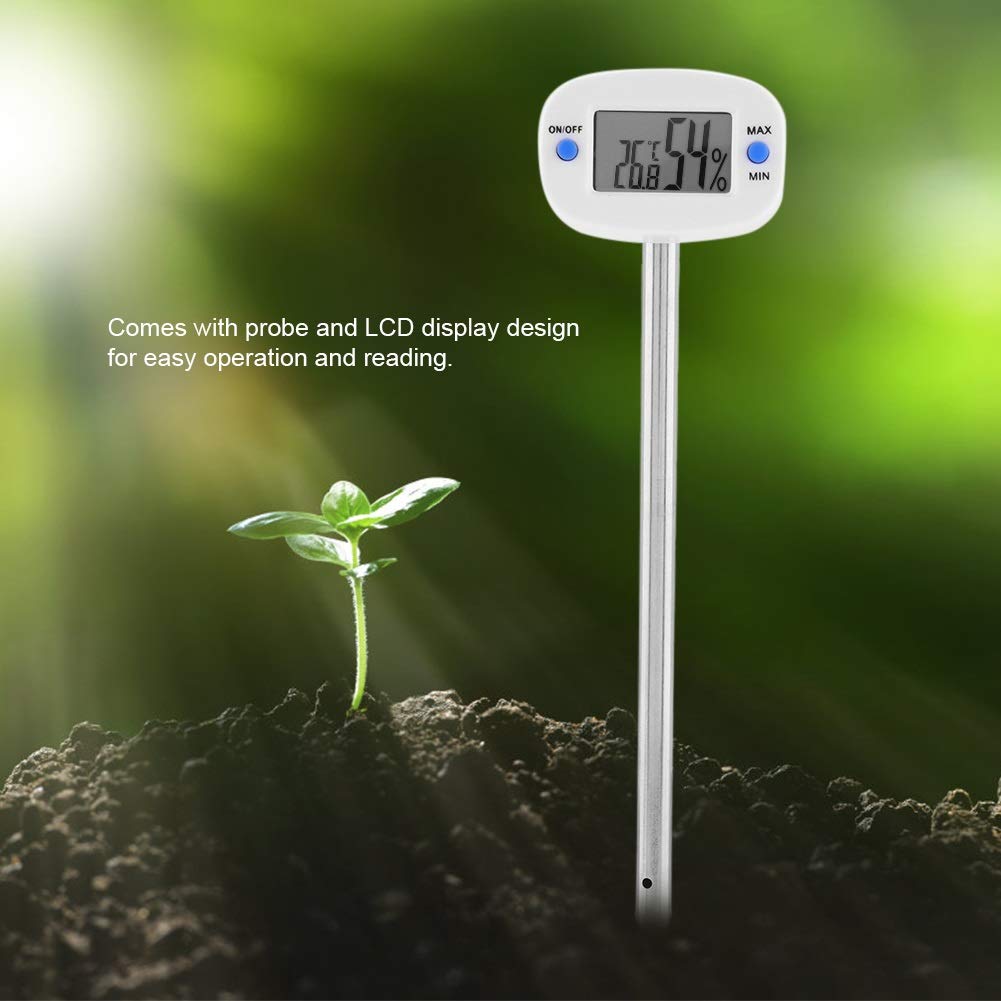
Image: A close-up of the DEWIN Soil Hygrometer with its probe in soil, highlighting the LCD display for easy reading of temperature and humidity.
Maintenance and Care
Proper maintenance ensures the longevity and accuracy of your DEWIN Soil Hygrometer.
- Clean the Probe: Always wipe the stainless steel probe clean with a soft, dry cloth after each use. Do not use abrasive materials or harsh chemicals, as this may damage the sensor.
- Storage: Store the device in a cool, dry place away from direct sunlight and extreme temperatures. Keep it out of reach of children.
- Avoid Water Immersion: While the probe is designed for soil, do not immerse the main unit (LCD display and buttons) in water or other liquids.
- Battery Replacement: If the display becomes dim or the device fails to power on, the battery may need replacement. The device uses a standard button cell battery (type not specified in provided data, but common for such devices). Refer to the battery compartment for specific battery type and replacement instructions.
- Handle with Care: Avoid dropping the device or subjecting it to strong impacts, which could damage internal components or the probe.

Image: A complete view of the DEWIN Soil Hygrometer, illustrating its compact and portable design.
Troubleshooting
If you encounter issues with your DEWIN Soil Hygrometer, please refer to the following common problems and solutions:
| Problem | Possible Cause | Solution |
|---|---|---|
| Device does not turn on. | Battery is depleted or incorrectly installed. | Check battery installation. Replace the battery if necessary. |
| Inaccurate or fluctuating readings. | Probe is dirty, damaged, or not fully inserted. Soil is too dry or too hard. | Clean the probe thoroughly. Ensure the probe is inserted vertically and deeply into moist soil. Avoid hard soil. |
| LCD display is dim or difficult to read. | Low battery power. | Replace the battery. |
| MAX/MIN function not working. | Button not pressed correctly or memory needs reset. | Ensure a firm press. Try pressing and holding the MAX/MIN button to reset the memory. |
If the problem persists after trying these solutions, please contact DEWIN customer support for further assistance.
Warranty and Support
DEWIN products are manufactured to high-quality standards. While specific warranty details are not provided in this manual, most DEWIN products come with a standard manufacturer's warranty against defects in materials and workmanship. Please retain your proof of purchase for any warranty claims.
For technical support, troubleshooting assistance, or warranty inquiries, please contact your retailer or visit the official DEWIN website for contact information. When contacting support, please have your product model number (ZJSDJ0722) and purchase date available.