1. Introduction
This manual provides detailed instructions for the operation and maintenance of your Joyroom JR-T05 Wireless Earbuds. Please read this manual thoroughly before use to ensure proper functionality and to maximize your user experience.
2. Package Contents
- Joyroom JR-T05 Wireless Earbuds (Left and Right)
- Charging Case
- USB Charging Cable
- Ear Tips (various sizes)
- User Manual
3. Product Overview
The Joyroom JR-T05 Wireless Earbuds feature an in-ear design for comfortable wear and include a portable charging case for extended use. They are equipped with Bluetooth 4.2 for stable connectivity and offer noise-cancelling capabilities.
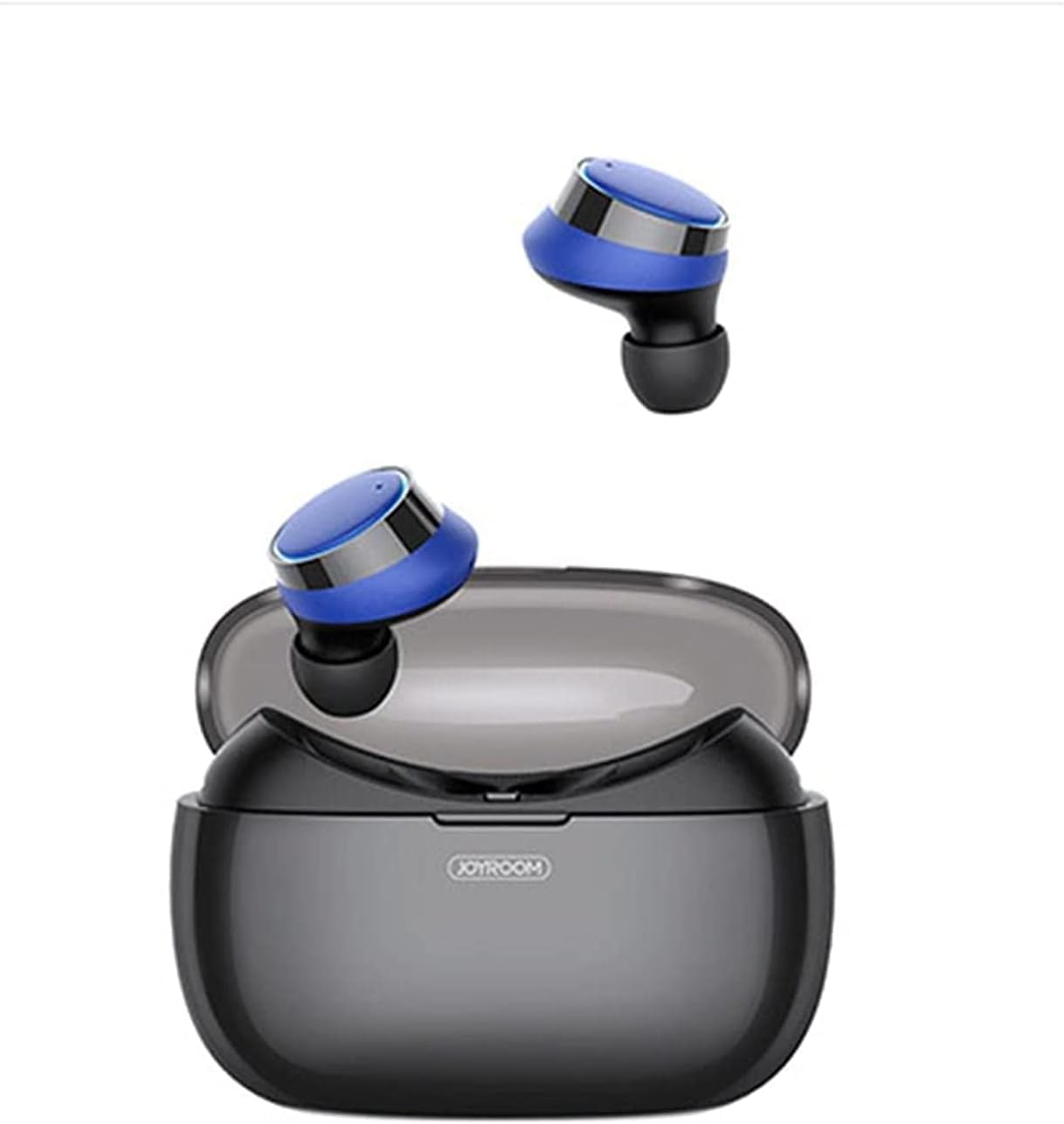
Image 3.1: Joyroom JR-T05 Wireless Earbuds shown with their charging case open. The earbuds are black and blue, resting above the black charging case.

Image 3.2: A closer view of the Joyroom JR-T05 Wireless Earbuds, highlighting their blue and black design, positioned within the open charging case.
4. Setup
4.1 Charging the Earbuds and Case
- Charging the Case: Connect the provided USB charging cable to the charging port on the case and to a compatible USB power source. The indicator lights on the case will show charging status. A full charge for the 1500mAh polymer lithium battery case can provide approximately 10 full charges for the earbuds.
- Charging the Earbuds: Place the earbuds into their respective slots in the charging case. Ensure they are correctly seated. The earbuds will automatically begin charging. Indicator lights on the earbuds or case will confirm charging.
4.2 Bluetooth Pairing
- Initial Pairing:
- Remove both earbuds from the charging case. They will automatically power on and enter pairing mode.
- On your mobile device, enable Bluetooth and search for available devices.
- Select "JR-T05" from the list of found devices.
- Once connected, a voice prompt will confirm successful pairing.
- Single Earbud Mode: The double-ear separated design allows for independent use of a single earbud. Simply remove one earbud from the case; it will automatically connect to the last paired device.
5. Operating Instructions
5.1 Power On/Off
- Power On: Remove earbuds from the charging case. They will power on automatically. Alternatively, press and hold the multi-function button on each earbud for approximately 3 seconds.
- Power Off: Place earbuds back into the charging case. They will power off automatically. Alternatively, press and hold the multi-function button on each earbud for approximately 5 seconds.
5.2 Music Playback
- Play/Pause: Single tap the multi-function button on either earbud.
- Next Track: Double tap the multi-function button on the right earbud.
- Previous Track: Double tap the multi-function button on the left earbud.
5.3 Call Management
- Answer/End Call: Single tap the multi-function button on either earbud.
- Reject Call: Press and hold the multi-function button on either earbud for 2 seconds.
- Voice Assistant: Triple tap the multi-function button on either earbud (if supported by your device).
6. Maintenance
- Cleaning: Regularly clean the earbuds and charging case with a soft, dry, lint-free cloth. Do not use harsh chemicals or abrasive materials. Ensure charging contacts are free of debris.
- Water Resistance: The earbuds feature an IPX5 waterproof design, protecting them from sweat and light splashes. Do not submerge the earbuds in water or expose them to heavy rain. The charging case is not waterproof.
- Storage: When not in use, store the earbuds in their charging case to protect them and keep them charged. Store in a cool, dry place away from extreme temperatures.
7. Troubleshooting
| Problem | Possible Solution |
|---|---|
| Earbuds not pairing with device. |
|
| Only one earbud is working. |
|
| Earbuds not charging. |
|
| Poor sound quality. |
|
8. Specifications
- Model: JR-T05
- Brand: Joyroom
- Connectivity: Wireless (Bluetooth 4.2)
- Ear Placement: In Ear
- Form Factor: In Ear
- Noise Control: Active Noise Cancellation
- Microphone: Included
- Water Resistance: IPX5 (earbuds only)
- Charging Case Battery: 1500mAh Polymer Lithium
- Product Dimensions: 15 x 3 x 7 cm
- Product Weight: 150 g
- Compatible With: Mobile Phones
9. Safety Information
- Do not disassemble or modify the product.
- Keep away from extreme temperatures, direct sunlight, and open flames.
- Avoid exposing the charging case to water or moisture.
- Use only approved chargers and cables.
- Prolonged listening at high volumes may cause hearing damage.
- Keep out of reach of children and pets.
10. Warranty and Support
For warranty information or technical support, please refer to the documentation included with your purchase or visit the official Joyroom website. Please retain your proof of purchase for any warranty claims.


