
Introduction
Welcome to the user manual for your Celestron Nature DX ED 12x50 Premium Binoculars. These binoculars are designed to provide exceptional optical performance for outdoor enthusiasts, birdwatchers, and nature observers. Featuring Extra-low Dispersion (ED) glass, fully multi-coated optics, and BaK-4 prisms, they deliver sharp, vivid, and true-to-life images. This manual will guide you through the setup, operation, maintenance, and troubleshooting of your new binoculars, ensuring you get the most out of your viewing experience.
What's in the Box
Your Celestron Nature DX ED 12x50 Binoculars package includes the following items:
- Celestron Nature DX ED 12x50 Binoculars
- Neck strap
- Objective lens caps
- Rainguard (eyepiece cover)
- Carrying case
- Lens cloth

Image: All items included in the Celestron Nature DX ED 12x50 Binoculars package.
Product Overview and Key Components
The Celestron Nature DX ED 12x50 binoculars feature a robust design with advanced optical elements for superior viewing.
12x Magnification and 50mm Objective Lenses
These binoculars provide 12 times magnification, bringing distant objects closer, and feature large 50mm objective lenses to gather ample light for bright, clear images, even in low-light conditions.

Image: Illustration of 12x magnification and 50mm objective lens diameter.
Superior Quality ED Glass
Equipped with Extra-low Dispersion (ED) glass, these binoculars significantly reduce chromatic aberration (color fringing), resulting in sharper images with more accurate color reproduction.
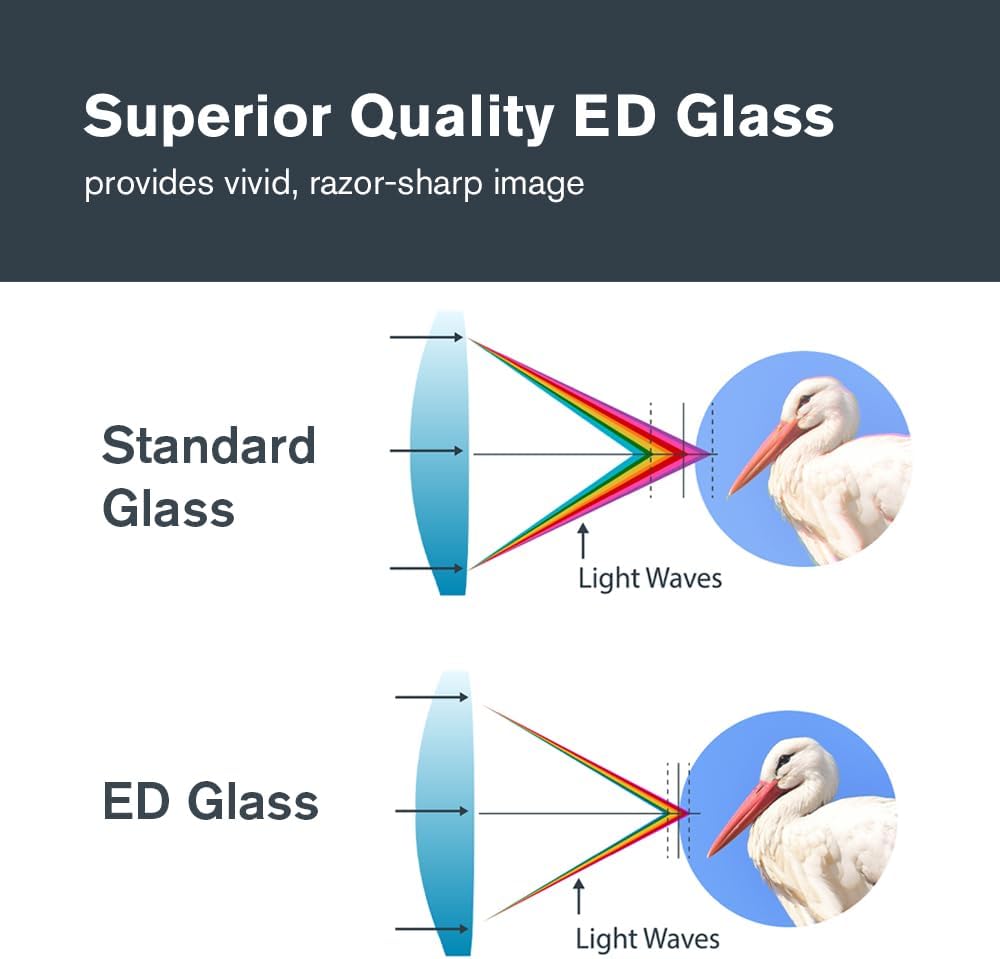
Image: Comparison of light waves through standard glass and ED glass, demonstrating reduced chromatic aberration with ED glass.
Fully Multi-Coated with BaK-4 Prisms
All air-to-glass surfaces are fully multi-coated to maximize light transmission, enhancing brightness and contrast. The high-quality BaK-4 prisms are phase-coated to deliver bright, sharp views with excellent edge-to-edge clarity.
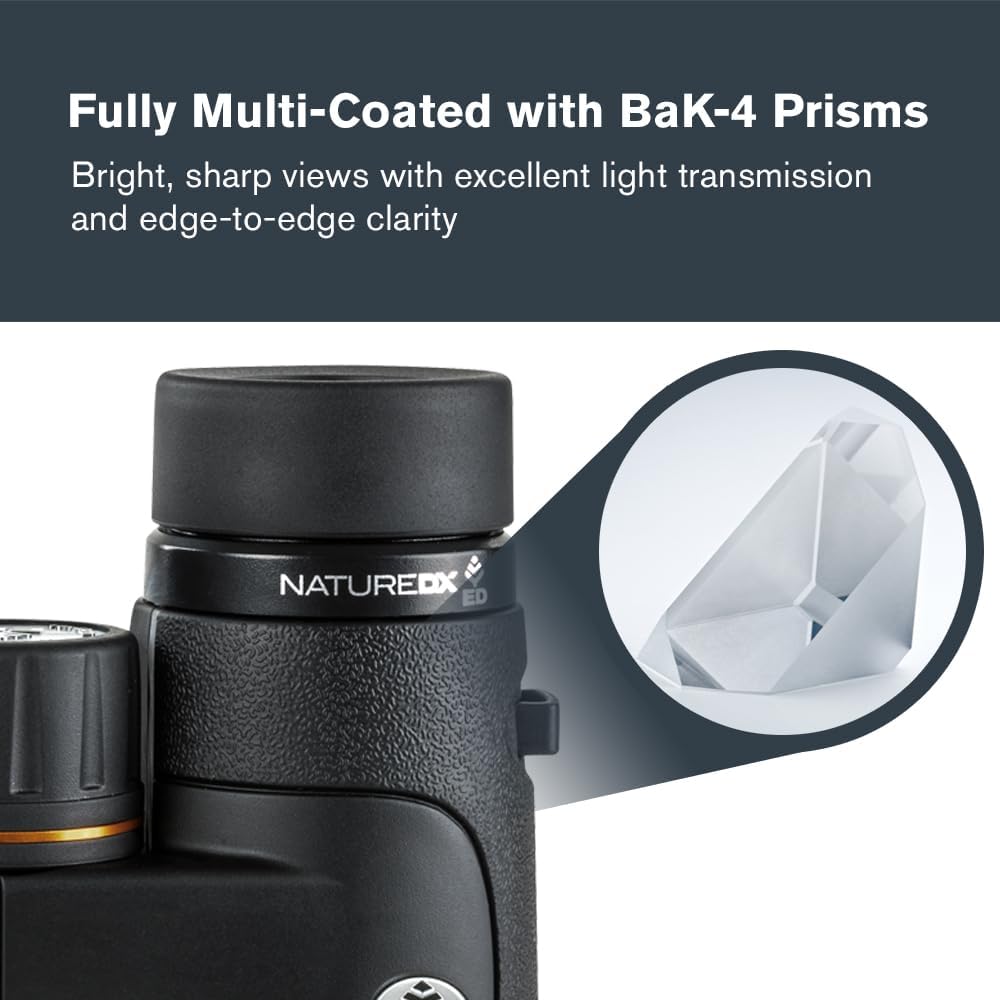
Image: Detail of the binocular showing the BaK-4 prism system.
Roof Prism Design
The roof prism design contributes to a slim, streamlined shape, making the binoculars easier to hold and pack for travel.

Image: Front view illustrating the slim roof prism design.
Setup and Initial Use
Attaching the Neck Strap
Thread the provided neck strap through the strap lugs on the sides of the binoculars. Ensure it is securely fastened to prevent accidental drops.
Adjusting the Eyecups
The eyecups can be twisted up or down to provide the correct eye relief. If you wear eyeglasses, twist the eyecups down. If you do not wear eyeglasses, twist them up to block out stray light and position your eyes at the optimal distance from the eyepieces.

Image: Illustration of adjustable eyecups.
Using Lens Caps and Rainguard
Always keep the objective lens caps and rainguard (eyepiece cover) on the binoculars when not in use to protect the lenses from dust, dirt, and scratches.
Tripod Adaptability
For extended viewing sessions or increased stability, these binoculars are tripod-adaptable. Locate the threaded socket on the front hinge of the binoculars. Remove the cap and attach a compatible tripod adapter (sold separately) to mount the binoculars onto a standard photographic tripod.

Image: Binoculars mounted on a tripod (tripod and adapter not included).
Operating Your Binoculars
Adjusting Interpupillary Distance (IPD)
Hold the binoculars with both hands and look through them. Bend the hinge of the binoculars until you see a single, clear circular field of view. This adjusts the distance between the eyepieces to match the distance between your pupils.
Focusing
1. Diopter Adjustment: Close your right eye and look through the left eyepiece. Rotate the center focus wheel until the image is sharp and clear.
2. Diopter Ring Adjustment: Close your left eye and look through the right eyepiece. Rotate the diopter ring (located on the right eyepiece) until the image is sharp and clear. Note the setting for future use.
3. Fine Focusing: Now, with both eyes open, use the center focus wheel to focus on objects at varying distances. The diopter setting should only need to be adjusted once for your eyes.
Field of View and Close Focus
These binoculars offer a wide 4.8° angular field of view, allowing you to easily track moving subjects like birds in flight. They also feature an impressive close focus of just 8.2 feet (2.5 meters), enabling sharp views of nearby objects such as butterflies or flowers.
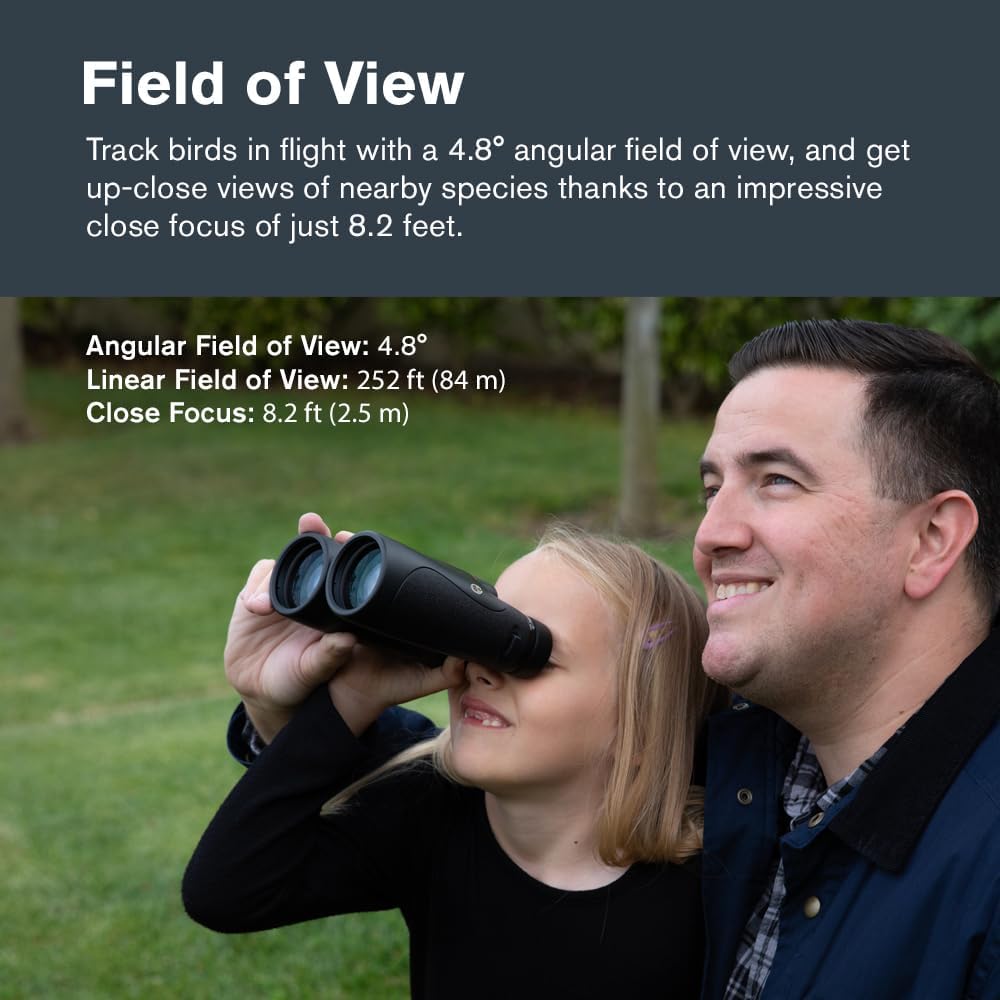
Image: Demonstrates the field of view and close focus capabilities.
Care and Maintenance
Cleaning Lenses
Use the included lens cloth or a soft, lint-free cloth specifically designed for optics. Gently wipe the lens surface in a circular motion. For stubborn smudges, use a small amount of optical lens cleaning fluid applied to the cloth, not directly to the lens.
Cleaning Body
Wipe the body of the binoculars with a soft, damp cloth. Avoid using harsh chemicals or abrasive cleaners.
Waterproof and Fog-proof Features
These binoculars are waterproof and nitrogen-purged, preventing internal fogging. While they are designed to withstand wet conditions, avoid submerging them in water for extended periods.

Image: Binoculars with water droplets, highlighting their waterproof feature.
Storage
Store the binoculars in their carrying case in a cool, dry place when not in use. Avoid exposing them to extreme temperatures or direct sunlight for prolonged periods.
Troubleshooting
| Problem | Possible Cause / Solution |
|---|---|
| Image is blurry or out of focus. |
|
| Only seeing one circle or partial view. |
|
| Internal fogging. |
|
Specifications
| Feature | Detail |
|---|---|
| Magnification | 12x |
| Objective Lens Diameter | 50 mm |
| Lens Type | ED (Extra-low Dispersion) Glass |
| Prism Type | BaK-4 Roof Prisms |
| Coatings | Fully Multi-Coated, Phase-Coated |
| Angular Field of View | 4.8° |
| Linear Field of View (at 1000 yards) | 252 ft (84 m) |
| Close Focus | 8.2 ft (2.5 m) |
| Eye Relief | 14.3 mm |
| Waterproof | Yes |
| Fog-proof | Yes (Nitrogen Purged) |
| Product Dimensions | 7.4 x 7.87 x 3.54 inches |
| Item Weight | 1.78 pounds (806g) |
| Model Number | 72336-CGL |
| Country of Origin | China |

Image: Physical dimensions and weight of the binoculars.
Warranty and Support
Your Celestron Nature DX ED 12x50 Binoculars are backed by Celestron's Limited Lifetime US Warranty. This warranty covers defects in materials and workmanship for the lifetime of the product. For detailed warranty information, please refer to the official warranty document.
For technical support or service inquiries, Celestron offers US-based expert technical support.


