
Noma Noma 3.5L
Contents
NOMA 3.5L Cool Mist Ultrasonic Humidifier Instruction Manual
Brand: Noma
Product Overview
The NOMA 3.5 Liter (0.9 gal) Ultrasonic Humidifier seamlessly blends superior design with functionality and maintains humidity in indoor spaces during long dry seasons. Its medium room capacity makes it ideal for spaces up to 400 square feet, and the removable top cap makes for simple refilling. Efficient ultrasonic technology humidifies your space quickly and emits moisture at a rate of 240 milliliters per hour. Let it run continuously for 24 hours or use timed shut-off options to set humidifying time for 2, 4, or 8 hours. The Ion Exchange Filter reduces calcium and white dust build-up inside the water tank for easy cleaning. Intelligent Auto Shut Off sensor turns off humidification when tank is empty, and at 40 dB, this humidifier runs quieter than the library.

Image: Front view of the NOMA 3.5L Cool Mist Ultrasonic Humidifier.
Key Features
- ADJUSTABLE MIST LEVEL: 3 mist settings and the option to change mist temperature from cool to warm which makes adjusting our humidifier to your desired level of comfort simple. Helps provide temporary relief from coughing, congestion, dry throat, and allergies.
- LARGE ROOM CAPACITY: Able to fill a large space up to 400 sq. ft., making our humidifier perfect for your bedroom, office, baby or kids’ room. Assists in reducing calcium and white dust build-up in your home.
- TOP FILL DESIGN: With an easily removable cap and a top fill design, our humidifier is simple to re-fill compared to traditional humidifiers. Includes one ion exchange filter making cleaning extremely easy.
- NIGHT MODE / AUTO SHUT OFF: Our humidifier is extremely quiet with a 24 hour run time. The built-in automatic shut off sensor means you can run your unit all night long without any worries.
- EASY TOUCH TECHNOLOGY: With “Secret-Until-Lit” technology the control panel lights are clear and bright when on and invisible when off, creating a beautiful streamlined design. The control panel lights are also dimmable for evenings and night time.

Image: Diagram highlighting key features of the NOMA Humidifier, including working time, auto shut off, top fill design, whisper quiet operation, 3-speed fan, and night mode.
Setup
Unpacking
Carefully remove all packaging materials and place the humidifier on a flat, stable surface.
Filling the Water Tank
The NOMA 3.5L Cool Mist Ultrasonic Humidifier features a convenient top-fill design for easy refilling.
- Remove the top cap of the humidifier.
- Fill the water tank directly from the top opening with clean, cool tap water. Do not overfill.
- Replace the top cap securely.

Image: A hand filling the top-fill water tank of the humidifier directly from a faucet.

Image: Close-up of the humidifier's 360-degree rotating vapor cap, allowing mist to be directed in any direction.
Operating Instructions
Power On/Off
Press the power button (represented by a circle with a vertical line) on the easy-touch control panel to turn the humidifier on or off.
Adjusting Mist Level
The humidifier offers 3 mist settings. Press the mist level button (represented by water droplets) to cycle through low, medium, and high mist output.
Setting Timer
Use the timer button (represented by a clock icon) to set the humidifying time for 2, 4, or 8 hours. The unit will automatically shut off after the set time.
Night Mode
The control panel features "Secret-Until-Lit" technology with dimmable LED lights. This allows for a streamlined design and reduced light output during evening and nighttime use.

Image: A finger pressing one of the EasyTouch capacitive controls on the humidifier's base, showing the illuminated indicators.
Auto Shut-Off
The built-in intelligent auto shut-off sensor will automatically turn off humidification when the water tank is empty, ensuring safety and energy efficiency.
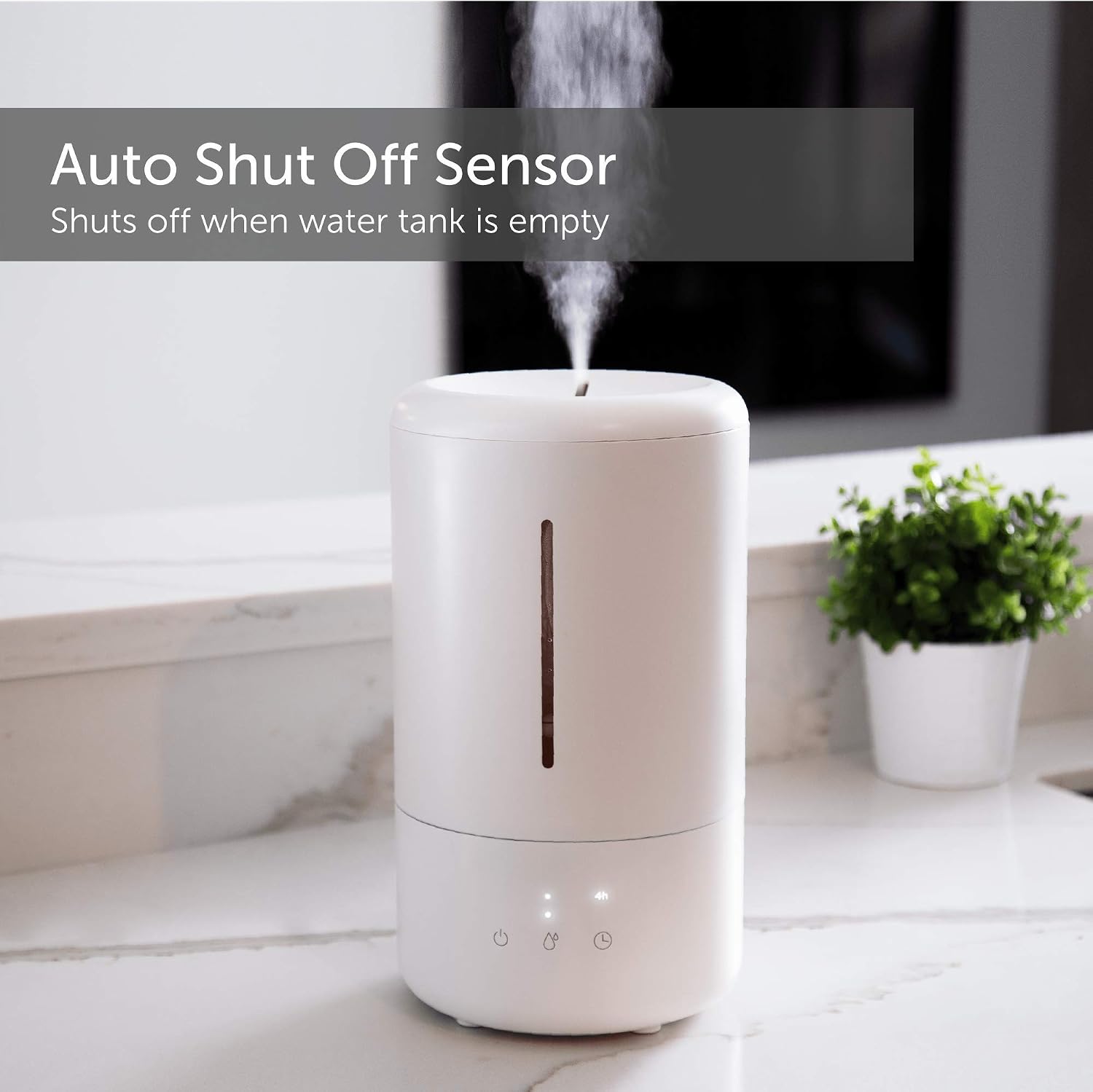
Image: The humidifier emitting mist, with a text overlay indicating the auto shut-off sensor activates when the water tank is empty.
Official Product Video
Video: An official product video demonstrating the features and operation of the NOMA Humidifier, including its quiet operation, easy-touch controls, top-fill design, and auto shut-off function. This video is provided by the seller.
Maintenance
Cleaning the Humidifier
Regular cleaning is essential for optimal performance and to prevent mineral buildup.
- Unplug the humidifier before cleaning.
- Empty any remaining water from the tank.
- Wipe down the interior and exterior surfaces with a soft, damp cloth.
- For mineral buildup, use a descaling solution or a mixture of white vinegar and water.
Ion Exchange Filter
The humidifier includes an Ion Exchange Filter designed to reduce calcium and white dust build-up. Refer to the filter's packaging for specific replacement instructions and frequency.
Troubleshooting
If you experience any issues with your NOMA Humidifier, please refer to the following common solutions:
- No Mist Output: Ensure the water tank is filled and properly seated. Check if the power cord is securely plugged in.
- Unusual Noise: Verify the humidifier is on a flat, stable surface. Check for any foreign objects in the water tank or mist outlet.
- White Dust: This is common with hard water. Ensure the ion exchange filter is properly installed and consider using distilled water if white dust persists.
For further assistance, please contact NOMA customer support.
Specifications
| Feature | Detail |
|---|---|
| Brand | Noma |
| Model Name | Noma 3.5L (air humidifier, cool mist ultrasonic) |
| Capacity | 3.5 Liters (0.9 Gallons) |
| Coverage Area | Up to 400 sq. ft. |
| Operation Mode | Ultrasonic |
| Mist Settings | 3 (Low, Medium, High) |
| Run Time | Up to 24 hours |
| Special Features | Auto Shut Off, Quiet, Top Fill Design, Dimmable LED Lights |
| Filter Type | Ion Exchange |
| Dimensions | 7.48 x 7.48 x 13.25 inches |
| Item Weight | 5.24 pounds |
| Wattage | 30 watts |
Warranty and Support
For warranty information and customer support, please refer to the product packaging or visit the official NOMA website. Keep your purchase receipt for any warranty claims.
Ask a question about this manual
Ask about setup, troubleshooting, compatibility, parts, safety, or missing instructions. Manuals+ will review the question and use this page’s manual context to help answer it.