1. Product Overview
The JOYROOM Stylus Pen is a high-sensitivity capacitive pencil designed for seamless interaction with various touchscreen devices, including iPads, other tablets, and smartphones. It offers a smooth and precise experience for tasks such as drawing, writing, and navigation. This stylus features a unique disc tip for accuracy and includes an artist glove for palm rejection, enhancing comfort and functionality during use.
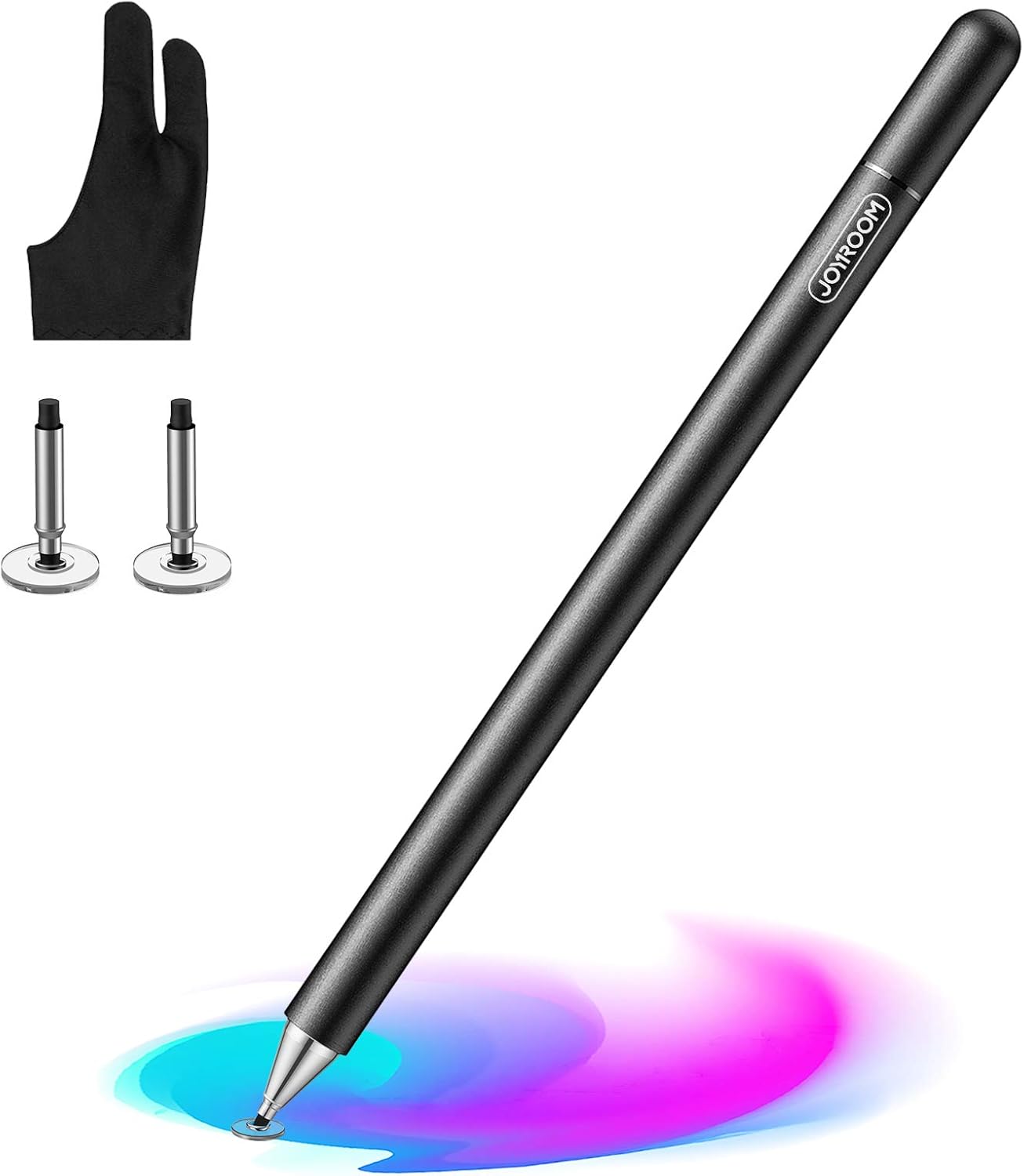
Image: JOYROOM Stylus Pen, showing the pen, two spare disc tips, and an artist glove.
Key Features:
- High Sensitivity: Provides a responsive and accurate touch experience.
- Smooth Operation: Designed for fluid movement across the screen without lag.
- Precision Disc Tip: Offers fine point accuracy for detailed work.
- Palm Rejection: Includes an artist glove to prevent unintended touches from your palm.
- Wide Compatibility: Works with most capacitive touchscreen devices.
- Durable Construction: Made from space aluminum with a matte texture for comfortable grip.
2. Setup
The JOYROOM Stylus Pen requires no charging or Bluetooth pairing. It is ready for immediate use upon removal from its packaging.
Initial Use:
- Remove the magnetic cap from the stylus.
- Ensure the transparent disc tip is securely attached to the pen.
- The stylus is now ready to be used on your touchscreen device.

Image: The JOYROOM Stylus Pen shown alongside various tablets and smartphones, illustrating its broad compatibility.
3. Operating Instructions
The JOYROOM Stylus Pen is designed for intuitive use across various applications and tasks on your touchscreen device.
General Usage:
- Drawing and Writing: Hold the stylus as you would a regular pen or pencil. The transparent disc tip allows for precise placement and smooth lines.
- Navigation: Use the stylus to tap, swipe, and interact with your device's interface, providing a more accurate alternative to finger input.
- Palm Rejection: For drawing or writing applications, wear the included artist glove to prevent your palm from registering unwanted touches on the screen. This allows you to rest your hand naturally while using the stylus.


Images: Left: A visual comparison demonstrating effective palm rejection with the included glove versus without. Right: A user actively drawing on a tablet using the stylus.
Demonstration Videos:
Video: Demonstrates the JOYROOM Stylus Pen's functionality on a touch screen, highlighting its smooth and precise operation for various tasks like writing, drawing, and gaming.
Video: Showcases the JOYROOM Stylus Pen being used by a child for drawing on a tablet, emphasizing its ease of use for younger users.
Video: Illustrates the JOYROOM Stylus Pen's application for drawing on a touchscreen, demonstrating its responsiveness and suitability for creative tasks.
4. Maintenance
Proper maintenance ensures the longevity and optimal performance of your JOYROOM Stylus Pen.
Replacing the Disc Tip:
The transparent disc tip is designed to be replaceable. If the tip becomes worn or damaged, follow these steps:
- Gently pull the old disc tip straight out from the metal nib of the stylus.
- Take a new spare disc tip.
- Carefully insert the new disc tip into the metal nib until it is securely in place.

Image: An exploded view of the stylus tip, illustrating the removable disc and how it attaches to the pen for replacement.
General Care:
- Keep the stylus clean by wiping it with a soft, dry cloth.
- Store the stylus with its magnetic cap on to protect the tip when not in use.
- Avoid dropping the stylus, especially on hard surfaces, as this may damage the tip or internal components.
5. Troubleshooting
If you encounter any issues with your JOYROOM Stylus Pen, consider the following:
- Unresponsive or Inaccurate Touch: Ensure the transparent disc tip is clean and free from debris. Verify that the tip is securely attached to the stylus.
- Screen Protection: Some thick screen protectors may reduce stylus sensitivity. Test the stylus directly on the screen if possible.
- Palm Rejection Issues: Ensure you are wearing the artist glove correctly, covering the palm of your hand that rests on the screen.
6. Specifications
| Brand | JOYROOM |
| Model Number | syulus pen |
| Item Weight | 1.44 ounces |
| Product Dimensions | 6.5 x 0.35 x 0.35 inches |
| Material | Aluminum |
| Compatible Devices | Tablets including Apple iPad (5th generation), Apple iPad Air (1st generation), Apple iPad Pro 10.5-inch, Apple iPad mini 2, and other capacitive touchscreens. |
| Batteries Included | No |
| Batteries Required | No |
| UPC | 716852296248 |

Image: An illustration detailing the internal construction of the stylus, highlighting its space aluminum material and lightweight design (0.7 oz).
7. Warranty and Support
For warranty information, technical support, or any inquiries regarding your JOYROOM Stylus Pen, please refer to the contact information provided with your product packaging or visit the official JOYROOM website.


