
ASHATA ASHATA0xcg4m1stg
ASHATA Digital Door Viewer Instruction Manual
Model: ASHATA0xcg4m1stg
Introduction
The ASHATA Digital Door Viewer is an advanced security device designed to enhance the safety of your home. It features a 4.3-inch HD TFT LCD color display and a 145-degree wide-angle camera, providing a clear and broad view of your doorstep. This manual provides detailed instructions for the installation, operation, and maintenance of your new digital door viewer.
Key Features
- HD Display: Equipped with a 4.3-inch HD TFT LCD screen and a 1-million-pixel professional surveillance camera for high-definition viewing.
- 145-Degree Wide Angle: Offers an expansive field of view to maximize home security.
- Durable Construction: Features a metal lever viewer, indicating a high-quality smart home security product.
- Easy Power Management: Powered by an 1800 mAh lithium-ion battery, supporting USB or mobile power bank charging.
- Simple Operation: Utilizes energy-saving technology with automatic standby and a "one key to view" function. Installation requires no drilling or complex wiring, preserving your door's structure.

Image: The ASHATA Digital Door Viewer, showcasing its 4.3-inch display and the integrated peephole camera. The screen displays a clear image of two children and a dog, demonstrating the device's visual clarity.
Setup and Installation
Follow these steps to properly install your ASHATA Digital Door Viewer. Ensure your door thickness is between 35mm and 110mm for compatibility.
- Prepare the Door: If your door already has a traditional peephole, remove it. If not, drill a suitable hole (typically 14-22mm diameter, refer to the product's specific drill size requirement if available, otherwise use standard peephole size) at the desired height.
- Install the Outdoor Camera Unit: Insert the camera unit (the part with the lens) through the hole from the outside of the door. Ensure the camera is facing outwards and is securely seated.
- Connect the Indoor Monitor: On the inside of the door, connect the cable from the outdoor camera unit to the corresponding port on the back of the indoor monitor.
- Mount the Indoor Monitor: Secure the indoor monitor to the door using the provided mounting bracket and screws. Ensure the monitor is level and firmly attached.
- Power On: Insert the charged 1800 mAh lithium-ion battery into the monitor (if not pre-installed) or connect the device to a USB power source. The device should power on automatically or by pressing the power button.

Image: The digital door viewer installed on a white door, illustrating the placement of the outdoor camera and the indoor 4.3-inch TFT HD screen. The screen displays a clear view of the outside.

Image: A flat lay of the ASHATA Digital Door Viewer components, including the main monitor unit, the peephole camera, a USB charging cable, a metal mounting bracket, and various screws for installation.
Operation
Operating your ASHATA Digital Door Viewer is straightforward. Here are the basic functions:
- Viewing Visitors: Press the "one key to view" button (usually located on the monitor) to activate the screen and see who is at your door. The screen will display the live feed from the outdoor camera.
- Automatic Standby: The device is designed with energy-saving technology and will automatically enter standby mode after a period of inactivity to conserve battery life.
- Charging: When the battery level is low, connect the monitor to a USB power source using the provided cable. You can use a standard USB charger or a mobile power bank.

Image: A hand demonstrating the "One Key to Watch" function, pressing the button on the digital door viewer's screen. The screen displays a clear image of people, highlighting ease of use.
Understanding the Wide Angle View
The 145-degree wide-angle lens provides a significantly broader view compared to traditional peepholes. This allows you to see more of your surroundings and identify visitors more easily, even if they are standing to the side of the door.
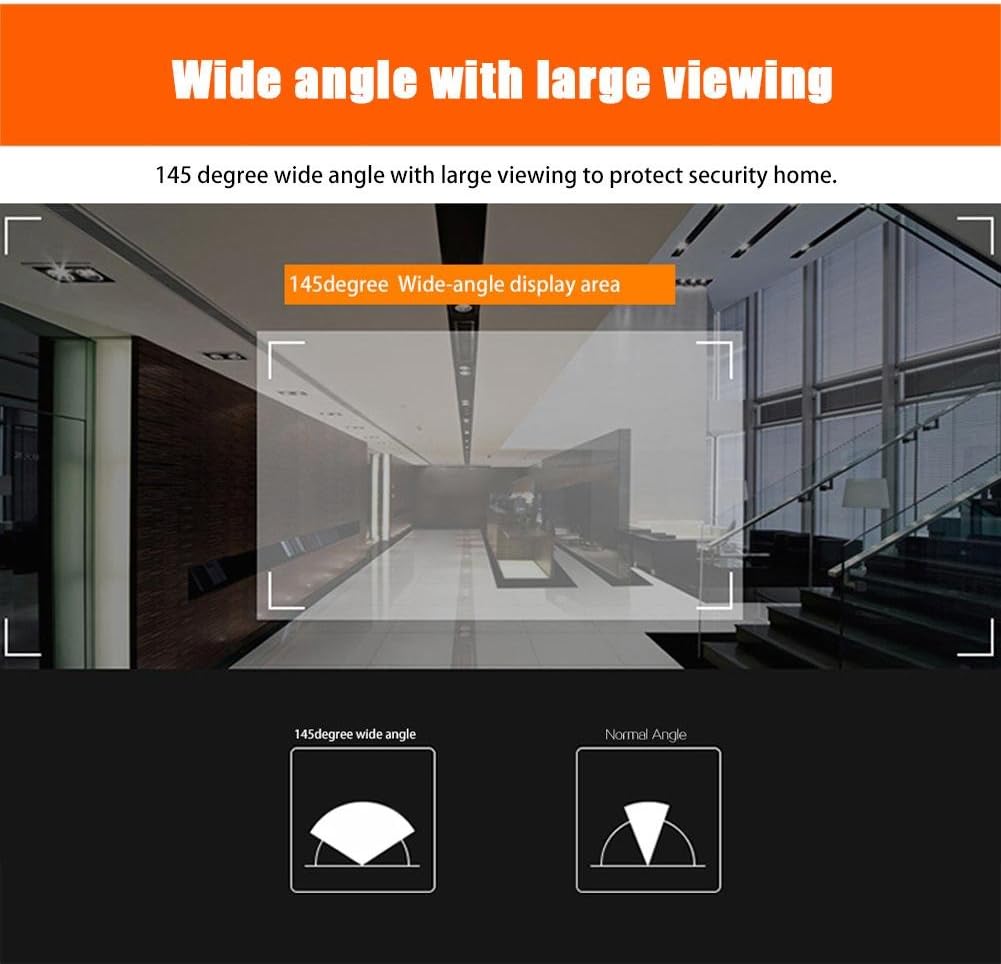
Image: A visual comparison illustrating the expansive 145-degree wide-angle view provided by the ASHATA Digital Door Viewer versus a narrower, normal angle. The diagram shows a larger area covered by the wide-angle lens.

Image: A diagram demonstrating the 145-degree wide-angle display area within a hallway environment, highlighting how much more of the surroundings are visible with the wide-angle lens.
Maintenance
To ensure the longevity and optimal performance of your ASHATA Digital Door Viewer, follow these simple maintenance guidelines:
- Cleaning the Screen and Lens: Use a soft, dry, lint-free cloth to gently wipe the screen and the camera lens. For stubborn smudges, slightly dampen the cloth with water or a screen-safe cleaner. Avoid abrasive materials or harsh chemicals.
- Battery Care: Recharge the battery regularly, especially if the device is not used frequently. Avoid completely draining the battery for extended periods.
- Environmental Conditions: Keep the device away from extreme temperatures, direct sunlight, and high humidity. While designed for outdoor use, protect the outdoor camera unit from direct heavy rain if possible, though it is built to withstand typical weather conditions.
- Firmware Updates: Check the manufacturer's website periodically for any available firmware updates that may improve performance or add new features.
Troubleshooting
If you encounter issues with your ASHATA Digital Door Viewer, refer to the following common problems and their solutions:
| Problem | Possible Cause | Solution |
|---|---|---|
| Screen is blank or not turning on. | Low battery; device is off; loose connection. | Charge the battery; press the power button; check cable connections between camera and monitor. |
| Image is blurry or unclear. | Dirty camera lens; poor lighting conditions; camera not properly seated. | Clean the camera lens with a soft cloth; ensure adequate lighting; re-seat the camera unit in the door. |
| Device does not hold a charge. | Faulty battery; charging cable issue; power adapter issue. | Ensure charging cable and adapter are working; if problem persists, the battery may need replacement. |
| No image from the camera. | Camera cable disconnected; camera unit faulty. | Verify the camera cable is securely connected to the monitor. If still no image, contact support. |

Image: The digital door viewer screen displaying a person in a ski mask, illustrating a potential security threat. This image emphasizes the device's role in identifying unknown individuals at the door.
Specifications
| Feature | Detail |
|---|---|
| Brand | ASHATA |
| Model Number | ASHATA0xcg4m1stg |
| Display Screen | 4.3-inch HD TFT LCD Color Display |
| Camera Resolution | 1 Million Pixels |
| Viewing Angle | 145 Degrees Wide Angle |
| Compatible Door Thickness | 35mm - 110mm |
| Power Source | 1800 mAh Lithium-ion Battery (internal, rechargeable via USB) |
| ASIN | B07VD9F342 |
| First Available Date | January 15, 2020 |

Image: A detailed view of the ASHATA Digital Door Viewer monitor, showing its approximate dimensions: 13.4 cm in length, 8.20 cm in width, and 1.35 cm in thickness.

Image: A comparison showing two versions of the ASHATA Digital Door Viewer, labeled "New Type" and "Old Type," indicating that new and old models may be shipped randomly.
Warranty and Support
For warranty information, technical support, or service inquiries regarding your ASHATA Digital Door Viewer, please refer to the documentation included with your purchase or contact ASHATA customer service directly. Specific warranty terms and conditions may vary by region and retailer.
It is recommended to retain your proof of purchase for warranty claims.
For the most up-to-date support information, please visit the official ASHATA website or the retailer's support page where you purchased the product.
Ask a question about this manual
Ask about setup, troubleshooting, compatibility, parts, safety, or missing instructions. Manuals+ will review the question and use this page’s manual context to help answer it.