1. Introduction
This manual provides detailed instructions for the proper use and maintenance of your Retevis EH070K Noise Reduction Walkie Talkie Headset. Designed for clear communication in noisy environments, this headset features a dual electret microphone, 50mm speakers, and robust construction. Please read this manual thoroughly before using the product to ensure optimal performance and longevity.

Figure 1: Retevis EH070K Noise Reduction Walkie Talkie Headset with K-head 2-pin connector.
2. Package Contents
Verify that all items are present in your package:
- 1 x EH070K Walkie Talkie Headset
- 1 x 5 Pin Aviation Headset Link Line
3. Product Features
- Clear Sound Transmission: Dual electret microphone and 50mm diameter speaker ensure clear and loud sound.
- Noise Reduction: Effective noise reduction for clear communication in loud environments such as racing, UTV/ATV operation, or industrial settings.
- Durable Construction: Features an elastic metal bracket and Kevlar type PU wire for extended service life.
- Volume Adjustment: Integrated volume adjustment knob on the earmuff for easy sound level control.
- Adjustable Headband: The headband can be adjusted to fit various head sizes for comfortable wear.
- Rotatable Microphone: The microphone can rotate 300 degrees, allowing for flexible positioning.
- K-Head 2-Pin Connector: Compatible with a wide range of two-way radios.
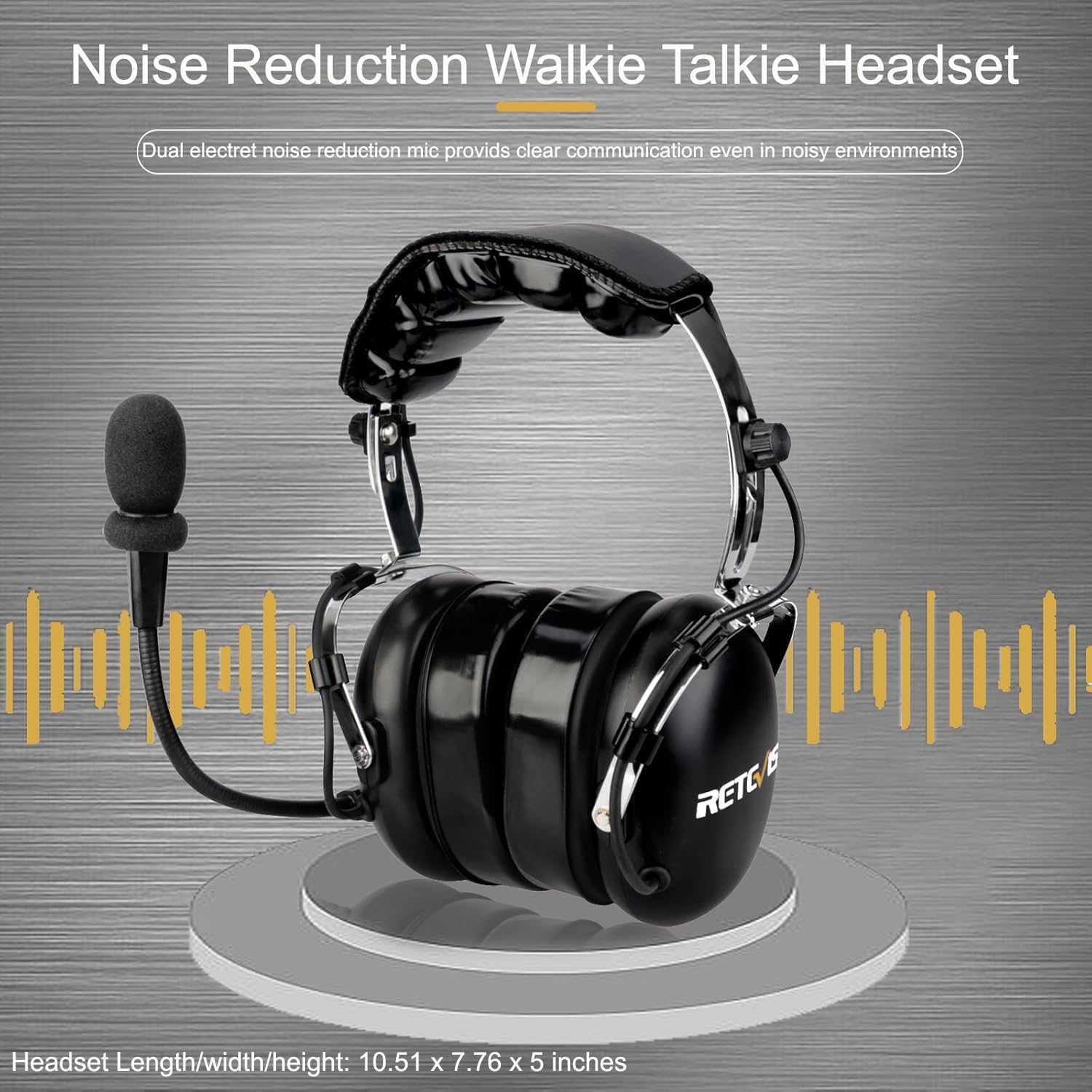
Figure 2: Headset highlighting noise reduction capabilities.

Figure 3: Soft head pad and earmuffs designed for comfort.

Figure 4: Illustration of the durable elastic metal bracket and Kevlar PU wire.

Figure 5: Volume adjustment knob on the headset earmuff.
4. Setup Instructions
4.1 Connecting to Your Radio
- Identify the K-head 2-pin connector on your headset cable.
- Align the two pins with the corresponding ports on your compatible two-way radio.
- Gently push the connector firmly into the radio's port until it is securely seated.

Figure 6: K-head 2-pin connector for radio compatibility.
4.2 Adjusting for Fit
- Place the headset over your head, ensuring the earmuffs cover your ears completely.
- Adjust the headband using the adjustment knobs on each side until the headset fits snugly and comfortably.
- Position the microphone: Rotate the microphone boom (300° rotation) so that the microphone is approximately 1-2 inches from your mouth.

Figure 7: Headband adjustment mechanism for a comfortable fit.
5. Operating Instructions
5.1 Volume Control
Locate the volume adjustment knob on the side of the headset earmuff. Rotate the knob clockwise to increase volume and counter-clockwise to decrease volume. Adjust the volume to a comfortable listening level based on your environment.
5.2 Using the Push-to-Talk (PTT) Button
The headset includes a large, easy-to-operate PTT button. To transmit, press and hold the PTT button. Speak clearly into the microphone. Release the PTT button to stop transmitting and listen for incoming communication.

Figure 8: Large PTT button and 360-degree rotatable microphone for ease of use.
6. Compatibility
The Retevis EH070K headset features a K-head 2-pin connector, making it compatible with a wide range of two-way radios, including but not limited to:
- Retevis Radios: H-777, H-777H, RT21, RT22, RT68, RT-5R, NR10, RT86, RA89, RA79, A1, C2, RB26H, RB66P
- Baofeng Radios: UV-5R, 5RM, BF-F8HP, BF-888S, AT-D878UVII Plus
- Other Compatible Brands: Kenwood, Rugged Radios, Pxton, Samcon, Arcshell, AnyTone, Linton
Note: Not compatible with Motorola and Retevis B3 series walkie-talkies.
7. Care and Maintenance
- Cleaning: Use a soft, dry cloth to wipe the headset. Do not use harsh chemicals or abrasive cleaners.
- Storage: Store the headset in a cool, dry place away from direct sunlight and extreme temperatures.
- Cable Care: Avoid sharp bends or excessive pulling on the cable to prevent damage.
- Water Resistance: This headset is not water resistant. Avoid exposure to rain or moisture.
8. Troubleshooting
- No Sound/Low Volume:
- Ensure the K-head 2-pin connector is fully inserted into the radio.
- Check the volume knob on the headset and the radio's volume setting.
- Verify the radio is powered on and functioning correctly.
- Microphone Not Transmitting:
- Ensure the PTT button is being pressed firmly during transmission.
- Check the microphone's position; it should be close to your mouth.
- Confirm the radio is in transmit mode.
- Distorted Audio:
- Adjust the volume to prevent overdriving the speakers.
- Check for loose connections at the radio port.
- Ensure the radio's signal is clear.
9. Technical Specifications
| Feature | Specification |
|---|---|
| Model Name | EH070K |
| Item Model Number | FC9078A |
| Noise Control | Active Noise Cancellation |
| Frequency Response | 8000 Hz |
| Sensitivity | 119 dB |
| Headphones Jack | Kenwood 2 Pin |
| Connectivity Technology | Wired |
| Included Components | 1 x EH070K Walkie Talkie Headset; 1 x 5 Pin Aviation Headset Link Line |
| Material | Rubber |
| Compatible Devices | Retevis, Baofeng, Kenwood, Arcshell, Linton two-way radios |
| Control Type | Volume Control |
| Cable Feature | Retractable |
| Item Weight | 838 Grams (1.85 pounds) |
| Water Resistance Level | Not Water Resistant |
| Special Feature | 300° rotation microphone, Adjustable volume button |
| Product Dimensions | 10.51 x 7.76 x 5 inches |
10. Warranty and Support
For warranty information and customer support, please refer to the documentation provided with your purchase or visit the official Retevis website. Keep your proof of purchase for any warranty claims.