
1. Product Overview
The eKids Wired Headphones are designed for children, offering a safe and comfortable audio experience. These headphones feature a 3.5mm jack for universal compatibility and include parental volume control to protect young ears. The adjustable headband and soft ear cushions ensure a comfortable fit for extended use.

Image 1.1: Overview of the eKids Wired Headphones. This image displays the full product, highlighting its black and green design, the padded earcups, adjustable headband, and the attached 3.5mm audio cable.
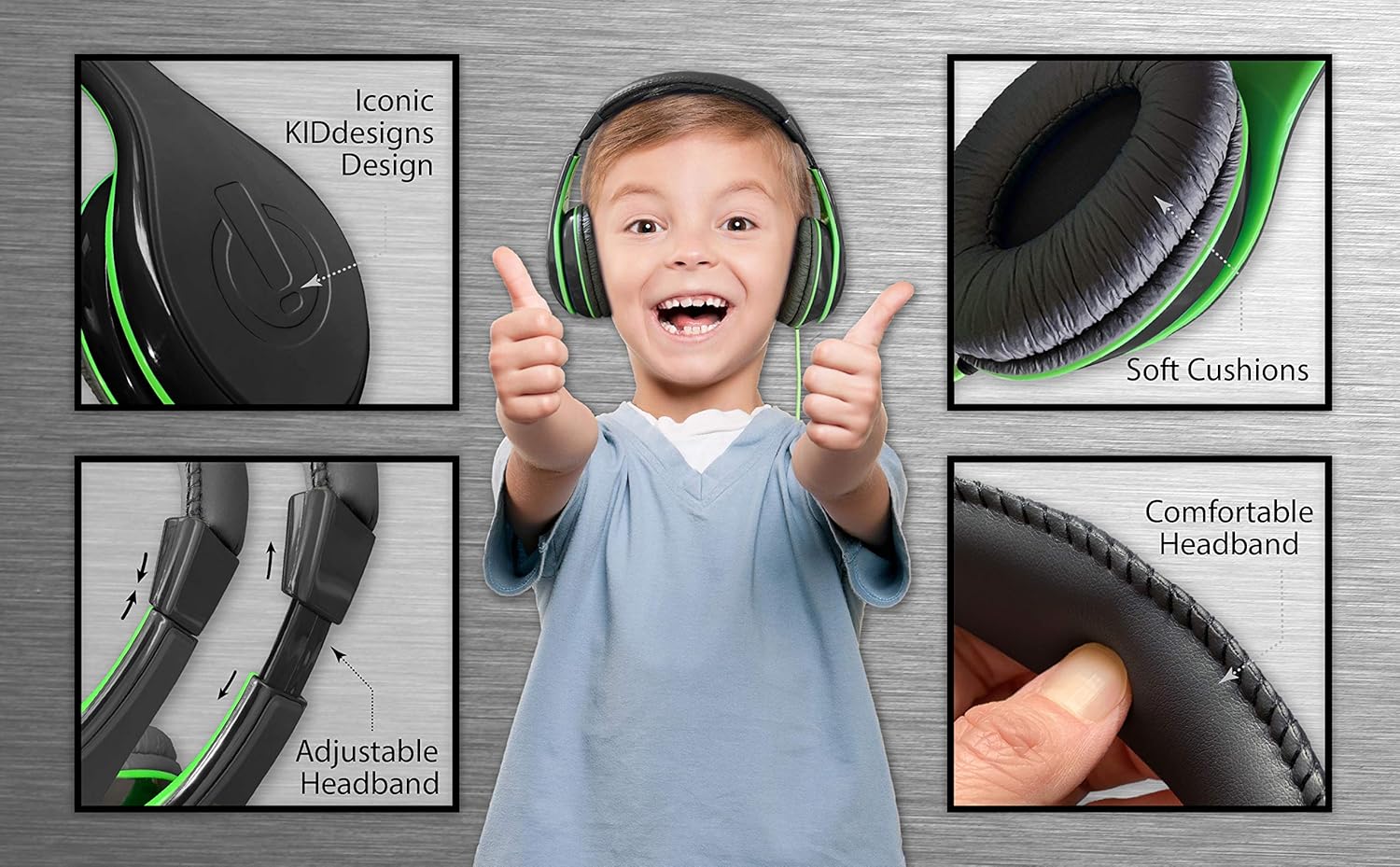
Image 1.2: Key Features of the eKids Headphones. This image highlights the soft ear cushions, comfortable headband, and adjustable headband mechanism, demonstrating the design elements for user comfort.
Key Features:
- Universal Compatibility: Connects to smartphones, tablets, and computers via a standard 3.5mm audio jack.
- Parental Volume Control: Built-in switch to limit sound levels for safe listening.
- Custom Fit: Adjustable headband and soft ear cushions to provide a personalized and comfortable fit.
- Durable Design: Features a tangle-free cord and robust construction suitable for children's use.
2. Setup
Setting up your eKids Wired Headphones is straightforward. Follow these steps to begin using your headphones:
- Unpack the Headphones: Carefully remove the headphones from their packaging.
- Identify the Audio Jack: Locate the 3.5mm audio jack at the end of the headphone cable.
- Connect to Device: Plug the 3.5mm audio jack into the corresponding audio port on your smartphone, tablet, computer, or other compatible audio device.
- Adjust Headband: Gently extend or retract the headband to fit comfortably over the user's head. The ear cushions should rest fully over the ears.

Image 2.1: Child connecting and using the eKids headphones with a laptop. This image illustrates the headphones in use, connected to a device, and highlights the comfortable fit for a child.
3. Operating Instructions
Once connected, the headphones are ready for use. Audio will play through the headphones when your device outputs sound.
- Audio Playback: Start playing audio (music, videos, audiobooks) on your connected device.
- Device Volume Control: Adjust the primary volume level using the controls on your connected device.
- Headphone Adjustment: Ensure the ear cushions fully cover the ears for optimal sound quality and comfort.
4. Parental Volume Control
The eKids Wired Headphones include a built-in volume limiting switch to help protect children's hearing. This feature allows you to set a maximum volume level suitable for different listening environments.
Adjusting the Volume Limiter:
- Locate the volume limiting switch on the side of one of the earcups.
- The switch typically has three settings: H (High), M (Medium), and L (Low).
- Slide the switch to the desired volume level. It is recommended to use the 'L' (Low) setting for quiet environments and 'M' (Medium) for general use. The 'H' (High) setting should be used with caution and under adult supervision in noisy environments.
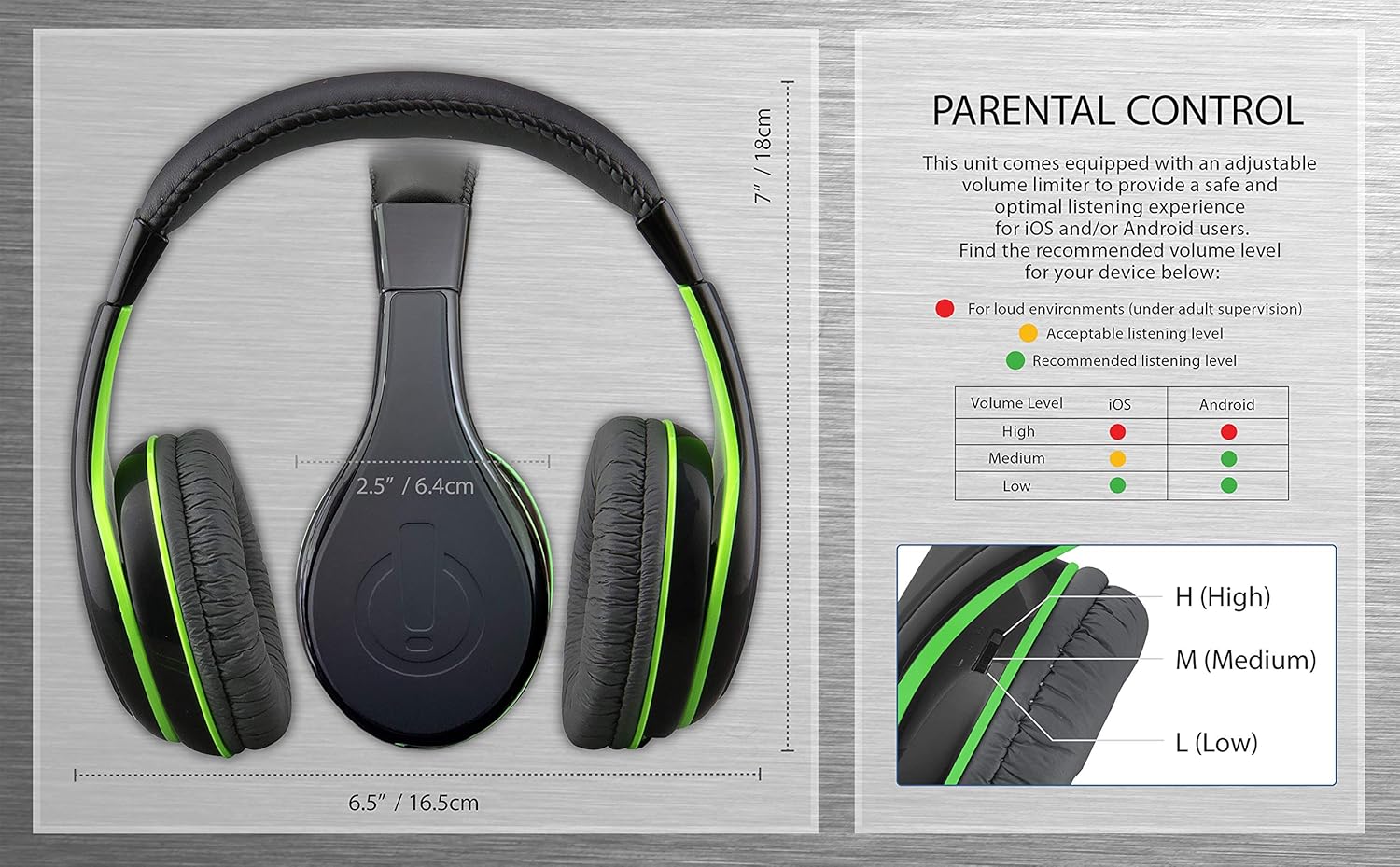
Image 4.1: Parental Control Diagram. This image provides a visual guide to the headphone dimensions and details the parental volume control switch with recommended listening levels for iOS and Android devices (High, Medium, Low).
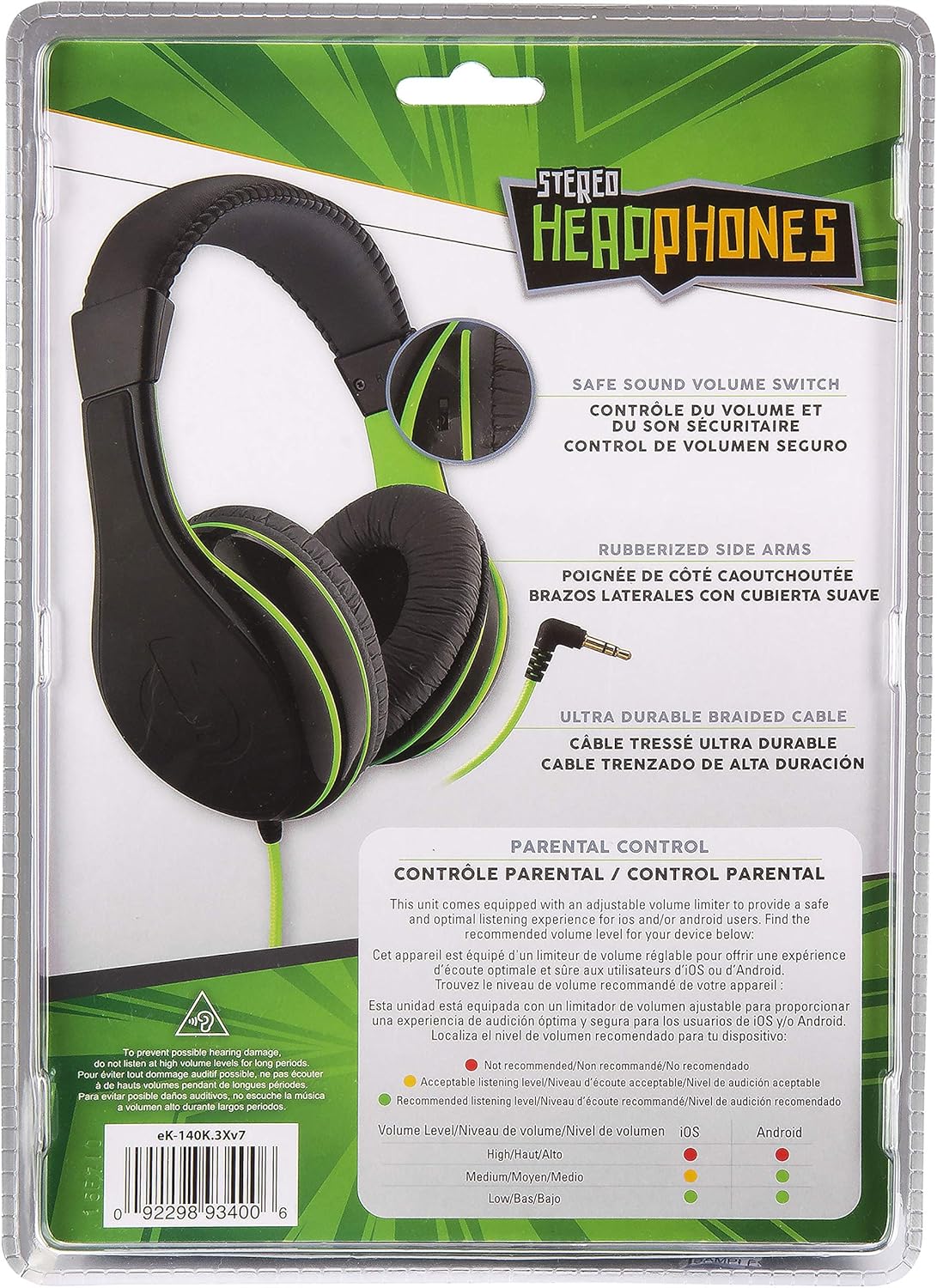
Image 4.2: Volume Limiting Switch Location. This image shows the back of the product packaging, clearly indicating the location of the adjustable safe sound volume switch on the headphone earcup.
Important: Always supervise children when they are using headphones, especially when adjusting volume levels. Prolonged exposure to loud sounds can cause hearing damage.
5. Maintenance
Proper care and maintenance will extend the life of your eKids Wired Headphones.
- Cleaning: Use a soft, dry cloth to wipe the headphones. Do not use liquid cleaners or abrasive materials.
- Storage: Store the headphones in a clean, dry place when not in use. Avoid extreme temperatures.
- Cable Care: Do not pull on the cable to disconnect from a device. Always grasp the plug. Avoid sharp bends or kinks in the cable.
- Water Exposure: These headphones are not water-resistant. Avoid exposure to water or excessive moisture.
6. Troubleshooting
If you encounter issues with your eKids Wired Headphones, refer to the following common solutions:
| Problem | Possible Solution |
|---|---|
| No sound |
|
| Sound is distorted or unclear |
|
| Headphones are uncomfortable |
|
7. Specifications
| Feature | Detail |
|---|---|
| Model Name | eKids Wired Headphones Black |
| Model Number | eK-140B.3Xv7 |
| Brand | eKids |
| Connectivity Technology | Wired (3.5 mm Jack) |
| Ear Placement | Over Ear |
| Control Type | Volume Control (Parental Limiter) |
| Cable Feature | Tangle Free |
| Frequency Range | 20 Hz - 20,000 Hz |
| Impedance | 32 Ohm |
| Material | Plastic |
| Item Weight | 8.8 ounces |
| UPC | 092298934006 |
| Included Components | Wired headphone |
8. Warranty and Support
For warranty information or technical support, please refer to the contact details provided with your product packaging or visit the official eKids website. Keep your purchase receipt for warranty claims.
Manufacturer: KIDdesigns