
1. Introduction
Welcome to the user manual for your new Whirlpool MCP346BL Microwave Oven. This manual provides essential information for the safe and efficient operation of your appliance. Please read it thoroughly before using the microwave oven and keep it for future reference. This appliance is designed for domestic use only.
2. Safety Instructions
Always follow basic safety precautions when using electrical appliances to reduce the risk of fire, electric shock, injury to persons, or exposure to excessive microwave energy.
- Read all instructions before using the appliance.
- Do not operate the oven when empty.
- Do not attempt to tamper with, or make any adjustments or repairs to the door, control panel, safety interlock switches, or any other part of the oven.
- Do not heat liquids or other foods in sealed containers since they are liable to explode.
- Only use utensils that are suitable for use in microwave ovens.
- When heating food in plastic or paper containers, keep an eye on the oven due to the possibility of ignition.
- If smoke is observed, switch off or unplug the appliance and keep the door closed in order to stifle any flames.
- This appliance is not intended for use by persons (including children) with reduced physical, sensory or mental capabilities, or lack of experience and knowledge, unless they have been given supervision or instruction concerning use of the appliance by a person responsible for their safety.
- Children should be supervised to ensure that they do not play with the appliance.
- The microwave oven should be cleaned regularly and any food deposits removed.
- Failure to maintain the oven in a clean condition could lead to deterioration of the surface that could adversely affect the life of the appliance and possibly result in a hazardous situation.
3. Product Overview
The Whirlpool MCP346BL is a 25-liter countertop microwave oven featuring both microwave and grill functions, along with specialized Crisp and Steam cooking modes. Its sleek black design and electronic controls make it a versatile addition to any kitchen.
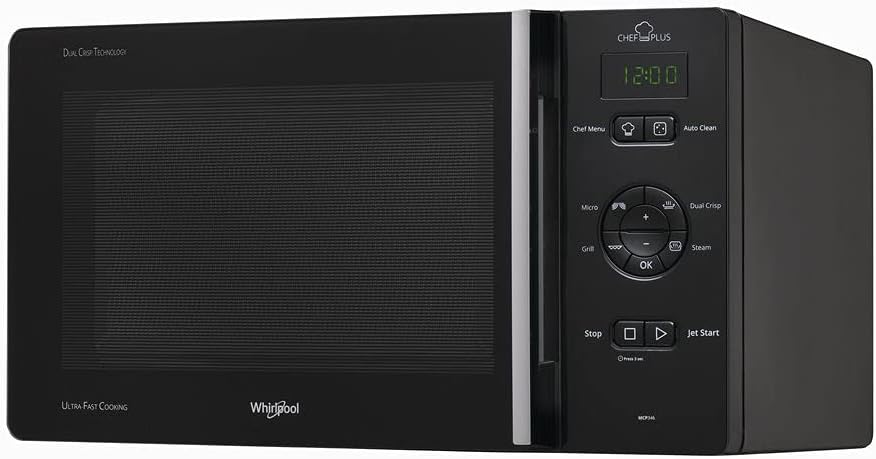
Figure 3.1: Overall view of the Whirlpool MCP346BL Microwave Oven. This image shows the sleek black exterior and the control panel on the right side.

Figure 3.2: Front view of the microwave oven, highlighting the door handle and the integrated control panel.
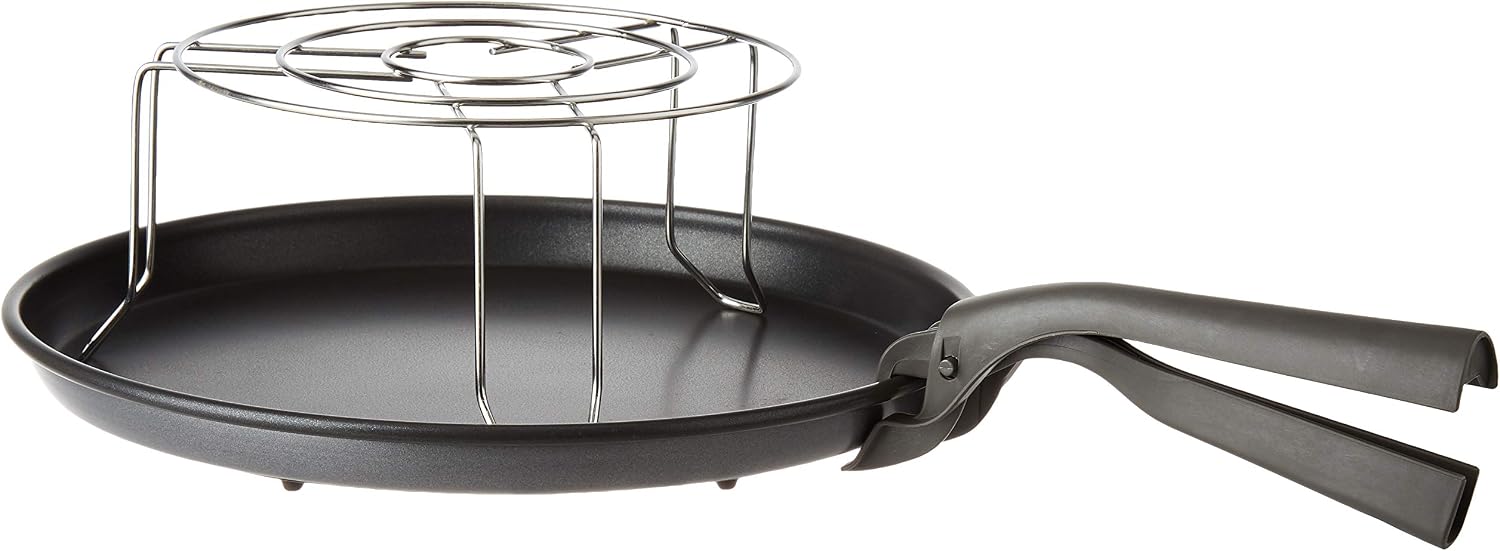
Figure 3.3: Detailed view of the electronic control panel, showing the display, function buttons (Chef Menu, Auto Clean, Micro, Grill, Dual Crisp, Steam), and the central control knob with OK button, Stop, and Jet Start.

Figure 3.4: Interior of the microwave oven, showing the glass turntable and the interior cavity. The door opens to the side.

Figure 3.5: Included accessories: a metal grill rack for grilling functions and a crisp plate with a handle for achieving crispy results.
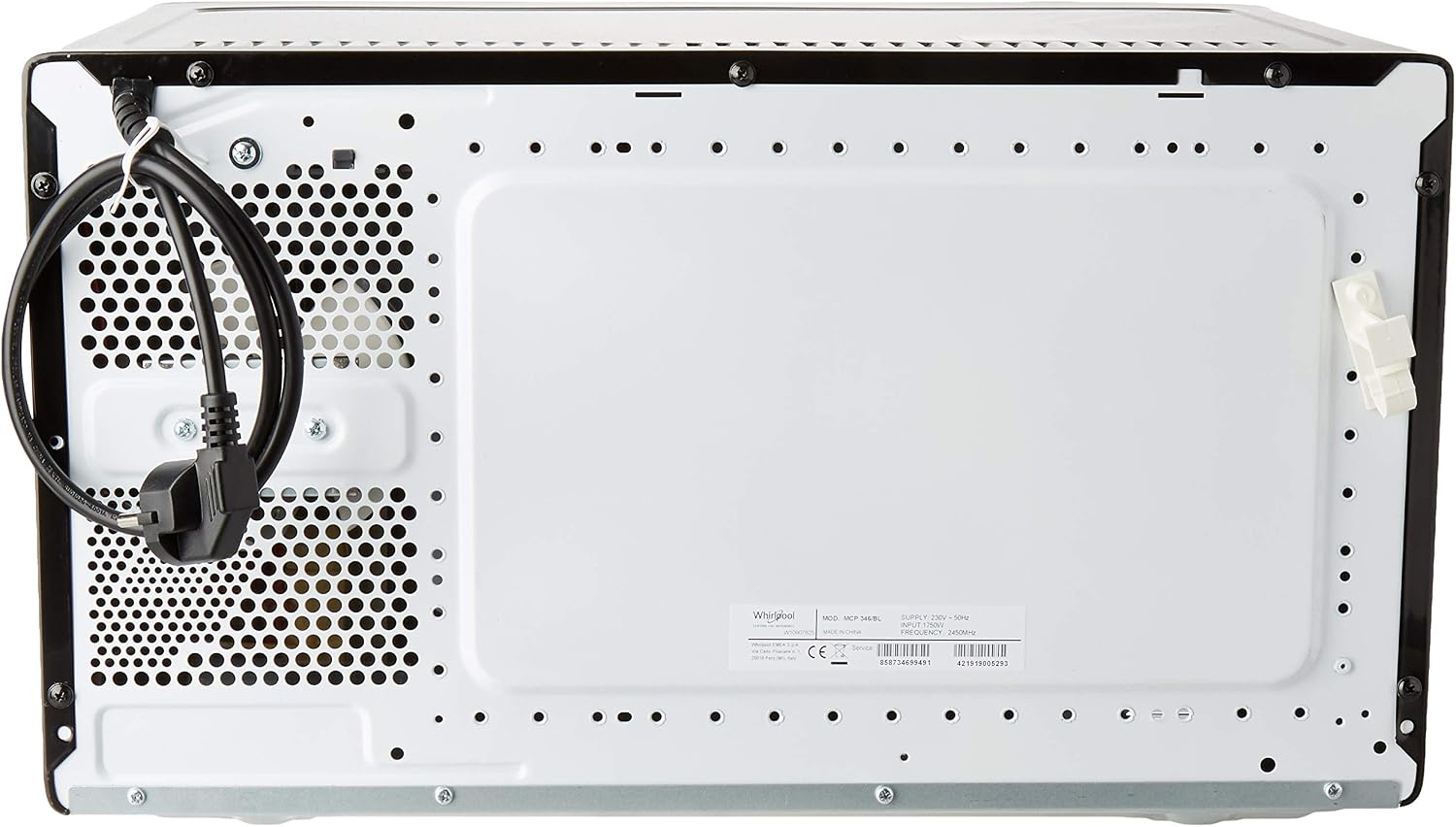
Figure 3.6: Rear view of the microwave oven, showing the power cord connection and ventilation openings. Ensure these vents are not obstructed during operation.
4. Setup
4.1 Unpacking
Carefully remove the microwave oven and all packing materials from the carton. Check the oven for any damage, such as dents or a broken door. Do not operate the oven if it is damaged. Retain the packaging for future transport or disposal.
4.2 Placement
Place the microwave oven on a flat, stable surface that can support its weight and the heaviest food item likely to be cooked in it. Ensure there is adequate ventilation space around the oven:
- Minimum 20 cm (8 inches) of space above the oven.
- Minimum 10 cm (4 inches) of space at the rear and sides.
- Do not block any ventilation openings.
- Do not place the oven near heat sources such as radiators or stoves.
4.3 Electrical Connection
Plug the power cord into a grounded electrical outlet. Ensure the voltage and frequency of your power supply match the specifications on the appliance rating label (230V, 50Hz). Do not use extension cords or adapters.
4.4 Initial Cleaning
Before first use, wipe the interior and exterior of the oven with a damp cloth. Clean the glass turntable and any accessories with warm, soapy water, then rinse and dry thoroughly.
4.5 Setting the Clock
Upon plugging in, the display will show '0:00' or similar. Refer to the control panel section for specific instructions on setting the time using the control knob and OK button.
5. Operating Instructions
5.1 Control Panel Overview
The control panel features a digital display and various buttons and a central control knob for selecting functions and adjusting settings.
- Display: Shows time, cooking settings, and indicators.
- Chef Menu: Accesses pre-programmed cooking recipes.
- Auto Clean: Activates the automatic cleaning cycle.
- Micro: Selects microwave cooking mode. Press repeatedly to cycle through power levels.
- Grill: Activates the grill function.
- Dual Crisp: Combines microwave and grill for crispy results, typically used with the crisp plate.
- Steam: Activates the steam cooking function.
- +/- Control Knob: Used to adjust time, weight, or select menu options.
- OK: Confirms selections.
- Stop: Stops cooking, clears settings, or cancels a program.
- Jet Start: Starts cooking immediately at full microwave power for a preset duration (e.g., 30 seconds per press).
5.2 Basic Microwave Cooking
- Place food in a microwave-safe container on the turntable.
- Close the oven door.
- Press the Micro button to select the desired power level (e.g., 800W, 600W, etc.).
- Use the +/- Control Knob to set the cooking time.
- Press OK or Jet Start to begin cooking.
5.3 Grill Function
- Place food on the grill rack provided, then place the rack on the turntable.
- Close the oven door.
- Press the Grill button.
- Use the +/- Control Knob to set the grilling time.
- Press OK to begin grilling.
5.4 Dual Crisp Function
This function is ideal for achieving crispy results on foods like pizza, fries, or chicken. Always use the dedicated crisp plate for this function.
- Place food directly on the crisp plate.
- Place the crisp plate on the turntable.
- Close the oven door.
- Press the Dual Crisp button.
- Use the +/- Control Knob to set the cooking time.
- Press OK to begin.
5.5 Steam Function
The steam function allows for healthy cooking of vegetables, fish, and other foods. Use a microwave-safe steaming container (not necessarily included).
- Add water to the steaming container as per its instructions, then place food in the steaming basket.
- Place the steaming container on the turntable.
- Close the oven door.
- Press the Steam button.
- Use the +/- Control Knob to set the steaming time.
- Press OK to begin steaming.
5.6 Chef Menu
The Chef Menu provides a selection of pre-programmed recipes for various food types. Follow the on-screen prompts for weight and quantity.
- Press the Chef Menu button.
- Use the +/- Control Knob to scroll through the available recipes.
- Press OK to select a recipe.
- Adjust weight/quantity if prompted using the +/- Control Knob.
- Press OK to start cooking.
5.7 Auto Clean
This function assists in cleaning the oven interior by loosening food residues with steam.
- Place a microwave-safe bowl with water (e.g., 200ml) and a few drops of lemon juice on the turntable.
- Close the oven door.
- Press the Auto Clean button.
- The oven will run a short cycle. Once complete, carefully remove the bowl and wipe the interior with a damp cloth.
5.8 Jet Start
For quick heating, the Jet Start function allows you to start the oven at full power with a single press.
- Press the Jet Start button. Each press adds a preset amount of cooking time (e.g., 30 seconds) at full microwave power.
- The oven will start immediately.
6. Maintenance and Cleaning
Regular cleaning and maintenance will ensure the longevity and optimal performance of your microwave oven.
6.1 Interior Cleaning
- After each use, wipe the interior cavity with a damp cloth to remove any food splatters.
- For stubborn stains, use a mild detergent or a solution of water and lemon juice. Do not use abrasive cleaners or scouring pads.
- Ensure the oven is unplugged before cleaning.
6.2 Exterior Cleaning
- Clean the exterior surfaces with a soft, damp cloth.
- Avoid getting water into the ventilation openings.
- Wipe the control panel gently with a damp cloth.
6.3 Turntable and Accessories
- The glass turntable and roller ring can be removed for cleaning. Wash them in warm, soapy water or in a dishwasher.
- Clean the grill rack and crisp plate with warm, soapy water. Ensure they are completely dry before storing or reusing.
6.4 Odor Removal
To remove odors from the oven, combine a cup of water with several slices of lemon or a few tablespoons of vinegar in a microwave-safe bowl. Microwave on high power for 5-7 minutes. Allow to cool, then wipe the interior with a clean cloth.
7. Troubleshooting
If you encounter issues with your microwave oven, consult the following table for common problems and solutions.
| Problem | Possible Cause | Solution |
|---|---|---|
| Oven does not start | Power cord not plugged in; Door not closed properly; Fuse blown or circuit breaker tripped. | Ensure plug is firmly in outlet; Close door securely; Check household fuse/circuit breaker. |
| Food not heating | Door not closed properly; Cooking time/power level set incorrectly. | Close door firmly; Re-enter cooking time and power level. |
| Turntable not rotating | Turntable not placed correctly on roller ring; Roller ring or turntable dirty. | Ensure turntable is seated correctly; Clean turntable and roller ring. |
| Oven light not working | Bulb needs replacement. | Contact qualified service personnel for bulb replacement. |
| Unusual noise during operation | Food container touching oven walls; Turntable not centered. | Adjust food container position; Re-center turntable. |
If the problem persists after trying these solutions, please contact Whirlpool customer service or a qualified service technician.
8. Specifications
Detailed technical specifications for the Whirlpool MCP346BL Microwave Oven.
| Feature | Specification |
|---|---|
| Brand | Whirlpool |
| Model Number | MCP346BL |
| Appliance Type | Countertop Microwave Oven |
| Capacity | 25 Liters |
| Microwave Power | 800 Watts |
| Grill Power | 800 Watts |
| Dimensions (W x D x H) | 52 x 42.5 x 32.1 cm |
| Net Weight | 15.5 kg |
| Gross Weight (Packaged) | 18.2 kg |
| Turntable Diameter | 280 mm |
| Control Type | Electronic Controls / Control Knob |
| Voltage | 230 Volts |
| Frequency | 50 Hz |
| Connection Power | 1750 Watts |
| Cable Length | 90 cm |
| Door Opening | Side opening (left hinge) |
| Color | Black |
| Material | Glass, Metal |
| EAN Code | 8003437860843 |
9. Warranty and Support
Your Whirlpool MCP346BL Microwave Oven comes with a manufacturer's warranty. Please refer to the warranty card included with your purchase for specific terms and conditions, including the warranty period and coverage details. Keep your proof of purchase for warranty claims.
For technical assistance, spare parts, or service inquiries, please contact Whirlpool customer support. Contact information can typically be found on the Whirlpool official website or in the documentation provided with your appliance.
When contacting support, please have your model number (MCP346BL) and serial number (if applicable) ready to assist the service representative.
