
Noma 4.0
Noma 4L Warm/Cool Mist Ultrasonic Humidifier User Manual
Model: 4.0
Introduction
The NOMA 4.0 Liter (1.05 gal) Ultrasonic Humidifier is designed to maintain optimal humidity levels in indoor spaces, particularly during dry seasons. It is suitable for areas up to 520 square feet. This humidifier features a removable top cap for easy refilling, adjustable mist temperature (cool to warm), and timed shut-off options. It also includes an Ion Exchange Filter to reduce mineral buildup and an intelligent auto shut-off sensor for safety. Operating at 40 dB, it is designed for quiet performance.

Figure 1: Noma 4L Warm/Cool Mist Ultrasonic Humidifier, front view.
Setup
Before first use, ensure all packaging materials are removed. Place the humidifier on a flat, stable, and water-resistant surface, away from direct sunlight or heat sources.
Filling the Water Tank
- Remove the top cap of the humidifier.
- Fill the water tank directly from the top opening with clean, cool tap water. Do not exceed the maximum fill line.
- Replace the top cap securely.
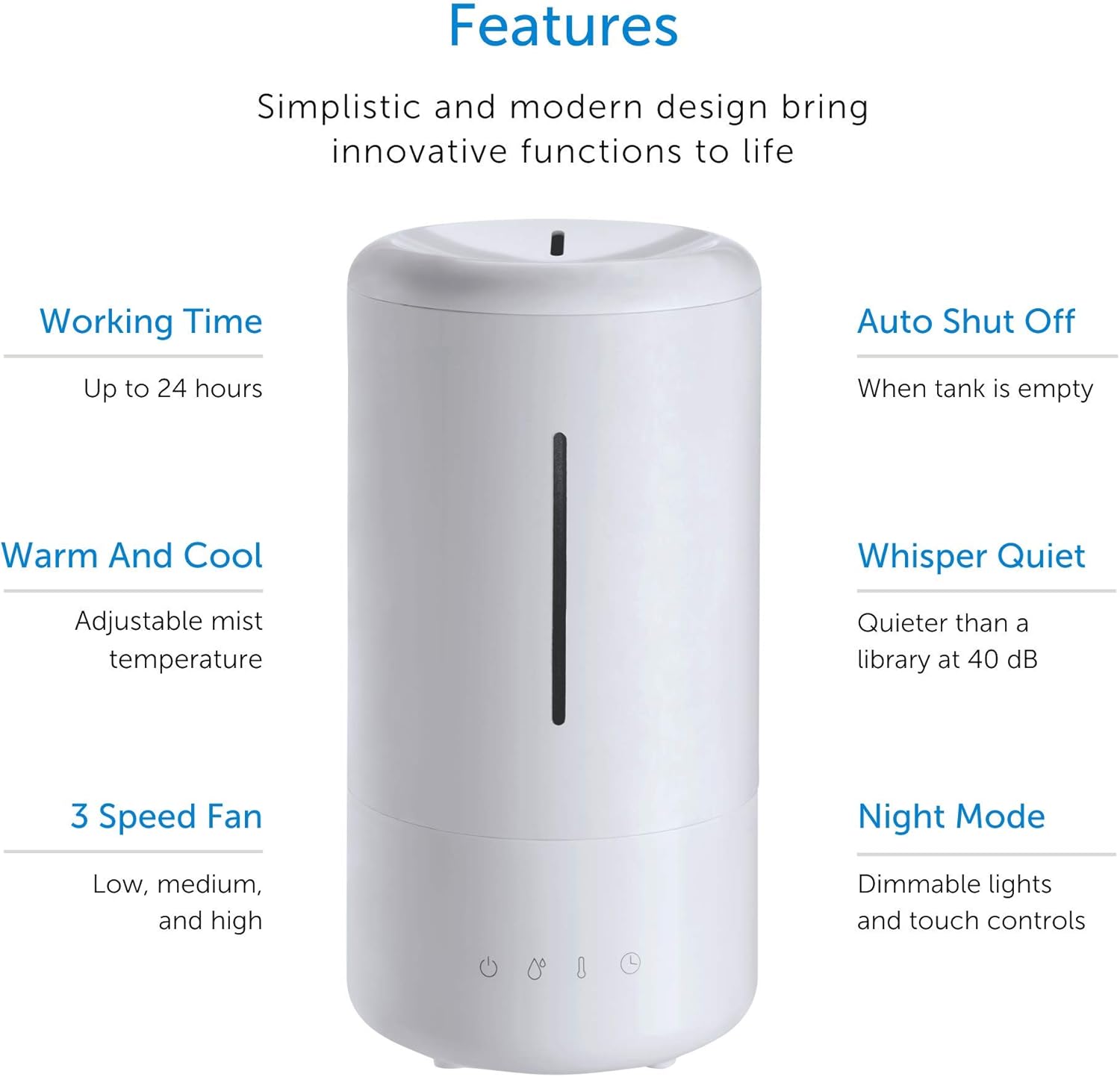
Figure 2: Humidifier with top cap removed, ready for filling.

Figure 3: Demonstrating the easy top-fill water tank design.
Operating Instructions
The Noma Humidifier features an intuitive EasyTouch™ control panel with "Secret-Until-Lit" technology, where control lights are visible only when active and dimmable for night use.

Figure 4: EasyTouch™ control panel with illuminated icons for power, mist level, temperature, and timer.
Power On/Off
- Press the Power button (power icon) to turn the unit on or off.
Adjusting Mist Level
- Press the Mist Level button (water drop icons) repeatedly to cycle through three mist settings: Low, Medium, and High. The corresponding indicator lights will illuminate.
Adjusting Mist Temperature (Warm/Cool)
- Press the Mist Temperature button (thermometer icon) to switch between cool mist and warm mist. An indicator light will show the selected temperature.
Setting the Timer
- Press the Timer button (clock icon) to set the humidifier to operate for 2, 4, or 8 hours. The unit will automatically shut off after the selected time.
Auto Shut-Off Feature
- The humidifier is equipped with an intelligent auto shut-off sensor that will turn the unit off automatically when the water tank is empty, ensuring safe operation.
360° Rotating Vapor Cap
- The vapor cap on top of the humidifier can be rotated 360 degrees to direct the mist in any desired direction.

Figure 5: The 360° rotating vapor cap allows for directional mist output.
Official Product Video
Video 1: This video provides a visual overview of the Noma Humidifier's features, including its design, control panel, mist output, and top-fill functionality. It demonstrates the adjustable mist levels and warm/cool mist options.
Maintenance
Regular cleaning and maintenance will ensure optimal performance and longevity of your humidifier.
Ion Exchange Filter
- The humidifier includes an Ion Exchange Filter designed to reduce calcium and white dust buildup in the water tank.
- Periodically inspect the filter for signs of mineral buildup. Refer to the filter replacement instructions for details on when and how to replace it.
Cleaning the Water Tank and Base
- Unplug the humidifier from the power outlet.
- Remove the top cap and empty any remaining water from the tank and base.
- Wipe down the interior of the water tank and the base with a soft, damp cloth. For stubborn mineral deposits, use a solution of white vinegar and water (1 part vinegar to 1 part water). Let it soak for 20-30 minutes, then scrub gently and rinse thoroughly.
- Ensure all parts are completely dry before reassembling the unit.
Note: Do not submerge the base of the humidifier in water.
Troubleshooting
If you encounter issues with your Noma Humidifier, please refer to the following common problems and solutions:
| Problem | Possible Cause | Solution |
|---|---|---|
| No mist output / Unit not turning on |
|
|
| White dust around the humidifier |
|
|
| Unusual odor from mist |
|
|
Specifications
| Feature | Detail |
|---|---|
| Brand | Noma |
| Model Name | air humidifier |
| Item Model Number | 4.0 |
| Special Feature | Quiet, Auto Shut Off |
| Color | White |
| Floor Area Coverage | Up to 520 Square Feet |
| Operation Mode | Ultrasonic |
| Room Type | Baby, Bedroom, Office |
| Wattage | 100 watts |
| Product Dimensions | 7.48 x 7.48 x 14.17 inches |
| Item Weight | 5.49 pounds |
| Batteries Required | No |
Warranty and Support
Specific warranty information for this product is not provided in the available documentation. For detailed warranty terms, product support, and to register your product, please visit the official Noma website or contact Noma customer service.
You can also visit the Noma Store on Amazon for more information and products: Visit the Noma Store