1. Product Overview
The ZONKO 10.1 Inch Android Tablet (Model K105) is designed for versatile use, offering a blend of entertainment and productivity features. It comes equipped with 2GB RAM and 32GB internal storage, expandable up to 128GB via MicroSD. This tablet supports 3G phone calls and features dual SIM card slots, along with WiFi, Bluetooth, and GPS capabilities. Its 10.1-inch IPS display provides a clear and vibrant viewing experience, powered by a 1.3 GHz Quad Core CPU for smooth performance.
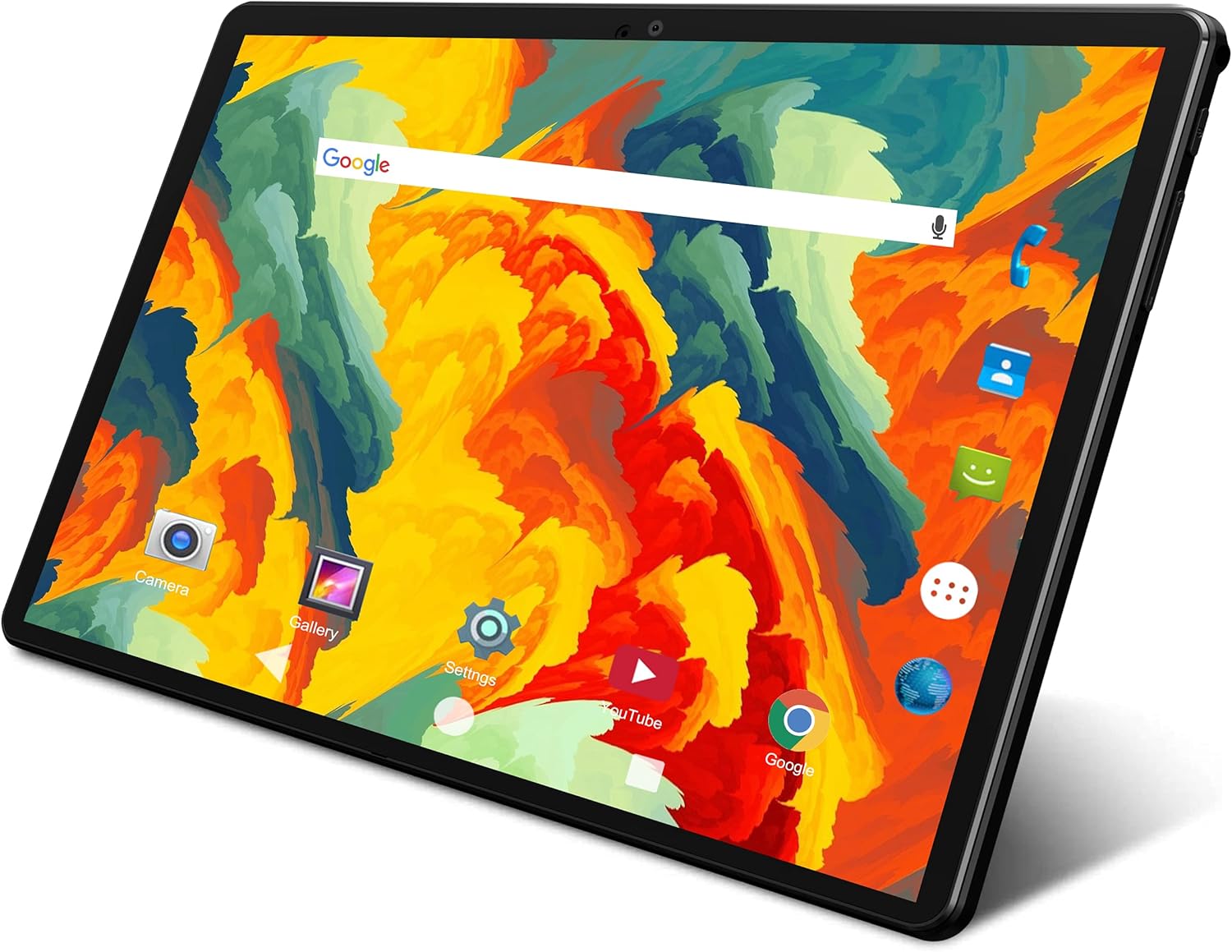
Figure 1: Front view of the ZONKO 10.1 Inch Android Tablet displaying its home screen with various app icons.
2. Getting Started: Initial Setup
2.1 Unboxing and First Power On
Upon unboxing your ZONKO Tablet, ensure all components are present: the tablet, charger, and any included accessories. The tablet may have a protective film on the screen; gently peel it off before use. The tablet comes with a pre-charged battery, allowing for immediate use. Press and hold the Power Key (located on the side) to turn on the device.
2.2 Inserting SIM Cards and MicroSD Card
The ZONKO Tablet supports dual SIM cards for 3G phone calls and a MicroSD card for expandable storage up to 128GB. Locate the SIM/MicroSD card slot cover on the side of the tablet. Gently pry it open. Insert your SIM cards and MicroSD card into their respective slots as indicated. Ensure they are correctly oriented to avoid damage.

Figure 2: Close-up view of the ZONKO Tablet's side, illustrating the dual SIM card and MicroSD card insertion points.
2.3 Initial Software Setup
Follow the on-screen prompts to complete the initial Android 9.0 setup. This typically includes selecting your language, connecting to a Wi-Fi network, setting up your Google account, and configuring basic security settings.
3. Operating Your Tablet
3.1 Navigation and User Interface
The ZONKO Tablet runs on Android 9.0 Nougat. Navigate the interface using touch gestures: tap to select, swipe to scroll, pinch to zoom. The navigation bar at the bottom of the screen typically includes Back, Home, and Recent Apps buttons.
3.2 Connectivity (Wi-Fi, 3G, Bluetooth, GPS)
- Wi-Fi: Connect to 2.4G Wi-Fi networks for internet access. Go to Settings > Network & Internet > Wi-Fi, select your network, and enter the password.
- 3G Phone Call: With a compatible SIM card inserted, you can make and receive phone calls and send messages directly from your tablet. Use the pre-installed Phone and Messages applications.
- Bluetooth: Pair with Bluetooth devices like headphones or speakers. Go to Settings > Connected devices > Bluetooth, turn on Bluetooth, and select your device to pair.
- GPS: The tablet includes GPS for navigation and location-based services. Ensure location services are enabled in Settings > Location for optimal performance with mapping applications.
3.3 Applications and Media
The tablet is suitable for running a variety of entertainment applications. Download apps from the Google Play Store. Enjoy watching HD movies, playing games, and reading eBooks on the 10.1-inch IPS display.

Figure 3: The ZONKO Tablet displaying a movie, highlighting its suitability for media consumption.
3.4 Camera Usage
The tablet features a 2MP front camera and a 5MP rear camera. Open the Camera app to capture photos and videos. Adjust settings like flash and mode within the app interface.
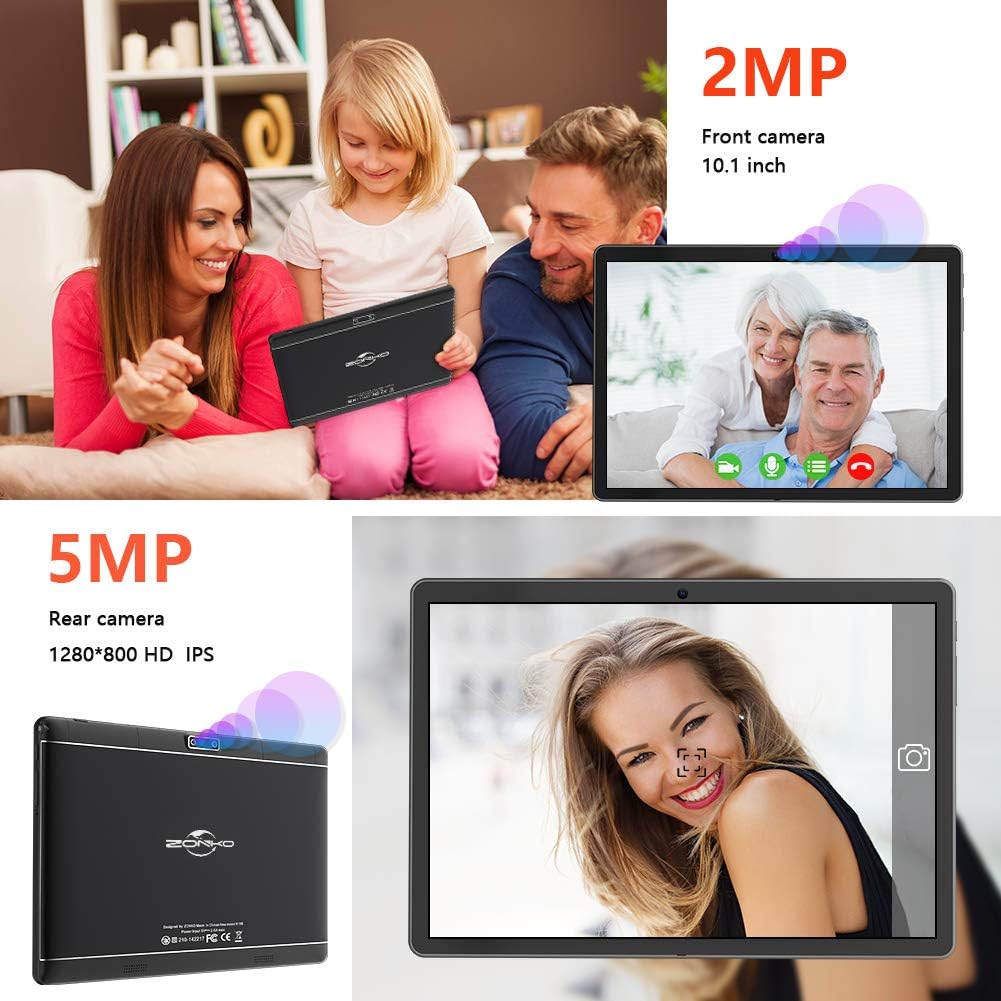
Figure 4: Visual representation of the ZONKO Tablet's front and rear camera functions, showing example images.
4. Maintenance and Care
4.1 Battery Management
The tablet is equipped with a 6000mAh built-in rechargeable battery, providing 6-8 hours of mixed-use. To prolong battery life, avoid extreme temperatures, use the provided charger, and disconnect once fully charged. Regularly check battery usage in Settings > Battery to identify power-consuming apps.

Figure 5: An illustration highlighting the 6000mAh battery capacity and charging process of the ZONKO Tablet.
4.2 Storage Management
With 32GB internal storage and support for up to 128GB MicroSD, you have ample space for your files. Regularly clear cache, uninstall unused apps, and move large files to the MicroSD card to optimize performance. Access storage settings via Settings > Storage.

Figure 6: The ZONKO Tablet screen displaying various media files, emphasizing its 32GB ROM expandable to 128GB.
4.3 Cleaning and Handling
Use a soft, lint-free cloth to clean the screen and body of the tablet. Avoid abrasive cleaners or solvents. Handle the tablet with care to prevent drops or impacts, which can damage the screen or internal components.
5. Troubleshooting Common Issues
- Tablet not turning on: Ensure the battery is charged. Connect the charger and wait a few minutes before attempting to power on again. If it still doesn't turn on, perform a forced restart by holding the power button for 10-15 seconds.
- Slow performance: Close unused applications, clear app caches, and free up storage space. Consider performing a factory reset if the issue persists (back up your data first).
- Wi-Fi connection issues: Restart your Wi-Fi router and the tablet. Forget the network in tablet settings and reconnect. Ensure you are within range of the Wi-Fi signal.
- Apps crashing: Ensure apps are updated to their latest versions. Clear the cache and data for the problematic app in Settings > Apps & notifications > App info.
5.1 Official Product Video
For a visual guide on various features and troubleshooting tips, please refer to the official ZONKO product video below:
Video 1: Official ZONKO Tablet 10 Inch Android 9.0 3G Phone Tablets overview, demonstrating key features and functionalities.
6. Product Specifications
| Feature | Specification |
|---|---|
| Screen Size | 10.1 Inches |
| Screen Resolution | 1280 x 800 IPS |
| Processor | 1.3 GHz Quad Core CPU (MediaTek) |
| RAM | 2 GB DDR3 SDRAM |
| Internal Storage | 32 GB Flash Memory (Expandable to 128GB via MicroSD) |
| Operating System | Android 9 Pie |
| Wireless Type | 802.11bgn, 802.11b, 802.11b/g (2.4G Wi-Fi) |
| Cameras | Rear: 5 MP, Front: 2 MP |
| Battery Capacity | 6000mAh Lithium Polymer (6-8 hours mixed-use) |
| SIM Card Support | Dual SIM Card Slot for 3G Phone Call |
| Dimensions (LxWxH) | 9.84 x 7.87 x 0.2 inches |
| Item Weight | 1.76 pounds |
| Color | Black |
| Model Number | K105 |

Figure 7: An infographic summarizing the ZONKO Tablet's core specifications, including screen size, OS, CPU, cameras, and battery.
7. Warranty and Support
ZONKO products are designed for reliability and performance. For warranty information and customer support, please refer to the documentation included with your purchase or visit the official ZONKO website. Keep your purchase receipt as proof of purchase for warranty claims.
For further assistance, you may contact ZONKO customer service through their official channels. Details can typically be found on the product packaging or the brand's online store page.
ZONKO Store Link: https://www.amazon.com/stores/ZONKO/page/497A48C9-87AC-459D-8156-0DBB1F913692


