
1. Introduction
Thank you for choosing the ORICO 5-Port USB Charging Station. This device is designed to efficiently charge multiple electronic devices simultaneously while keeping your space organized. Please read this manual carefully before use to ensure proper operation and to maximize the lifespan of your product.
2. Product Features
- 5 USB Ports: Equipped with five smart USB ports for charging multiple devices.
- Fast Charging: Each port can deliver up to 2.4A, with a total output of 40W, ensuring faster charging speeds.
- Smart Identification Chip: Automatically recognizes connected devices and adjusts output for optimal charging speed.
- Fixed Dividers: Features thick, all-in-one undetachable partitions to keep devices upright and stable during charging.
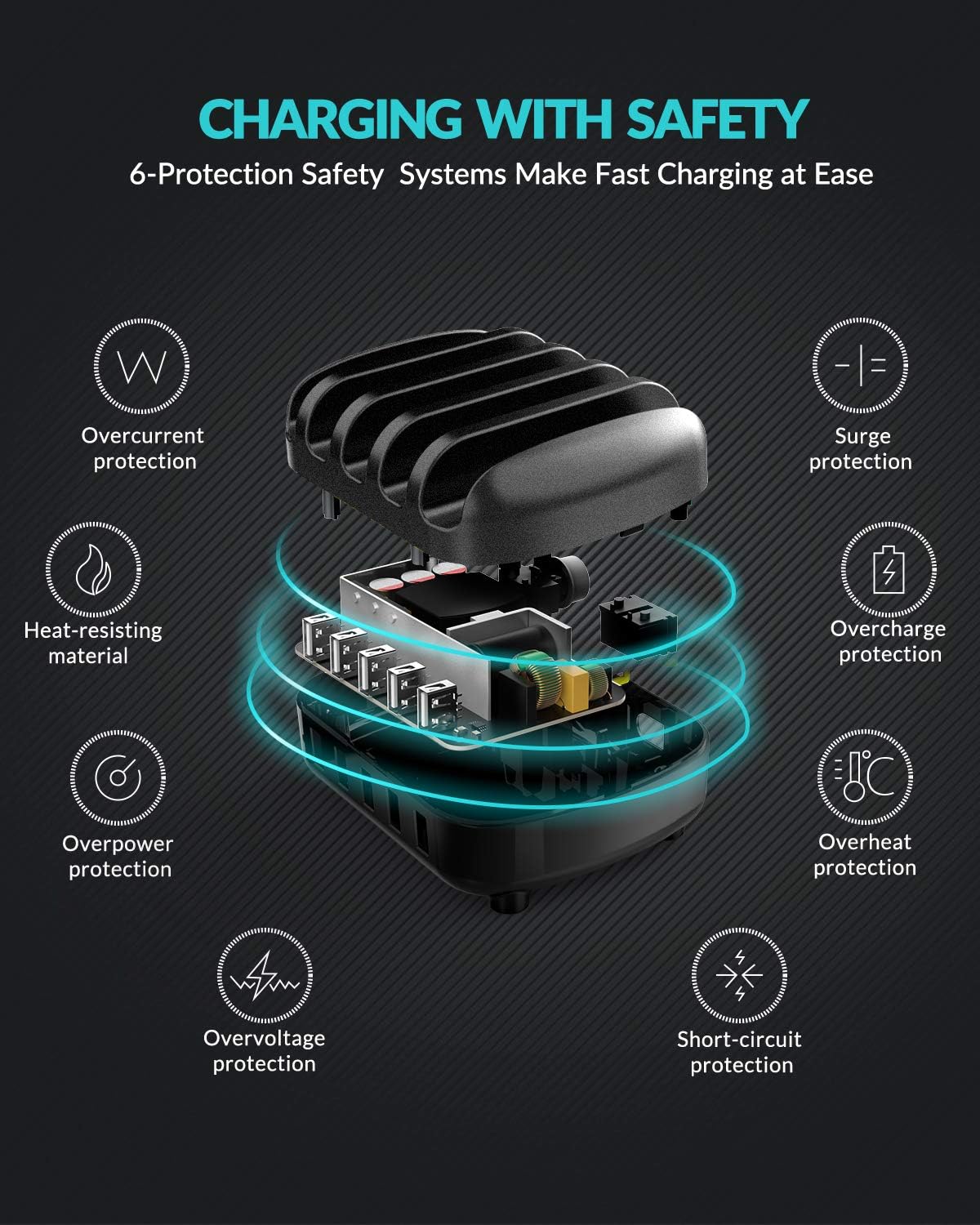
- Comprehensive Safety Protections: Built-in safeguards against overcharge, surges, overheating, short circuits, and overload.
- Durable Material: Constructed from industrial fireproof PC material, resistant to temperatures up to 750℃.
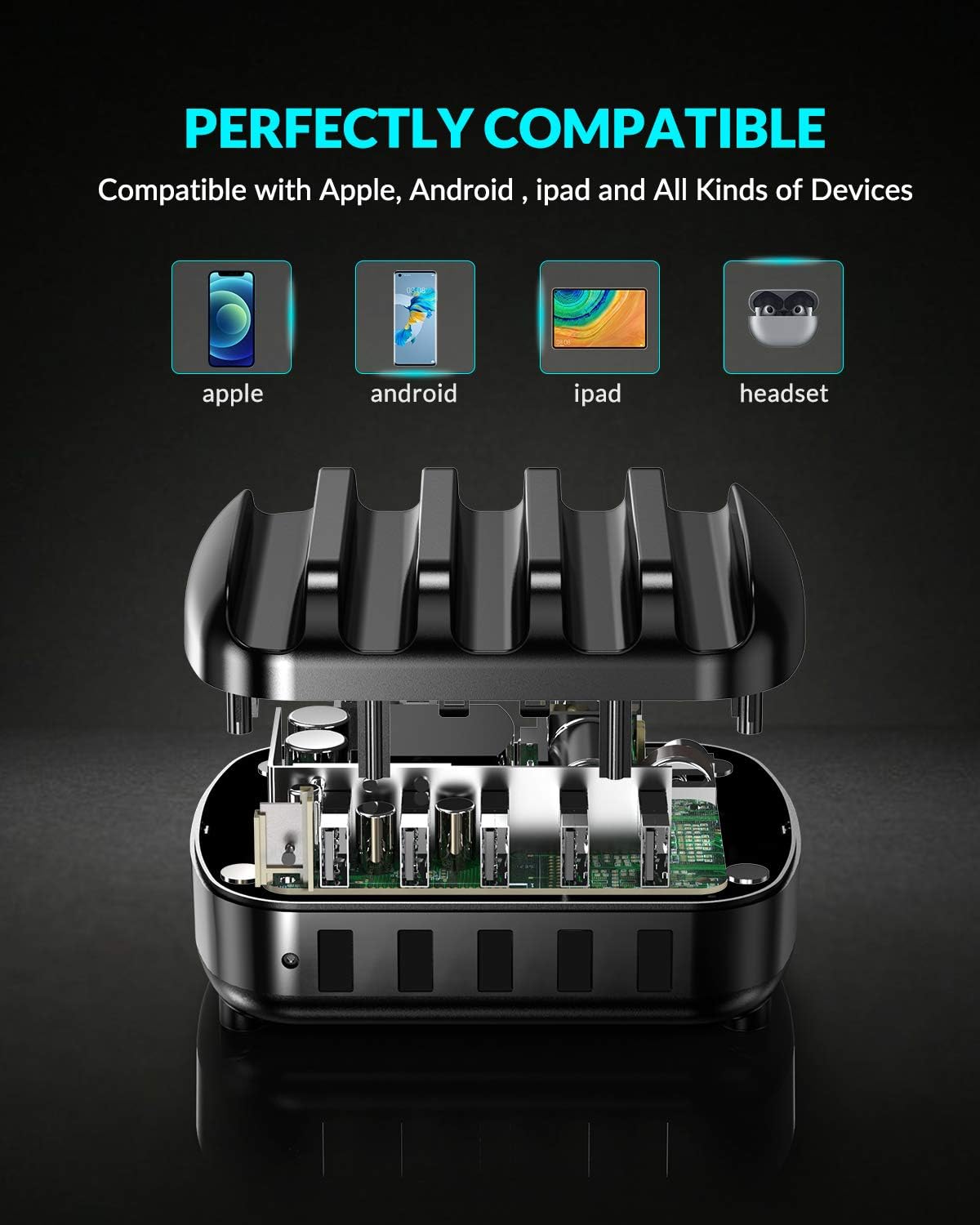
- Universal Compatibility: Supports a wide range of devices including iPhones, iPads, Android smartphones, tablets, power banks, cameras, and more.
3. Package Contents
Please check the package for the following items:
- 1 x ORICO 5-Port USB Charging Station
- 1 x 5ft Power Cable
- 1 x User Manual
- 5 x Short Charger Cables (for various devices)
4. Setup Instructions
- Connect Power: Insert the provided 5ft power cable into the power input port on the back of the charging station. Plug the other end into a standard wall outlet.
- Place Devices: Place your smartphones, tablets, or other compatible devices into the designated slots between the fixed dividers.
- Connect Charging Cables: Use the included short charging cables or your own USB charging cables to connect your devices to the USB output ports on the front of the charging station.
- Begin Charging: The charging station will automatically detect your devices and begin charging.

5. Operating Instructions
The ORICO 5-Port USB Charging Station is designed for simple plug-and-play operation.
- Smart Charging: Each USB port features an intelligent chip that automatically identifies the connected device and delivers the optimal charging current (up to 2.4A per port, 40W total). This ensures efficient and safe charging for all your devices.
- Device Compatibility: The charging station is compatible with a wide range of USB-powered devices.

6. Safety Information
To ensure safe operation and prevent damage to the device or injury, please observe the following safety guidelines:
- Do not expose the charging station to water or excessive moisture.
- Avoid dropping or subjecting the device to strong impacts.
- Do not disassemble, modify, or attempt to repair the device yourself. Contact qualified service personnel if needed.
- Keep the device away from extreme temperatures and direct sunlight.
- Ensure proper ventilation around the charging station during use.
- The charging station is equipped with multiple safety protections including overcurrent, surge, heat-resisting material, overcharge, overpower, overvoltage, and short-circuit protection.
7. Maintenance
To maintain the performance and appearance of your charging station:
- Clean the device with a soft, dry cloth. Do not use liquid cleaners or aerosols.
- Ensure the charging ports are free from dust and debris.
- Store the device in a cool, dry place when not in use for extended periods.
8. Troubleshooting
Device Not Charging:
- Ensure the power cable is securely connected to both the charging station and the wall outlet.
- Verify that the wall outlet is functioning correctly by plugging in another device.
- Check if the USB charging cable is properly connected to both the charging station and your device. Try a different cable if necessary.
- Confirm that your device is compatible with USB charging.
Slow Charging:
- Ensure you are using a high-quality USB charging cable.
- Some devices may have specific charging requirements. Refer to your device's manual.
- The charging station provides up to 2.4A per port. If your device requires higher amperage for its fastest charging, it will charge at the maximum supported by the station.
9. Specifications
| Brand | ORICO |
| Model | 5-Port USB Charging Station |
| Connector Type | USB Type A |
| Total USB Ports | 5 |
| Input Voltage | 5 Volts |
| Amperage (Per Port) | 2.4 Amps (Max) |
| Total Output Power | 40W |
| Special Feature | Fast Charging, Smart Identification, Multi-Protection |
| Compatible Devices | iPhone, Samsung Galaxy, iPad, Android smartphones, tablets, power banks, cameras, speakers, headsets, and other USB-powered devices. |
10. Warranty and Support
This ORICO 5-Port USB Charging Station comes with a 12-month warranty from the date of purchase. If you encounter any issues or have questions regarding the product, please contact ORICO customer service for assistance. Please retain your proof of purchase for warranty claims.
11. Organize Your Space
The ORICO 5-Port USB Charging Station is designed not only for efficient charging but also to help declutter your desk or nightstand, providing a neat and organized charging solution for all your devices.


