
1. Introduction
The HealthTree JKS50A Child Pulse Oximeter is designed for non-invasive spot-checking of functional oxygen saturation of arterial hemoglobin (SpO2) and pulse rate (PR) in children. This device is suitable for home use and travel, offering a comfortable and portable solution for monitoring vital signs.
Key Features:
- Accurate and fast SpO2 and Pulse Rate readings.
- One-button operation for ease of use.
- Bright OLED display for clear visibility.
- Automatic shut-down after 10 seconds of inactivity to conserve battery life.
- Compact and portable design with soft silicone for comfort.
- Powered by 2 AAA batteries (included).
2. Package Contents
Upon opening your HealthTree JKS50A Child Pulse Oximeter package, you should find the following items:
- 1 x HealthTree JKS50A Child Pulse Oximeter
- 1 x User Manual
- 2 x AAA Batteries
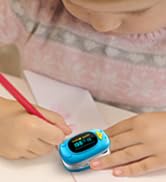
Image: Contents of the HealthTree JKS50A Child Pulse Oximeter package, including the oximeter, user manual, and two AAA batteries.
3. Setup
3.1 Battery Installation
- Open the battery compartment cover located on the back of the device.
- Insert the two AAA batteries, ensuring the positive (+) and negative (-) terminals align correctly with the markings inside the compartment. Incorrect installation may prevent the device from powering on.
- Close the battery compartment cover securely.

Image: A visual guide demonstrating the correct positive and negative orientation for AAA battery installation in the pulse oximeter.
4. Operating Instructions
4.1 Measurement Procedure
- Open the clamp of the pulse oximeter.
- Insert your child's finger (or thumb/toe for infants) into the rubber opening of the oximeter. Ensure the finger is fully inserted and resting flat on the sensor. For children, the index finger, middle finger, or thumb are recommended. For infants, the big toe or the ball of the foot can be used.
- Press the power button once to turn on the device.
- Keep your child's hand and body still during measurement. Movement can affect the accuracy of the readings.
- Wait approximately 8-10 seconds for the SpO2 and Pulse Rate values to appear on the OLED display.
- The device will automatically turn off after 10 seconds of no operation or if the finger is removed.

Image: Illustrations showing recommended measurement points for children (finger) and infants (big toe or ball of foot).

Image: A child demonstrating how to insert their finger into the pulse oximeter for a reading.

Image: A child pressing the single power button on the pulse oximeter to initiate a measurement.

Image: A child remaining still with the pulse oximeter on their finger, waiting for accurate measurement results.
4.2 Video Guide: How to Use
Video: An official HealthTree video demonstrating the correct way to use the child pulse oximeter, including battery installation and proper finger placement for accurate readings.
5. Maintenance
5.1 Cleaning
- Clean the surface of the oximeter with a soft cloth dampened with medical alcohol (70% ethanol or 75% isopropanol).
- Wipe the inside of the finger clip with the same solution.
- Allow the device to air dry completely before reuse.
- Do not immerse the device in water or any cleaning solution.
5.2 Storage
- Store the oximeter in a cool, dry place away from direct sunlight, extreme temperatures, and humidity.
- Remove batteries if the device will not be used for an extended period to prevent battery leakage and damage.
6. Troubleshooting
| Problem | Possible Cause | Solution |
|---|---|---|
| No display after pressing power button | Batteries are dead or incorrectly installed. | Replace batteries or ensure correct positive/negative orientation. |
| "Finger Out" message or unstable readings | Finger not properly inserted or excessive movement. | Reinsert finger correctly and ensure the child remains still during measurement. |
| Inaccurate readings | Nail polish, cold fingers, or strong ambient light interference. | Remove nail polish, warm the finger, or move to a less brightly lit area. |
7. Specifications
- Model Name: JKS50A
- Product Dimensions: 2.24 x 1.3 x 1.18 inches
- Weight: 2.08 ounces
- Measuring Range (SpO2): 70-100%
- Measuring Range (Pulse Rate): 50-180 bpm
- Power Supply: 2 x AAA batteries (included)
- Manufacturer: HealthTree
- Date First Available: October 16, 2019
8. Warranty and Support
For warranty information and customer support, please refer to the documentation included in your product packaging or visit the official HealthTree website. Ensure you retain your proof of purchase for any warranty claims.
