
Introduction
Thank you for choosing the Crenova Electric Wine Opener set. This manual provides essential information for the safe and efficient operation, maintenance, and troubleshooting of your new wine opener kit. Please read these instructions thoroughly before first use and retain them for future reference.
Package Contents
Your Crenova Electric Wine Opener set includes the following items:
- 1 x Automatic Electric Corkscrew
- 1 x Foil Cutter
- 1 x Aerator Pourer
- 1 x Vacuum Wine Stopper
- 1 x Display Base
- 1 x USB Charging Cable

Image: All components of the Crenova Electric Wine Opener kit, including the electric opener, foil cutter, aerator pourer, vacuum stopper, display base, and USB cable.
Product Overview
The Crenova Electric Wine Opener is designed for effortless wine bottle opening and preservation. Key features include a rechargeable battery, intuitive controls, and a sleek stainless steel finish.

Image: The Crenova Electric Wine Opener and its accessories neatly arranged on the display base.

Image: The Crenova Electric Wine Opener connected to its USB charging cable, alongside the foil cutter, aerator, and vacuum stopper.
Setup
Charging the Electric Wine Opener
The electric wine opener features a built-in rechargeable battery. Before first use, fully charge the device.
- Connect the provided USB charging cable to the charging port on the wine opener.
- Plug the other end of the USB cable into a compatible USB power adapter (not included) or a computer USB port.
- The LED indicator lights on the opener will illuminate to show charging status. A full charge typically takes approximately 2.5 hours and can open up to 70 bottles.
- The display base is for storage only and does not charge the opener directly.
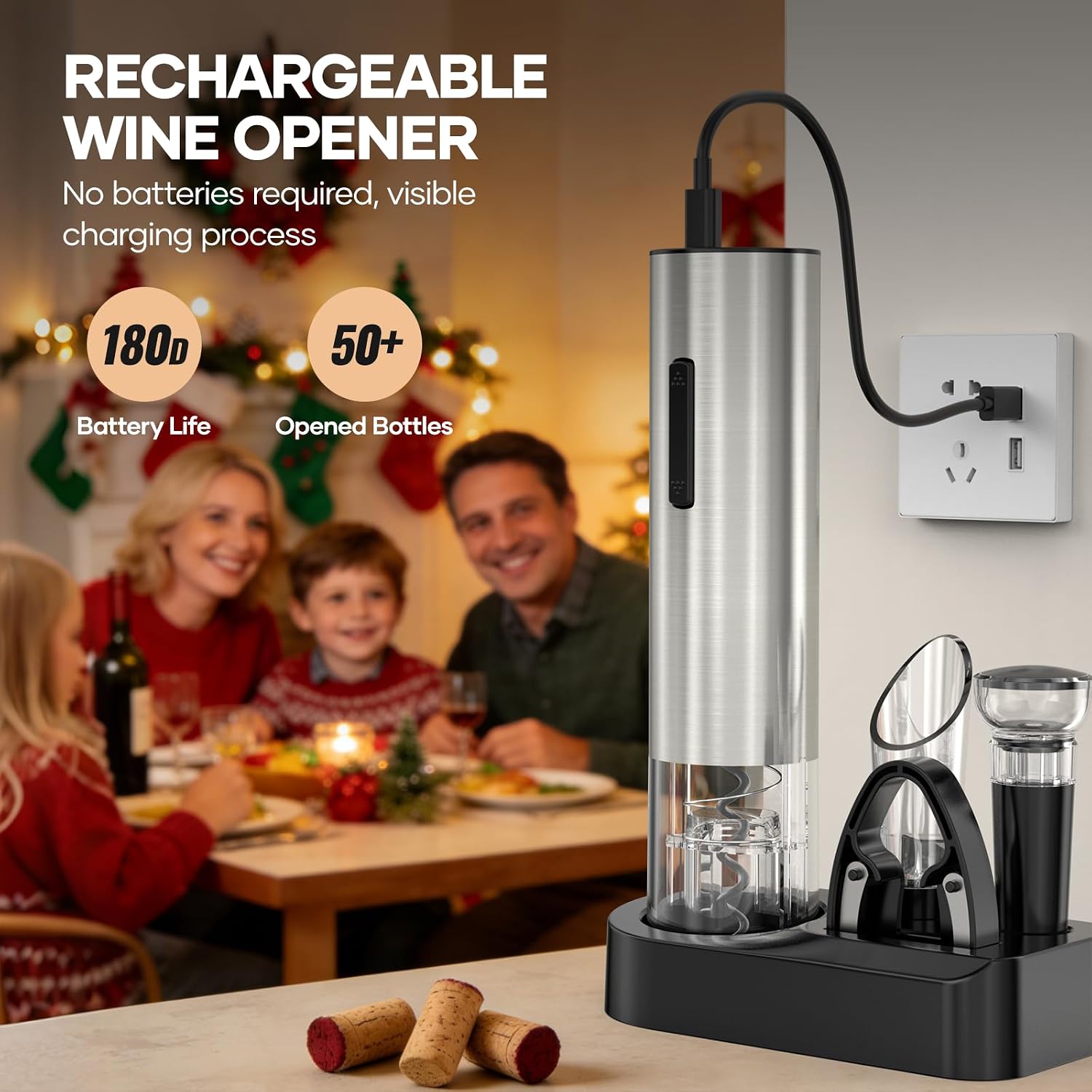
Image: The electric wine opener connected to a power source via its USB cable, showing the battery indicator lights.
Operating Instructions
1. Using the Foil Cutter
The foil cutter is designed to quickly and cleanly remove the foil seal from wine bottles.
- Place the foil cutter on top of the wine bottle, gripping the neck firmly.
- Squeeze the sides of the cutter and rotate it around the bottle neck to cut the foil.
- Remove the cut foil.

Image: A hand demonstrating the use of the foil cutter to remove the seal from a wine bottle.
2. Using the Electric Wine Opener
Effortlessly remove corks in seconds with the automatic corkscrew.
- After removing the foil, place the electric wine opener vertically on top of the wine bottle, ensuring it is centered over the cork.
- Hold the bottle firmly with one hand and press the "Down" button on the opener. The corkscrew will automatically penetrate the cork and pull it out of the bottle. The light will turn blue during this process.
- Once the cork is fully extracted, lift the opener from the bottle.
- To release the cork from the opener, press the "Up" button. The light will turn red during this process.

Image: The electric wine opener in action, with a blue light indicating the corkscrew is descending into the cork.

Image: A four-step visual guide showing how to use the foil cutter and electric wine opener to open a bottle.
3. Using the Aerator Pourer
The aerator pourer enhances the wine's flavor by allowing it to breathe as it's poured, while also preventing drips.
- Insert the aerator pourer firmly into the neck of the opened wine bottle.
- Pour wine slowly into your glass. The aerator will mix air with the wine, improving its aroma and taste.
- The angled spout ensures drip-free pouring.

Image: The aerator pourer attached to a wine bottle, pouring aerated wine into a glass without drips.
4. Using the Vacuum Wine Stopper
Preserve the freshness and flavor of your wine by removing air from the bottle.
- Insert the vacuum wine stopper firmly into the neck of the opened wine bottle.
- Pump the top of the stopper up and down several times until resistance is felt, indicating that air has been removed and a vacuum seal is created.
- This helps to maintain the wine's aroma and purity for longer.

Image: A vacuum wine stopper inserted into an opened wine bottle, demonstrating its use for preservation.
Maintenance & Care
- Cleaning: Wipe the exterior of the electric wine opener with a clean, damp cloth. Do not immerse the device in water. The foil cutter, aerator pourer, and vacuum stopper can be rinsed under running water and air-dried.
- Storage: Store all components in the provided display base in a cool, dry place when not in use.
- Battery Care: For optimal battery life, charge the electric wine opener regularly, even if not used frequently.

Image: The Crenova Electric Wine Opener standing upright on its display base, ready for storage.
Troubleshooting
| Problem | Possible Cause | Solution |
|---|---|---|
| Opener does not work | Low battery or device is off. | Charge the device fully. Ensure the button is pressed correctly. |
| Cork not removed | Opener not centered or held firmly. | Ensure the opener is centered and held vertically and firmly on the bottle. |
| Wine leaks from pourer | Pourer not inserted correctly. | Ensure the aerator pourer is inserted snugly into the bottle neck. |
| Vacuum stopper not sealing | Stopper not fully inserted or not pumped enough. | Push the stopper firmly into the bottle and pump until strong resistance is felt. |
Specifications
- Model Number: WO-213B Mini
- Material: Stainless Steel
- Finish Type: Stainless
- Item Weight: 0.45 Kilograms
- Product Dimensions: 5.5"L x 1.9"W
- Special Features: Rechargeable, Wine Gift Set
- Included Components: Electric Wine Opener, Foil Cutter, Aerator Pourer, Vacuum Stopper, Display Base & USB Charging Cable
Warranty & Support
Crenova offers a 365-Day Quality Guarantee and Lifetime Technical Support for this product. For any inquiries or assistance, please contact Crenova customer service. An English/Deutsch manual is also available.

Image: Crenova customer support details, highlighting 365-day guarantee, 24-hour reply, and lifetime technical support.
Official Product Video
Watch this official seller video for a comprehensive overview and demonstration of the Crenova Electric Wine Opener Set.
Video: An official product video from the seller, LFUS, showcasing the Crenova 4-in-1 Electronic Rechargeable Wine Opener Set and its various functions.