
Introduction
The T TICCI Kids Digital 8 Alarm Vibrating Watch T1802 is designed to assist children with daily routines, medication reminders, and potty training through customizable alarms and vibrations. This manual provides detailed instructions for setting up, operating, and maintaining your watch.
Product Overview
The watch features a digital display, multiple alarm settings, vibration alerts, a countdown timer, stopwatch, date display, EL backlight, and water resistance. It is designed for children aged 6-18 years.

Image: Overview of the watch display and its multi-functions including vibration, alarm, countdown, stopwatch, date/week/month/year, EL backlight, waterproof, and 12/24 hour format.
Setup
1. Initial Power On and Battery
The watch comes with one CR2 battery pre-installed. If the display is not active, ensure the battery is correctly seated. No initial battery installation is typically required.
2. Setting Time and Date
To set the time and date:
- Press the MODE button repeatedly until the time setting mode is displayed (usually indicated by flashing digits).
- Use the RESET button to cycle through the settings (hours, minutes, year, month, day).
- Use the START/STOP button to adjust the values for each setting.
- Once all settings are correct, press the MODE button to exit the setting mode.
3. Setting Alarms and Vibration
The watch supports up to 8 alarms/vibrations that auto-repeat daily. You can choose between sound (beep), vibration, or both.
- Press the MODE button until the alarm setting mode is displayed.
- Use the RESET button to select the alarm number (AL1 to AL8).
- Use the START/STOP button to adjust the alarm time (hours and minutes).
- To select the alert type (sound, vibration, or both), press the LIGHT/SET button while in the alarm setting mode. The display will show icons indicating the selected mode.
- Repeat for each desired alarm.
- Press the MODE button to exit.
4. Setting the Countdown Interval Timer
The countdown timer can be set from 15 minutes to 24 hours and auto-starts each day.
- Press the MODE button until the timer setting mode is displayed.
- Use the RESET button to select the interval (hours, minutes).
- Use the START/STOP button to adjust the values.
- Once set, the timer will automatically begin its countdown and repeat daily.
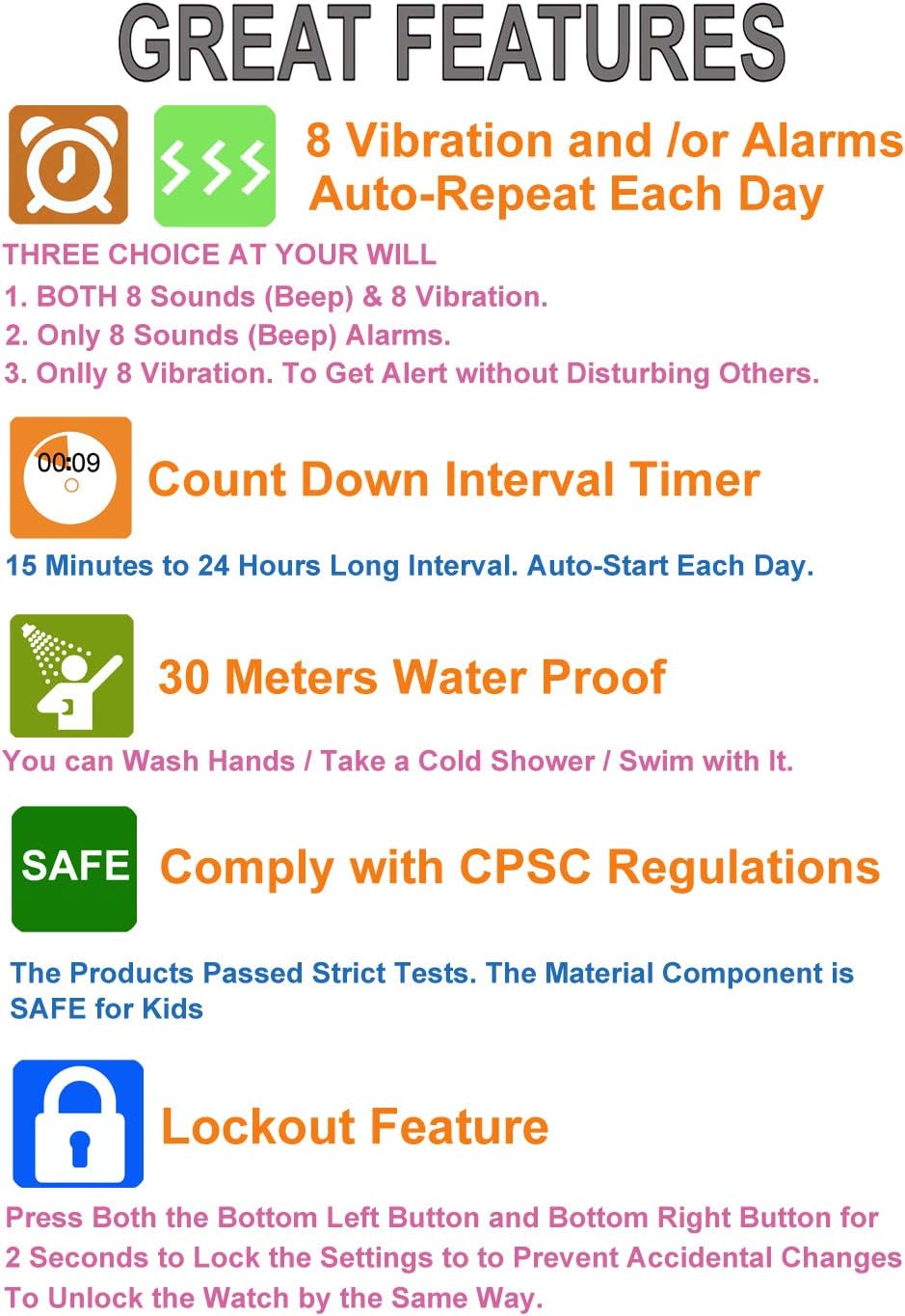
Image: Visual representation of key features including 8 vibration/alarm modes, countdown timer, 30 meters water resistance, CPSC compliance, and lockout feature.
Operating Instructions
1. Using the EL Backlight
To illuminate the display in low light conditions, press the LIGHT button (top-left button). The backlight will stay on for approximately 5 seconds.

Image: Demonstrates how to activate the blue EL backlight by pressing the top-left button for approximately 5 seconds for clear night viewing.
2. Stopwatch Function
To use the stopwatch:
- Press the MODE button until the stopwatch mode is displayed (usually indicated by 00:00:00).
- Press START/STOP to begin timing.
- Press START/STOP again to pause/resume.
- Press RESET to clear the stopwatch to zero.
3. Lockout Feature
To prevent accidental changes to settings, the watch includes a lockout feature. Press both the bottom-left (MODE/LOCK DATE) and bottom-right (RESET) buttons simultaneously for 2 seconds to lock the settings. Repeat the action to unlock.
4. Alert Modes
The watch offers three alert modes for alarms and the timer:
- Vibrate Only: Provides a silent reminder without disturbing others.
- Beep Only: An audible alert.
- Vibrate + Beep: Combines both alerts for a strong reminder.

Image: Illustrates the three available alert modes: Vibrate Only, Beep Only, and Vibrate + Beep, allowing users to choose the most suitable reminder type.
Maintenance
1. Water Resistance
The watch is 30 meters water resistant, suitable for hand washing, rain, splashes, and cold showers. It is not designed for hot water exposure, as hot water may affect the watch's water-resistance structure. Avoid pressing buttons underwater.

Image: Details the 30M water resistance of the watch, indicating suitability for splash resistance, hand washing, and rain, with a warning to keep away from hot water.
2. Cleaning
Clean the watch regularly with a soft, damp cloth. Avoid using harsh chemicals or abrasive materials that could damage the watch's finish or seals.
3. Battery Replacement
The watch uses one CR2 battery. When the display dims or functions become unreliable, it may be time to replace the battery. Battery replacement should ideally be performed by a qualified technician to ensure water resistance is maintained.
Troubleshooting
- Watch not turning on or display is blank: Check battery. Ensure it is correctly installed. If issues persist after battery replacement, contact support.
- Alarms/Vibrations not working: Verify that alarms are set correctly and the desired alert mode (sound, vibration, or both) is selected. Ensure the volume is not muted if using sound alerts.
- Buttons unresponsive: Ensure the lockout feature is not activated. If it is, press both bottom buttons simultaneously for 2 seconds to unlock. If buttons remain unresponsive, contact support.
- Inaccurate time: Reset the time and date as per the 'Setting Time and Date' section. If the time continues to drift, the battery may be low or require service.
- Water ingress: If water appears inside the watch, stop using it immediately and contact support. Water resistance can be compromised by impacts or improper battery replacement.
Specifications
| Feature | Detail |
|---|---|
| Model Number | T1802 |
| Display Type | Digital |
| Movement Type | Digital |
| Case Material | Plastic |
| Band Material | Silicone |
| Clasp Type | Buckle |
| Water Resistance Depth | 30 meters |
| Additional Features | 8 Alarms, Vibration, Countdown Timer, Stopwatch, EL Backlight |
| Battery Type | 1 CR2 battery (included) |
| Minimum Wrist Circumference | 10.5 cm |
| Case Diameter | 32 millimeters |
| Band Width | 16 millimeters |
| Case Thickness | 14 millimeters |

Image: Detailed dimensions of the watch case, band, and crystal thickness for reference.
Warranty Information
This T TICCI watch comes with an 18-month manufacturer's warranty from the date of purchase. The warranty covers defects in materials and workmanship under normal use. It does not cover damage resulting from misuse, accidents, unauthorized repairs, or normal wear and tear. Please retain your proof of purchase for warranty claims.
Support
For any questions, technical assistance, or warranty claims, please contact T TICCI customer support. Refer to the product packaging or the retailer's website for the most current contact information.