
Product Overview
The Sumeve Automatic Intelligent Particle Weighing Filling Machine is designed for precise and efficient filling of dry powder and granular materials. This machine utilizes microcomputer control and electronic weighing technology to ensure high accuracy in packaging various products.
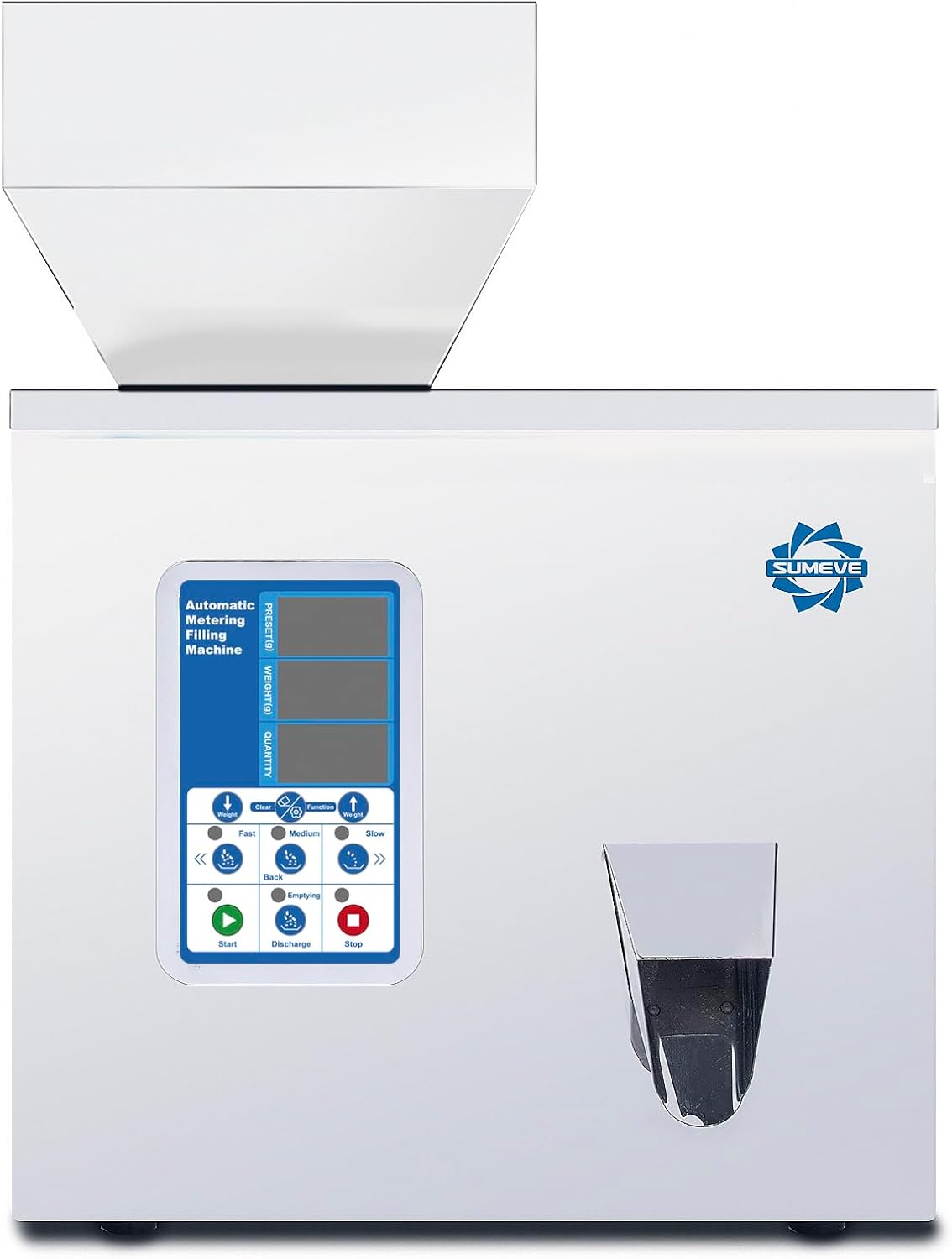
Figure 1: Front view of the Sumeve Automatic Intelligent Particle Weighing Filling Machine, showcasing its control panel and dispensing chute.
1. Setup
Before operating the machine, ensure it is properly set up according to these instructions.
1.1 Unpacking and Initial Inspection
Carefully remove the machine from its packaging. Inspect all components for any signs of damage during transit. The packing list typically includes the main unit, power cable, foot pedal, cleaning brush, and a wrench.

Figure 2: Included accessories: power cable, cleaning brush, wrench, and user guide, alongside the main machine and foot pedal.
1.2 Power Connection
Connect the provided power cable to the machine's power input port located at the rear. Ensure the power switch is in the OFF position before plugging into a standard 110V/60Hz electrical outlet.
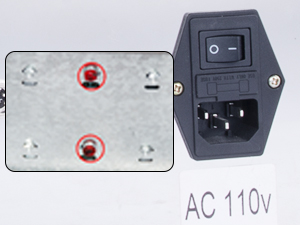
Figure 3: Close-up view of the AC 110V power input and switch located on the back of the machine.
1.3 Hopper Installation and Initial Cleaning
The machine comes with a square hopper suitable for powder products. Ensure it is securely placed on top of the machine. Before first use, clean the hopper and all contact parts thoroughly to remove any manufacturing residues. Use a dry cloth or the provided brush for cleaning.

Figure 4: Illustrates the process of filling the machine's hopper with powder, ready for operation.
2. Operation
Follow these steps to operate the Sumeve filling machine effectively.
2.1 Control Panel Overview
The control panel features a digital display for preset weight, current weight, and quantity. Buttons are provided for adjusting settings and controlling the filling process.
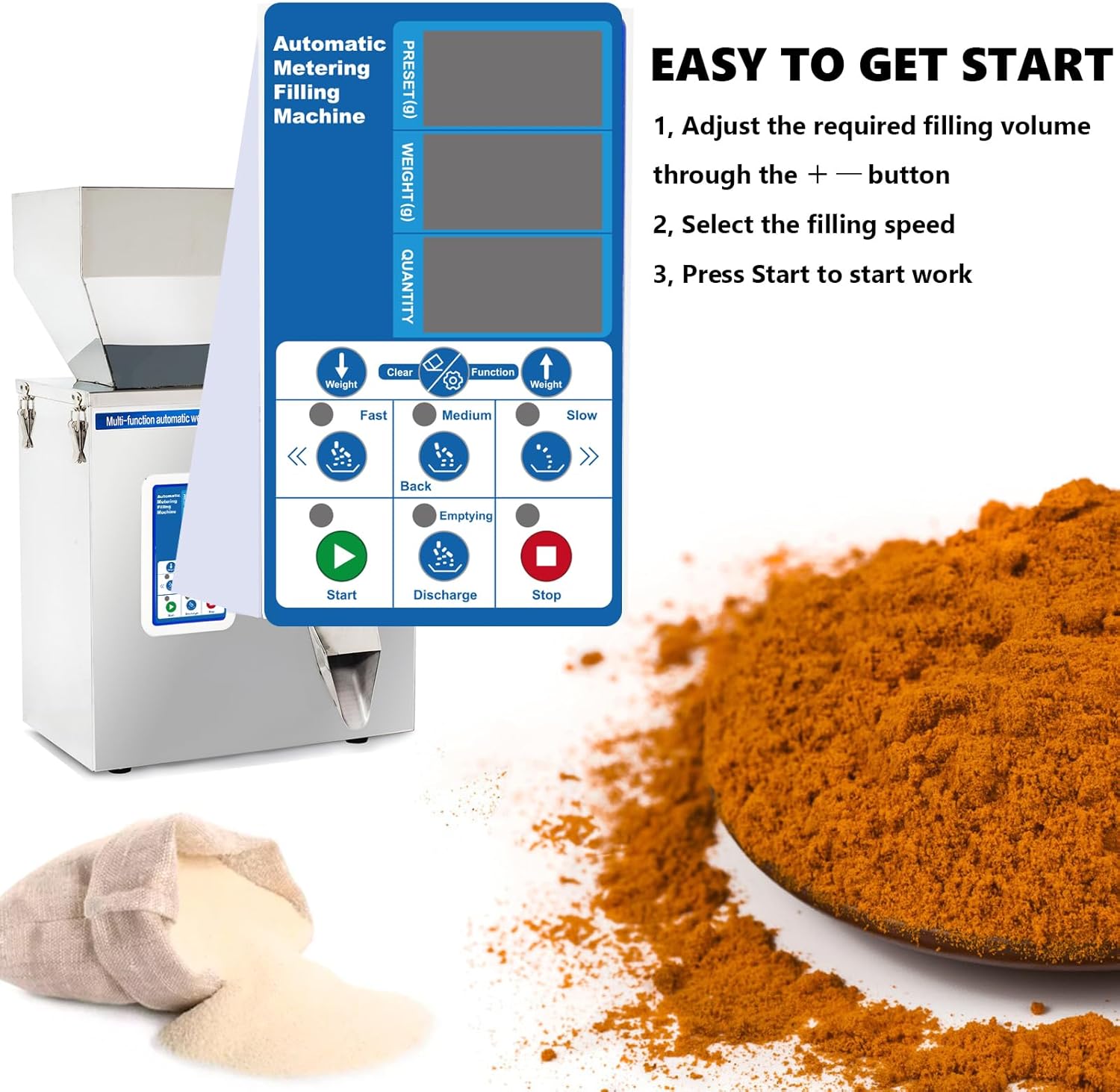
Figure 5: Detailed view of the control panel, showing the display and function buttons for setting weight and speed.
2.2 Setting Fill Volume
- Turn on the machine using the power switch.
- Use the + and - buttons on the control panel to adjust the desired filling weight (in grams). The preset weight will be displayed on the top screen.
2.3 Selecting Filling Speed
Choose the appropriate filling speed based on the material and desired output. The machine offers three speed settings: Fast, Medium, and Slow. The speed setting controls the vibration intensity of the pan, affecting how quickly material is dispensed. Slower speeds are generally quieter.
2.4 Starting Operation
Once the desired weight and speed are set, press the Start button (green button) to begin the filling process. The machine will automatically weigh and dispense the material. An automatic sensor under the out-spout allows for hands-free operation when a bag is held beneath it. A foot pedal is also provided for manual control.
2.5 Material Compatibility
This machine is designed for dry powder and granular products with good flow characteristics. It is suitable for materials such as flour, milk powder, coffee powder, chemical powder, and small particles (φ<15mm).

Figure 6: Illustrates the types of products suitable for the square hopper model, such as coffee powder and seasoning powder. It also specifies that products with good rolling performance (like beans) and wet powder are not suitable.
Not Suitable For:
- Wet products: Materials that are wet or clumpy.
- Sticky products: Materials like soft candy.
- Heavy products: Items such as glass beads or steel beads.
- Static-generating powders: Some powders may generate static electricity and adhere to the machine.
Figure 7: Visual examples of products not suitable for this machine: heavy items (like glass beads), wet powder, and sticky products (like gummy candies).
2.6 Emptying the Hopper
To empty the hopper or clear the machine, press the Discharge button (yellow button) or the Emptying button. Press the Stop button (red button) to halt any operation.
3. Maintenance
Regular maintenance ensures the longevity and optimal performance of your filling machine.
3.1 Cleaning
The machine is constructed from stainless steel, making it easy to clean. After each use, especially when changing materials, clean the hopper and dispensing chute thoroughly to prevent cross-contamination and buildup. Use the provided brush or a soft, dry cloth. Do not use abrasive cleaners or immerse the machine in water.
3.2 Regular Checks
Periodically inspect the machine for any loose screws or components. Ensure all connections are secure. Keep the area around the machine clean and free of dust and debris to prevent interference with moving parts.
4. Troubleshooting
This section addresses common issues you might encounter and their potential solutions.
| Problem | Possible Cause | Solution |
|---|---|---|
| Inaccurate Filling Weight |
|
|
| Excessive Noise During Operation |
|
|
| Slow Recharge/Cycle Time |
|
|
| Material Not Dispensing |
|
|
If the problem persists after attempting these solutions, please contact customer support.
5. Specifications
Key technical specifications for the Sumeve Automatic Intelligent Particle Weighing Filling Machine (100g-Powder model):
- Model: 100g-Powder
- Packing Range: 1 - 100g (0.22 lbs) adjustable
- Filling Material Size: φ<15mm
- Packing Speed: 12-15 bags/min
- Filling Accuracy: Error 0.3g
- Voltage: 110V/60Hz
- Machine Material: Stainless steel
- Item Weight: Approximately 21.7 pounds
- Package Dimensions: 22 x 16.5 x 14.4 inches

Figure 8: Side view of the machine with key dimensions indicated: 14 inches deep, 8.5 inches wide, 14.5 inches high (excluding hopper), and hopper height of 6 inches.
6. Warranty and Support
Sumeve is committed to providing comprehensive customer support for its products.
6.1 Customer Support
As an enterprise integrating R&D and production, Sumeve offers a complete catalog of spare parts and technical assistance. If you require any support, including spare parts or technical guidance on using the machine, please contact Sumeve customer service. Support is available regardless of how long you have owned the product.
For further assistance, you may visit the official Sumeve store on Amazon: Sumeve Store